No matching entry. Try a shorter phrase or clear the search.
Read the blue atlas interface
The game uses dark navy panels, light blue title bars and buttons, white text and crisp, slightly rounded borders. The current page or selected control has a brighter blue fill and border. Dimmed buttons remain unavailable until their stated requirements are met; keyboard focus has a pale blue outline. Warning and success colors still communicate their existing meanings.
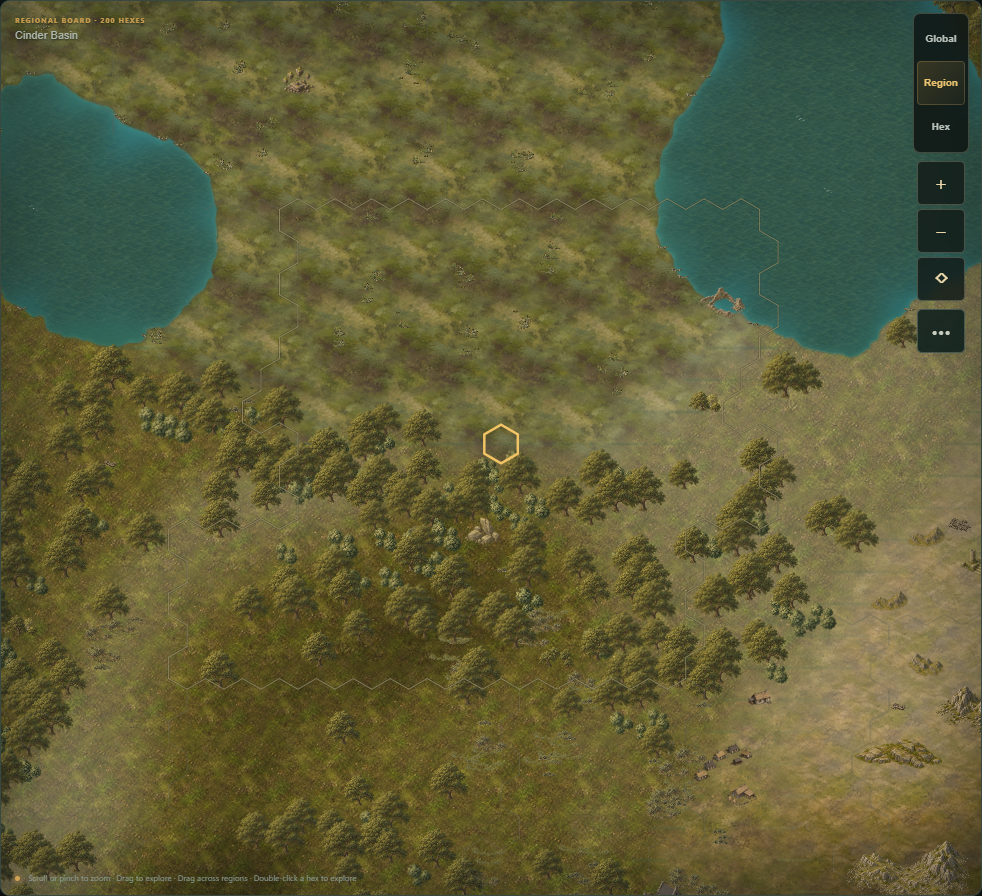
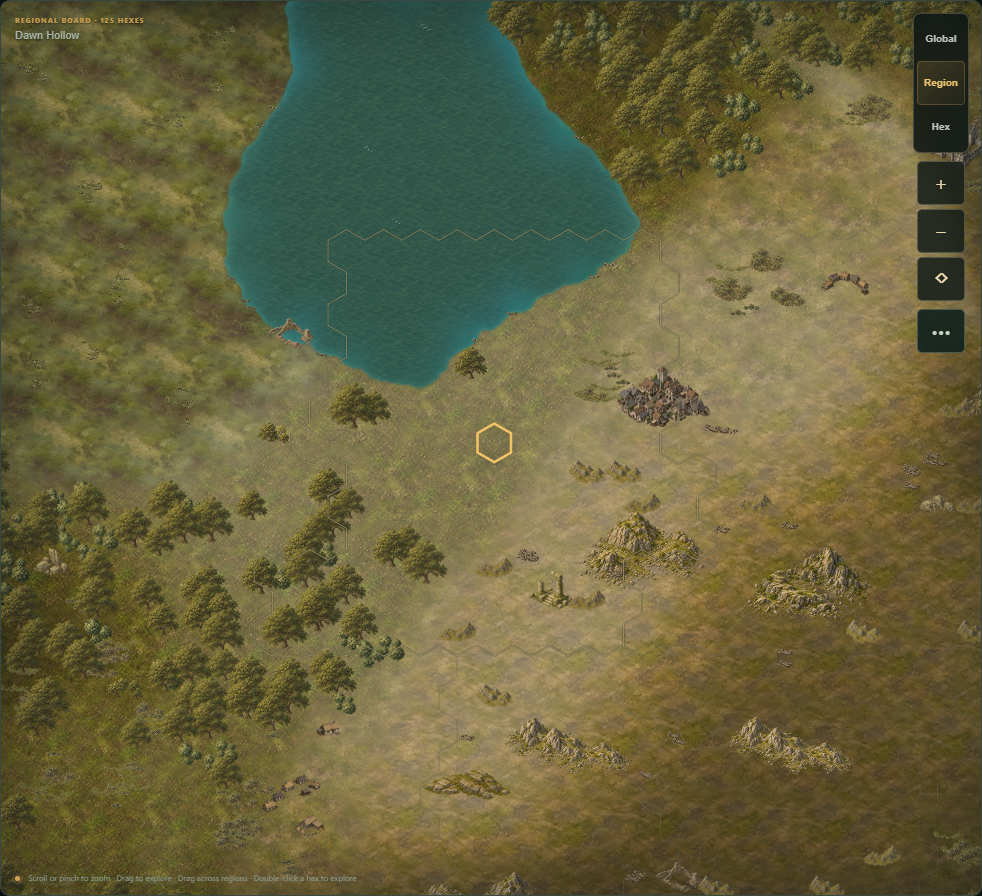
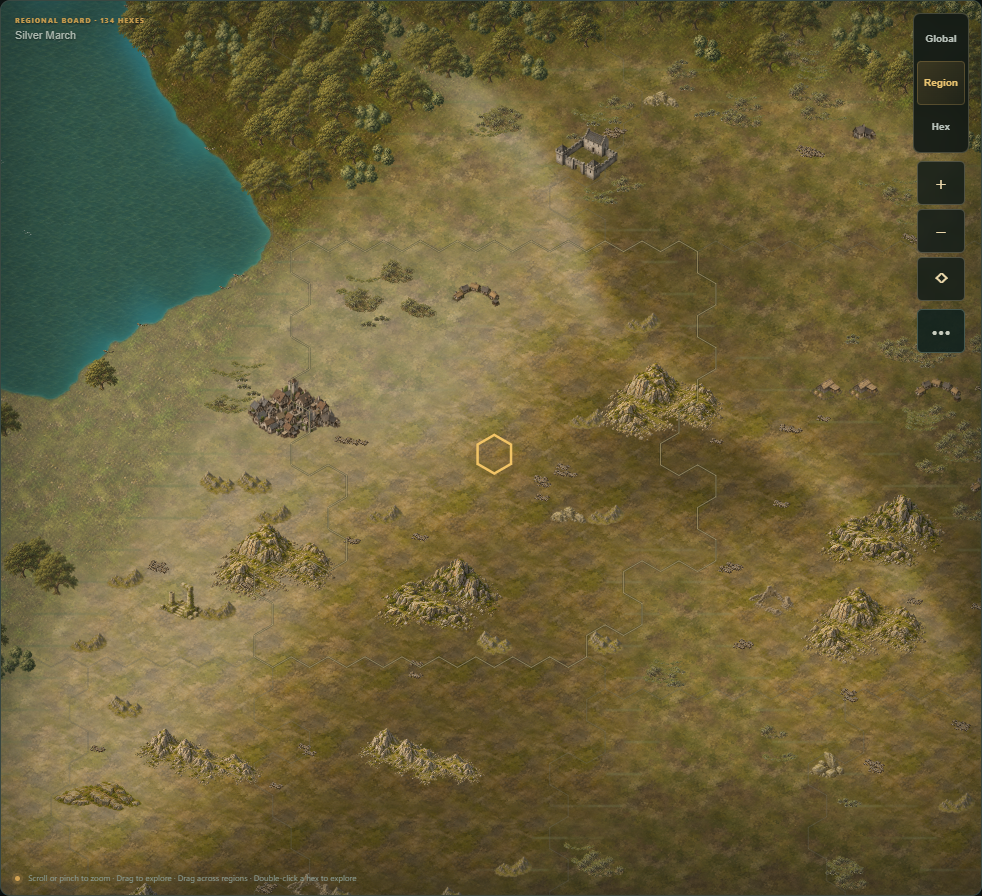
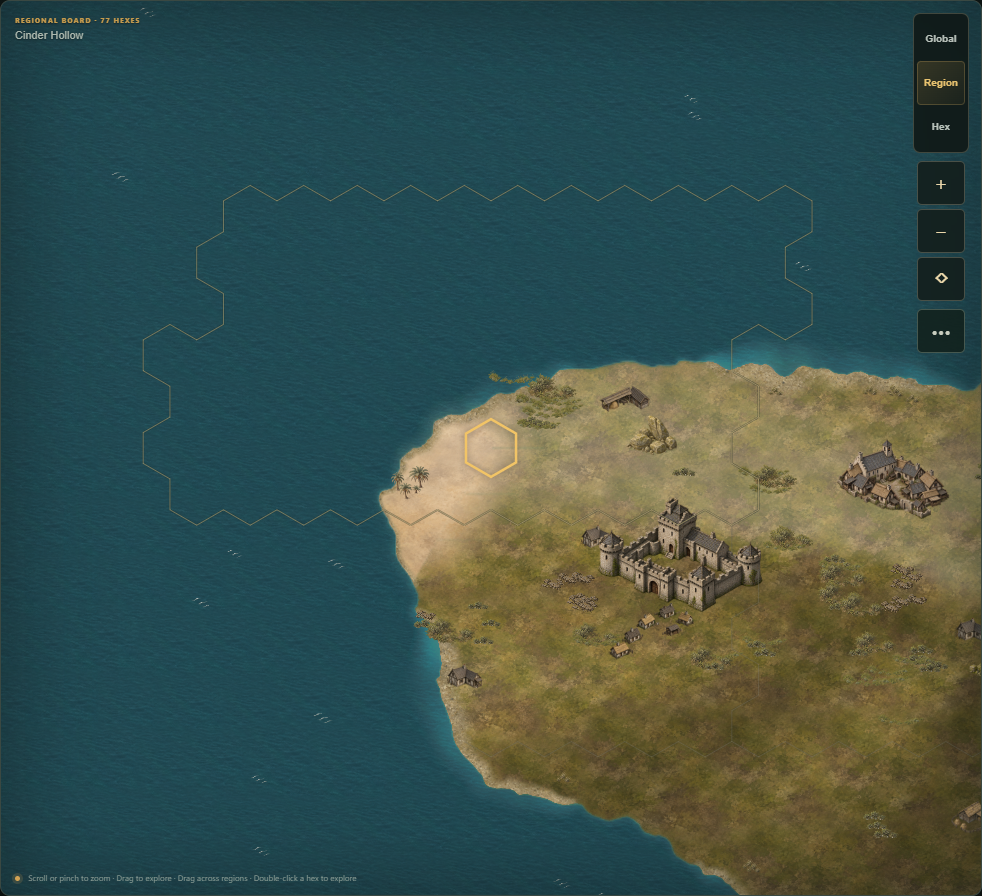
On desktop, choose World, City and the other game areas from the left navigation rail. Resource information stays above the main workspace, and the selected settlement's information stays on the right. On phones, scroll the navigation row horizontally to reach the other areas; settlement information appears below the map. Global, Region, Hex, zoom and More map options stay on the map's right edge. Open Settings → Display & comfort to change reading size, strengthen contrast or reduce motion.
The visual update keeps the existing controls and separate paid reviews. Follow Getting started and the first-village tutorial for current founding, food, construction and staffing steps.
Inspect original artwork
The complete published library contains 8,303 files, including older runtime copies retained in their own collection.
Open the Art Atlas at /tile-library/. The updated catalog starts with Everything, including source paintings, prototypes, references and runtime copies. Classic tiles shows the production PNG originals; Runtime derivatives, Composition prototypes and Named image exports identify other forms separately. Choose Production inventory to narrow the view to approved collections. Catalog visibility alone does not mean an asset or gameplay feature is enabled in the world.
Click a preview to open the complete stored image in a new tab, at its native file format and resolution. Previews fit the whole image without cropping or map blending. Expand Show more art files for additional variants and File IDs & metadata for measured properties. Source paintings may already have background removal. Search untouched generator original for files verified against preserved generator outputs or their recorded checksums; the Untouched generator originals collection holds the additional preserved outputs, while unchanged originals already in other collections retain their locations. The page reports missing classic sources instead of silently substituting small game sprites. The October 18 source-inclusive release includes the interface and the installed production originals.
Guides and tutorials
Open the separate Guides & tutorials section in the wiki's top navigation. Begin with the Beginner guide, then follow Start guide: your first village. The tutorial index also covers your first building, stopped production, physical trade and returning to play. Each lesson names prerequisites, current controls and a success check. The detailed Getting started walkthrough and the reference catalogs below continue from those basics.
Version 1: begin with a working village
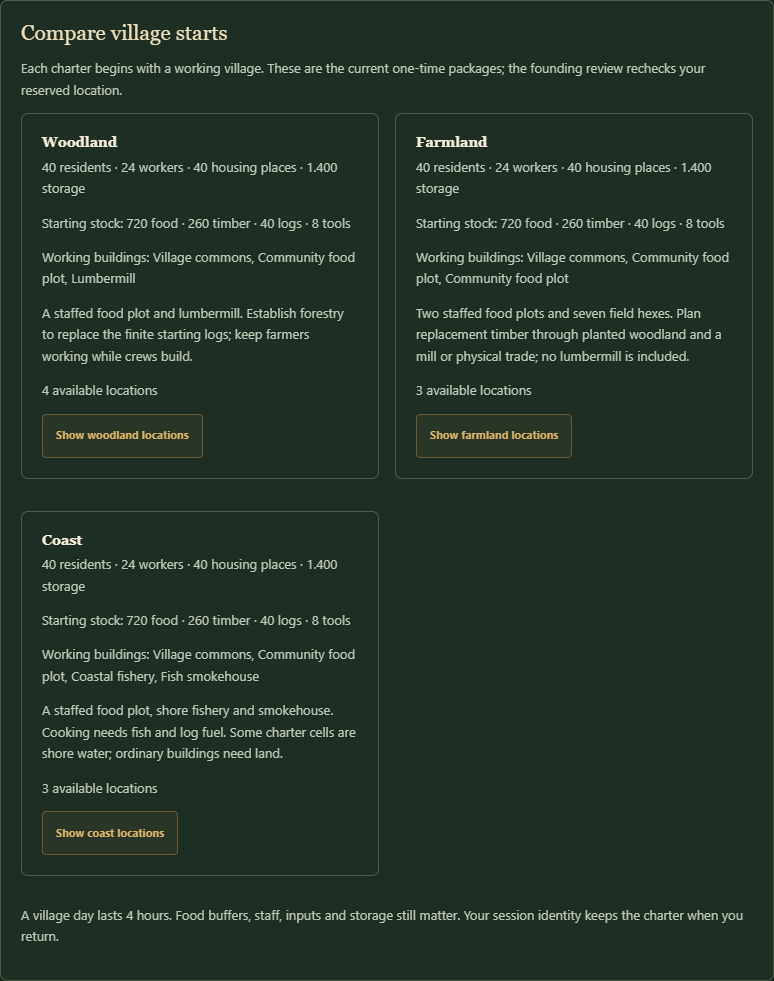
Start with Getting started: compare a current woodland, farming or coastal package, reserve and separately found, keep the starting food chain staffed, and finish one affordable legal improvement. Your village-to-region guide opens the actual next prerequisites. Confirm each paid review separately and use Workers → Assign one after a new operating building finishes. A village day lasts four real hours; forecasts and finite stock do not guarantee future production.
The Version 1 notes explain the playable release scope and limits. Advanced named systems retain their actual prerequisites and restrictions. Permanent useful major waterworks, lawful territorial settlement and wider institution/realm/campaign acceptance remain in Version 2. Follow your village's current review instead of treating a catalog entry or an older technical report as a finished feature.
Send mixed-material barter
Open Trade & routes → One-time barter, coin sale or relief. Choose the recipient, main We send and We receive materials and quantities. Expand Add materials for mixed barter and add up to two more materials to either side. Leave unused rows at None and zero. Each filled row needs 1–40 whole units. Use each material once per side, send and receive different materials, and include at most one dated material per side.
Use Review mixed barter proposal to review the complete bundle. For example, send six timber and twelve logs for eighteen food to supply both a scribe and kitchen in one physical trip. The current route may require more carrying room: travel food and animal feed count too. Inspect the actual dispatch quote before committing.
The other owner separately uses Review payment reservation for the whole payment. The sender then uses Review agreed dispatch, paying actual goods, two available carriers and separate travel meals. Reserved goods remain outside usable stock. Every sent material exchanges together when the team arrives and the recipient has room; full storage delays exchange. Payment must return and unload before it can be used at home. Grain, flour and fish keep their original dates through the journey.
Either owner can cancel before exchange. Local payment is released, while undelivered travelling goods and carriers return physically. After exchange, the delivery is final. A mixed agreement grants no land, management rights or knowledge. Review trade proposal, coin sales, relief and recurring agreements use their existing primary rows; extra rows apply only to Review mixed barter proposal.
See which settlement is selected
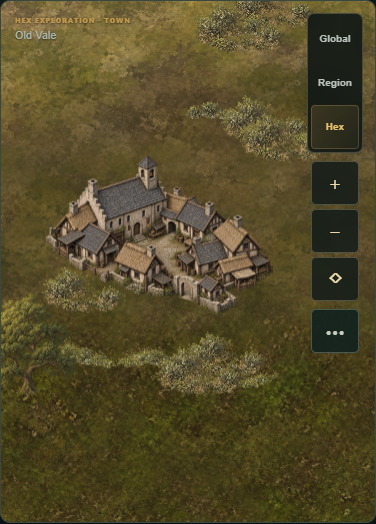
The Region title names the geographic board. Open ••• to read its separate Selected settlement line, which names the managed settlement containing your selected hex and shows that settlement's full Managed footprint. The gold dashed border outlines those managed hexes. Hex shows the current hex number with the same settlement identity. Global keeps the extra settlement line hidden; selecting unmanaged land clears the previous name and says No managed settlement at this hex.
Use Locate on map in the settlement overlay to return to that community. A footprint count describes recorded managed land; each building still needs its actual site check and separate review. Keep the starting food producers working, finish a useful legal building, then review any reserve policy separately. A storehouse adds capacity without operating workers. Increase food space by one day holds room for a later food batch without creating goods or guaranteeing warehouse space against arriving cargo. See Getting started.
Choose a buildable plot
Open a building's Preview on map, then use Build plot. Each managed hex shows the current result for that building and orientation: Can build now, Requirement remains or Blocked, followed by the first reason when needed. An occupied hex stays available for inspection but cannot accept another footprint. Checking site… means the current check is still refreshing; wait for its result before reviewing construction.
Choose a Can build now plot, inspect the outlined footprint and read the material/work quote, then use Review construction. Only confirmation spends stock; funding can still queue behind another crew assignment. Compare managed sites offers the same results with ready sites first and an Inspect hex button. After work finishes, staff a building with worker places through separate Assign one reviews; a storehouse supplies capacity without operating staff. Keep your starting food producers working. See Getting started.
Estimate funding for a workshop target
In City → Production, assign the intended workers, expand Production mandate, choose the Warehouse resource, Stop at stock target and Input allowance period, then choose Estimate funding for target. The estimate uses this warehouse's current stock and the currently staffed recipe. It changes only draft allowances; separately Review target and funding to authorize them. Target mode requires active Public accounting. An unstaffed producer cannot estimate a working batch.
Capped total estimates enough whole batches for the current stock gap, plus inputs already spent. Renew each village day estimates one more staffed batch beyond today's recorded spending. Commitments from earlier recipes remain included. Changing this draft can reduce unused funding but cannot erase spending. A final batch may exceed the stock target. A target is a warehouse level: processing and deliveries can lower stock, but an exhausted capped allowance does not renew. Other consumers, missing inputs, source limits, staffing changes and storage can prevent production.
The worked continuation staffs the existing charcoal kiln with two workers and authorizes charcoal target eight with a ten-log total cap. Five forge batches need ten iron/five charcoal to lift existing tool stock from one to eleven. These are current local quantities, not a universal recipe plan. Eight actual charcoal and ten new tools are produced. A separately accepted food-for-two-tools trade returns real goods; the receiving home then delivers two tools from its combined stock to the mineral camp. Both workshop crews are separately released after the capped work.
The same twelve-day continuation restores both worn wheat plots using each owner's existing two compost/two timber and four available workers. Land & water → Restore soil fertility still needs its ordinary review, full work and subsequent crop cycle. Stored food covers the pauses; food needs remain met, health stays 100 and the smaller coastal kitchen completes twelve more consecutive batches. The closing fields work again, but future woodland cuts, room for camp collection, civic supplies, soil care and finite ore still need actual work.
Work a surveyed seam and return the ore
In Frontier & charters, use a returned report and separately registered charter before dispatching supplied founders. A first direct camp uses the founding home's first available outpost slot. A second requires active Land registry and a sound staffed Land registry office. Check migration policy and home jobs before six workers leave; the camp's residents and warehouse remain separate.
At the camp, separately build Community food plot on suitable cleared land and assign food workers. Ten extra founder timber leaves only ten after camp establishment, while the food plot costs thirty timber/ten food. Deliver the shortfall through Manual supply transport. The Iron mine requires its surveyed seam, cleared eligible ground, ninety timber/thirty food and an ordinary construction review; the quote may also spend a tool for crew support. A full mine uses four local workers for up to seven finite ore per working day. Food workers, available storage and remaining ore still matter. Pause mine staffing when enough ore is ready.
From its home, choose ore under Collect, pay the carrying trip and leave room for return. Ore is usable only after unloading. A different owner must separately accept a trade and physically receive it before their Smithy can use Smelt iron. Smelting spends four ore/two charcoal for four iron per full cycle; Forge tools spends two iron/one charcoal for two tools. Keep a Charcoal kiln supplied with actual logs and workers, and pause workshop staff when the planned amount is complete. Delivery of existing and newly made tools is a separate trip.
The first earned mineral route mines fourteen ore, physically transfers twelve to the farming workshop, smelts twelve iron and makes two more tools before charcoal runs out. Its later four-tool shipment includes existing workshop stock. This replaces reliance on a new depot-iron grant, while the seam remains finite. The same route handles three natural elder deaths, restores paused scribes with real supplies, and keeps all six communities healthy and fed through eighty-four configured days. Ordinary household aging continues; adjust worker and meal plans to the current population. Review Family & continuity after a relative dies: the tested households keep their current ruler and nominated successor, while an existing living adopted relative becomes the eligible interim.
Plan a frontier survey before paying for it
In City → Frontier & charters, choose a released parcel and select Plan survey supplies. The Supply chains goal traces that trip's timber, tool and travel-food bill, including return meals and the delay reserve. Prepare this survey shows the two existing workers needed, estimated time and any current dispatch blocker. A material plan can stay available while goods or workers are missing; blocked routes and held parcels need resolving first.
Use Review survey dispatch only when its live quote is ready. Planning spends nothing and reserves no supplies or workers. The team must return its actual report before a separate conditional charter and supplied founders can establish a camp. Check home staffing and migration policy before eight residents, including six workers, leave. A mine then needs its own eligible seam, paid building, local food workers and physical ore collection.
Make and physically deliver tools while preserving meals
After securing food and real timber, learn/adopt Joinery at the operating mill, then choose its precision recipe in Production and assign workers through separate reviews. Public accounting enables a separately reviewed Daily timber budget; the limit permits spending but grants no timber. Optional scribes can remain paused while accumulating workshop materials. Plan their operating buffer before restoring them.
Build a Smithy and Charcoal kiln on eligible free land. In Trade & transport, Review 10 lots of iron quotes twenty timber plus actual travel meals, finite supplier stock and two available home carriers. Wait for the physical return. Staff the kiln to turn five logs into four charcoal per full-staff cycle; choose Forge tools at the Smithy to turn two iron/one charcoal into two tools per full-staff cycle. Keep food production and storage room, and release workshop workers when the finite batch is finished. Supplies can run out; imported iron is not renewable.
The worked continuation makes ten tools from actual inputs. The coastal owner proposes twenty-four food for four tools; the farmer separately accepts, and the coastal team dispatches and returns before spending them. A custom camp trip then delivers one tool with actual paid carriers and meals. The example pauses scribes for workshop funding, restores them with real timber and maintains them for over thirty more village days. Its smaller kitchen adds 133 consecutive batches to the earlier 109. Use your current site, stock, quote and agreement; these amounts and rates are not promised for every community.
When home storage crowds production, Review 40 lots of relief food sends forty existing food to the finite waystation, plus separate travel meals, and returns no goods. Check depot space and protect household meals; this is a paid physical delivery, not deletion or an infinite outlet. Camp food collections and legal regrown harvests also need real carrying space.
Changing Operating days keeps your draft through fresh City updates. Editing or inspecting a buffer does not send an order; return to the live controls and review any actual service or delivery separately.
Prepare supplies before restoring a learned service
In Research, select Plan operating supplies on a learned program that consumes daily materials. This opens Supply chains → Work backward from a goal, starting with seven Operating days. Choose one to thirty days to prepare a material buffer. A paused Record keeping service normally needs one timber per operating village day; an existing named specialist can change that rate. Inspect the rate shown for your own community.
The plan enables no service and reserves no goods. It excludes research, first adoption, household meals, travel and other projects. Check available workers, the institution, production inputs and the actual route before relying on deliveries. Use Inspect [topic] in Research, then separately review Enable program when the service was already adopted, or Review adoption when it was only learned. A paused service has no current recurring demand; after enabling, its actual daily supplies appear in current demand once. A material buffer does not guarantee uninterrupted operation.
Keep meals and fuel running through a smaller production chain
Read Production before assigning every available worker. In the worked coastal continuation, four wheat growers on maintained soil provide 28.6 food, and one kitchen worker cooks three fish/half a log into six food. One fisher supplies the smaller kitchen. Their conditional 34.6 food exceeds the thirty-two home residents' daily demand, leaving workers for transport and upkeep. Releasing or assigning staff restarts the affected full growing/work cycle; retain actual household meals before each change.
A nearly full camp cannot receive a large timber load without space. Expansion → Plan a custom supply trip can combine a delivery and collection: the example sends twenty timber and reserves forty-six actual camp food, on three separately reviewed trips. Each team pays travel meals and returns before the next load. The camp then spends sixty timber/fifteen food for a separately built Storehouse on a legal cleared plot. The woodland partner funds its own sixty-timber/fifteen-food storehouse. Operating capacity starts after construction; inspecting or delivering materials builds nothing.
Leave the selected camp woodland to regrow between cuts. Later custom collection-only trips each bring seven logs and six food; the team still needs home carriers and travel meals. The example repeats the same camp cut seven times, completes fourteen collections and keeps the smaller kitchen cooking on 109 consecutive daily checks. The partner also harvests its two regrown woodland plots and mills real logs. Separately accepted timber barter supplies both homes' soil repairs. When home storage gets tight, another actual surplus-food-for-timber agreement frees room; compare the real carrying quote and wait for return. Twelve Restore soil fertility projects and three paid compost batches remain necessary in this 150-village-day example. Both scribes remain paused. Each order in this worked route used the ordinary City controls and a separate current review. This is manual, bounded play; future storage, repair materials and supplies still need attention. Follow your own current quotes and available workers rather than assuming the example's stocks or travel distances.
If Production says Missing less than 0.01 fish or another good, that batch is still blocked. The label is rounded for reading; it does not provide the missing ingredient or reduce the full requirement. Check the supplier's actual stock and next cycle. Normal food, staff, storage, crop and institution blockers remain binding.
Repeat woodland supply and care for worn food soil
When a negative food balance includes a staffed, blocked field whose enabled soil preparation has worn below 50%, Overview → Inspect food-plot soil care opens Land & water and selects that owned field. Inspect Restore soil fertility: two compost, two timber, four available residents and a full village day. Keep household meals while the field pauses. Inspecting spends nothing; crop, specialist, input and storage blockers still need their own checks.
For repeated timber supply, use Land & water → Selective harvest on qualifying woodland, leave the trees to regrow, then pay for physical collection through Expansion → Plan a custom supply trip. A collection-only trip may carry no goods outward; carriers still consume home travel meals. In the worked continuation, each trip returns twenty actual logs and six camp food. One-time barter exchanges eighteen of those logs for twelve timber from the woodland village. Its owner separately accepts the payment; Review agreed dispatch sends the paid team. The partner's staffed mill consumes two received logs for 1.5 timber per full day. Reserved or travelling goods are not usable home stock.
In the preceding material-only example, the same camp plot was selectively harvested four times after ordinary regrowth, and the partner's actual mill replaced all forty-eight timber sold plus the three timber spent on Seed selection. Real soil repairs kept both prepared home fields working. Food producers were reduced through separate worker reviews to preserve storage room; the coastal fishery and kitchen were explicitly paused, then restored near the end. This proves a bounded manual material route, not continuous cooking or an automatic recurring agreement. The closing kitchen has only three logs, the woodland partner has little storage room and both camps are nearly full. Review another delivery, food collection or paid storage before the next cut. Healthy food balances do not create unlimited storage or fuel, and both home scribes remain paused.
Maintain the older home while expanding
The long coastal example also wore out the older farming home's prepared soil. Its wheat stopped, leaving a small food deficit covered temporarily by stored meals. In that home's Land & water, the farmer separately reviewed Compost organic material using four own logs/four food, then Restore soil fertility using two compost/two timber. Each project took its full village day. This restored wheat and a positive food balance without changing crops, adding people or borrowing the coastal stock.
Both homes and both camps then kept food needs met, health 100 and positive conditional food balances for seven more village days. The farmer retained 32 logs/13 timber/6 compost; coastal cooking left four logs. Record keeping remains explicitly paused in both homes. Arrange further fuel and soil/civic materials before those finite stocks run out.
A coastal route that restores fuel and supplies a camp
A coastal home can keep its existing field working while the kitchen waits for logs. One worked route learned Seed selection and chose barley, paid real iron imports and four kits, then trained four existing residents for two full days. A cautious patrol dispersed that home's surveyed camp; one wound healed before demobilization returned workers and three worn kits. Check your own current survey, supplies and risk.
After adopting Crop rotation, the coastal owner proposed thirty-two food for twenty real logs. The farmer separately reserved that payment. Review agreed dispatch paid two carriers and travel meals; the logs became usable only after physical return. Three paid compost batches and Prepare and enrich soil then enabled wheat on the existing surveyed food plot. Soil preparation pauses that field for three days, so retain household meals. Later wear stopped wheat until the owner paid Restore soil fertility, using two compost/two timber and a full workday each time. Keep future repair materials rather than treating land preparation as permanent fertility.
Four further accepted trips sent twenty-four food for eighteen timber each. These were negotiated quantities, not a guaranteed exchange rate. Travel provisions reduced carrying room enough that the farming example's larger timber load did not fit here. Pause optional Record keeping while accumulating supplies, then restore it before the fresh survey and charter. A returned survey report and conditional charter each have fourteen-village-day validity; do not spend those windows waiting for long material deliveries. Review founders with food-plot timber needs seventy timber, plus tools, existing founders and quoted meals. Separately build and staff the camp food plot after arrival.
If Inspect supply-team workers appears, open Workers: the next team needs two free residents at home. Camp workers cannot carry a team departing from the home. Review each Release one or optional service suspension, keep household production/reserves available and wait for restarted full crop cycles. In this route, suspending the scribe and reducing home wheat growers eight → six freed real workers. A separately reviewed mixed team delivered thirty-two food/one tool and returned twenty locally harvested camp logs, allowing the kitchen to cook again. Both coastal and farming homes/camps kept meals and health for seven more village days. Future fuel harvest, soil care, timber and civic supply still need real work; the closing twelve logs/nineteen timber are finite.
Use current quotes and conditions for every order. This example earns the nine-step guide on one seed; it does not promise perpetual production, the same neighbor agreement or the same result everywhere.
Trade for timber before committing the next project
If your charter has no timber-producing building or natural woodland, Inspect timber trade opens Trade & transport. Preserve starting timber for tools, research, land work and founders. Building a mill requires its own materials and workers, and its later output still needs real logs. A waystation offer can deliver only its finite actual stock.
Under One-time barter, coin sale or relief, choose a Recipient village, the material and units We send, and the material and units We receive. Use Review trade proposal for barter. The other owner must separately use Review payment reservation; your goods and their payment stay separate until their agreed custody changes. You then use Review agreed dispatch, paying your real cargo, two carriers and travel provisions. Check both homes' meals, stock and warehouse room. Requested timber is unavailable at your village until the team physically returns and unloads; a cancelled or held journey does not complete the material goal. Proposing barter grants no workers, territory or authority over the partner.
A worked farming village-to-outpost route
One farming village kept both existing plots producing meals, learned Seed selection and chose barley where its starting moisture allowed it. It imported actual iron, crafted four kits, trained four existing residents for two full days and paid for a cautious patrol. That village’s camp dispersed; one wound healed at home before demobilization restored workers and three worn kits. Your current survey and risk can differ.
After obtaining tools and adopting Crop rotation, the farmer surveyed an existing food plot, composted actual logs and food, and reviewed Prepare and enrich soil. Keep the other field and meal reserves available while this three-day work pauses the affected plot. In this example the improved moisture made wheat possible, so the farmer separately reviewed that crop after completion. Soil work does not change the natural terrain or choose a crop automatically.
At the founder-kit shortage, this farmer negotiated three real barters: thirty-two food sent for twenty-four timber returned on each trip. The woodland owner separately reserved each payment. These quantities were agreed by those owners, not a fixed exchange rate or guaranteed offer. Another tools import completed the kit. Review founders with food-plot timber moved eight existing residents/six workers with seventy timber on the quoted journey; camp construction used forty, and its separately built food plot used thirty. Staff the camp plot separately.
A later custom trip delivered thirty-two food/one tool and returned twenty locally harvested logs. Both homes kept meals and health through seven more village days, and the village completed its nine-step guide. Keep future supplies in view: its remaining fifteen timber does not support Record keeping or more building forever, and a full warehouse can limit another harvest. Follow your actual quotes, consent, reserves, crop conditions and route rather than copying the example blindly.
Keep farming and coastal starts working
Farming starts can reach a storage limit while both food plots are staffed. Follow Plan a storehouse → Build this goal → Preview Storehouse on map, select a legal Plot, then separately Review construction with four available builders. A storehouse costs sixty timber/fifteen food, adds four hundred storage and needs no operating worker. Check the actual quote and household meals first.
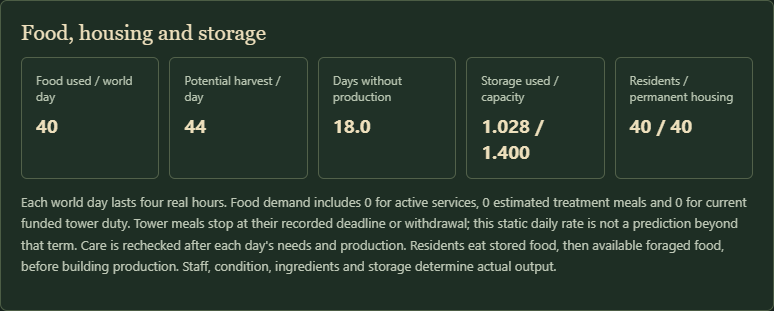
If a coastal kitchen runs out of logs and the food balance turns negative, Inspect food plot workers can point to its existing basic plot. Follow the displayed extra-grower count, then use Workers → Assign one and confirm each separate review. In the tested starter, six growers offered thirty-three food against forty demand; eight offered forty-four without kitchen fuel. A changed assignment starts a new full growing cycle. Keep meals in stock while waiting and check storage and other worker obligations. The stopped kitchen still needs its own real fuel; this advice does not refill it.
For Scouting, use Review all 9 steps → Plan Scouting’s lodge if no lodge exists. Trace its materials and preview a legal cleared field; this institution does not require mature woodland. Pay the building order, wait for completion, then use Inspect lodge workers and separately assign one available resident. Keep food producers working. After one full staffed practice day, inspect Scouting, separately fund learning, wait for the full research days and review adoption. Learned research alone does not activate the program. Use your current quotes and blockers rather than assuming the tested stock or staffing fits your village.
Compare equipment for your first patrol
From Overview → Your village-to-region guide, Compare militia equipment opens Supply chains → Work backward from a goal. Under Troops, compare Train two militia residents, Train four militia residents and Train six militia residents. Each needs that many real kits and existing civilians. Train this goal shows kits already stored, the remaining shortage and the smallest whole supported craft batch covering it. One kit costs two timber and one iron. A missing resource leaves the correct batch review disabled and its actual bill visible.
Use the matching Review two/four/six militia kits only after checking materials, meals, storage and workers. A craft batch takes a full village day and must enter home storage before the matching Review two/four/six recruits can spend it. Keep Drill active and the commons working; the first militia needs no barracks. Recruitment moves existing people out of civilian work and takes two full training days. Keep farmers working and enough people free for trade or construction. Your force then needs separately paid patrol provisions, active Scouting and a surveyed corridor. Check the actual risk: two residents face high risk at an uncleared surveyed camp, and more soldiers still do not guarantee victory. A cautious order can withdraw and still must physically return.
One earned woodland example used five imported iron for four kits, four existing residents, a cautious patrol and normal home wound recovery. Later trade was protected from that dispersed camp. After recovery, demobilization restored the surviving workers and three usable worn kits. The same village solved a real mill-log shortage by harvesting owned woodland, prepared a cleared woodland plot for a staffed field, and founded a food-producing outpost. One custom trip delivered 32 food/one tool and returned 20 locally harvested logs. Both settlements remained healthy for seven further ordinary days and all nine guide checks were earned. Every later research, land, field, charter and founder order was also exercised through City’s ordinary reviews. Use the Plot selector in Land & water/Buildings for the exact hex; use Workers → Assign one/Release one for gradual staffing changes, reviewing each. This is a worked example on one seed; use your current quotes, stock, food and route conditions rather than assuming the same amounts or outcome. Follow Getting started below for the food-first sequence.
Follow soldiers and prepare city succession
Open City → Defense → Combined detachments → Recorded detachment members to see each member's role, recorded birth date and age. Serving ages follow the latest completed village check. Death records keep their age and date; a living member who leaves a detachment keeps their age at that return. Detachment history keeps these records after the force is gone. Older troops without recorded births show Birth and age unrecorded. Opening the details changes nothing.
Recorded adults age one year per twenty-four village days and die naturally at eighty-five. A soldier's death removes that soldier and one resident without returning a civilian worker. Equipment held by a fallen archer is lost with them; spare equipment in the home store stays there. Already earned wages remain earned. Qualification can remain after a paid term expires, but later professional departure still needs a newly funded eligible term. These records do not promise a continuously paid army or a fresh combat-ready force.
Before an aging ruler dies, review City → Family & continuity. Under ordinary council appointment, Review adult adoption names one consenting existing civilian; it creates no resident or worker. Use that adult's Review council appointment separately. A written civic council charter requires its own paid succession appointment in Constitution & authority. Keep real food production and enough civilian labor for the village's commitments.
When the ruler dies, interim stewardship keeps existing funded obligations and public orders wait. Choose this adult to embody an eligible living successor, then Review lawful handover to resume human rule under the current appointment. Embodiment alone leaves interregnum. Existing land, stock, birth ages, wages and recorded losses persist. This is later continuity play; the Getting started walkthrough still begins with founding, staffing, food, early production and a small ordinary patrol.
Supply and prepare a Combined detachment
With an existing militia, open City → Defense → Prepare Combined formations to check the five instructor states and the actual drill bill. You need four or six existing soldiers at home, funded professional infantry, two completed advanced training days, and active Drill, Standing service, Infantry formations, Archery and Combined instructors. Keep civilian food production staffed. Learning alone creates no soldiers, bows or arrows.
Choose Plan combined drill materials to open the exact goal in Supply chains → Work backward from a goal: eight food, one tool, two bow kits and twelve arrows for the separate two-day drill. Research/adoption, infantry fitting and wages need their own payments. Trace bow kits back to timber, spun yarn and tools, and arrows back to timber, iron and charcoal. Trade charcoal with another chartered village using We send / We receive; agreements require the existing clerks, recipient consent, stock, actual carriers, separate rations and enough storage. Charcoal takes one carrying weight per whole unit. It does not appear for free at the waystation.
Fund Professional infantry for an available term and complete its two advanced days, then use Review combined drill and complete two further full supplied days. Two soldiers become the archer detachment; the rest form the line. They retain their birth ages, existing wages and household obligations. A real contact needs a complete volley and usable terrain to spend arrows; dense woodland prevents firing. Patrols can still wear equipment or wound soldiers. Returning home permits ordinary recovery and separately paid refit. After wages expire, qualification remains but another professional departure requires a newly funded term.
This is later military development. During Getting started, build the small ordinary patrol and basic food/material economy first; your initial force does not need Combined formations.
Plan a later generation of civilian workers and recruits
Open City → People → Community family growth → Coming of age and recruitment to see up to six resident children and their next adulthood checks. One lifecycle year lasts twenty-four village days. A birth adds one resident who consumes food; it adds no worker, kit or material. After the eighteenth-birthday village check, that same child becomes one civilian worker. Ages shown for children use the most recently settled village day. If simulation is catching up, a due birthday does not itself create a worker.
Use Review supporting family growth only after housing, water, lasting staffed food output and reserves can support another resident. Each birth needs twenty-four consecutive eligible days. Growth continues while authorized, so use Review pausing family growth when you have the children you intend to feed. Existing children retain their birthdays and mature even while growth is paused. The panel shows recorded civilian adults and how many remain under eighty-five through two training days. Open Defense opens the current kit, staffing and instructor reviews; this count alone does not authorize recruitment.
To reinforce a veteran unit, return it home and finish any current duty. End an incompatible professional role or Combined detachment first, then use Review recorded reinforcements for the intended size. The recruits leave civilian labor, commit actual kits and train for two full days; population does not grow again. Veteran age, wounds, wear, morale and earlier earned wages remain. Keep enough farmers and other civilian staff working throughout the children’s upbringing and military training.
This is optional later generational play. During Getting started, your first workers and patrol come from existing civilians; continue with food, materials and the early projects without waiting for births or eighteen lifecycle years.
Choose recruits with recorded community births
In City → Defense → Recruit recorded community-born adults, use the recorded recruits or recorded reinforcements review to mobilize the oldest eligible local civilians with recorded births. Review their actual birth dates/ages, required kits, remaining civilian workers and two full training days. Named household members, children, travelling residents and serving soldiers are not candidates. An adult who would reach 85 before training finishes is skipped. Ordinary recruitment continues to use civilians without birth records first.
This choice still needs adopted Drill, sound commons, actual kits, health and unassigned workers, your civilian floor and household food. Reinforcement requires an eligible force at home and ending incompatible professional roles or combined detachments first. It adds no people or equipment and changes no birthday. Review reinforcement cancellation returns the same pending civilians and complete paid kits when storage fits; existing veterans keep their condition, wounds, morale and fatigue. Completed reinforcement needs two full days. Review demobilization returns surviving soldiers and usable equipment under the existing readiness rules. Their birth records remain, so eligible returned adults can later enlist again.
A recorded soldier still needs separately paid patrol food and physically walks the route. Ordinary contact can wound or permanently kill them; a death reduces population and army strength without creating a civilian worker. The same birth record closes against the actual casualty. Returning wounded survivors need normal recovery before demobilization. No age or mortality is reset by recruitment, cancellation or return.
This is optional later family-growth play. The first patrol uses your existing civilians; do not wait for a birth or eighteen-year maturation during Getting started.
Read your household history and continue after a death
Open City → Family & continuity → Household history to see named births, residents joining the household, adulthood, lawful handovers and deaths in date order. Each event shows the person's age then. A child becomes one civilian worker at eighteen; this grants no public office. The living Household lifecycle card shows upcoming birthdays and the old-age boundary. Naming an existing adult does not create a resident or reset their recorded age.
Before the ruler's death, appoint an eligible living adult under your current law. The ordinary steward uses Review council appointment; a written civic council charter requires its separate paid appointment. A ruler dies naturally at 85, or after the existing prolonged critical-illness threshold. Funded communal research, construction and existing bounded programs retain their payments and progress. Reduced labor or unavailable services can still pause them. An offensive patrol withdraws along its real route with its existing soldiers and carried food; it does not teleport home.
During interregnum, choose the appointed adult with Choose this adult, then separately accept Review lawful handover. Character choice alone leaves public orders unavailable. Inspect Continuing public obligations and Death chapters, restore any needed food/staffing/services and let returning crews reach home. Personal inheritance follows its own recorded rules. This history adds no grants, military role or authority. Earlier unrecorded births are not shown. Household birth and long-term succession are optional later play; the starting village still needs food, staffing and useful first projects.
Elect and use a realm production governor
After a federation has ratified its members, open City → Public offices → Joint realm production office in your own founding home. Every home needs adopted, supplied Public offices, Regional institutions, Constitutional design and the existing federation services. Keep farms staffed, all three voting constituencies represented and three additional workers free in every home. This is optional later play; it changes no founding requirement.
Choose Review realm governor nomination under the named current owner you want. Inspect that character, all affected homes, your twelve-food/six-timber bill, scope, term and limits. You pay only your own bill. Each other owner selects Review realm election funding in their own Public offices screen and separately pays. All consents are required before any delegates start. Each home supplies three existing delegates for three full local voting days and must approve by its actual local majority. Inspect the held/spent/returned bill and work progress in each home's election card. Review realm election cancellation closes all unfinished voting and returns only unused supplies when storage fits. Any held refund can be collected through Constitution & authority → Federation congress → Review congress refund. Completed work remains spent.
The named governor then chooses Review realm office acceptance separately, within three shared days after ratification, or Review realm office decline. Acceptance lasts at most seven shared days and never outlives the original compact. Here local days are four real hours; a shared day uses the slowest participating home. Services and every original named holder must remain lawful.
The accepted governor sees Coordinate consenting cities with each home's real food stock/output/meals, free workers, warehouse and remaining action allowance. Select two to eight existing producers across at least two homes, enter whole staffing and existing workshop recipes, then choose Review coordinated realm production. The review lists each local workforce change and selected producer. Confirm applies all rows together; stale producers, excess local labor or exhausted allowances reject the whole order. Each affected home uses one of three orders per shared day and twenty-one over the term, including your own city. The next shared day resets only the daily limit. Your ordinary local owner orders retain their local authority.
You can also select a consenting foreign city from the settlement menu for its restricted production view. Ordinary delegated staffing, recipes, local plans and existing owner-bounded stock targets use that home's same allowance. Moving farmers may cause a food shortage; added producers consume real local inputs; released workers may start funded queues. Stocks and workers never move between cities through an office order. Existing budgets, pauses and target ceilings remain. Construction, trade, research, armies, titles and family decisions stay with each local owner.
Any member can choose Review realm office revocation; the governor can choose Review realm office resignation. These end future shared access immediately while applied production and paid work continue. Local loss of a required service suspends the whole office; restoring it grants only the remainder of the original term. A changed named governor/signing owner, departed consenting member or ended compact ends the office. New members need a fresh election before granting access. A successor inherits the local compact obligation, but no predecessor's personal realm office.
Admit a community or amend federation safeguards
After ratifying a founding compact, open City → Constitution & authority → Federation congress. Keep supplied Regional institutions, Constitutional design and the compact's existing civic services in every affected home. Keep farms staffed, all three constituencies represented and three additional delegates free. This optional advanced play adds no founding prerequisite.
Review membership admission invites an independently founded home that has no other offered or binding membership; at most four homes can participate. Review congress amendment instead proposes changed safeguards using the three number fields: food reserve 3–14 days, civilian minimum 12–40, maximum daily public timber 6–20. Set compliant local policies in every home first. A civic council still needs its own paid assembly to change local settings. Review each current blocker and forecast; changing a draft requires a fresh review. Dismissing a review spends nothing.
The proposer pays only its own twelve-food/six-timber bill. Every affected owner must separately choose Review congress acceptance, or Review congress decline. Each accepting home funds its own bill; two consents in a three-home admission start no workers. After all accept, three existing delegates in each home work three full local days. Every actual local majority needs two votes and all three represented constituencies. Current food reserves, timber and workforce determine the final votes. Admission or amendment binds only after every majority approves, current policies conform and the original signing officeholders still hold lawful authority. Existing safeguards continue throughout deliberation.
Keep clerks, sound dry commons/registries, met needs and delegates available. An interruption releases workers and restarts a complete unfinished day; completed work stays spent. A changed signer cannot pass their unfinished vote to a successor. Review congress cancellation closes the whole unfinished proposal. Each home receives only its own unused supplies, held if its storage is full; Review congress refund collects your own held bill after making room. Offers last three shared days, funded work ten, bounded by the original compact term. Admission grants the current safeguards, and an amendment changes only shared requirements: it does not alter local settings automatically or extend the original term.
An admitted home can choose Review membership exit notice for seven shared days, bounded by the original term. Its safeguards remain binding until the exact deadline; the founding communities continue their compact afterward. Founding owners use Review federation exit notice above, which ends the whole group. Worker controls display the current amended minima, including an admitted home's notice deadline. Local titles, people, goods, armies, charters and succession remain with each home. No passage or partner-property access is granted. Other other realm offices, wider political forms and elections remain planned.
Ratify a civic federation compact
Open City → Constitution & authority → Civic federation compacts when both founding communities have supplied Constitutional design, Courts, Civic representation, Record keeping and Public accounting, a dry sound commons and staffed registry, met needs and 65 health. Set each community's food reserve to at least three days, civilian workforce floor to at least twelve, and public timber ceiling to at most twenty per day. A civic council charter still needs its own paid local assemblies to change these policies. Keep farm workers assigned and three additional residents free in each community.
Review federation proposal reserves only your own twelve-food/six-timber bill. Dismissing the review spends nothing. The invited owner sees the same terms and separately chooses Review federation acceptance or Review federation decline. Acceptance pays their own bill and assigns three delegates in each community for three whole local workdays. Both actual local majorities must approve. Inspect each constituency's current support and the recorded result; proposal or acceptance alone creates no common authority. At completion, food workers need three actual meal days and enough protected civilians, producers seek twelve actual timber and six to twenty daily timber, and household/civic workers seek twelve actual civilians. All three groups must be represented and two must support the compact in each community.
Keep services, household needs and three delegates available through the work. An interruption releases delegates and restarts a whole unfinished day after support returns. A changed signing officeholder cannot be replaced silently: the lawful successor can cancel unfinished work, but inherits no vote. Review federation cancellation ends both unfinished conventions. Each community receives only its own unused supplies; completed meals/timber stay spent. Full storage holds the remaining refund until there is room; Review federation refund collects your own held bill.
Once jointly ratified, the three-day food reserve, twelve-civilian floor and twenty-timber ceiling bind both ordinary policy edits and future paid assemblies for twenty-eight shared days. Stricter local settings remain possible under your existing charter. Worker controls explain the obligation and disable reductions below its minima. The shared day is the longer local day, currently four real hours for these founding communities. Offers last three shared days and unfinished conventions ten shared days after acceptance. Ratified obligations survive lost clerks and lawful succession.
Either lawful owner can choose Review federation exit notice. The seven-shared-day notice preserves safeguards until its deadline or the earlier existing term end. Your settings are retained afterward; renewal needs fresh consent and paid work. Each community keeps its local title, warehouse, army and succession throughout. The compact grants no access to the partner's property, production, treasury or troops; use the separate transit and public-office agreements for their stated permissions. A community can hold only one open or active compact. Wider federation government and elections remain planned.
This is optional advanced political play. Getting started remains founding, food, housing, staffing and first production; federation research and consent add no starter requirement.
Deploy an existing army and covered ram
Open City → Defense → Supplied siege expeditions after the full 24-real-hour notice. Review siege deployment shows the actual target, real ram/food bill, route, soldiers, four extra engineers, baggage weight, deadlines and casualty risk. Dismiss the review to spend nothing. Confirm only with fit trained soldiers at home, the four free civilian engineers and supplied Drill, Campaign planning and Siege engineering. Keep the mason workshop and barracks staffed. Keep the specialist for your selected food crop; four engineers must remain available without taking farm workers. Existing soldiers and engineers walk together and eat their carried meals. Other families' relief/trade transit treaties do not cover this offensive expedition; third-party passage must explicitly permit siege expeditions.
Both involved families see position, carried food, completed pressure, actual garrison contact and military custody in Defense. Real defenders can kill soldiers; no absent defender is invented. Each two real hours of supplied ram work reduces fort condition by up to eight, stopping at twenty-five. A sound fort needs twenty real hours to breach. The game offers Review temporary occupation only after at least twelve real hours of recorded pressure, a breached fort and no holding defenders. Confirm separately for at most four real hours within the 24-hour duty deadline. This is temporary military custody: original warehouses, offices, taxes, charter and ownership remain with their family.
Review siege recall ends hostile duty and sends the same people and baggage home. A truce or declaration withdrawal also ends it immediately. Engineers stay assigned until physical return; then full home storage can retain cargo while people are released. An unused ram returns whole. A used ram returns only six timber and two iron as salvage, so another ram needs normal new fabrication. Keep space for unused food and equipment. Wounds, lost residents, consumed meals and notice costs remain. Route fire/floodwater can delay return; these expeditions cannot receive ordinary remote military supply or new recruits in the field.
Getting started was reviewed: starting choices, food, staffing, navigation and first projects remain applicable. Siege duty is optional advanced play and adds no prerequisite to founding or early production. Wider battle orders, civilian raids and negotiated title transfer remain planned.
Review protection and an optional war notice
Open City → Defense → Newcomer protection to see the seventy-two-real-hour deadline measured from founding. The starting estate is protected from the implemented hostile-declaration gate and your family cannot declare offensively while protected. Review ending newcomer protection opens a separate confirmation of permanent early loss; dismiss it to keep protection. Distant outpost fortifications and an actual imported allied army physically at a starting fortification are outside that protection. An offered invitation or army still walking there does not remove it. Supplied player siege expeditions are described above; NPC territorial wars remain planned.
A later founding owner with supplied Record keeping, Campaign planning and Siege engineering, met household needs and 65 health can use Disputed fortification declaration. Choose an existing foreign watchtower, keep or castle and write your own disputed-control claim of 12–240 characters. Review war declaration shows that claim, target and full bill: four food, four timber and one tool, spent immediately above protected food reserves and within the public timber limit. Confirmation also spends two command-attention points. A claim states your position and establishes no court judgment, land entitlement or attack action.
Both owners can inspect Incoming and outgoing notices and its Defense briefing. The preparation notice lasts 24 real hours, six ordinary village days; it expires after seven real days. Full calendar dates are shown. Lost instruction does not restart this clock. “Notice served” means only that the preparation time elapsed. Physical deployment, pressure, real defender contact and temporary occupation require the separate expedition review above; the notice itself moves no soldiers, equipment or property. Negotiated territorial settlement remains planned.
The attacker can Review declaration withdrawal. Either owner can Review truce offer; the other owner separately chooses Review truce acceptance or Review truce decline. The proposer can Review truce offer withdrawal. A truce offer lasts at most 24 real hours and cannot outlast the original notice. A changed proposing character requires a new offer. Acceptance ends the declaration without a refund or title transfer; decline leaves its original dates in force. Earlier offers remain in the record. Dismissing any review sends no order. Open your founding community to issue or answer these family notices; an outpost can display them.
Keep food, workers and production established first. Early protection exit and later declarations are optional, with no prerequisite for your first building, patrol, land improvement or outpost.
Siege engineering: fabricate and move equipment
After learning Structural engineering and Campaign planning, research and adopt Siege engineering at a staffed mason workshop. This is later optional industry. Open City → Defense → Covered ram fabrication and choose Review covered ram fabrication for the selected workshop. Keep both engineers supplied, the selected workshop sound/dry/staffed and a staffed lumbermill and smithy available. Four additional existing workers need three full days. The review reserves twelve logs, eighteen timber, six iron, three cloth, three tools and twelve food above protected household reserves and within the public timber budget.
Each complete day consumes one third of the reserved bill. A lost service or worker releases the crew; restoring support starts a fresh full day without charging another bill. Review cancelling ram fabrication returns only unused materials and meals when the complete refund fits. The work already completed remains spent. Canceling the review itself sends no order.
A completed whole ram waits with the team if home storage is full and occupies no workers. Make room; the next check stores it. Use ordinary separately reviewed physical transport to send it to an owned outpost or trade it. Each ram weighs twenty-four cargo units and cannot be split into fractions. No ram creates troops or land. A separately paid declaration and truce gate is described above. Use the separately reviewed supplied expedition above to deploy it after a served notice. The manufacturing card itself issues no attack.
Keep food production running while preparing this industry. Flax replaces field food output; restore a suitable food crop after making cloth and keep its Seed selection specialist active. In the earned finite example, actual quarry/outpost supply, salvage, timber barter, charcoal/tool forging and cloth production pay the bill, leaving thirty-two original residents at home and eight at the outpost. The resulting ram is real equipment, while the wider siege application remains unfinished.
Prepare combined detachments after advanced infantry
This is an optional later army choice. First keep the village fed and staffed, produce or physically import equipment, and train four or six existing militia. Fund Standing service infantry and finish its two advanced training days. Keep the wage term funded; preparation uses those same soldiers and does not recruit more residents.
Learn Combined formations after Formations and Archery at your staffed barracks: ten practice days, four research days with twelve timber/twelve food/two tools, then six-food/one-tool first adoption. Supply its coordinator with one food per village day alongside your other instructors. Manufacture two bow kits and twelve arrows through the actual equipment chains or physically import them. Keep enough meals, civilian workers and stored materials for ordinary households and services.
Open City → Defense. Review combined drill → Prepare combined detachments reserves eight food, one tool, two bows and twelve arrows. Your existing force assigns two archers and the remaining line soldiers. The tool is spent now; four meals are spent after each of two full successful home days. Recover every wound and reach at least 80 condition/morale, with fatigue at most twenty, full basic needs and 65 health before funding. Instructors and paid advanced infantry must continue throughout drill. A pause restarts the unfinished day without charging the gear again; the card shows the actual blocker and next full day. Depart only after completion or return the unused supplies. Any prior simple formation is replaced.
Complete volleys spend two arrows per fit archer. Open ground helps coordination, moderate woodland weakens the force and dense woodland prevents firing. Injuries reduce bow availability first. A patrol still has real travel, food, wear and casualty risks; carrying bows cannot guarantee a volley or victory. Guards and moving escorts conserve arrows when their ordinary line already holds. Review combined arrow loading → Load combined arrows moves actual home stock into surviving quivers, up to six per bow member.
For a travelling or guarding mixed unit away from home, open Defense & patrol → Field resupply → Review ammunition resupply. Keep Field logistics active, a sound operational home storehouse, two free civilian carriers, warehouse arrows and the quoted travel meals above protected reserves. The unit waits at its current field hex while the paid carriers walk there. Only the surviving archers receive arrows, up to six each; line soldiers have no quiver. Actual arrival fills empty space and resumes the prior order. Extra arrows stay with the carriers for a physical return, waiting for whole-item storage room if necessary. Review dismissal spends nothing; Recall supply team or Recall patrol releases the rendezvous and returns undelivered supplies physically. Ammunition restores no health, wages, equipment or duty duration. Moving escorts, tower garrisons and relief campaigns retain their existing separate supply restrictions.
Use Review combined detachment return → End combined detachments at home before adding recruits, changing the professional role or demobilizing. Unfinished drill returns unused meals and both held bows. After fitting, whole bows return in proportion to condition and every surviving arrow returns. Make room for the full return first. Tools and completed drill meals remain spent; this control keeps existing infantry and its wage term. Fallen archers lose real equipment. If a paused home drill loses its entire cohort, its unused held supplies remain recoverable here.
Optional dialogue after a missed exchange promise
After a real cultural or pilgrimage exchange promise is missed, its missing sender normally waits seven village days before offering that partner another pact. A voluntary remedy is available during that wait when both founding communities have Interfaith and civic dialogue. Research it after Scholarship and Civic representation at sound commons: ten practice days, five funded days with fourteen food/ten timber/one tool, then four-food/four-timber adoption. Keep one mediator supplied with one food each village day, plus the record keeper, teacher, scholar, civic clerk, staffed school/registry, sound commons, full basic needs and at least 65 health.
Before this optional late investment, keep an owned woodland plot available and accumulate timber/tools while managing farm staffing and storage. Record keeping and Scholarship together consume two timber per community day, in addition to the one-time research, buildings and discussion bills. Suspend optional services temporarily when their workers or upkeep are needed elsewhere; resuming an already adopted technique does not charge its first adoption again. A finite buffer needs later harvesting, milling or physical imports. The waystation has finite stock and delivery room, so repeated relief shipments are not an unlimited storage outlet.
Pilgrimage research needs real cloth. A textile village can grow flax, spin sixteen flax into twelve yarn, then weave twelve yarn into eight cloth at full two-person workshop staffing. Flax replaces the field’s food output: grow a food buffer first, keep Textile crafts active and return the field to a suitable food crop after obtaining enough flax. Send any partner cloth through separately accepted physical trade. With active Seed selection and sufficient moisture, the Wheat crop produces fifty-two food at full eight-worker staffing; it needs at least 0.55 effective moisture. Keep the chosen crop’s supporting service active and compare actual daily food output with population plus institution upkeep. Each owner must still fund and staff their own research and mediation.
Open City → Knowledge & community → Civic dialogue. As the missing sender, choose an eligible original promise, your own local tradition and one to twenty earned communal coins. Review dialogue offer reserves six food/four timber and the compensation here. It spends nothing in the partner community and starts no delegates. The invited owner has three days to inspect Review dialogue acceptance, choose their own tradition and separately fund six food/four timber. Both communities then assign two available existing delegates for two full local discussion days.
Keep both local discussions supplied. If a service or worker is lost, the affected delegates are released and that unfinished day restarts. Compensation waits even when your own local side is finished. Both sides must finish within ten sender-community days after acceptance. Completion pays the held coins to the invited community and waives only the sender’s wait for that exact promise. The old pact remains unfulfilled, with no invented visit, belief conversion or guest access. Use People controls to negotiate a new exchange; any later physical visits remain separate paid orders.
Either owner can use Review dialogue withdrawal, or the invited owner can decline an unaccepted offer. Spent work stays spent; unused compensation returns to the sender. Unused local materials return once when the full bill fits, otherwise the record holds them safely without workers. Make room and use Review dialogue refund if needed. The City refund review accepts no material loss and the partner cannot spend or discard your bill. Philosophical and faith-supported dialogue have identical costs/effects; each owner retains their own choice. Broader shared institutions and doctrines remain planned.
Optional manuscript preservation and written promises
First secure food, storage, workers and timber. Learn/adopt Literacy, build and staff a Community school and archive, learn/adopt Scholarship, and build/staff a Community scriptorium. Learn Record keeping and Ethical teaching too. A scriptorium needs eighty timber/twelve bricks/twenty food/two tools, one venue worker and supporting services. Scriptural/philosophical scholarship needs ten practice days and four research days, twelve food/twelve timber/one tool, then four-food/six-timber adoption. Its scholar uses one worker and one food/one timber each home day. It is an optional later investment; a village day lasts four real hours.
Copy one Ethical teaching manuscript through the existing school or scriptorium controls. Copying needs the known topic, active Scholarship, two scribes, four timber/two food and two full days per book. A received book is also physical stock. Open City → Knowledge & community → Texts & scholarship, choose a scriptorium and Philosophical community discussion or Faith-supported text discussion, then review Fair earnings or Civilian care commentary. Both traditions have the same rules and change no private beliefs.
Discussion holds the actual source manuscript and spends nine food/six timber across three full days with two available readers. Keep the scholar, ethical mentor, record keeper, teacher, school and scriptorium supplied and sound. Interruptions release readers and repeat the unfinished full day. On completion, make room for both whole texts: the original returns, and one matching commentary enters stock. If storage is full, the earned pair waits while readers are released. Cancelling returns the preserved source and unused supplies once, plus any already finished commentary; writing stays spent.
Commentaries travel through ordinary physical cargo and separate trade consent. A recipient still chooses whether to study a delivered Ethical teaching manuscript, pay local adoption and fund instruction. The source community cannot impose its belief or promise. There is no instant remote learning or policy change.
In Ethics & public promises, check Use one matching physical commentary for a twenty-eight-day promise only when you have the actual item and active Literacy. A separate two-day course still needs two students, eight food/four timber and the ordinary services/needs. It holds the text until completion, then consumes it once and binds new orders for twenty-eight home days. Standard courses need no commentary and remain fourteen days. Cancelling unfinished reading returns the held commentary; completed promises cannot be cancelled or replaced before expiry. Fair earnings and Civilian care retain their existing effects and preserve signed wages, troops and constitutional authority. Writing and instruction can choose different traditions.
Use Supply chains to trace timber/meals, source copying, paid discussion and later written instruction. The source manuscript is held and returned, not another consumed commodity or free output. Inspect project opens the real review controls. Broader doctrines and shared dialogue institutions remain planned; the voluntary missed-promise mediation application is explained above.
Optional ethical instruction and public promises
After securing food, workers and reliable timber, research Record keeping, then Ethical teaching at sound dry commons. It needs six practice days and three research days with eight food/six timber, then separate four-food/four-timber adoption. Keep the mentor supplied: one existing worker and one food/one timber each village day. A village day is four real hours. Learning or adoption alone makes no promise.
Open City → Knowledge & community → Ethics & public promises. Choose Secular community ethics or Faith-supported ethics and review Fair earnings or Civilian care. Both traditions have identical effects and expenses; private belief stays unchanged. A course reserves eight food/four timber and takes two available residents for two whole days. Review cancellation spends nothing. If needs, commons, services or workers fail, students are released; recovery repeats the unfinished full day. Review instruction cancellation returns only unused supplies. Leave room in shared storage.
After completion, honor the reviewed promise for fourteen village days, or twenty-eight when you explicitly use a matching commentary as described above. Another course waits until its actual expiry. Pausing the mentor or changing leader does not erase a completed public promise.
Fair earnings protects the first four gross coins per person in new stipend or military pay terms and caps new levies at a quarter. Seven-day quarter terms collect zero; fourteen-day terms collect two whole coins per person. Military quarter consent needs 82 morale and spends two points. Existing signed terms retain their original allowance and rate, including half levies. Newly signed protection is recorded with its paid course and stays in that finite pay term after the promise expires. Civilian care requires new recruitment or reinforcement to leave twenty existing civilian workers and requires new recruitment, reinforcement, office stipends or professional pay to begin with four household food days in actual food stock. Existing troops, signed wages and funded work retain their obligations. The promise cannot bypass stricter reserves, council policy bindings, budgets, readiness, equipment, age or lawful succession.
For example, four soldiers with a new fourteen-day quarter agreement under Fair earnings earn fifty-six gross wage coins, collect eight into public funds and keep forty-eight as private wages. The normal quarter terms collect twelve. Fund the whole gross wage bill and fitting in advance; the smaller levy does not create coin income or troops. The active tax clerk/accountant/record keeper still controls actual collection and missed collection is waived. Read the actual allowance in each pay review and receipt. Broader theology, interfaith dialogue and realm religion remain planned.
Optional tax terms for earned pay
After your village has real food, timber, workers and coin income, learn Public accounting, Record keeping and Tax administration, then adopt the tax clerk at a sound staffed registry. Research costs twelve timber/eight food/one tool and four village days; adoption costs six timber/four food. The clerk uses one existing worker and one food/one timber each village day. A village day lasts four real hours. These are optional later expenses; learning/adoption collect nothing.
Open City → Knowledge & community → Tax & public receipts. For a new Family & continuity → Office stipend, keep Review seven-day stipend for no levy, or choose Review stipend · Quarter levy / Half levy. You still reserve seven actual communal coins. Under standard terms the first two earned coins are protected; a full quarter term collects at most one coin and leaves at least six personal, while half collects at most two and leaves at least five. Collection happens only with actual earnings. Existing personal balances, wills and inheritance are untouched.
For an existing trained army at home, Defense & patrol → Professional military roles offers quarter/half terms in a newly funded seven/fourteen-day role. Provide original equipment and gross wage coins. Standard military terms need 84 morale for quarter or 88 for half and spend four/eight morale. A taught Fair earnings promise permits quarter or no levy, protects four coins per member and reduces quarter consent to 82 morale/two points. Four soldiers over seven days can earn twenty-eight gross wages, collect four/eight public coins and keep twenty-four/twenty private. The first two coins per member in each finite term are protected. A fourteen-day term can collect three/six coins per member. Taxes return part of actual wages to your community; they do not replenish the finite NPC market.
Keep the tax clerk, public accountant and record keeper active for each collection. A missed levy is waived permanently, without later arrears. Existing stipend cancellation rules still return unearned pay if office/accounting is lost or the recipient dies. Cancelling a term returns only unearned gross coins; collected tax stays public, earned net stays private and only net personal coins enter the estate. Old untaxed terms stay untaxed. Reviews can be cancelled without spending; histories show each collection/waiver after reload. Compulsory land, trade and realm taxation remains planned.
Written local authority and council succession
After learning and adopting Courts, Civic representation and Constitutional design, open City → Constitution & authority at your founding community. Keep the sound dry commons and staffed registry operating, including Record keeping and Public accounting. These optional topics and conventions are not prerequisites for starting a village. Research and adoption alone enact no charter or successor. A convention or council appointment pays twelve food/six timber above household reserves and spending ceilings and reserves three available delegates for three whole village workdays; each village day is four real hours.
Choose an existing living adult successor and review a Steward charter or Civic council charter. Food workers require at least three current household meal days, producers require six timber for steward/appointment work or twelve for a council charter, and household/civic workers favor council review or require seven meal days for direct steward authority. Each existing constituency has one delegate vote; two votes approve. The quote shows current conditions; the actual vote uses conditions at completion. A rejected session spends its completed work without changing authority.
A Steward charter leaves ordinary lawful reserve, recruitment-floor, public timber-budget and successor-nomination orders available, subject to existing assembly decisions. A Civic council charter requires paid assemblies for those three policies even after the ordinary seven-day binding deadline. It also requires Review paid council appointment for a new successor. A further paid convention can amend the arrangement. Written authority persists when the clerk is inactive or buildings are damaged; prior court rulings, land rights, signed paid obligations and personal estates remain in force.
Succession still requires choosing an existing adult and completing lawful handover. Under the council charter, handover consumes the appointment; separately appoint the next successor. If the nominee dies, another paid vote is needed. During interregnum an embodied existing adult may request a council succession appointment, while amending the charter requires completed public handover. Naming a real unclaimed civilian through council recovery or a dependent reaching adulthood does not bypass the council appointment. Maintain services and real supplies for this work; no free substitute heir or public authority is granted.
Loss of services, commons/registry damage or unavailable workers pauses the paid session, releases delegates and retains completed days and unused materials. Restoration restarts a full unfinished workday. Review constitutional cancellation refunds only unused supplies and requires storage room; completed work stays spent. The history and Workers ledger show the actual decision and delegate custody. The separate bilateral civic federation safeguards above are implemented; wider political forms, elections and realm government remain planned.
Civil courts: review a returned paid site lease. This later option needs another player's founding village. The host learns Contract law, researches Courts and adopts its judge at a dry staffed registry; keep Land registry and Public accounting active. The judge uses one existing worker, one food and one timber each village day. Learning/adoption changes no rent or government. After your leased crew returns and fully unloads, open City → Knowledge & community → Civil courts as the tenant, enter a whole coin claim up to the paid rent, then Review court request. Cancelling the review changes nothing. The host has three village days to consent or decline.
As host, use Review consent and hearing to accept the stated rule, escrow the actual claim coins and pay six food/two timber for two full workdays with two extra witnesses. Check protected food, timber budget, gross operating commitments and available workers. A village day is four real hours. The original rent stays nonrefundable unless you both submit to review. The agreed remedy is floor(paid rent × unworked days / offered days), capped by the claim, regardless of why work stopped. A twelve-coin, four-day lease completed for two days supports six coins. Completed allowances dismiss the claim; minerals are never guaranteed.
The judgment transfers only escrowed coins once and returns the remainder to the host; both parties can inspect the recorded result after reload. Keep commons dry and sound, the registry staffed and legal services/witnesses available. An interruption releases witnesses and restarts the unfinished day after services recover, retaining completed work and escrow. Restore supplies before a real commons repair. Review joint withdrawal needs both parties; one request leaves the hearing running. Cancellation returns held coins and only unused supplies to the host, so make warehouse room first. Current leaders issue new orders after lawful handover; existing hearings continue through stewardship. One recorded submission per lease, four open submissions per village and one local hearing apply. Wider court cases and appeals remain planned.
Local civic assemblies. Learn Record keeping and Public accounting, provide a dry staffed registry, research Civic representation, then adopt its clerk. These steps enact no policy. In your founding community, open City → Knowledge & community → Civic assembly, choose food reserve, civilian recruitment floor or public timber budget, and enter a whole proposed value. The three current delegate votes and their reasons appear before Review paid assembly. Conditions at the final vote can change the estimate.
A session pays six food and two timber above reserves/budget and uses three extra real workers for two whole village workdays. Each day is four real hours. Food workers, other producers and household/civic workers each have one vote; at least two must support the proposal. Rejection spends the session bill and changes no policy. Approval binds the value for seven days, so ordinary owner edits cannot immediately undo it. A civilian floor protects workers from new recruitment. Another paid assembly can amend the decision. At expiry, the policy stays until changed.
Keep the clerk, scribe, accountant, dry staffed registry, sound dry commons and all three constituencies available. Interruptions release delegates and restart the unfinished day after ordinary services recover; completed work stays spent. Changing the reviewed policy holds the session. Review assembly cancellation refunds only unused supplies once; make storage room first. Funded sessions and decisions continue under council stewardship and lawful handover. No new residents, public successor, belief or form of government follows. Wider elections, court jurisdictions and constitutional arrangements remain planned.
Follow workers at their actual location. Travelling founders, supply teams, road/extraction crews, watershed teams and later reservoir crews appear at their current map hex. For paid sediment recovery, open City → Land → Recover abandoned sediment → Show recovery crew. Following a team between settlement parcels grants no land or building rights. The marker disappears after actual work/return completion, including required unloading. Revisiting a chunk or receiving replies in a different order does not restart or deliver a journey.
The six Research & adoption branches are available. Civic representation, Courts, Constitutional design and Tax administration support the paid local applications described above; broader political and compulsory tax systems remain planned. Existing regional/governor and lawful succession controls remain playable. See implementation status for the remaining scope.
Recover sediment left by a failed pressure test. In City → Land, find Recover abandoned sediment after the original pressure crew returns and unloads. Keep source Hydraulic engineering, Land registry, Public accounting and a sound staffed registry working; preserve source title and the installed floor. The old pressure permission can expire: this cleanup pays for separate rights. Keep the sponsor supplied through the journey and any later attempt.
Choose Review residue recovery. At the example 35-step route, fresh cleanup costs four home timber, three tools and 68 food: the fee spends four timber/one tool/four meals, while two tools/64 meals travel with four available home workers. Confirming costs one attention; cancel costs nothing. They walk both ways, complete two whole safe days and unload unused supplies at home. Day one contains sediment as spoil; day two verifies clearance. Neither creates warehouse goods or turns the failed test into a passed result.
Unsafe access resets the current day's clock and consumes meals. Finite waiting or insufficient return reserve ends work. Review recovery recall returns unused cargo and keeps completed spoil transfers. After full unloading, another paid review resumes an unfinished day with its remaining tool/meals (one tool/60 meals on the same route after day one). Both days are required before retesting, and another crew must wait for cleanup workers to return. Permanent containment/useful water remain planned. See implementation status.
Keep food, logs and repair parts growing together. Use actual nearby farm deliveries while home workers run institutions, mills and temporary crews. A large distant food store can be a poor route: its longer journey needs more paid meals, leaves fewer cargo places and keeps food workers away longer. Review the complete capacity/ration quote; the worked cycle uses nearer food collections before drawing from distant stores. Keep logs arriving before the working mill runs dry. A staffed mill without usable inputs cannot keep the town's working-workshop requirement satisfied.
Use Workers to assign real hands to one small refining batch at a time, then return them to their food fields. Replenish bricks, charcoal, iron and tools before relying on the next repair; making tools only when the last ones are needed can leave charcoal at zero. Reopen the existing clay pit/iron mine only while finite ground and storage permit, then collect at each local sponsor and separately at home. In the worked cycle, six sixteen-clay loads along each link brought 96 clay home; three fourteen-ore loads along each brought 42 ore. A full sponsor warehouse can make unloading gradual: free room through actual use or collection and wait until the carriers finish, rather than counting their workers as home early.
The ten-settlement example now completes 120 capital days with all crews home, full health and higher home/network stocks for food, logs, timber, clay, bricks, ore, iron, charcoal and tools. It pays eight well repairs using real timber/bricks/tools. Home keeps its precision mill staffed three, returns its food fields to three/six, and retains care and Regional institutions. Its output still falls 2½ short of daily food demand, so keep the farm routes working. The current clay seam has only 24 left and the ore seam 28: arrange the next lawful source before another long run. This measured success does not make minerals renewable or finish advanced realm and major-water projects. See implementation status.
Preceding clay-satellite example: give a developed local village enough water and workers to sponsor a camp. Select that village in City. A raw camp first needs twelve actual residents, enough permanent housing, food, water and local Record keeping; use Review local village development with the home registrar supplied and staffed, then complete the paid work. To construct a Secondary groundwater well, keep the village commons operational and sound, adopt local Irrigation, survey naturally moist low field/woodland immediately beside the commons and clear the plot. Review the building in Buildings, including its timber/bricks/food/tools and journey support; wait for completion and assign one pump worker. The finished working well adds twelve places. A mineral camp's central twelve-place source does not become larger through ordinary headworks; the adjacent well is a separate paid source. Keep actual delivery available before moving another household. A retained charter in a damaged or reoccupied camp first needs its village commons restored for another well build.
Count local workers before Frontier & charters. Registry, Record keeping, Land registry, Irrigation and the pump can take five workers alongside the six needed as founders. The worked route physically moved three existing four-person households from home, reaching twenty residents/twelve workers at the sponsor before eight existing residents/six workers departed. Housing, food and water supported each arrival first. Pause optional service only after its work is finished; existing titles survive pauses, but another survey/charter/founding still needs current services. Separate food-field staffing and journey meals must also fit the review.
Use Review founders with food-plot timber for the seventy-timber kit, then separately build/staff the Community food plot. Ship the clay pit's fifty timber later through the sponsor. Collect mined clay at the sponsor, wait for return/unloading, then collect it at home with another paid crew. The new camp mined 120 finite clay and delivered five sixteen-clay loads along each link: eighty reached home, covering seventy-two clay used during this continuation. The existing ore satellite also returned 42 new ore against 32 used. Depleted sites stay depleted.
The ten settlements remained healthy through a 120-day capital cycle, with every journey home. One ruler resident died through actual aging; use the normal family embodiment and handover choices to continue lawful human rule. The closing network has 142 residents, home sixty, sponsor twelve and new camp eight. Home kept its precision mill staffed three, restored capital and care, and assigned its fields three/six. At sixty residents, redundant pumps and Urban sanitation/waste workers could pause because actual water and basic sanitation still covered residents; restore enough of them before growth. Home still imports food, currently 2½ daily below demand. Its cycle also used up some food, logs, clay, bricks and charcoal reserves. Keep deliveries, renewable woodland work and the next paid repair ready; that earlier bounded cycle still drew down reserves; the newer complete 120-day example above now grows all tracked stocks, with finite mineral renewal still to arrange. The Getting started choices, starting resources and first-village sequence are unchanged. See implementation status for the measured limits.
Preserved preceding ore example: build a lawful satellite after your direct-title limit. Select a developed direct village in City, then use its own Frontier & charters controls. The sponsor needs paid local research, working food and timber production, sound housing/water and current staffed registry service. Accumulate materials before enabling a scribe or registrar that consumes civic timber; restore those services before reviewing the survey, conditional charter and founder departure. A returned mineral parcel must be within twenty-four walking hexes and the sponsor can hold only one satellite. The worked route learned Joinery, Seed selection, Crop rotation, Irrigation, Public accounting and Land registry locally, paid well headworks and another house, then physically received an existing four-person household before releasing eight existing residents/six workers as founders.
Use Review founders with food-plot timber for the seventy-timber kit, then separately build and staff the Community food plot. Deliver the mine's ninety timber through the sponsor; it is not included in the camp kit. The new camp is linked to that village, so its ore needs two journeys: collect at the sponsor, wait for return/unloading, then collect from the sponsor at home. Budget crew, meals and storage separately for each leg. The accepted mine extracted 56 ore through eight real batches and returned four fourteen-ore loads along each link. Home used 32 ore during the continuation; no exhausted deposit was refilled.
That earlier worked closing retains nine healthy communities and 143 residents, with all trips home and capital services restored. The capital still imports food: its current daily output is 16½ below demand. Preparation used twelve previously mined ore and 24 finite market iron bought with real timber; these are startup supplies. The longer journey also used 176 clay while extracting 108, leaving only 36 in that clay seam. The current route above establishes fresh lawful clay; keep the next paid repair and actual reserve growth in view before relying on a lasting material loop. Paused registry/water specialists preserve existing titles but do not qualify another founding. This is advanced use of existing controls; the Getting started founding choices, navigation, food/staffing order and first projects below remain applicable. See implementation status for the bounded evidence and remaining reserve gate.
Replace depleted clay through a real new camp. In City → Frontier & charters, keep the home at earned Regional capital with Land registry, Regional institutions and three sound staffed registry offices before reserving a sixth direct outpost. New offices need their own surveyed registered plots, paid construction, clerks and civic supplies. Use Review survey trip, wait for the survey team's return, then Review conditional charter and the reviewed founder expedition. Founders are eight existing residents, including six workers; check what their departure does to home food and services before confirming.
The worked clay route brings seventy timber in its founding kit: forty for the camp and thirty for a separately built Community food plot. Bringing extra timber does not construct the plot automatically. Staff that plot, then physically deliver another fifty timber to build the clay pit on the surveyed seam. Keep food, water, available workers and warehouse room at both ends. Extract real clay before reviewing collection, and count it at home only after the carriers return and unload. This earlier camp mined 96 clay and returned six sixteen-clay loads while home brickmaking used 56; at that checkpoint the seam had 144 clay left. The later ore journey above uses more of that finite ground. Old depleted ground stays depleted, and Greywood's deposits remain Greywood Stewardship property.
Existing titles remain valid if you later pause Land registry or extra clerks, but further founding is blocked until current administration is restored. The preceding clay-stage closing has eight healthy communities and all crews home after eleven paid well repairs. Its capital still needs food deliveries: daily output is 20½ below demand at that checkpoint. Keep real farm freight and the next repair's timber/bricks/tool ready. The twenty ore used for tools in this earlier example came from old warehouse stock, not new mining. The subsequent satellite route above supplies new ore but leaves the combined reserve cycle open. These advanced choices use existing controls; starting city choices, early staffing/food, navigation and first projects are unchanged, so the Getting started walkthrough still applies. See implementation status for the measured limits.
Review a separate pressure-test permission after plugged construction. In the source community’s City → Land screen, complete the installed-floor inspection, six working control connections and every crew’s return first. Keep Hydraulic engineering, Land registry and Public accounting active, with a sound staffed registry. Keep the home’s actual budget services, goods and dry walking route available.
Choose Review pressure-test notice. Check the exact finite comparison and named communities, then confirm. Filing spends one attention and no materials; cancelling spends nothing. The notice lasts twenty-eight source village days from filing.
In Pressure-test notices affecting this community, choose Review pressure-test consent and confirm the source community’s explicit decision. Every other named community must also consent through its own City screen. Owning both communities does not automatically consent for either.
Choose Review test-permission payment once all decisions are current. Confirming spends one attention and four timber, one tool and four food from the home, within its operating ceilings. Payment preserves the original notice expiry and purchases permission only.
Review test consent withdrawal makes the paid permission unavailable without refund. Within a current notice, a named holder may regrant without a second payment; each community has a finite allowance of eight consent changes. Changed title, lawful holders, proposal or affected-reach definitions require a fresh notice. Check the displayed reason before relying on permission.
Send the paid pressure crew after obtaining permission. In City → Land → Pressure crew attendance, choose Review pressure crew journey when the current source permission, safe route, active Hydraulic engineering, four available home workers and the displayed home supplies are ready. Confirming pays one attention, two tools and the quoted finite meals; the current 35-step example costs 96 food. The quote reserves time and provisions for the separately ordered live test and cleanup, but the current action only brings the workers to the floor. Cancelling spends nothing.
Keep the field and registry staffed. In the worked late construction save, reduce the basic mill from three workers to one to free two more residents beside the two already idle. The four traveling residents consume their carried meals, remain committed and leave no spare workers for standing selective harvest. One mill hand makes 0.75 timber per day while the three civic programs use two: check the finite timber reserve and restore sustainable mill/woodland staffing after return. Reassigning these traveling workers is unavailable.
The card shows the real current hex, outward/ready/trial/cleanup/homeward/unloading phase, carried tools and remaining/consumed meals. All four workers arrived means attendance only. The site wait ends after seven village days; invalid permission, withdrawn consent, lost Hydraulic engineering, unsafe access or the finite meal return reserve sends the crew home. Fire/floodwater can hold travel or the elevated-gallery exit, consuming meals while held. Recall pressure crew starts the actual return journey; it does not instantly refund goods. Make home warehouse room for unused supplies, since a held unload keeps the workers committed.
Run the actual finite pressure trial after arrival. In City → Land → Live pressure trial, choose Review live pressure trial when the next dry clean opening, current consent, four arrived workers, two carried tools and finite meals are available. Check the opening time and eight-interval limit, then confirm. Starting costs one attention; the workers already carry the paid test supplies. Cancelling spends nothing. If the actual opening changes before sealing, the crew returns without a pressure result.
The card shows charge, full-interval hold, discharge and drawdown, plus the actual water and sediment in trial custody. The natural connection returns at the drained boundary, followed by two whole safe cleanup days, each spending one carried tool. Removed sediment becomes contained spoil and yields no warehouse goods. Only the completed sequence earns Finite game pressure test passed. Permanent containment and useful water supply remain planned.
Choose Review pressure trial stop to end further testing. Confirming returns remaining water to the natural basin and keeps sediment for paid cleanup; stopping earns no pressure result. Consent withdrawal, lost engineering, unsafe access or depleted reserves also stop testing. An unsafe gallery resets a cleanup day's clock and keeps consuming meals. Exhausted supplies can leave retained sediment that blocks another test. Once the original crew has fully returned/unloaded, use Recover abandoned sediment and Review residue recovery for a separate paid cleanup journey, described above. Workers walk unused supplies home after cleanup, and held warehouse unloading keeps labor committed. Restore the home mill and log supply after actual return.
This advanced stage follows the complete construction, inspection, permission and attendance chain. It changes no founding choice, Getting started button, starting resources or first-project prerequisite. The existing Getting started walkthrough remains applicable. See implementation status.
The following woodland and model notes record the preserved earlier stage.
Keep a lasting woodland supply beside civic services. A basic Saw timber mill with two workers makes 1.5 timber per village day; three make 2.25. If your active civic services need two timber daily, two mill hands slowly consume the reserve. Keep real logs coming and check warehouse room. Standing selective harvest needs two available workers. A registry clerk may still be required by Regional institutions even when Land registry is suspended, so removing that clerk can stop regional services.
The verified late construction route registers two surveyed forest plots and admits one real adult using City → People → Household migration → Review one adult worker, then Open migration. After departure, Review household arrivals changes the next party without changing the current paid one-person journey. Keep migration open while the worker travels and close it after arrival. Check housing, water, lasting food output, reserves and the finite waystation before doing this; arrival is checked again. The worked example reaches 25 residents/fourteen labor, leaving two workers for ongoing selective harvest beside three mill hands and the staffed civic services. Its next 32 days replace both logs and civic timber; this does not guarantee indefinite supply or replace mineral/tool production.
Pressure testing remains planned. This ordinary woodland continuation opens no reservoir plug or gate and grants no containment, irrigation or new water-use right. See implementation status for the accepted checkpoint and current limits.
The following supply trip and pressure-model notes describe the preserved earlier construction stage.
Refill civic timber before a long waterworks tour. An ordinary owned-outpost collection can use a dry Scouting detour when the direct route is flooded. Staff the existing forester lodge and re-enable learned Scouting before reviewing the trip. The quote prices the actual route, meals and full returning cargo weight. In the current late construction continuation, seventeen carried meals and 21 collected timber weigh 59 against 60 capacity; the two carriers return physically before the timber reaches the home warehouse.
If the home cannot keep its civic timber paid while that trip travels, deliberately suspend those programs, then restore them after unloading. Learned techniques and existing paid adoption remain; re-enabling an existing program does not purchase it again. Pausing administration can pause standing orders, so review them afterward. Keep enough existing workers on each field to cover household and service meals; the source's earlier one-worker field did not cover its engineering service. The verified trip restores home civic services and covers current food demand, but it transfers finite stored timber rather than growing new woodland or replacing mined materials.
Pressure testing is still planned. Installing working reservoir controls leaves the plugs fitted and gates closed. A developer forecast can now compare the actual raised floor, a full-head hold, one bounded outlet discharge and a separate exterior-drain return. It changes no live water or stock and does not supply a pressure certificate, containment permission, irrigation or a new City order. Rain can keep a test pool wet even after its outlet opens; any future live trial must account for rain, returning water, receiving head and cleanup, then reconnect the natural basin before claiming closed-empty acceptance.
The Getting started walkthrough now also explains basic mill staffing and the later one-worker migration option. These use existing controls; the pressure forecast changes no founding choice or first-project order. Plugged-control construction remains the latest hydraulic construction stage; the separate notice/consent/payment and paid crew attendance controls described above are now available. See implementation status for the distinct modeled and playable gates.
Install the plugged reservoir connections (advanced, implemented). After the continuous floor passes its actual paid dry inspection and all earlier crews return/unload, open City → Land & water → Install working reservoir controls. Keep source Hydraulic engineering, Land registry, Public accounting and a sound staffed registry available when reviewing a licence. The home sponsor pays four timber, one tool and four food for each 28-day source, release or safety licence. Keep engineering, household food, civic supplies, warehouse room and operating allowances available during travel and work.
Use Review working controls licence, then Review working controls crew for the displayed task, materials and meals. Four existing home residents carry the cargo. Complete the two source tasks, two release tasks, then two safety tasks, letting each crew return and unload before funding the next. The source split and capture path require two whole workdays each; release gate and outlet junction also require two each. Spill and exterior drain connections require one each. The current 35-step route carries 32 meals for a two-day task or 28 for a one-day task. Renew a licence whenever the full next tour cannot return before its expiry.
Keep planning cancels a review without spending. Confirm order pays the reviewed bill once. Licence and crew confirmations each use one attention; Review control builders recall is free and sends builders and unused supplies home physically. Unfinished work invests none of its batch; already completed connections remain. The City card and selected map hex show paid progress and retained plugs. All six connections remain plugged with every gate closed. Pressure testing, containment and useful irrigation are still planned; completing these tasks supplies no water resource or operating permission.
The Getting started walkthrough was revisited: this late reservoir stage changes no founding, starting choice, early navigation, staffing, food, early production or first-project prerequisite. Complete the early village and outpost steps before attempting it. See implementation status for current verification and construction-stock limits.
Keep food, civic supplies and replacement tools ahead of repairs. A repair needs its actual timber, bricks, tool and four available workers. It also requires two household food days above your protected food reserve before interrupting the plot. Daily meals and civic upkeep are paid before that day's field output arrives; a positive end-of-day food figure can still hide a service supply failure. Refill from a real supplying outpost before assigning the repair crew, and allow carriers to return before borrowing their workers.
Make the next repair's first replacement brick batch and tools before scheduling a long run of spare bricks. Charcoal needs logs; metalwork needs actual ore and charcoal; tool forging uses iron and charcoal. Keep the mill supporting Joinery staffed and retain its daily timber supplies. Changing workers restarts a workshop's production day; wait for the actual warehouse output before spending it. Existing children only add labor at their saved working-age deadline, and aging residents can reduce available workers first.
The preceding earned regional preparation completed a further 120 village days with all seven communities healthy, seven paid returned repairs and every freight crew home. It used forty clay while extracting only twenty-four; its ore came from retained stock at an exhausted mine. The later new-camp route above now returns 96 newly extracted clay against 56 used during that continuation. Ore replacement and a lasting combined reserve cycle remain open. Stored goods, a source shown on the map and reclaimed extraction land do not replace mined minerals.
Inspect the installed reservoir seals (implemented). After installing the continuous floor and returning every earlier crew, open City → Land & water → Inspect the installed reservoir seals. Keep source Hydraulic engineering, Land registry and Public accounting staffed to Review dry inspection licence. The twenty-eight-day licence costs four timber, one tool and four food from the home sponsor. Review paid inspection tour sends four available home residents with one tool and finite food for travel, inspection, up to fourteen waiting days and return. The current thirty-five-step route reserves 84 food. Each licence/tour acceptance costs one attention; cancelling a review spends nothing.
Keep source Hydraulic engineering active. Once the inspectors arrive, Review full dry inspection is available only when the floor has no water or bed sediment and the next complete observation interval will remain dry, with the natural basin below the floor. Inspectors wait for the next water boundary, then observe the whole following interval. The opening boundary grants no certificate. After actual completion, Paid dry inspection passed appears and the one tool is spent. Water flow and natural basin storage are unchanged.
Review inspector recall sends the crew home physically; an unfinished observation earns no certificate. Changed conditions or the end of the fourteen-day wait also cause return. Unspent tool and unused food become home stock only after unloading. Allow home warehouse space for that return. Nonzero sediment blocks inspection; the game performs no automatic cleanup. A dry certificate grants no pressure-tested containment, reservoir storage or irrigation; these later stages remain planned.
Join and install the continuous reservoir floor (implemented). After all five closed-fitting tasks and every earlier crew have returned, open City → Land & water → Join and install the continuous floor. Keep source Hydraulic engineering, Land registry, Public accounting and a sound staffed registry available for Review floor placement licence. The home pays four timber, one tool and four food for 28 village days. Keep ongoing community meals, civic supplies, engineering upkeep and operating allowances funded.
Review paid floor setup sends four existing home builders. On the current 35-step route, initial joining carries four bricks, two dressed stone, two iron, two tools and 88 meals (106 of 120 carrying capacity). Two whole workdays finish joining; partial work invests nothing. The ready crew waits at most fourteen village days. Review floor placement crew recall returns unfinished materials and remaining meals physically. Completed joining stays staged; a later tour licenses re-rigging and spends one tool over one whole day, plus displayed meals (84 on this route). Keep warehouse room for returns.
After joining is ready, dispatch separately paid source drain operators and complete an approved actual drain pulse. The floor comparison needs zero water and bed sediment, receiving head below the floor, and a whole next dry interval. If no comparison is available, wait within the paid tour or recall. Nonzero sediment needs a future separately paid cleanup route. Review source floor lowering authority names the holders affected by the dry lowering and sixteen later connected lined-open intervals. Obtain Review floor placement consent from every named current holder, then use Review lowering the continuous floor. Keep planning cancels any review; Confirm order performs the reviewed action once.
A matching actual dry interval installs the 232-mass kit, seals the toe joint and frees all twelve gallery slots. Both builder and operator crews then walk home and unload. Review floor consent withdrawal before completion cancels lowering and retains paid joining. Installed-floor City/map views show the current physical state. Rain and upslope runoff enter the natural basin exactly once; the floor retains no local water film. Pressure testing, a qualifying dry inspection, containment and useful reservoir water remain planned. Installation grants no stored resource, irrigation, capture or release. Licence/setup confirmations each cost one attention; consent and recall are free.
The Getting started walkthrough was revisited. This advanced construction stage changes no founding, starting choice, first-project, food or early staffing requirement. Earlier stage descriptions below apply before this separate installation.
Paid closed fittings and reinforced gantry (implemented). After all floor-kit tasks finish and every builder returns/unloads, open City → Land & water → Assemble closed reservoir fittings. Keep source Hydraulic engineering, Land registry, Public accounting and a sound staffed registry available when using Review closed fittings licence. The home sponsor pays four timber, one tool and four food for 28 village days. Source Hydraulic engineering remains needed during work; keep household food, civic supplies and the home operating allowance funded.
Use Review paid closed fitting task for the two-day gantry reinforcement ({timber:4, iron:4, tools:2} plus displayed meals). Let four existing home builders finish and return. Review a new closed-components licence, then pay four separate two-day collar assembly tours, each {timber:1, iron:2, tools:1} plus actual meals. Keep planning cancels review without paying; Confirm order pays once and dispatches the real crew. Renew rights whenever the whole next tour cannot return before expiry. Leave warehouse room for unused returned materials and meals.
Review closed fitting crew recall sends the builders home physically. An unfinished assembly returns its entire material batch and must repeat its partial workdays; completed reinforcement/assemblies remain. The reinforced gantry carries 240 mass; the assembled kit weighs 214 in ten occupied slots, with two slots free. These dry-checked assemblies remain staged and disconnected. Hydraulic pressure testing, actual floor/toe installation, dry inspection, containment and useful water remain planned. The Getting started walkthrough was revisited; this advanced stage changes no founding, start choice, navigation, staffing, food, early production or first-project step.
Fabricate the reservoir floor kit (implemented). After all six wall faces are installed and both home builders and source drain operators return, open City → Land & water → Fabricate the reservoir floor kit. Keep source Hydraulic engineering, Land registry, Public accounting and a sound staffed registry available when licensing. Review floor fabrication licence registers the current stage for 28 village days; the founding home pays four timber, one tool and four food.
Use Review paid floor task for the two-day staging cradle, then a new floor-parts licence for three modules and four collars. The card shows each task's materials, workdays, route, carrying limit and meals. Keep planning cancels the review; Confirm order pays once and sends four available home residents. Let each crew finish, walk home and unload before funding the next task. Renew the licence when the whole next journey cannot return before expiry. Keep actual household/civic/engineering supplies and return warehouse space available throughout.
Review floor crew recall returns unfinished materials and remaining meals physically. Partial work on an unfinished task must be repeated; completed cradle/modules/collars remain on the gallery. The original floor-and-collar kit uses ten gallery slots and 186 mass, with three modules and four collars. These are staged parts: the floor remains open and toe joints unsealed. Deployment, cleanup when needed, dry inspection, containment and useful water remain planned. The Getting started walkthrough was revisited: founding, start choices, navigation, staffing, food, early production and first projects are unchanged by this advanced construction stage.
Install the reservoir wall faces (implemented). After the gallery and all twelve wall sections are complete and every fabrication crew has returned, open City → Land & water → Paid wall placement. Use Review wall placement licence with the source's active Hydraulic engineering, Land registry, Public accounting and sound staffed registry. Its home pays four timber, one tool and four food for 28 village days. Use Review paid gantry to send four existing home builders with eight timber, four dressed stone, four iron, two tools and quoted travel/work/return meals. Opening the payment review spends nothing; Keep planning cancels it without dispatching a crew. Confirm order pays the displayed materials and meals and starts the outward journey. Two complete workdays at the site build the lowering gantry; let this crew return and unload.
Review a new wall-face licence, then Review paid face setup. One day consumes one tool; four builders wait at the gallery for at most fourteen days on carried meals. Keep the source's separate Hydraulic engineering and four drain operators supplied. Send those operators after face setup, finish an approved actual drain pulse, and inspect the current dry comparison. It must show a whole next interval with no opening water, rain or incoming water, stable sediment and a receiving head below the raised floor. If conditions are unsuitable, wait within the paid tour or recall; no cassette is consumed by waiting or review.
Use Review source wall lowering authority, obtain Review wall placement consent from every named current holder, then Review lowering this wall face. The actual interval must match the fresh comparison before one 84-mass pair is installed. City and map then show one more installed face and 84 more free gallery mass units. The floor remains open; these walls supply no storage, capture, release or irrigation. Return and unload the home builders and source operators before the next paid face tour. All six faces need this sequence. Keep households, civic timber/tools, operator meals and return warehouse space funded throughout.
Review wall crew recall or Review consent withdrawal cancels pending lowering and returns the crew physically. Completed gantry, installed faces and spent setup tools remain; unused tools and meals return with the builders. Licence and tour confirmations each cost one attention; opening/cancelling reviews, consent and recall are free. Floor installation, sealing, inspection, containment and useful water supply remain planned. The Getting started walkthrough was revisited: founding, starting choices, navigation, staffing, food, early production and first projects are unchanged by this advanced stage.
Fabricate reservoir wall sections (implemented). After all twenty foundation lifts and all crews return, open City → Land & water → Fabricate the reservoir wall lining. Use Review lining licence with active Hydraulic engineering, Land registry, Public accounting and a sound staffed registry office. The home sponsor pays four timber, one tool and four food for a 28-day licence. Keep Hydraulic engineering active during work. Review the exact sponsor, route and stage before confirming.
Use Review paid lining task to send four available home residents. Two separate four-day tasks build the gallery, each using six timber, three bricks, six dressed stone, three iron and two tools, plus quoted meals. Both must finish before wall fabrication becomes available. After their return, review the new fabrication-stage licence, then pay for twelve six-day wall sections. Each section uses four timber, ten bricks, six dressed stone and two tools, plus its journey meals. Every trip must fit the displayed carrying capacity and remaining licence window. Confirming a licence or funding a task costs one attention; opening or cancelling its review spends nothing. Recall costs no attention. Any enabled regional operating budget must also cover the licence and task bills.
Show lining crew follows the workers. Review lining crew recall returns unfinished materials and unused meals after physical travel and unloading; completed assemblies and sections remain at the site. Interrupted work on an unfinished task must be repeated. Gallery construction needs an unflooded site and route; ordinary surface moisture can remain. Once completed, its raised access permits fabrication over a wet worksite below the wall top, while the rest of the route must remain dry. Flooding elsewhere, fire, expired authority or loss of required services can interrupt work.
The card distinguishes fabricated sections from installed faces. When all twelve sections are staged and all crews return, it reports fourteen completed tasks and six ready face pairs; further fabrication payments are unavailable. The gallery slots remain occupied until physical installation. Floor installation, dry inspection, final containment and useful reservoir supply remain planned. Keep physical stocks, labor and return storage available throughout the journeys. This advanced stage leaves the Getting started founding, starting choices, navigation, staffing, food, early production and first-project walkthrough unchanged.
Raise a paid reservoir foundation (implemented; all twenty lifts verified). After the removable closure is complete and raised, its builders have returned and the source has the required services, open City → Land & water → Raise the dry reservoir foundation. Use Review foundation licence. The source keeps the proposal, title and Hydraulic authority, while its same-owner founding home is shown as the physical origin and payer. The home pays four timber, one tool and four food for the twenty-eight-day licence.
Use Review paid foundation lift to send four available sponsor residents with ten rough stone, five clay, one tool and the quoted meals. The current lawful dry route is 35 steps across 36 exact hexes, but inspect each live quote because a later lift may need another safe path. On the verified route, 84 meals plus 31 carrying-weight units of cargo use 115 of 120 capacity. Show foundation crew follows the builders. Review foundation crew recall returns unplaced goods and meals to their sponsor origin. Preparation and finite ready custody change no ground, water or sediment.
Keep four separately paid drain operators from the source stationed at the worksite and complete an actual approved drain pulse that leaves exactly zero water. When the foundation crew is ready, use Compare foundation placement. This read-only comparison checks eight closed intervals and all nine reopening paths; it places nothing and records no consent. Use Review source foundation authority, obtain Review foundation placement consent from every named current holder, then use Review placing lift and closing. That last command atomically invests the batch, contains existing bed sediment as non-inventory spoil, raises the bed by 2,500 fill subunits and 250 height units, and lowers the curtain for the bounded window.
Review withdrawal and reopening requests reopening before the next interval. Reopening preserves the completed lift and its immutable receipt. Repeat the paid preparation, actual dry opening, fresh comparison and current consent for each later lift. The City controls have been checked through one lift, map display, reload and reopening; the complete command-driven journey now verifies all twenty lifts and both crew returns after each. Paid lining fabrication and wall placement are available above; floor installation, permanent containment, capture, release and useful irrigation remain planned. Sponsor workers, source operators and ongoing source engineering are separate labor commitments. This advanced work does not change the Getting started walkthrough.
Keep warehouse space at each crew's home for returned meals and unused goods. A returning crew finishes only after unloading. Budget for the households' food and active services throughout travel and waiting, as well as the meals carried by the crews.
Completing the foundation still does not create a working reservoir. Floor lining and sealing, a dry inspection, closed controls, containment and water-use permissions remain planned stages. Sections stay staged until separately installed; installed walls still do not seal the floor or authorize storage and irrigation.
Check the supply trip separately from the builders' route. A flood detour needs active Scouting and more travel meals, leaving less room for goods on both legs. A verified construction supply trip takes 37 steps and seventeen meals: forty tools arrive at the source and 21 timber return home. Both carriers must unload before those returned goods are available. The quote changes with the route and conditions; inspect it for each trip. After return, you can suspend Scouting and release lodge workers when the next task does not need them. The complete twenty-lift construction sequence is verified. Its controlled starting supplies do not establish a self-sustaining regional economy.
All twenty paid lifts have now been verified through reopening, both crew returns and reload. A lawful succession during the later work preserves the funded construction job. Use Compare drain over 8 intervals to inspect drainage at the current floor, including any completed lifts. Time the operator tour near a safe drainage interval: the operators need enough remaining station time and carried food for mandatory reopening and their return. An early arrival followed by a long weather wait can leave too little station time even when the plot finally drains. A late departure also fails: operators must finish setup strictly before the chosen drainage interval. Inspect the current route and setup time before paying; choose another opening if arrival would coincide with it, while preserving the prepared batch's expiry. Each new pulse and placement still needs its own current approval.
Assemble and operate a temporary closure (implemented). After the supported-open perimeter is complete and its crew has returned, open City → Land & water → Assemble the removable closure. Use Review closure assembly licence, then Review paid closure tranche. Registration needs the same current source title, registry access and staffed Hydraulic engineering, Land registry and Public accounting used for perimeter licensing. Keep Hydraulic engineering active during field work. Four available residents carry paid materials and meals; renew the licence after their return when needed. Issuing a closure licence and funding each closure tranche each cost one attention. All 33 assembly tasks leave the opening clear. Review closure crew recall returns unused supplies and preserves installed components.
After the finished assembly crew returns, send the existing drain operators and approve an actual drainage pulse. It must leave zero water in the current interval; sediment may remain. With those operators still stationed, use Compare closure and reopening in Operate a temporary closure window. This explicit calculation compares nine possible reopening paths. If eligible, Review source closure consent records your approval. Every named community must use Review temporary closure consent in its own City. The source then uses Review lowering the curtain against the same dry opening.
The window lasts at most eight water intervals. Review withdrawal and reopening requests reopening before the next water interval. Review drain operator recall does the same while the curtain is lowered; operators remain on the platform until it reopens, then walk home and unload. Unsafe water levels or lost operating authority also reopen it. Direct rain remains inside while upstream runoff bypasses the worksite. This temporary operation alone places no fill and delivers no irrigation; use the separate paid one-lift foundation controls above after an actual dry opening. Completing lining and useful reservoir supply still require later work. Getting started founding, starting choices, navigation, staffing, food, early production and first-project instructions were revisited and remain unchanged by this advanced stage.
Keep repair materials and supplies through route pauses before exporting timber. Goods reserved for a supply journey are unavailable to local workshops until delivery. Keep the actual well-repair bill and civic supplies at home before sending timber to another community, and free the quoted carriers before requesting a manual supply quote. If a repair will pause regional routes, first deliver enough physical food and civic timber to the sponsored community for its daily bills while carriers return, the repair completes and replacement bricks or tools are made. Plan the arrival before the shortage: the same outpost cannot receive a second supply team until the first returns. Review mixed loads against the live carrying limit; a food-only load can delay a more urgent timber delivery. The full 120-day recurring-reserve trial remains open.
When assigning a repair crew, retain at least one worker in the lumbermill that supports Joinery. Include civic upkeep during the repair in the timber reserve; paying the construction bill alone does not cover that time.
Changing a workshop's worker count starts its next production day again. Keep the assigned workers through a complete production period and check the actual warehouse receipt before spending the output. Repeatedly borrowing and returning those workers can delay the timber needed for civic upkeep or the next repair. A production rate on paper does not replace the goods needed before the next daily bill.
If a staffed mill has logs but makes no timber, check the regional operating budget as well as the recipe and storage. A missing input allowance is zero; assigning workers does not authorize that spending. A long project must also allow for succession and changes in the resident workforce. Existing paid work and materials remain recorded when a leader dies, but further public decisions need lawful stewardship. These advanced checks leave the Getting started food and first-building walkthrough unchanged.
Include every active service in supply planning, including care, and use the production quote for the workers actually assigned. Adoption of an existing dependent does not immediately add a worker or create supplies; working-age changes happen through the normal lifecycle. A bounded 32-day preparation now verifies physical forest deliveries, additional milling, sponsor supplies and one paid repair while keeping all seven communities healthy and supplied. The later continuation now verifies maturation and seven returned paid repairs in 117½ days; the separate 120-day reserve challenge remains unverified. Plan from actual warehouse receipts and current regrowth: early deliveries can prevent target-based local harvesting from running. Keep all seven communities inhabited throughout; evacuation followed by refounding does not satisfy the challenge. These are advanced planning constraints, not a new starting-city route.
Compare temporary worksite closure. After all perimeter tasks are complete and the crew has returned, open City → Land & water → Compare temporary worksite closure. Choose Compare worksite over 8 intervals or Compare worksite over 16 intervals. The comparison starts with the site's actual moisture. It may add one hypothetical drainage interval before temporary closure; if receiving water prevents safe emptying, wait for different conditions and compare again. Active waterworks crews and scheduled releases must finish first.
The unfinished site can hold rain below its temporary wall limit; upstream runoff passes around it. The result shows preparation and closure intervals separately, closing water, whether isolation survived, conserved balances and effects on land and downstream communities. Backwater can prevent spill. A failed enclosure returns to ordinary drainage within the compared interval. This action submits no construction or water order. Paid temporary closure uses the separate controls described above; the separate foundation stage can place one reviewed lift at a time, while all twenty lifts, lining and useful reservoir supply remain unfinished until actually completed. Getting started founding, staffing, food and first-building controls are unchanged.
Build the open reservoir perimeter. After the closed drain is complete and all major-work crews have returned, open City → Land & water → Support the open reservoir perimeter. Use Review open-perimeter licence with Hydraulic engineering, Land registry, Public accounting and a sound staffed registry office available. The licence costs four timber, one tool and four food and lasts twenty-eight village days.
Use Review paid perimeter tranche to send four available residents with the quoted materials and travel/work/return meals. The next tasks must fit carrying capacity and the remaining licence window. Keep Hydraulic engineering supplied while they work; your normal food reserve and any home budget’s civic-service rules still apply. The City card shows installed support progress and carried supplies. Show perimeter crew follows the workers; Review perimeter crew recall sends unused supplies home by the same physical journey. Installed supports remain. Renew the licence after the crew returns when the next trip no longer fits its window.
The crew works from inside the plot. Flooded access, fire, lost title or expired authority can interrupt it. Five walls and the downstream supports are built in paid sections; the downstream opening stays clear through its full height. The removable assembly, limited temporary closure and paid foundation lifts above follow this stage. The full twenty-lift construction check now passes. Paid lining fabrication follows above; physical installation, permanent storage and irrigation remain planned. The Getting started founding, staffing, food and first-building walkthrough is unchanged by this advanced construction stage.
Operate the closed construction drain for one interval. After its builders return, open City → Land & water and use Review drain operator tour. Four available residents carry two timber, one tool and quoted meals for travel, fourteen days at the site and return. Keep Hydraulic engineering active and funded. The normal household food reserve and home operating budget apply; keep that budget's existing civic services staffed and supplied.
Once the crew arrives, Review next drain interval appears when safe additional drainage is available. It compares one proposed release followed by seven intervals with the control closed. Confirmation records source consent. Other named holders must use Review drain operation consent in their own City before the exact interval; Review withdrawal of drain operation consent cancels it. Construction consent does not authorize flow. Changed water, receiving conditions, rights or service can also cancel the pulse without added drainage. Ordinary runoff continues.
After a release, inspect the actual additional water and sediment and closed-control result. Another release needs fresh review and consent. Review drain operator recall cancels pending authority and sends the crew home with unused supplies; Show drain operators follows their position. The paid station window is finite. This provides safe drainage windows, not continuous flood protection. Supported open-perimeter construction and the bounded one-lift foundation path are available above; the remaining lifts, permanent containment, reservoir storage and useful irrigation still require later work. The early Getting started founding, staffing, food and first-building steps are unchanged.
Build the closed construction drain. After the separate reservoir preparation is complete, open City → Land & water → Build the closed construction drain. Choose Review drain notice · 8 intervals or Review drain notice · 16 intervals. Filing runs a fresh comparison and names affected owners. Their own City screen offers Review closed-drain consent and later withdrawal; consent does not transfer land or authorize water flow. Once the named owners consent, use Review closed-drain licence. It costs four timber, one tool and four food and ends with the notice's twenty-eight-village-day window. Licensing needs active Hydraulic engineering, Land registry, Public accounting and a sound staffed registry office.
Use Review paid closed-drain tranche to send four residents. Three work days consume two bricks, two dressed stone, two iron and two tools, plus quoted travel and work meals. Hydraulic engineering must remain active; clerks may stand down after licensing. Inspect carried materials and meals, and use Review drain crew recall if needed. Lost title, withdrawn consent, expired rights, flooding or fire can return the crew; paid components remain at the site and unused supplies return only after walking home and unloading. A completed drain is connected with its control closed. Separately reviewed attended operation, supported open-perimeter construction, paid temporary closure and the bounded one-lift foundation path are available as described above. The separate twenty-lift foundation sequence is verified; follow its controls above. Finished reservoir storage still requires later installation and operation. This advanced stage does not change the Getting started walkthrough.
If the notice expires or its reviewed physical/downstream dependencies change, review a fresh notice once the site is eligible. Changed dependencies allow that replacement before the old twenty-eight-day window ends. Obtain the new named consents and licence before resuming remaining work; earlier payments and completed components remain recorded.
Check construction drainage. For a selected raised reservoir design, open City → Land & water → Review construction drainage and choose Compare drain over 8 intervals or Compare drain over 16 intervals. This examines a proposed passive exterior drain while the perimeter stays open. Inspect additional drainage, retained surface water, backwater intervals and downstream effects. Backwater can stop the added drainage while natural runoff continues; the site can still flood. The comparison is read-only. Use the separate notice, consent and licence above for a paid closed connection, followed by the attended-drain, supported-perimeter, temporary-closure and one-lift foundation controls. The preparation licence alone authorizes none of those later stages, and each foundation lift needs its own paid batch and placement authority. This advanced review leaves the Getting started walkthrough unchanged.
Prepare a separate reservoir site. In City → Land & water, select the raised separate-reservoir design after completing its existing dry outlet and closed controls/connections. The preparation site and walking route must belong to the source community. Use Review preparation notice, then Review preparation licence. The licence costs 4 timber, 1 tool and 4 food; it expires with the notice after fourteen village days. Active Hydraulic engineering, Land registry, Public accounting and a staffed, sound registry are required when issuing the licence. Once it is paid, licensing clerks may stand down; Hydraulic engineering must continue during work.
Use Review paid preparation tranche when the ground is not flooded and four residents are available. Retained surface moisture may remain; preparation neither drains nor consumes it. The complete nine-task plan uses 12 timber, 2 bricks, 4 dressed stone, 2 iron and 2 tools, plus the quoted travel and work meals. Residents carry the goods to stake six boundaries, assemble unopened/disconnected fittings and verify the site. Away crew members eat their carried provisions rather than another meal from home stock; they remain committed workers until they return and unload. Flood exposure, fire, changed title, expired rights or loss of active Hydraulic engineering can send them home. Review preparation crew recall also returns the crew; unused goods reach stock only after physical return and unloading. Completed tasks remain at the site through reload or proposal changes. Renew an expired preparation notice and pay its new licence before resuming eligible remaining work.
Preparation alone does not raise ground, build walls, open drainage, store water or connect capture/release. The later closed-drain, attended-drain, supported-perimeter, temporary-closure and one-lift foundation controls above each require their own paid work and authority. A prepared foundation batch still changes no ground until its explicit placement command; a complete foundation needs twenty such lifts. Finished containment, reservoir storage and capture/release remain planned. The eight/sixteen-interval forecast is a separate comparison and does not authorize construction or operation. This advanced work does not change the Getting started founding, food or staffing walkthrough.
Compare a separate reservoir before construction. In City → Land & water, select a separate reservoir design, then use Compare 8 water intervals or Compare 16 water intervals under Forecast separate reservoir. The game compares one or two weather cycles with ordinary flow, starting the proposed reservoir empty after its planned dewatering. Inspect capture, rain, spill, outlet delivery, retained water and Land, buildings and downstream effects. A stopped forecast shows its failed interval and only the completed partial results; those results do not prove the design works. Refresh and compare again after the world or proposal changes. Affected communities and potential harm remain visible, while another community's stock quantities stay private.
The original low compartment can fail when high natural-basin water blocks its spill during a storm. Existing selections keep that geometry. Review clearing separate design, followed by Review separate reservoir design, selects the new raised candidate. Its displayed foundation fill and support still need paid construction; selecting it provides no materials. Forecasts move no real water or goods and issue no permission. Public notice remains disabled pending complete impact and permissions integration, and useful reservoir irrigation remains planned. These advanced controls do not change founding, early staffing or the Getting started walkthrough.
Check existing water before planning reservoir containment. In City → Land & water, a separate reservoir design now has Before sealing the compartment. It shows surface water and sediment already held at the footprint, the proposed drain into the natural basin and sediment that would need to remain accounted for as excavation spoil. A plot can hold this water without appearing under the natural pool. The review also shows the proposed empty reservoir and resulting natural-basin water; it starts no work and grants no water rights. Full impact review, paid construction and useful delivery remain planned.
Support satellite production at both stops. A satellite can grow its own food while extracting a mineral; staff each building from its actual residents. Your sponsor still needs food and materials for its offices and two available carriers for the next leg. In Governor mandates, additional deliveries can carry timber alongside food and bring clay back, within the same weight and meal limits. Keep a separate home reserve for well repairs. Several successful trips can still be drawing down old stock: compare production, daily service costs, local reserves and dispatch history before adding another dependent settlement.
Before relocating a household or sending founders, check the sponsor's food production with the proposed staffing. Construction, milling, offices and freight all compete with food workers. Deliver the food reserve before taking those workers away, and reassess after the founders leave; a successful founding expedition does not establish a healthy supply network by itself.
Governor routes at the same home compete for available workers. Each supply team needs two free home workers; different outpost routes can travel at the same time when enough workers remain. Frequent short trips can delay a longer timber route when only one team is available. Check active journeys, dispatch history and building staffing. A staffed mill still reserves its workers when it has no logs, so release those assignments when freight needs them, then restore milling after the logs arrive. Keep the food and repair reserves needed for both jobs.
A second staffed sawmill needs delivered logs and room at the forest warehouse for the next harvest. Limit surplus food production or collect actual surplus cargo when it crowds out logs. Check the Governor timber delivery's retained home stock against the sponsor's office needs: a route can remain authorized yet stop because it cannot supply the next load above that reserve. Keep the next repair funded while revising these amounts. Count goods as delivered only after the carrying team returns; dispatch totals alone do not show usable stock.
Keep refined timber for both daily civic services and the next repair. A warehouse full of logs cannot pay a timber bill, and automatic maintenance can consume the timber that offices need next. Check actual mill output, free workers and the complete repair quote before enabling or resuming upkeep. Improving food freight alone does not establish a sustainable maintenance cycle.
If the sponsor supplies logs, include them in the route's allowed cargo and budget. Keep food production or replacement food deliveries running while foresters work, and allow harvested woodland to recover. Continuous freight can also occupy workers needed for repairs. Check the full repair bill—8 timber, 4 bricks and 1 tool—and available workers; having bricks and tools alone does not keep a repair ready.
Expand a recognized city. In City → Frontier & charters → Extend this village charter, a recognized City or Regional capital can now inspect City edge plots in the fourth ring. Keep Record keeping, Public accounting, Land registry and Regional institutions active, with a sound staffed registry office. Use Review edge survey and wait for the two surveyors to return. Within fourteen village days, Review charter extension can register a plot adjoining your existing land for 16 timber, 2 tools and 8 food. Your budget and household food reserve still apply. The new land uses your current workers and warehouse; clearing and construction have their own costs. Paid title remains after later City decline. This is a later growth option; the founding and first-building Getting started sequence is unchanged.
Select a separate reservoir design. The released Basin project has a dry side-compartment option beside its exact one-unit rated, lined outlet. In City → Land & water, inspect Separate reservoir compartment. Complete the offered frontier survey and paid charter registration for hex 1372994 before Review separate reservoir design becomes available. Selection replaces the shared-pool intake terms and returns the proposal to draft; the built outlet and old notices remain. Review clearing separate design removes that choice while retaining the outlet. This is planning: containment, a separate water store and useful irrigation are not yet playable. File public notice remains disabled for this design until the forward evidence is integrated with complete impact and permission requirements. Founding and Getting started are unchanged.
Review a reservoir after an outlet test. In City → Land & water, a recorded retention or release comparison can include the outlet's earlier commissioned transfer. Recorded outlet operations lists observed and proposed water and sediment. The proposal uses the same recorded gate settings and ticks; less available water or head may reduce its calculated transfer to zero. Missing exact history makes the comparison unavailable. Reviewing it moves no water and grants no new operating permission. A separate lined reservoir with bypass and useful delivery is still planned. Starting choices, staffing and the Getting started walkthrough are unchanged.
Fish stocks survive save upgrades without refilling. Reopening a world keeps each surveyed shoal at its recorded location with its remaining fish and recovery time. Compatible older saves gain location checks; missing or inconsistent stock records stop loading instead of creating replacement fish. Coastal founding establishes only its own surveyed stock, and an evacuated coastal outpost retains its worked stock. Continue using fisheries, staffing, reserve policies and physical cargo as before. The Getting started walkthrough and its prerequisites are unchanged.
Connect closed gates, then review one water test. In City → Land & water, finish both sealed endpoint controls and return their builders. Use Review connection work to fund the quoted receiver-first plug removal behind closed gates. Four residents carry real materials and meals; partial tranches keep their installed work. Renew the construction permit if the full paid trip cannot return before expiry. Removing plugs does not authorize opening a gate.
After both plugs are removed and the crew unloads, use Review operator dispatch. Four other available residents take 2 timber, 1 tool and the displayed meals to the dry source control for up to fourteen station days. Keep Hydraulic engineering and Public accounting operating. Once they arrive, Review commissioning pulse shows one transfer capped at one game water unit, its release/observation times, affected coasts and named holders. Every named community must grant Review pulse consent before the scheduled interval. Inspect the complete physical corridor too: each plot must remain source-held or unassigned under the displayed licence; a new foreign charter blocks this operating path. Earlier reservoir signatures and construction permits do not substitute for this decision.
Both gates close in the release interval. The reviewed water reach is reserved until observation finishes; unrelated city work can continue. Changed evidence cancels an unopened pulse, while a deviation after release records an incident with the gates closed. The current review is conservative: a hydrology change elsewhere in the registered water network can invalidate it too. Review consent withdrawal or Review crew recall ends the authorization and returns the operators physically. Unused stock returns only when they unload. Successful observation also sends them home automatically. The card records actual water and sediment moved. A connected asset gets only one actual test; recurring release, reservoir capture and village irrigation remain planned. These are advanced controls; founding, early food, staffing and Getting started are unchanged.
Build sealed outlet controls after the dry interior. In City → Land & water, finish every supported and lined section and return its crew. Review the receiver control tranche first. Four available residents carry the quoted materials and meals, complete paid stages and return home. Repeat until the receiver seals, then build the source. Its component is at the source endpoint; builders use the displayed dry downstream worksite behind the intact natural plug. The card shows both locations when different.
Use Review construction permit renewal when remaining work will not fit the current permission window. Renewal costs stock and rechecks current corridor title. Keep Hydraulic engineering active and the worksite/route safe. Review control crew recall returns unused supplies after the walk home; completed units stay installed. Free warehouse space if the returning crew cannot unload. Sealed construction receipts do not themselves carry water. Follow the separate connection and one-pulse controls above; intake and recurring reservoir operation remain planned. This is advanced work; the Getting started village, food, staffing and first-project walkthrough is unchanged.
Buildings and planned districts keep their sites. Compatible save upgrades preserve each building's plot and complete footprint, including ruins and cleared-building history. Paid construction and maintenance keep their progress and selected work site; borrowed carts retain their return records. Authorized district plans keep the sites you chose when waiting for materials, workers or dependencies. Conflicting saved locations prevent loading. Continue using the existing construction review and City → District plans controls. Costs, staffing and prerequisites are unchanged, so the Getting started founding and first-building sequence remains the same.
Travelling households keep their real locations. A compatible save upgrade keeps incoming, departing and returning households at the same place on their saved route, with the same people, travel food and timing. Recall and automatic return preserve that location as the family turns around. Delivered route relief and recorded deaths retain their original locations too. Conflicting saved locations stop loading rather than move people or grant a replacement household. Continue using City → People → Household migration, the existing recall review and physical relief caravans. This adds no founding prerequisite; the Getting started sequence remains the same.
Continue in an explicitly forked world. A host can make an independent copy of a stopped saved world with the offline fork command. You begin with the same village, people, buildings, stock and paid journeys; it gives no extra founding package. The two worlds develop separately after the copy. Your saved reconnect identity can return to the same account in the child, whose existing Orders receipts remain available. Switching to that child changes world identity, so City discards the parent's private drafts and pending-order recovery; reopen and review decisions there. Ordinary file copying keeps the original world identity. There is no in-game fork button; see host instructions. An interrupted copy stays unavailable until the host investigates it.
Review again after reconnecting. A disconnect disables order confirmation. After reconnecting, City closes the old review and refreshes its data; reopen your draft to review the current proposal. If an order was already sent and its reply was lost, City checks its receipt in the same world and account without submitting it again. An expired or unavailable receipt stays unknown: use the existing inspection action to check Orders before making another decision. Older unscoped pending records cannot be recovered automatically. Moving to a different world or account reloads the page and clears private drafts and previews. If another tab resumes your identity, this tab shows Session opened elsewhere · reload to resume; reload only the tab you want to use. This adds no founding resource or prerequisite. The Getting started walkthrough below now includes this return behavior.
Expand from a developed village. Open that village's City → Frontier & charters → Regional administration. A developed village directly linked to your founding home can retain one mineral satellite when its own village center and staffed registry are sound and dry, with local Record keeping and Land registry active. Survey and register a released iron, clay or stone parcel within twenty-four walking hexes, then use Review satellite founder expedition. Eight residents, including six workers, leave this village and take materials and meals from its warehouse. Reserve enough residents, workers, housing, food and water before dispatch; ordinary household relocation can prepare the local population. A raw camp or a satellite cannot sponsor another level. After founder departure, reassess local food reserves and staffing before reserving two carriers; registration specialists and the clerk can stand down while the existing title and paid journey remain.
The founder kit also pays for assembling the camp. In the current mineral start, sixty dispatched timber and four tools leave twenty timber and two tools at the finished camp. A clay pit then needs fifty timber, fifteen food and one tool, so deliver thirty more timber before construction. Carry food on the collection trip as well: residents eat while builders, miners and carriers work. Keep the sponsor and home repair reserves supplied; a successful first clay delivery does not fund the next one automatically.
Build and staff extraction at the new site before collecting minerals. Manage direct supply link in Regional overview opens the immediate sponsor's controls. Collect the satellite's output there first; a separate paid trip from your founding home then collects it from the sponsor. Remote stock does not become usable at home merely because it appears in Supply chains. Root operating and logistics allowances still apply. A retained empty satellite occupies its slot; evacuate its residents and return all its work before evacuating its sponsor. Service loss preserves title and already funded journeys, but the local registry services must recover before another founding or reoccupation order. These are later expansion controls; the first-settlement Getting started sequence is unchanged. Plan replacement minerals as finite resources and protect water repairs and food production while supplying new institutions.
Saved work crews keep their real route. Road builders, leased extraction crews, livestock handlers and watershed surveyors resume at the same route position after a compatible save upgrade. Their carried goods, meals, animals and completed work stay where they were. Completed road sections and returned survey and journey records keep their original locations too. A save with conflicting locations is rejected instead of relocating its work. Continue using the existing City review, dispatch, recall and storage controls; the Getting started walkthrough and its prerequisites are unchanged.
Build the first closed outlet footing. This is advanced work in City → Land & water, after returning the exact remote corridor survey, choosing its rate and lined section, filing a current notice and registering its paid construction licence. Inspect Closed outlet footing and review the quoted target, dry walking route, four available workers, materials and meals before funding. The worked Basin example at hex 1346379 needs 12 timber, 11 bricks, 6 dressed stone, 1 tool and 32 food for five workdays plus travel. The whole-reservoir estimate remains a separate planning bill.
Register the licence while Land registry, Public accounting and Hydraulic engineering are operating. After registration the two civic programs may stand down to free workers; keep Hydraulic engineering and its registry institution active for the construction. A licence, materials in transit and a planned technology do not substitute for the exact current right, warehouse stock or available workers. The ordinary preparation path can make tools in a smithy from real iron and charcoal, dress rough stone at a mason workshop and carry the results to the source.
The footing panel shows the actual crew position, invested work and carried supplies. Recall makes the crew walk home; completed foundation work stays, and only unused cargo and meals can be unloaded. Free warehouse space if the returning crew cannot unload. Fire, floodwater, lost engineering or a changed permission can interrupt work. A partial footing can continue only under valid exact terms; after expiry, amend/re-file the same geometry and register the new revision's right before reviewing another funded trip. Changing the geometry cannot overwrite the old footing. Completed footing remains closed between intact end plugs. After the footing, the dry-channel construction controls below can fund support and successive interior sections. After the dry interior and both endpoint controls, the separate connection and commissioning controls described above can remove the plugs behind closed gates and perform one reviewed test. Full reservoir operation and removal remain planned. This adds no first-day requirement; the Getting started sequence below continues to use its existing village buildings and land projects.
Build the dry outlet interior. After the first footing is complete and its crew has unloaded, inspect the dry-channel section in City → Land & water. It follows the surveyed alignment from the receiver toward the source. Low natural ground needs raised support; high ground needs excavation. Each section then needs bed preparation and lining. Review the exact target, ordered work units, material cost, travel meals and return time before funding the next tranche. The game selects whole units that fit four carriers and the current permission window; it never reserves later trips automatically.
Keep Hydraulic engineering active and leave four workers available. The first Basin section needs 12 additional timber, 18 bricks, 22 dressed stone and 2 tools across its support, preparation and lining, plus each trip's quoted meals. Earlier footing materials remain in that footing; they do not pay for raised support. Dress rough stone in the mason workshop, supply tools and carry materials to the source warehouse before funding. Larger upstream excavations require many trips and a continuing material supply. The dry-channel remaining-material plan counts those actual work units and tools. Travel meals and future permit fees are additional: meals depend on each trip, and permits depend on when new work windows are needed. The older whole-reservoir design allowance is preliminary and cannot be used as a sufficient construction budget. Check the remaining plan's current site conflicts before committing to the corridor. In the worked Basin village, the two source-end plots contain the lumbermill at 1368898 and mason workshop at 1370945. Relocate the production you still need, then unstaff, demolish and salvage obstructing structures through their normal controls before building those sections. The conflict list has map links; it does not clear land for you or guarantee that later conditions will stay unchanged.
Recall preserves completed units and sends unused supplies home with the actual crew. A full warehouse holds the returning crew until unloading is possible. Work needs an exact current construction authorization. When the window is too short, return and unload the crew, operate Hydraulic engineering, Public accounting and Land registry with their staffed registry, then review a paid construction-permit renewal for the same design. The Basin strip costs 32 timber and 16 food for a new fourteen-village-day window starting now; unused older time is not added. The original public notice and design revision stay unchanged. The two civic programs may stand down afterward to free builders. If the design, report, tenure or notice evidence changed, amend and obtain fresh exact rights first. Changed geometry leaves the old work visible. Finished sections remain on the map, and the next receiver-first section becomes available. Even a complete dry interior keeps both end plugs closed: it has no certified capacity and moves no water. This advanced sequence does not change Getting started.
Worked deposits retain their location and depletion. Saving and reopening a world keeps each mineral seam at its original hex with the same remaining stock, including at an evacuated outpost. A compatible older save gains location checks without receiving replacement ore, clay or stone. A missing or inconsistent deposit record stops loading rather than filling the seam again. Continue to build the proper extractor, assign workers and physically carry the output as before. This changes no starting controls or prerequisites; the Getting started walkthrough remains unchanged.
Returning to the same world. A server keeps its world identity through restarts and compatible save upgrades. Two newly created servers can use the same terrain seed while still being separate worlds with separate settlements and progress. Ordinary file copying retains that world's identity. The host's explicit offline fork command creates a separate instance with the same saved progress. Returning to either instance does not repeat a founding grant; the Getting started walkthrough below explains this distinction.
Recover a held outpost supply team. If Regional overview says a paid supply journey is stopped by fire or basin floodwater, open its exception. Without active Scouting at the home village, the exception takes you to Research & adoption: learn and adopt Scouting, then keep its forester lodge staffed. On the next travel check the same team can try a dry walking detour if one exists. If Scouting is already active but no route fits, inspect the held team in Frontier & charters and clear the fire or wait for water to recede. Its people and cargo remain in transit, consuming carried food; the exception does not send a new team. This is later regional recovery and does not change Getting started.
Saved routes resolve to their map locations. When you reopen a world, the game checks that each surveyed or outpost-journey route address still points to the same hex in that world. A malformed or out-of-world address cannot silently move a team or its transfer history. This adds no map controls, map expansion or extra land; follow the existing Getting started and Frontier & charters actions.
Outpost journeys keep their travelled route. Founder, supply, household and return journeys in City → Frontier & charters retain their exact path when you save and reopen the world. If a staffed scouting service sends a supply team around new fire or floodwater, its saved route changes to that real detour while the people and cargo remain with the team. Compatible older saves keep existing teams and resident-transfer records on their original paths. No new route control or free delivery is added; the Getting started steps remain unchanged.
A linked outpost keeps its founding location. After your founders establish an outpost, its permanent charter link records the original surveyed parcel, including if you later evacuate it. Compatible older saves preserve that location. Supply trips and reoccupation check the retained link before you commit another journey; a link pointing elsewhere cannot authorize goods or new residents. The ordinary City → Frontier & charters controls and Getting started sequence stay the same.
A conditional charter keeps the surveyed parcel. After your survey team brings a report home, registering an outpost charter records that exact parcel. When you send eight founders in City → Frontier & charters, the game checks the claim again before they leave with people and supplies. Their expedition keeps the same destination while travelling; it cannot establish a different parcel if the recorded location changes. Compatible older saves keep existing claims and founder journeys at their original sites. This adds no new founding button or free land, so the Getting started sequence remains the same.
Survey routes and reports keep their locations. A paid team in City → Frontier & charters must still walk to a released site, observe it and bring its report home before you can register a conditional outpost charter or an eligible charter-edge plot. Compatible older saves preserve the expedition's route and report at the same locations, including a dry return detour if floodwater changes its path. Registration rechecks that the returned report names the offered site before granting land or charging for an edge plot. Evidence pointing elsewhere cannot be used to gain land. This adds no new map-wide founding choice, and the Getting started walkthrough keeps its existing survey and founding steps.
Saved charter location stays tied to its world. Existing founded homes and outposts reopen at the same original seven hexes after a compatible save upgrade. Paid additions to a charter also retain their exact surveyed hex after an older save loads; their recorded location is checked rather than granted again. The game checks those charter locations against the saved world identity before loading; it does not move or grant land during the upgrade. Current expansion still uses the offered, surveyed charter parcels in City → Frontier & charters. A free choice of any world hex is planned and remains unavailable. The first-village Getting started steps are unchanged.
Protect civilian workers before recruiting. In a chartered City → Workers, set the civilian workers protected floor using the reviewed policy buttons. A new militia or reinforcement is blocked if it would leave fewer civilian workers than that floor, even when kits are ready. Lower the floor deliberately if you want to recruit more; the check does not assign farmers, feed households or recall an existing unit. Each owned outpost has its own floor. Regional overview raises an attention issue if later losses leave a settlement below its chosen floor. New and older villages start at zero until the owner changes it. This advanced policy does not change Getting started.
Refresh a notice when the receiving reach changes. A selected outlet's exact public notice remembers the bounded receiver network and nearby screened coast reviewed when it was filed. If a charter gains, loses or exchanges reviewed inland or coastal cells, or a paid channel changes that reach, City may show The selected outlet receiving network or its open review boundaries changed even when the named community list looks the same. Amend the proposal and file a fresh notice before asking for new answers, easements or water consent. Notices brought forward from older saves cannot claim that historic reach check. Getting started is unchanged because major reservoirs remain advanced proposals.
Find a possible outlet recipient on the map. After selecting an exact release route in City → Land & water → Major reservoir proposal, expand Selected outlet potential receiver reach and use Find charter on map beside a listed public community. The map focuses its current charter anchor or another region cell, so you can locate the possible notice party. Expand Open reach limits to see why a basin or channel remains unresolved, how many existing channels exceed the review bound, and the known ocean exits; the first listed boundaries have Find basin, Find channel or Find ocean exit map buttons. The focused hex is not a forecast of where release water will go. Check the notice revision and open reach limits before seeking responses or consent. Getting started is unchanged because major reservoirs remain advanced proposals.
Check coastal recipients reached through paid channels. In City → Land & water → Major reservoir proposal, the Selected outlet potential receiver reach card includes nearby public shore communities at known ocean exits of basins reached through existing paid channels. If you file a notice, those communities can be named even before the outlet is built. The coast remains an open review; keep the listed limitations and current notice revision in view. Getting started is unchanged because major reservoirs remain advanced proposals.
Plan a lined remote release section. In City → Land & water → Major reservoir proposal, select an exact lower-receiver corridor, collect full entry-flow evidence, and use Rate candidate release outlet to choose its four-hour rate. Pay for the receiver field visit and then the Review exact outlet corridor survey; wait for the corridor team to return. With Hydraulic engineering active, open Choose lined release section and review a supported 1,000, 2,000 or 4,000-height-millionth depth. The section card compares estimated full-pool flow with the rate and shows additional excavation and lining work; an unmonitored receiver uses an optimistic natural-bed level. The measured pool-entry card now shows whether the section limits its exact-edge upper bound at closing source head with fixed receiver tailwater. The controlled-release comparison separately shows restrictions as the source drops and receiving water rises. Clear proposed section removes the choice. You may also rate inlet controls after selecting an outlet; the revised proposal and its notice remain valid after reload. Each change needs a fresh notice and signatures. Selecting the section spends no construction materials and moves no water. The separate footing and dry-interior steps above require their own paid rights and physical funding. Full engineering, flood effects and water permissions still block connected operation. The Getting started path is unchanged.
Register the released Basin outlet strip. In City → Land & water → Major reservoir proposal, select Review marked-site-avoiding route for the lower Basin receiver. Pay for the receiver field visit and then the separate exact corridor survey; wait for both teams to return. Keep Hydraulic engineering, Land registry and Public accounting active and staff an operational registry. File a current public notice for that route, then use Review corridor registration on the Released public-works corridor card before the notice closes. The review lists sixteen currently unchartered route hexes and a cost of thirty-two timber and sixteen food. Registration records a narrow construction wayleave for this proposal revision; it does not add land to your village, move water or start construction. If another community later charters a corridor plot, the notice and rights need fresh review. The current dry-interior construction path supports only source-owned land and the released public corridor; a foreign signature does not make that plot buildable through this permit. Changing the proposal needs fresh review and registration. Safe outlet engineering, effects and water consent are still required for operation. Getting started is unchanged.
Avoid marked sites on a remote outlet route. A lower-receiver scout can now offer Review marked-site-avoiding route beside the lowest-ridge and direct choices in City → Land & water → Major reservoir proposal. The option appears when a bounded walk can avoid all marked natural features and differs from the other paths. In the Basin example, it keeps the direct route's eighteen steps and sixteen unchartered hexes but avoids two dunes for 23 more provisional one-lane cut-work units. The review shows its exact route and higher crest before you revise the proposal. A new notice and corridor field visit must follow the newly selected cells. Avoiding dune sites removes that marked-construction conflict here; all sixteen unchartered plots still need rights, and the route is not an engineered or built outlet. Getting started is unchanged.
Compare two remote outlet routes. In City → Land & water → Major reservoir proposal, a lower receiving catchment now offers Review lowest-ridge route and, when different, Review direct route. The route review shows walking steps, provisional one-lane cut-work units and unchartered hexes before you revise the proposal. At the Basin example, the direct choice cuts the route from 34 to 18 steps and the unchartered plots from 32 to 16, but raises provisional one-lane cutting from 998 to 1,702 units. Selection freezes that route into the proposal and any later notice; switching it needs a new revision and later signatures. The chosen endpoint can then use the paid receiver field visit, runoff station and exact corridor expedition described below. These are candidate routes; neither choice builds an outlet, grants land access or proves safe discharge. Getting started is unchanged.
Walk the proposed outlet corridor. After the exact endpoint field report has returned, open City → Land & water → Watershed field surveys and choose Review exact outlet corridor survey for the active ridge proposal. The quoted team needs active Hydraulic engineering, two free residents, four timber, two tools and route meals. It walks each selected corridor hex, studies at the endpoint for a full village day and must return before the profile appears. Two timber and one tool pay for access gear at dispatch and are never refunded; the other materials are spent after study or carried home on recall. The gear permits shallow modelled basin water up to 0.003 normalized depth; deeper water, fire, a foreign charter, service loss or too little food can stop the trip. The returned report lists each route hex's natural bed, biome and feature and clears the missing corridor visit warning. It does not build an outlet or grant title, water rights, safe discharge or construction consent. This later-stage option does not alter Getting started.
Survey and monitor a proposed remote receiver. At a monitored source village, select an exact lower-catchment ridge corridor in City → Land & water → Major reservoir proposal. In Watershed field surveys, use Review remote receiver field survey for the endpoint. Active Hydraulic engineering, two free residents, two timber, one tool and quoted route meals fund the visit. The team walks through own or unchartered land, observes for a full village day and returns before the report appears. A foreign charter, fire, flood, missing service or provisions can interrupt the trip; recall returns unused supplies physically. The returned report clears the proposal’s missing-site-visit warning. Then use Review remote receiver runoff station at that same endpoint. This separate trip needs six timber, two tools, route meals, two free residents and active Hydraulic engineering. Its team installs a passive gauge after a full day on site and returns with the installation report. The station begins modelled receiving-basin observations at full water intervals; after a peak is recorded, the unmonitored-receiver warning clears. The source can see the station in Runoff monitoring stations after the team returns. Neither trip grants parcel title, water use, outlet construction or other users’ consent. The exact corridor’s title, engineering and effects blockers remain. This later-stage work does not change Getting started.
Review a lower-catchment outlet corridor (planned works only). From a monitored source village with an active major reservoir draft, open City → Land & water → Major reservoir proposal and expand Scout other receiving catchments. Leads show lower bed, ridge height, route length and any observed receiver high water. Under Choose candidate low-level release corridor, select Review ridge corridor to hex … for a lead, then confirm the revision. The full trace enters construction-title and notice review. Inspect untitled and marked plots, candidate grade, receiver observation gap and blockers before filing a fresh notice. Clearing the choice leaves old notices intact. It builds no outlet and grants no remote land access. The Basin example's 35-hex lower route needs the separate receiver station and still lacks 32 construction titles. This later project does not change Getting started.
Set a standing treasury target for a linked village. After establishing a populated owned outpost, adopt and keep active Regional institutions, Public accounting and Record keeping, and staff the home registry, open City → Frontier & charters → Governor exchange for that outpost. Expand Standing treasury target. Choose Home to outpost to fund it or Outpost to home to collect surplus. Enter the destination balance you want, the coins to retain at the source, the most coins to move per trip, and a coins transfer allowance. Choose Capped total or Renew each home day under Material allowance; that period also applies to the coin transfer allowance. Select Review governor mandate / resume and confirm. Authorization moves nothing immediately. A later daily check can send two home workers with travel food and only the current gap and surplus; the trip remains physical and can be recalled. For coin-only trips, set both main material targets and Outpost household food days to zero, and leave the additional goods blank. A blocked check explains missing cash, food, staff, route or allowance without spending on a new trip. Pause Governor dispatches to stop future trips. The regional coin spending ceiling still applies to later purchases or wages, not moving money between your treasuries. This is later regional play; Getting started is unchanged.
Move communal coins between home and an owned outpost. At the founding home, open City → Frontier & charters → Plan a custom supply trip for a populated, established owned outpost. Enter 1 to 100 in Deliver communal coins or Collect communal coins; you may also choose goods, or leave both goods lists empty for a coin-only trip. Select Quote custom trip, then Review custom trip and confirm. The home pays travel food and ties up two workers. Delivered coins leave home at dispatch and can be spent at the outpost only after arrival. Collected coins are reserved from the outpost at dispatch, travel home after the team exchanges its load, and can be spent at home only when the team returns. Recall before exchange releases the reserved outpost coins there; any undelivered home coins come back with the team. Fire, flood and low provisions may delay or turn the team around. Coins need no warehouse space or carrying weight. The regional coin ceiling governs later covered spending, not the transfer. This is later regional play; the Getting started walkthrough does not change.
Set a shared coin limit for wages and purchases. As the charter holder, open City → Regional overview → Regional operating budget at your founding home. Select Include professional wages, waystation buys and player coin purchases in the coin ceiling, enter a whole coins ceiling, choose lifetime or renewing daily limits, then select Review operating budget / resume and confirm. This grants no coins. Funding a professional term counts all wages when the term starts; buying from the finite waystation counts at caravan departure, and buying from another player counts when you accept and reserve the coin payment. Every funded recurring round counts separately. An offered coin sale names an exhausted buyer allowance and holds Review payment reservation until the owner raises the limit; cancelling the offer remains available. Selling goods for coins still earns cash. A return or cancellation may refund unused cash, but cannot replenish the gross allowance. Your existing local treasury, materials, workers and rights must also cover each action. A paused covered budget prevents new covered payments while funded work continues. This is a later regional choice; Getting started is unchanged.
Adjust an owner's funded production target as a steward. After accepting a fixed-term Production steward appointment, select that community and open City → Production stewardship. On a producer already in target mode, enter a whole warehouse stock target between one and the displayed Owner ceiling, then select Review stock target and confirm. This starts a fresh production wait and spends nothing immediately. A lower food target can stop harvest; raising any target can cause later batches to use the owner's existing goods and input allowance. You cannot create a target or change its output, pause state, recipe or budget through this control. Ask the charter holder to review the full mandate if a larger ceiling or new allowance is needed. The appointment and active Public accounting must still be in force. This later stewardship feature does not change Getting started.
Compare possible major-reservoir outfalls. In City → Land & water → Major reservoir proposal, open Scout other receiving catchments after a paid source survey and runoff station support a candidate. The list shows up to six nearby lower receiving catchments, their least-ridge walking traces and any actually recorded receiving high water. Show possible receiver locates a lead on the map. A lower bed is not an available outlet: a ridge may need an engineered cut, unmonitored high water is unknown, and no trace can be selected, funded or used to move water. The paid Basin example shows two nearby receivers blocked by recorded backwater and a more distant lower catchment with no high-water history and a substantial ridge. Major-reservoir building and operation remain planned; this does not change Getting started.
Authorize finite shared-water repairs. After your source village completes a signed conduit, open City → Land & water → Shared village water → Standing shared-water repair. Choose a Maximum cumulative repairs from one to twenty and select Review automatic repair allowance. This decision buys nothing immediately. On a later source village day, the instruction may pay 12 timber, 8 bricks and 2 tools and assign four workers when the conduit is at or below 60% condition and consent, Hydraulic engineering, wells, route and materials are ready. The repair restores condition only after its crew finishes. Pause automatic repair stops new orders without cancelling one already paid; raising the cap retains the count of past funded repairs. Regional overview shows a blocked check or exhausted allowance. The recipient cannot spend the source's materials. An exit notice prevents new automatic repair funding. Major reservoir construction is still planned. The Getting started walkthrough is unchanged.
Watch shared village water from Regional overview. If you have a conduit agreement, Regional overview flags offers awaiting your answer, a source agreement needing construction funds, unfinished works, low delivery, wear before failure and consent near or past its end. Open the issue to inspect City → Land & water → Shared village water for that community. The recipient answers an offer; the source funds and repairs work. Delivery may be below the signed maximum when source households, wells, engineering service, condition or work constrain it. An ending agreement stops delivery at its deadline and needs separate paid recovery. The alert itself does not sign, spend or move water. This does not change the Getting started founding walkthrough.
Reservoir inlet-grade control: After rating every exact pool entry, use Select candidate entry grade on the proposal card, then reopen the card to confirm its new revision and grade before filing a notice. Clear candidate entry grade removes that proposal term and creates another revision. Neither action builds an intake or grants water rights.
Boundary previews use real cells. A building footprint reaching beyond the southern map edge is unavailable. The game does not substitute a distant cell for the missing plot; select another managed site and review the normal quote. Existing saved settlements keep their locations. This does not change the early Getting started path.
At the edge of the world: Building previews and regional map links use only actual map cells. A footprint crossing the southern boundary cannot be placed there; choose a valid managed plot farther inside the map. Existing villages and saved sites keep their locations. This boundary safeguard does not unlock arbitrary frontier expansion, and the Getting started founding route is unchanged.
Prepare supplies for a proposed major reservoir. If Regional overview shows Proposed reservoir materials are missing, open its Inspect current controls link. Supply chains selects the exact proposal’s combined intake/outlet goal, or its remaining intake-only or outlet-only bill after a rating changes. The warning counts local warehouse goods once and keeps household food reserved; goods at another village or on a carrier still need a real delivery. Trace dressed stone and other gaps to local producers or physical imports, then return to the Land & water proposal to review engineering and rights. This bill is preliminary: there is no reservoir construction order yet, and holding the goods grants no permission or water. This later regional planning choice leaves Getting started unchanged.
Make a manuscript for another community. After your village knows a topic, open City → Supply chains → Work backward from a goal → Knowledge and choose Copy [topic] to trace one school copy, or Scriptorium copy: [topic] to trace one book from a staffed scriptorium. Inspect [topic] in Research opens the school’s manuscript copy controls; Inspect [topic] at the scriptorium opens a one-book commission draft. The goal card reports the present blocker or quote, but the actual review still needs the known topic, active Scholarship, eligible staff, supplies and storage. School copying occupies the public research slot; the scriptorium has its own commission. Wait for the paid project to finish, then carry or trade the real book. The recipient must separately study it and adopt the topic locally. This later knowledge path leaves the Getting started founding walkthrough unchanged.
Plan another way to learn a topic. Open City → Supply chains → Work backward from a goal → Knowledge. For an unknown topic, Study [topic] shows the book and other supplies needed for manuscript study. Inspect [topic] in Research opens that topic’s manuscript controls; you still need the physical book, a staffed school, active Literacy, eligible learners and prerequisites before reviewing study. Academy research: [topic] instead traces the topic supplies plus prepaid daily support. Inspect [topic] at the academy preselects it in the Academy research panel, where the live quote checks the academy, staff, services and practice. A current blocker appears on the goal card when available. Neither material tree starts learning. Once the topic is learned, review its separate Adopt [topic] cost and upkeep before expecting its effect. These later options leave the Getting started founding walkthrough unchanged.
Plan research materials separately from adoption. In City → Supply chains → Work backward from a goal → Knowledge, choose Research [topic] to trace the public research bill for any unknown topic in the six branches. Select a source for missing materials or arrange a physical delivery, then use Inspect [topic] in Research to see the exact topic's prerequisites, practice, institution, workers and current review. The supply tree spends nothing. When the research completes, the selected goal becomes Adopt [topic] with its separate first-adoption bill; learning alone does not enable the program. A previously adopted program can be re-enabled without paying that first bill again, though it still needs staff and recurring supplies. Manuscript study and academy research have their own costs and controls. This is an optional planning route; the first-village Getting started sequence and its prerequisites are unchanged.
Trace a specialist backup course before funding it. When a live or six-day forecast Regional warning says a named service needs a backup, choose Trace backup course supplies. In that community's Supply chains → Work backward from a goal, the Knowledge → Train named specialist: [service] goal shows the local four-timber, eight-food and one-tool bill and possible sources for missing goods. You can also choose this goal directly for any known local service. Use Inspect named specialist training to open the exact service in Research & adoption, select an eligible household adult and review the current course quote. A stocked warehouse is not enough: a staffed school, active Literacy and service mentor, a free learner, protected household food and three full village days are still required. After qualification, review a backup designation unless an eligible course backup plan already provides it. Tracing and navigation spend nothing. This is later regional play; the Getting started walkthrough remains unchanged.
Act on a forecast specialist warning. In later regional play, open the six-day Regional forecast → Predicted regional constraints list. It may show that a named specialist will reach warning age before the live Regional overview shows an issue. Choose Inspect current controls on that forecast row to open the present community's Research & adoption → Named specialist training with the service selected. Review a qualified backup or a paid course there while time remains. A forecast is conditional; check the current course requirements and complete the normal review before spending anything. This is later regional stewardship, not an opening Getting started step.
Prepare a named specialist backup before old age. In later regional play, Regional overview warns when an aging household adult holds a named service without a designated trained backup. The warning becomes urgent within four village days of the shown old-age boundary. Choose Inspect [service] specialist needs a backup on the issue to open that community's Research & adoption → Named specialist training with the affected service selected. If another living household adult is already qualified and free, review the backup designation there. Otherwise, fund a course for an eligible adult with the required school, mentor, Literacy, workers and supplies; the course takes three full village days. After graduation, separately review the trained backup unless you elected the eligible course's backup plan. The link itself spends nothing. When the incumbent dies, a valid backup takes the named post at the same check; without one, inspect the vacancy and review release or replacement so ordinary staffing can resume. This is later regional stewardship and does not change the Getting started walkthrough.
Recover the next Regional-capital well repairs. After your owned clay and iron camps have actually returned materials to the capital, keep enough local logs and food for sawmill and households. In City → Land & water, pause the automatic headworks instruction if you need to schedule four repair workers and workshop labor yourself. A paid central-headworks repair uses eight local timber, four bricks and one tool. Before the next wear cycle, use Workers to move available residents to the sawmill, brick kiln and smithy; kiln bricks need clay and logs, while mixed metalwork turns iron ore and charcoal into iron and a tool. These are separate full production cycles and do not credit carried goods before arrival. Keep the woodland camp's standing harvest and review its Governor log collection when home logs run low, leaving two home workers for each trip. Watch the central well's condition and household water capacity; you can fund an eligible repair before the automatic threshold. If a named specialist dies, open Research & adoption → Named specialist training and review releasing that dead appointment, then restore the relevant staffed and supplied programs. A verified finite route pays three later repairs and regains Regional-capital recognition after a temporary service decline; it does not guarantee an endless supply of ore, clay, food or timber. This is later regional play; the Getting started founding walkthrough is unchanged.
Supply a standard founder camp's first food plot. The standard expedition leaves twenty timber at camp, while a Community food plot normally costs thirty. In the camp's Frontier & charters → Plan a local food plot, use Arrange plot timber from home when the card reports missing timber. This opens the founding home's supply panel for that camp. Review food plot timber quotes up to ten of the missing timber, plus route food and two home carriers; confirm the order, then wait for the physical team to reach camp. Carried timber cannot fund construction before arrival. If the camp is short more than ten, review another trip. If its stored food also falls below the plot's construction-food bill plus three days of resident meals, use Arrange plot provisions from home and Review food plot provisions. The suggested shortage plus up to two days of resident meals, capped at 40 food, is a separate paid load; route food, two carriers, home reserves and camp storage still apply, and a large or distant camp may need another trip. Food carried by the team cannot pay for construction or feed residents until arrival. Return to camp, use Preview food plot on map and Review construction, then separately Review two growers after the paid build finishes. The optional founder expedition with ten extra timber can avoid the first timber trip if its own quote is affordable. This is later expansion play; the initial Getting started founding and first-village steps remain unchanged.
Check whether the outpost's food plot can feed the camp. In Frontier & charters → Local food plot, a completed plot now shows its current readiness or blocker, potential food at the next completed growing cycle, stored food, meal days without production and potential daily food balance. If it needs workers, use Review two growers when local workers are free. Use Inspect Production to open its normal crop, staffing and production controls; inspect land and water if the field is affected. A positive potential balance is advice based on current conditions: keep watching actual harvests and food stock as water, storage, staffing and services change.
Pilgrimage dispatch is available again. After the required Religion topics and guide are active, use City → People → Pilgrimage and civic visits to review and fund a visit. The normal two-worker party walks to a qualified owned outpost or consenting foreign host; the journey still needs carried food, route rations and host hospitality. The full rules appear in Visit an outpost or inviting foreign community for pilgrimage or civic hospitality below.
Grow food at the new outpost. Once the founder party establishes camp, manage that outpost and open Frontier & charters → Plan a local food plot. The card identifies a suitable owned hex and names any timber, tool, food, crew or other current blocker. Use Preview food plot on map to select that hex in the ordinary Community food plot building preview, then Review construction when its current quote allows it. The supplies must be in the camp warehouse; goods still at home need a paid physical delivery. After the four-builder job completes, return to Local food plot and use Review two growers when enough local workers are free. Confirm that separate staffing order, then allow a full growing cycle and watch actual food stock. The extra timber carried by founders helps with construction but does not plant or staff the field. This is later expansion play; the initial Getting started walkthrough is unchanged.
Plan the first outpost's supplies. Survey a frontier site and register its charter in City → Frontier & charters. Then open City → Supply chains → Work backward from a goal and choose Found a supplied outpost, or Found an outpost with food-plot timber if you want to carry ten extra timber. The Fund this outpost card shows 64 camp food, 60 or 70 timber, four tools and extra travel food based on the actual route. Follow its missing-stock or route blocker; materials must be in the home warehouse, and importing them counts only after a caravan returns. When eligible, use the matching Review founder expedition action and confirm the real departure. Eight existing residents travel; the camp appears only after they arrive. The extra timber helps pay for a separate, staffed local food plot, which is needed for continuing food production. Inspect charter and route returns to the frontier screen. This later expansion step does not alter the initial Getting started founding walkthrough.
Turn a land-material goal into work on a real plot. In City → Supply chains → Work backward from a goal, choose Prepare and enrich soil, Small irrigation channels or Plant woodland to see its required goods. The Improve this plot card checks the currently selected hex and names its actual blocker. Use Choose or inspect plot to open Land & water, select the intended hex, survey or clear it as needed, and return to the goal for an updated quote. When eligible, Review [project] opens the usual paid land or planting order. Soil preparation, irrigation channels and a new food plot are separate projects; planting woodland establishes young trees rather than immediate logs. The optional shortcut does not change the founding steps in Getting started.
Supply the first patrol. After training a militia, keep Scouting active at its staffed lodge and use City → Defense & patrol → Review frontier survey to reveal the nearby corridor. With the trained unit ready at home, open City → Supply chains → Work backward from a goal → Supply a frontier patrol. The Send this patrol card shows its total carried-food target, food already with the unit and the extra amount to take from local stock. If household food is protected or the route or soldiers are blocked, the card shows the current reason and disables departure. When eligible, choose Review frontier patrol to inspect the normal contact and risk, or Review cautious frontier patrol to withdraw before contact if the force is weaker than the observed camp. Confirmation pays actual food and sends the soldiers on the real route; neither supply-goal inspection nor review alone moves them. The goal disappears while the patrol is away. This later defense step does not change Getting started.
Craft the first militia kits from the supply goal. Select City → Supply chains → Work backward from a goal → Train two militia residents. The Train this goal card shows how many kits are actually stored, the current crafting blocker and Review two militia kits when a two-kit batch is eligible. That batch spends four timber and two iron, uses two civilian workers at the operating commons, and takes one full village day. If the button is disabled, follow its blocker; importing iron only helps after the paid caravan unloads. Wait for the kits to enter local storage, then use the separate Review two recruits order after Drill and its instructor are active. Choosing a hypothetical source in the supply tree neither crafts nor stores kits. This later military path does not change Getting started.
Plan founding militia equipment. In City → Supply chains → Work backward from a goal, select Infantry barracks to trace its construction materials. Under Build this goal, choose Trace first militia equipment to switch to Train two militia residents and inspect the separate militia-kit inputs. Building the barracks does not make kits or train soldiers. Founding militia do not need a barracks: adopt Drill, keep its instructor and commons operating, obtain the missing materials, craft the kits through the normal production controls, and use Review two recruits when the Train this goal card shows a current quote. The card names any other blocker and links to Drill and Defense. A tested route imports bricks and iron for construction, then pays for another iron load because the barracks leaves only one iron for two kits. The shortcut makes no purchase or order. This is later military play; the Getting started founding steps are unchanged.
Build the structure you planned. In City → Supply chains → Work backward from a goal, select a building and choose Preview [building] on map under Build this goal. Compare managed sites, pick a suitable hex and read any footprint or requirement blocker. When the selected plot has a current eligible quote, Review construction opens the ordinary order for that exact building. Confirming the order spends its materials; inspecting the goal and preview does not. If you set Planned projects above one, repeat the real plot and order review for each building. This adds a shortcut to the existing construction steps in Getting started; the button names and prerequisites there are unchanged.
Plan different missing materials together. In your founding home's City → Supply chains → Work backward from a goal, a building or other goal short of several materials may offer Plan N mixed imports. It uses currently quoted waystation loads within visible finite depot stock. If two to four trips cannot cover the whole goal, the card labels the plan as partial and lists what would still be missing after those deliveries. Open it to inspect and edit the proposed loads in Trade & transport. Check the cumulative food, goods and coin ceilings, then use Review import itinerary to authorize the first caravan. The next load is paid and dispatched only after its predecessor returns; changed stock, workers, provisions, funds or storage may block it for review. Each material covers its goal line only after unloading at home. This is later supply play and does not alter Getting started.
Check imports already on the way. After authorizing a waystation itinerary, return to City → Supply chains → Work backward from a goal. If its undelivered loads overlap a material shortage, the goal shows each load's quantity and status. Travelling means the current load has reserved waystation goods; pending or blocked means a later load has not paid for or reserved goods yet. Choose Inspect planned imports to review the plan or a blocker in Trade & transport. The displayed shortage stays open until materials actually unload at home. This later trade view leaves Getting started unchanged.
Sell or buy mined materials. In City → Trade & transport, a village can sell locally stored rough stone, clay or iron ore for communal coins, or buy those materials if the shared waystation actually holds them. A mine or quarry outpost must first extract from its surveyed finite seam and send a paid collection team home; remote stock cannot be sold from your home's warehouse. Review the ordinary caravan's two workers, travel food, route, cargo and available funds. Sold goods enter the depot only when the team reaches it, and sale coins become spendable after the team returns. A purchase reserves real depot units and local coins, then credits home stock after return. Supply chains can show a coin import when that stock exists. The waystation begins with some rough stone but no clay or iron ore; another player's delivery can add stock, while a depleted deposit does not refill itself. This is later regional trade, so Getting started is unchanged.
Plan multiple imports from a shortage. In your founding home's City → Supply chains → Work backward from a goal, a material gap larger than one currently quoted waystation load may show Plan N linked imports. It opens a proposed two-to-four-load sequence in Trade & transport. Check the offered amounts and edit the loads or total spending ceilings, then choose Review import itinerary and confirm. No team leaves when you merely open the draft. Each later trip still needs real waystation goods, payment, travel food, two available workers and storage. The goal counts only stone or other materials unloaded at home; a reserved or travelling load does not cover it. If an unfinished plan exists, Inspect planned imports takes you to its status and recovery controls. This later supply option does not change Getting started.
Plan several waystation imports. At your founding home, open City → Trade & transport → Planned waystation imports. Choose two to four import loads, check the suggested cumulative travel food, goods and coin ceilings, then select Review import itinerary. The first caravan leaves when you confirm. Each later load waits for the same two workers to return and unload, then gets a fresh quote; finite waystation stock or a changed price can block it. Follow the load status and spending in the card. For a blocked load, increase the needed total ceiling and use Review retry and ceilings, or stop unpaid loads with Review cancellation of future loads. A paid caravan still travels unless you recall it separately; recall also cancels the remaining plan. A Regional overview warning opens this trade card when the next load is blocked. This is later supply play; Getting started is unchanged.
Import a missing building material. In City → Supply chains → Work backward from a goal, an uncovered material with a fundable waystation offer shows Review N-lot import. Review the barter goods or coins, two carriers, travel food and warehouse space, then confirm the caravan. A large gap may take several trips; each load counts as home stock only when the team returns and unloads. In the tested stone case, an idle quarry supplied nothing while ten then five rough stone arrived through separate paid timber trades to cover a twelve-stone goal. Waystation stock is finite. This is a later supply choice; Getting started is unchanged.
Replace a running-low regional mineral source. If Regional overview warns that an owned outpost's stone quarry, clay pit or iron mine is low or exhausted, select the warning. Supply chains opens at your founding home on rough stone, clay or iron ore, with a goal for up to twelve more units beyond home stock. Compare other owned outposts and any available lease or import. A depleted seam does not regrow: another survey, title, working producer and paid carrying trip may be needed before its replacement material reaches home. This later regional control does not change Getting started.
Restart a stopped Governor stone route after timber runs out. Check the home Restore Governor service panel, then use Trace home timber. If a full warehouse blocks log harvest or milling, temporarily reduce surplus food-field staffing and use a reviewed food export or more storage; keep enough meals for residents. Free the needed workers, harvest an eligible forest plot, staff the lumbermill, and wait for actual timber. An enabled civic program waiting on upkeep can resume at its next daily check; a program you disabled needs its own adoption review. Restore the Record keeping and Regional institutions services and registry worker before expecting another Governor dispatch. The quarry also needs real local tools and remaining stone. If the leader dies during a long rebuild, embody an appointed living adult and complete the public handover before issuing more orders. The existing paid routes and stock remain in custody during that transition. This is later regional play; Getting started is unchanged.
Recover a Governor route when home service stops. Open the founding home's City → Frontier & charters → Governor exchange. If Restore Governor service appears, check its current home timber and choose Trace home timber to find local logs, a staffed mill or physical imports. Use the Inspect Regional institutions, Inspect Record keeping or Inspect Public accounting button shown for each inactive program, and Manage registry staff if the office lacks a worker. Make or deliver real timber, let enabled programs resume on a later daily check, or review adoption for deliberately disabled programs, and leave two home carriers and travel food available. The next Governor check can then consider actual outpost stock; reopening the panel does not spend or move goods. This is later regional management and does not change Getting started.
Use a Governor route for a quarry that is still empty. From the founding home's City → Supply chains, choose a rough-stone shortage or trace rough stone. If your owned quarry camp has a current non-exhausted producer but zero stock, use Plan outpost production target to review its local work and Plan governor collection · [outpost] to review future collection. The camp needs local or linked accounting, actual tools, workers and remaining deposit before stone appears. A collection-only Governor check before that output spends nothing and retries later; a paid carrier still needs home specialists, two free workers, rations, route and storage. Home can use the stone only after the team returns. Keep the home's Record keeping, Land registry and Regional institutions timber costs in your supply plan; you may pause optional service during a long material buildup and restore it before authorizing the route. This later regional step does not change Getting started.
An outpost production target can refill after you collect from its warehouse, provided the producer still has workers, active accounting, input allowance, storage and an available natural source. A stone quarry, for example, spends actual tools and depletes its surveyed outcrop each time; the home shortage shortcut now drafts a one-batch daily allowance for later refills, which you can change before review. A direct Production draft may still be capped. Keep local Record keeping supplied and check the outpost's food before relying on the next collection. Home building projects still wait for a paid carrier to return and unload the stone.
Plan production at a material outpost. In your home City → Supply chains → Work backward from a goal, inspect an owned outpost listed for a missing material. If its assigned producer has less collectable stock than this goal needs, choose Plan outpost production target. For a mine or quarry, the card shows its surveyed deposit left; the draft asks for at most that many new units and names any shortage that needs another source. An exhausted deposit has no target shortcut. The source card also states the accounting prerequisite: active Public accounting at the outpost, or active Public accounting and Regional institutions at its linked founding home. The outpost City opens that building's Production mandate with a proposed target based on its own warehouse. Check its recipe, workers, accounting service, finite deposit and storage, then choose Review target and funding if available. If accounting blocks that review, choose Inspect Public accounting to open the outpost's exact Research card; return to Production after funding and adopting the service. The target remains a draft while you inspect it. The draft does not make the material or move it home. Wait for actual production, then fund Plan outpost pickup or a Governor collection and wait for the physical return. This is a later regional step; the first village's food and staffing walkthrough still comes first.
Turn a local material gap into a production target. In City → Supply chains → Work backward from a goal, select a recipe source for a missing material. If a matching producer already exists, choose Plan local production target. The city opens that building's Production mandate with a proposed warehouse target and input allowance. Inspect the selected recipe and staffing, then choose Review target and funding and confirm the normal order. The estimate uses full-staff batches; a partly staffed or blocked workshop may need more time or a later allowance review. Actual iron, charcoal, clay and other inputs must be in this warehouse; outpost goods count only after return. The shortcut does not assign workers or make goods immediately. This later planning action leaves the founding Getting started walkthrough unchanged.
Free carriers for a Governor material route. If Frontier & charters → Governor exchange says two carriers would breach the idle-worker floor, it now shows the required and free home-worker counts. Choose Compare home staffing for carriers to open Regional overview → Compare staffing across linked communities. Lower or swap staffing on two home producers, compare one or six home days, and review the coordinated order. Protect food and essential services while deciding which crew to release. The staffing order does not dispatch cargo; the next Governor check still needs its authorized allowance, stock, provisions, route and warehouse room. Remote clay, ore or logs become home materials only when a paid team returns. You can leave separate clay and ore target routes authorized: a route whose home target is met waits without taking a crew, allowing another eligible route to dispatch later. This is a later regional control; the founding Getting started steps are unchanged.
Move a full crew into a repair workshop. When no workers are free but your warehouse has clay, logs, iron or charcoal, open City → Regional overview → Forecast the linked region → Compare staffing across linked communities. Reduce staff at a producer you can pause, such as the lumbermill, and raise staff at the kiln or smithy in the same community. Select Compare staffing · 1 home day or 6 home days, inspect food and service consequences, then review the coordinated staffing order. The order moves workers together; it does not make bricks or tools immediately. Check the workshop recipe in Production, let the actual batch finish, and fund the well repair in Land & water once timber, four bricks, one tool and a free crew are local. Clay and ore at an outpost still need a paid carrying trip home. The early Getting started staffing steps remain manual; this later Regional tool helps when several jobs compete for the same people.
Follow a regional shortage into its supply plan. Open City → Regional overview and choose Inspect on Timber services risk interruption or Well repair materials are missing. The destination community opens in Supply chains with the timber resource or one ordinary Repair well headworks project selected. Well repair leaves little civic timber opens the separate goal that includes two days of current service timber as a planning buffer. Trace each missing material to a ready local producer, an owned outpost or a finite import offer; carried goods count only after arrival. The link is advice: fund any trade, production and well repair separately in their normal controls. For a City that relies on woodland freight, an ongoing Governor route with a reviewed daily allowance can outlast a finite trip limit, but bricks and tools still need their own real supply.
Review journeys near a proposed reservoir. In City → Land & water → Major reservoir proposal, the recorded-window comparison warns when the proposed held pool would cover a remaining route cell of a currently paid journey. The public card names affected carrier communities and counts journeys without showing another player's route or cargo. A carrier receiving Major reservoir notices affecting this community can inspect its own affected route hexes with the map buttons and acknowledge or object to the notice. The source must revise the design or resolve this approval blocker before any works. Reviewing does not move or cancel a journey. This is an advanced proposal review; Getting started is unchanged because major reservoirs are not buildable yet.
Find logs at an owned outpost before they are stored. At the founding home, choose a log shortage in City → Supply chains → Work backward from a goal, or trace logs. An owned outpost with natural forest remains listed when it holds zero logs. Inspect outpost woodland opens the named plot in that camp's Land & water screen; review a manual selective harvest there if its current quote is possible, then wait for the two-worker job to finish. If the camp has a standing selective-harvest instruction, Manage outpost forestry opens its Orders screen with the current ready, waiting, blocked or paused reason. A possible harvest is not cargo. Plan outpost pickup needs whole logs in the camp warehouse now. With Regional institutions and a current woodland source, Plan governor collection · [outpost] can be reviewed while the camp still has zero collectable logs; its daily checks wait for a real harvest and dispatch only after stock, route and funding allow it. Home cannot spend them until the paid return. This later regional route does not change the founding Getting started walkthrough.
Find an outpost producer before there is cargo. From your founding home, open City → Supply chains → Work backward from a goal or trace a material. An owned outpost with a building assigned to make that material now appears even when it has zero collectable stock. Its entry names the producer, plot and current blocker; choose Manage outpost production to open that community and adjust staffing or inputs there. A ready batch still has to finish and fit in the outpost warehouse. Plan outpost pickup needs whole stock now. With Regional institutions and a current non-exhausted producer, Plan governor collection · [outpost] can be reviewed at zero stock for later output; no trip leaves until real goods and all route checks permit it. The remote output is never home stock until that team returns. This later regional step leaves the founding Getting started sequence unchanged.
Turn a remote material gap into a Governor collection plan. From the founding home, open City → Supply chains → Work backward from a goal and select a missing material. If an owned outpost holds it, or has a current producer or woodland source while its collectable stock is zero, choose Plan governor collection · [outpost] to open its Frontier & charters → Governor exchange draft. The individual resource trace now offers the same Governor shortcut even at zero stock when a current producer or woodland source exists; it also offers a named building producer target draft. Without a selected goal quantity, these drafts start with up to twelve extra units beyond home stock, which you can edit before review. A new draft targets the material at home, leaves delivery to the outpost at zero and offers ongoing daily funding; inspect its food allowance and retained outpost stock before choosing Review governor mandate / resume. With zero available stock, a new collection-only draft authorizes one prospective load but dispatches nothing yet; its daily checks report the missing source until real output arrives. An existing route can still carry its other reviewed goods. On an existing route, the shortcut keeps its other cargo and trip limit, so raise a completed trip cap yourself if more journeys are needed. The review authorizes later checks only: two free carriers, active Regional institutions, Public accounting and Record keeping, a staffed registry, route, rations, local stock and warehouse room are still required. Goods count at home only after an actual return. Use Plan outpost pickup for one reviewed manual journey. This later regional tool does not alter the founding Getting started walkthrough.
Protect household water when several land repairs are due. In City → Land & water, authorize Fund recurring land maintenance on the surveyed well and any other improved plots you want repaired. If the well's extra delivery is needed by current residents and is within three wear checks of stopping, its instruction gets the first chance at a free four-person crew; otherwise the most worn plot goes first. This does not waive food, specialist, material or allowance checks. If Regional overview says Timber floor blocks automatic well repair, the local warehouse has the ordinary eight timber, four bricks and one tool but the well payment would leave less than your reviewed floor. Open the linked well card and lower Keep local timber after automatic payment, bring in more local timber, or separately review Repair well headworks. The floor applies only to automatic payment; a manual repair remains your choice. This later management rule does not change the founding Getting started walkthrough.
Keep timber for civic service when delegating land repairs. Open an owned surveyed plot in City → Land & water → Fund recurring land maintenance. Enter Keep local timber after automatic payment alongside the repair threshold, worker floor and allowance, then use Review maintenance instruction / resume. The value is whole timber to leave in this community after each automatic repair pays its ordinary cost; zero keeps the older behavior. The card shows what two current days of active specialist use would take, but this is an example you may change. If a well repair would cross your floor, its next daily check waits with a blocked reason; it takes no materials or crew. Bring timber home, run the mill or review a lower floor before the well loses its extra household water. A manual Repair well headworks order remains a separate reviewed choice. The earlier Repair well and retain civic timber Supply chains goal helps estimate stock but does not set this floor for you. This later management option does not change the founding Getting started sequence.
Leave civic timber after repairing a well. If City → Regional overview shows Well repair leaves little civic timber, the local warehouse has the ordinary well-repair materials, but spending eight timber would leave less than two days of current active-service timber use. Open City → Supply chains → Work backward from a goal and choose Repair well and retain civic timber to see the normal four bricks and one tool plus eight repair timber and the extra timber buffer. The extra amount is a planning target; the actual Land & water repair still spends only eight timber, four bricks and one tool. Saw more local logs, bring timber home physically, or review optional civic service before moving mill workers to the four-person repair crew. The alert does not delay a funded repair, and the buffer does not reserve stock or guarantee water; watch the well condition and complete the paid job before extra household delivery fails. This later regional step leaves the founding Getting started walkthrough unchanged.
Replenish the larger capital for two more well repairs. In the later 64-resident, six-community Regional-capital route, keep the existing Fund recurring land maintenance instruction active with Renew each home day and daily ceilings of eight timber, four bricks and one tool. Staff the home Lumbermill, then use Frontier & charters → Manual supply transport for a reviewed 20-log pickup from the owned forest and an eight-ore pickup from the owned mine; each team must return before its cargo is usable. Release mill workers briefly to run the Charcoal kiln and Smithy → Mixed metalwork for the next tool. Resume the forest Governor exchange and allow its paid log load home. When the well reaches its repair threshold, pause new departures, release four workers and keep a supplied workshop running so the daily check can pay and finish the normal repair. For the following cycle, fire bricks in the Brick kiln from local clay and logs and forge more tools from the retained iron and charcoal. Run four mill workers while the well wears, retaining extra timber for civic service; pause new forest departures and free the crew again to fund the second repair. Restore field and mill staffing and the Governor exchange after each repair. The tested branch keeps Regional-capital recognition, household water and all communities' food through 45 further village days, ending at 82% well condition with finite materials. Plan later ore, clay, logs and repair work before treating it as self-sustaining. This later route does not change the founding Getting started walkthrough.
Check a pickup already on the road. In the founding home's City → Supply chains → Work backward from a goal, a missing material now shows any funded outpost pickup as reserved at owned outpost while carriers travel outward, then on a returning team after collection. Use Inspect journey to follow it in Frontier & charters. The amount does not fill a local building or repair requirement until the team unloads; a recalled team that never collected the goods is not shown as incoming. Compare this with the outpost's remaining available stock before planning another trip. This is a later supply step; the Getting started founding walkthrough is unchanged.
For a goal with several material lines, the tree counts each possible arriving unit against one line only. Plan outpost pickup suggests just the need beyond those pending units. If pending cargo could meet the whole line, inspect the journey first; the home still cannot spend it before delivery.
The pending line shows the team's next journey check. Choose Inspect journey to jump to that exact team in Frontier & charters. The check time tells you when its next travel or unloading step is evaluated; fire, food and storage may still delay delivery.
Bring a missing material from your own outpost. After establishing an owned outpost with actual stored clay, ore, timber or another supported cargo good, open the founding home's City → Supply chains → Work backward from a goal. A missing material line names the outpost, its hex and whole stock available above any protected food; the full resource trace shows the same source. That stock is still remote and does not fill the home's shortage. Choose Plan outpost pickup to open Frontier & charters → Manual supply transport → Plan a custom supply trip with a small return load prefilled. Edit its amount or outgoing supplies if needed, then use Quote custom trip and Review custom trip. The server checks two home carriers, food, weight, route, storage and current stock before the paid team departs. Reserved clay leaves the camp warehouse immediately but cannot fire home bricks until the team unloads. This later regional step does not alter the founding Getting started sequence.
Space beside the commons can become a water bottleneck as the settlement grows. A redundant building can be demolished and salvaged to release its plot, but a replacement well still needs a suitable natural water source, a survey, ordinary construction materials and a worker. The earned 64-resident expansion example replaces an inner registry with a staffed secondary well and reaches 72 current household-water places. Keep another functioning registry available when further title work is needed, and restore suspended institutional programs after construction.
Allow for aging during a long building program. New births restore population before they restore the workforce: a community-born child becomes an adult at eighteen, after 432 village days. The earned expansion example replaces three residents lost to old age with three births; those children restore the three workers only after actual maturation. Three later births remain dependents. Keep food, housing and water supplied through this interval, and provide sanitation before growing beyond 64 residents.
A forest camp can have mature trees but no room for their logs because food fills its warehouse. Collect some food physically or reduce the camp's food production, then review the complete harvest's storage need. Include food produced during the carrying trip: a small collection can be replaced before the team returns. In one verified route, collecting 48 food opened enough space for a 21-log harvest; its capacity and provisions still came from that route's actual quote.
Finish the earned large-settlement build before inviting the final households. The verified continuation from a supplied 64-resident capital pays for seven further frontier titles, moves its lumbermill and charcoal kiln to two of those plots, and replaces their old plots with two more secondary wells. Four timber houses and a waste yard use the five remaining plots; replacing one older town house with a fifth timber house brings permanent housing to 100. Learn the care and sanitation prerequisites before replacing the school with a staffed care hall. Review the Public timber allowance before a large construction quote: the relocated mill needs 110 timber, above the original 100-per-day allowance. Run local refiners and collect real camp materials between projects.
In that tested route, three later births bring the home to 67 residents before eight household parties and one adult worker physically arrive, reaching 100 residents and 44 workers. The source has no workers left afterward. Keep the central headworks repaired during migration, staff all three wells and the waste yard, restore the required institutions and a supplied workshop, and allow a complete 100-person sanitation day before relying on City recognition. Close migration and birth policies at the intended population. The following tested setup sustains this earned community for 120 village days through seven recurring well repairs. This advanced expansion leaves the first-village Getting started walkthrough unchanged.
Prepare recurring materials before relying on the large City. Keep the precision mill staffed by four workers and the charcoal kiln, metalworking smithy and brick kiln staffed by one each. In the tested network, sixteen field workers cover resident and service food, leaving six available workers for freight and repairs. Suspend Land registry after the titles are complete to reduce timber use; existing land remains yours. Set home production targets of two charcoal, two tools and eight bricks, with daily input allowances, and keep the clay camp supplied and staffed. Cap camp food production to leave room for logs and clay. Pay for initial physical loads and start the forest Governor route first. Once its working buffer is present, review the forest, clay and ore routes together, retaining a four-worker home floor for each departure. One two-person carrying team can then travel while four workers remain for repairs.
The tested forest route targets 80 home logs with at most 24 per trip; clay and ore routes target 16 clay and eight ore with at most 20 per trip. These are warehouse targets, not guaranteed deliveries. Keep travel-food and collection allowances available. In Land & water, authorize recurring central-headworks maintenance at 70% condition with daily ceilings of eight timber, four bricks and one tool; funding still needs four actual workers. After paid preparation, the community passes 120 days without player intervention, with 108 household-water places throughout. Finite clay and stored ore are consumed, so check remaining reserves and arrange replacement sources before treating this as a lasting supply solution.
The following later-City examples assume the houses, wells and services are already built and supplied. They are bounded service layouts, not a complete founding-to-100 build order; obtain their construction timber and tools through actual production or trade before relying on them.
Let the City fund its next well repair at the right time. In the tested 100-resident City with an active woodland Governor exchange, open the surveyed central well in City → Land & water → Fund recurring land maintenance. Set the repair threshold to 60%, leave the extra idle-worker floor at zero, choose Renew each home day, and review daily ceilings of eight timber, four bricks and one tool with Review maintenance instruction / resume. This permission spends nothing immediately. Sell twelve actual home logs, wait for the finite market sale to return, then buy four bricks and one tool; leave four workers free and keep Irrigation and Public accounting active. At 60%, the normal daily check funds a four-worker job from the home warehouse, and completion restores the well to 100% while the City still serves all 100 people. The next repair needs new local materials even though its daily allowance renews; watch the governor trip limit and the well condition together.
Keep the 100-person City supplied from its woodland camp. Once the camp has a staffed food plot and owned mature woods, keep its Standing selective harvest active and set the camp field to a 250-food target so meals leave room for new logs. At home, keep Record keeping, Public accounting and Regional institutions active with a staffed registry. Open City → Frontier & charters → Governor exchange. Choose food for delivery with a zero outpost target, logs for collection toward forty at home, five logs retained at camp, a maximum of twenty per leg, and a reviewed total of six trips with explicit food and log allowances. Review governor mandate / resume then permits daily checks to dispatch two real home carriers when stock, workers, route and warehouse room allow; it does not deliver immediately. Three home food fields at a 1,600-food target leave room for returns. Before the six-trip limit is spent, review a larger total and allowances if the route still needs work; the tested continuation uses twenty. Sell actual home logs for four bricks and one tool before the next central-headworks repair, then pay that repair while the well still serves 100 people. The tested route makes two such purchases and repairs, reaches City at 100 residents with eight still at camp, and holds food, water and sanitation for at least 31 checked City days. The saved endpoint still needs future bricks, tools and reviewed trips, so keep monitoring the market, forestry, storage and well condition.
Recover the home before recruiting the last eight residents. In the tested woodland route, the home runs out of civic timber after several camp pickups. If Precision saw timber reports missing Joinery, select the basic Saw timber recipe at the staffed Lumbermill; its real log output lets Joinery return, after which you can select Precision saw timber again. Pause Land registry when no new title is imminent, keep the home registry staffed, and send further paid Outpost supply teams to collect stored camp logs. Three home food fields set to a 1,600-food target leave room for those returns. Selling ten actual home logs funds two missing bricks and one tool; pausing the governor program briefly and collecting another camp load lets you pay the central headworks repair, restoring 108 water places. Set the fields back to Continuous production before reopening migration, because target-held food does not count as lasting output for new households. Eight real migrants reach 100 home residents while the camp still has eight. This remains a managed, finite route: a later check finds no logs at home despite stock at the camp, well delivery falls to 96 and City recognition is lost. The reviewed Governor exchange above addresses this bounded freight gap; keep future repair materials under review.
Add a real woodland supplier after growing the home. In the tested route, a 100-resident home sells surplus clearing logs through City → Trade & transport, then buys finite waystation timber and tools for an outpost kit. In City → Frontier & charters, choose Woodland charter 2, send two survey workers and wait for their report before Register outpost charter. Review Dispatch outpost founders with ten extra timber: eight existing residents take the paid kit, so home population falls to 92 and the camp starts with eight. In the camp's Buildings, spend its 30 carried timber on a Community field and assign two workers. Harvest mature owned woodland in Land & water; from home, send an Outpost supply team with food and a log collection order. The tested route completes two manually harvested returns of 18 logs each, with 32 food sent outward each time. If Standing selective harvest says accounting service is missing, staff the home Registry office and adopt Regional institutions while Public accounting remains active; in the tested route, eight further log sales fund the two missing tools. The camp instruction then orders a real third harvest, and another paid 32-food team brings 18 logs home. Check camp food, owned mature trees, home tools and timber, and travel rations between trips. Three returns alone are bounded; the later reviewed Governor exchange is needed for the tested City recovery.
Read both City supply warnings before leaving a large settlement unattended. In the tested 100-resident City, one owned woodlot and a working standing-harvest instruction still cannot pay every civic timber cost forever. City → Regional overview can show Timber services risk interruption and Well repair materials are missing together; follow their Supply chains links and review the actual repair in Land & water. With unchanged orders in a copied continuation, timber and sanitation service fail after three further village checks, then the central well's extra twelve water places and City recognition fail on the fourth. Arrange more physical timber and repair materials, or reduce supported service demand, before treating that layout as stable.
Let the later City woodlot harvest automatically. With Public accounting active and the outer forest plot titled, open City → Land & water → Standing selective harvest and authorize ongoing checks on that plot. If the card says the full log batch needs more warehouse spaces, it will wait without felling trees or adding logs. In City → Production, review Target production on the three staffed food fields so households eat down excess food; the tested 100-resident route uses a 1,600-food target on each. When space opens, the standing instruction funds a two-worker harvest and the completed logs reach local stock. Keep enough stored food and watch well condition and repair materials. This route stayed fully serviced for eight further City checks, but one woodlot has not been proven sufficient forever.
Keep a woodland plot for later City timber. In the tested 100-resident City layout, build the later Storehouse on a suitable field so one mature forest plot remains free. After staffing a Land registry office and keeping Land registry and Public accounting active, sell surplus logs through City → Trade & transport for coins, buy four tools, then use City → Frontier & charters → Review edge survey and Review charter extension to title the outer plot. City → Land & water → Selective harvest brings real logs into your warehouse; a staffed Lumbermill on the precision-saw recipe makes timber for sanitation and civic upkeep. If Regional overview flags missing well-repair materials, open its Supply chains target to trace the shortage; the warning clears when the funded repair finishes. Sell four more real logs for missing bricks and pay the next central headworks repair before its twelve water places stop. The plot regrows for a second harvest. If the warehouse cannot fit the whole log batch, temporarily lower one food field's staffing while households draw down stored food, harvest, then restore the field workers. This is a tested bounded route, not a guarantee that one woodlot can support the City forever.
Add local water as a village grows. The founding well starts at 60 daily water places; local mineral camps may have only twelve. A developed local village can also build a secondary well, but new construction needs its completed operational village commons at least 65 condition and no building work. Complete Review local village development first at a raw camp; a retained charter after damage or reoccupation needs its commons restored. After adopting Irrigation, open City → Land & water to review its source, then use Survey land on a naturally moist, low field or woodland plot directly next to the commons. Clear woodland first. In City → Buildings, review Secondary groundwater well on that surveyed plot, pay its timber, bricks, food and tools, and let the building work finish. Assign one resident in Workers. Each sound dry staffed well adds twelve local places while Irrigation remains active; Land & water lists its current delivery, condition and staff. Surveying or starting construction does not add water, and damage, flood or losing the worker or specialist can stop it. The central deep-groundwater test and its separate headworks still provide another possible twelve places. To fund several wells, the tested route sells real timber for coins, barters timber for tools and buys finite bricks at the waystation; check each caravan and remaining stock before committing construction. The tested growth route continues beyond 64: use the registry to survey and pay for more charter plots, build eight timber-framed houses in total, staff three food fields, add a care hall, research Urban sanitation, then build and staff a Waste collection yard. Keep a real timber supply for collection and a twelve-day food reserve for migration. Three staffed secondary wells still give 96 places when central extra delivery wears out; repair the central headworks before admitting households beyond that limit. Physical household arrivals can raise the community to 100, and active Regional institutions at a staffed registry can earn City status. The test directly supplies later expansion timber/tools and uses finite clearing logs and waystation goods, so plan renewable materials and later repairs in a lasting game. The first founding walkthrough below still starts with its ordinary 60-place source.
Plan sanitation as your town grows. Your first 64 residents have basic sanitation capacity. Above that, open City → People → Town sanitation to see uncovered residents, health pressure and the timber expected at the next village check. Research and adopt Urban sanitation after Care institutions and Public accounting, with a staffed Care hall for research. Build a Waste collection yard on a cleared eligible plot and assign one or two residents. Each sound dry yard worker covers 24 residents above basic capacity while the specialist is active. Collection spends one timber per started 48 covered residents each day; when stock is short or you set a lower Daily collection timber limit in the People card, some residents remain uncovered and health pressure persists. More staffed yards can therefore need more timber. Review Pause collection, one, two, four or eight timber per day, or No limit to protect wood for urgent well repairs and other services. This changes future checks only; release yard staff separately in Workers if you also need their labor. Check the last result in People and the conditional timber use in Supply chains. At 100 or more residents, City → Overview requires a fully served last check, active specialist and enough sound dry yard staff to keep City status; three failing daily checks lower that stage. Town status can still show sanitation pressure while you build the service. Waste collection creates no compost. Food, water, shelter and ordinary care still matter; this later growth choice leaves the early Getting started walkthrough unchanged.
Sell surplus flour after milling. Keep a Grain mill operational and at least 65 condition with two residents assigned, then open City → Trade & transport → Sell flour for coins. Review one, five or ten flour for two coins each. The review shows the selected original expiry dates, two carriers, provisions and the finite buyer's reserved coins. Flour expiring by the estimated arrival cannot depart; a later delay can spoil it and recall the sale, releasing buyer funds. Surviving recalled flour keeps its date. Delivered flour is consumed by the buyer, and your communal coins become spendable only after the team returns. Inspect Market flour age on the caravan or completed receipt. Supply chains → Flour also shows this sale as a conditional use beside the bakery. This is a later crop-processing option; the early Getting started walkthrough is unchanged.
Keep grain for emergency meals. After unlocking a grain mill, open City → Overview or People → Food reserve and emergency foraging and review Increase grain meal floor by one day to keep one grain per current resident before the mill runs. You can set zero to three days and review Reduce grain meal floor by one day when you want milling to resume. The mill's Production card explains a blocked batch; Supply chains shows whether the flour and bakery stages can run with current stock. Residents still eat protected grain when prepared and gathered food run short. The floor does not stop trade or other reviewed spending, and it cannot prevent the grain's dated spoilage. New villages start at zero; older saves keep their stock and gain a zero setting. This later milling choice does not change the early Getting started walkthrough.
Store and process grain before it expires. In a chartered village, grain expires at its sixtieth following daily check and flour at its fourteenth. Open City → Supply chains → Grain / Flour → Storage age to see dated batches, the next loss and goods already used. Oldest stock is withdrawn first. Keep the grain mill and bakery staffed and supplied with logs; milling makes fresh flour from grain, and baking makes prepared food from flour. Households can use grain only after prepared and gathered food run short, so milling away every grain unit removes that fallback. Expiry happens before production at the daily check, and spoiled stock is recorded in warehouse movements. Outpost trips, governor routes and player trade or relief keep original grain/flour dates through travel, reservations and delays; review Dated cargo age or Dated goods custody before committing a long route. Previously undated saves retain stock with a disclosed grace period. Prepared food remains unaged. This is a later production-chain choice; the early Getting started walkthrough is unchanged.
Compare site rights before drafting a major reservoir. In City → Land & water → Compare paid monitored source plots, each returned runoff station shows untitled construction hexes and names its marked sites beside the outlet-head evidence. Inspect source plot opens the map location; it does not select a new proposal or grant use of a farm. At the Lower basin source, the 10- and 25-unit choices both include farm 1375043, so lowering capacity there does not solve its rights issue. Surveying another source may reveal a different footprint, but that site needs its own review and permissions. Major construction remains planned, not playable.
Build on an unmarked charter plot. When you select Build in City, review the full footprint. A hex marked as an existing farm, cottage, village, town or other natural feature now shows a site-rights blocker even if your community holds the plot. Choose a different unmarked owned plot for the building; confirmation will not spend materials on the blocked site. A surveyed matching mineral seam can still support its specific mine. After that seam is exhausted, a completed paid reclamation can make its resource-marked plot available for another building. There is currently no playable feature-use approval or conversion order. This does not change the Getting started sequence, whose suggested building plots are unmarked.
Check marked sites before answering a reservoir notice. In City → Land & water → Major reservoir notices affecting this community, read the marked-construction warning before Review acknowledgment or Review construction easement. It names marked terrain on the whole exact proposal, then tells you which marked hexes are in your own charter. You can grant an easement only over your listed charter cells; seeing another or unchartered feature does not let you approve its use. The South basin recipient sees farm hex 1375043 this way. Existing-use and protection review remain open after an easement. Getting started is unchanged because major reservoirs remain proposals.
Keep marked works sites under separate review. In City → Land & water → Major reservoir proposal → Candidate construction title, inspect the list of marked construction hexes as well as the unchartered list. A marked farm or other feature still needs its existing use and protection reviewed even if your community or another holder later gains title and signs an easement. The screen reports a separate blocker; it offers no feature-use approval or construction order. The optional Lower basin proposal currently includes farm hex 1375043. Getting started is unchanged because major reservoirs remain proposals.
Supply, notify and answer across the lower basin. After the southern village registers hexes 1377091 and 1375042, the two founding homes can solve a shared finite-tool shortage in City → Trade & transport. From the southern home, propose six tools for eight timber; the observation home's player reviews and reserves payment, and the southern player reviews dispatch. Goods move only with the carriers. With five waystation tools left, the observation home can buy iron, harvest woodland, make charcoal in a kiln and forge tools in a smithy. Use paid Outpost supply trips to support its Lower basin village, then build its local mill, research Hydraulic engineering and return a watershed report. Before installing a runoff station at owned hex 1375047, pay for the dry fourth-ring survey of works hex 1375044 described below. In City → Land & water → Major reservoir proposal, draft a 25-unit project and select its natural intake and exact pool-entry controls. With local Land registry, Public accounting and a staffed Registry office active, use City → Frontier & charters → Extend this village charter to pay for the fresh 1375044 registration, then file the public notice. The southern owner sees that revision in Major reservoir notices affecting this community; review an acknowledgment, a construction easement for its exact listed cells and separate water consent. The source owner must separately review its own water consent. Of the base storage/spill plots, only the marked farm at 1375043 lacks title. Selected entry controls add other untitled sites, and effects and engineering still block construction. This optional regional route does not change Getting started.
Develop a South basin village and title an ordinary works edge. From optional woodland start site:495:703, open City → Frontier & charters and choose South basin charter parcel. Pay for a returning survey, adopt Record keeping, register its outpost charter and send eight founders with the quoted materials and food. The seven-field camp has a twelve-unit well; staff a Community field, add a Town house and relocate a second household. Keep a staffed home Registry office and active home Land registry, learn local Record keeping, then carry 120 timber, 30 food and two tools to fund the three-day Develop local village project. After building and staffing the local registry, learn and adopt Public accounting and Land registry there. Carry survey and registration materials from home, leave two local residents free, and use City → Frontier & charters → Extend this village charter to survey and register inner hex 1377091 before outer hex 1375042; the outer registration costs twelve timber, two tools and six food after its returned report. Pause optional timber-consuming programs during long supply trips, then reactivate the required local programs for each registration. In a shared world these titles belong to the southern player while the observation village keeps its own receiver plots. Hex 1375043 remains unchartered because its marked farmland is not an ordinary edge offer; inspect it in City → Land & water → Candidate construction title. None of these actions grants a basin-water or reservoir right. The first-session Getting started walkthrough still uses a nearer site.
Survey a fourth-ring lower-basin works edge while it is dry. First title the four nearer receiver plots below and research local Hydraulic engineering. After the village's paid watershed report returns from hex 1375047, but before installing its runoff station, open City → Frontier & charters → Extend this village charter. The reported natural pool entries include a Major works edge at hex 1375044 marked for early survey only. Leave two residents free, pay for Review edge survey, and wait for its report to return. Then install the runoff station, record a 25-unit major-reservoir draft on 1375047, select the owned natural intake and exact pool-entry controls, and keep Hydraulic engineering, Land registry, Public accounting and the Registry office active. Use Review charter extension to pay sixteen timber, two tools and eight food while that edge report is less than fourteen village days old. The registration titles this plot; it does not build a gate or approve water use. Hexes 1375042 and 1375043 still lack title in the base storage/spill footprint. The selected entry controls add other untitled endpoints to the actual proposal, and impact, consent and construction remain unresolved. This later path does not change Getting started.
Title nearby lower-basin plots before starting flood observation. After developing Lower basin observation parcel into a village, use City → Frontier & charters → Extend this village charter while its Registry office is staffed. Keep two residents free for each separate Review edge survey and wait for its team to bring the report home before choosing Review charter extension. With Land registry active, claim hexes 1375046, 1377095 and 1377096; for outer hex 1375045, keep Public accounting active too. Carry timber and tools from home on paid Outpost supply journeys. Each inner-edge registration uses eight timber, one tool and four food after its survey; the outer-edge registration uses twelve timber, two tools and six food. Do this before installing the runoff station if you want those plots: recorded floodwater can block or recall a later survey. After these four registrations, three 25-unit candidate construction hexes still lack title; the early works survey above can resolve one more. These registrations provide no water-use consent, outlet engineering or reservoir works. This later path does not change Getting started.
Develop a lower-basin observation village. From the optional Woodland charter · basin approach start, open City → Frontier & charters and find Lower basin observation parcel. Pay for a frontier survey and wait for its team to return, adopt Record keeping, register the outpost charter, then dispatch eight real founders with ordinary food and materials over the thirty-hex walking route. The camp receives seven dry fields and a twelve-unit well. It has no mature local woodland, so carry extra timber for a Community field, build it on a free field hex and assign four workers. After its first production interval, the field can replenish more food than the eight-person camp eats. Bring building materials on Outpost supply journeys, add a Town house, move a second household, staff a Registry office, and develop the twelve-person camp into a village. For a local runoff station, bring more timber, tools, logs and bricks from home; staff a Lumbermill and research Joinery, Timber framing, Masonry, Seed selection, Crop rotation, Irrigation and Hydraulic engineering in this village. Keep a staffed registry and available workers. In City → Land & water, send a watershed survey from owned open field hex 1375047 and wait for its report to return; then send the separate runoff station survey to the same hex. The station observes the catchment ending at basin 1375046. Monitoring alone leaves its center unchartered, and the station does not move water or approve an outlet or reservoir. The first-session Getting started path still uses a nearer woodland site.
Compare monitored reservoir source plots before changing a draft. In City → Land & water → Major reservoir proposal → Compare paid monitored source plots, each returned runoff station shows its basin and proposed capacity alongside candidate release-route counts. Read ideal dry-bed head separately from head at recorded receiver high water; a route that loses the latter may fail even though the dry receiver bed looked promising. Without receiver high-water history means the comparison cannot rule that risk out. Two plots draining to one basin do not double its water. Use Inspect source plot to review exact crossings, land conflicts and blockers before drafting or amending. The list does not approve an outlet, title or construction. The Getting started walkthrough is unchanged.
Check receiving water before choosing a reservoir outlet. In City → Land & water → Major reservoir proposal → Proposed release outfall head, inspect each candidate natural spill crossing. The card now shows both the optimistic release margin above the receiver's dry bed and, where monitoring exists, how much an ideal outlet could release from a full proposed pool against that basin's highest recorded water level. Zero at the recorded level flags a poor candidate even when the dry-bed margin is positive. If the receiver has no recorded high-water history, the card says so. This comparison does not build an outlet or establish safe discharge; later interval replay, engineering, rights and construction are still required. The Getting started walkthrough is unchanged.
One worn improvement need not stop every repair on its plot. A recurring land-maintenance instruction tries due improvements from lowest condition upward. If a soil repair lacks its own compost allowance or Crop rotation steward, a due irrigation repair on the same plot can still start when its water specialist, timber, tool, shared budget, food and four-worker crew are available. The City card and recent decision explain which more-worn work was deferred. Supply the missing input or restore its specialist for a later check; the deferred improvement has not been repaired. A job already working on the plot, shared food or labor shortage, or earlier queued crew can still stop all automatic work.
Choose a period for recurring land-repair materials. In City → Land & water → Fund recurring land maintenance, Capped total limits all future repairs until you review a higher ceiling. Renew each home day permits the listed amount again on each home village day. Either choice only authorizes future ordinary paid jobs; it adds no timber, bricks, tools, compost or workers. For a well, set a threshold above the 50% service cutoff and allow at least eight timber, four bricks and one tool for one repair. Keep a public accountant and water steward active, four workers free and two food days above your protected reserve. City shows overall and current-day commitments; a cancelled job does not restore its authorization. To switch back to Capped total, set ceilings at least as high as all past commitments. The Getting started walkthrough is unchanged.
See why your community received a reservoir notice. In City → Land & water → Major reservoir notices affecting this community, read Your community was named for before answering. It lists the screening reasons saved when that revision was filed, such as a downstream reach, land below the proposed waterline, outlet flooding, building or well pressure, or a construction footprint. A community can have several reasons. The source City also lists each named community's reasons. If an older notice says the reasons were not saved, use its current impact screens and request a fresh notice where evidence is insufficient. If the reasons change while the same community remains named, the notice is suspended and earlier consent no longer counts; ask the source to amend and re-file. Saved reasons are not a complete impact or rights decision. The Getting started walkthrough is unchanged.
Review a selected outlet's possible recipients. In City → Land & water → Major reservoir proposal, expand Selected outlet potential receiver reach after choosing an exact release route. The card names public communities on the bounded receiving network even if the recent comparison released no water, and marks open basin, channel, ocean and unchartered limits. They can be listed on the exact public notice because a future project could affect them; a measured flood change is a separate reason. An older notice needs amendment if its named parties or reasons change. This card gives no water right or construction approval. Getting started is unchanged because major reservoirs remain advanced proposals.
Read the exact reservoir works before answering a notice. If another community names yours on a major-reservoir notice, open City → Land & water → Major reservoir notices affecting this community and expand Exact proposed intake and outlet works. It lists every proposed pool-entry edge, any per-entry rate and shared inlet grade, and the selected release corridor, outlet rate and grade. A missing component is called out. The confirmation review repeats all exact works terms before you confirm. Check the revision and review deadline before Review acknowledgment, Review construction easement or Review water consent; a later amendment leaves the older notice visible but inactive and needs fresh decisions. The source's notice history shows the same frozen works. These are proposed designs, with unresolved impacts and permissions, not built water delivery. Getting started is unchanged.
Open live gameplay from the main sidebar.Economy opens City → Supply chains; Family & Tribe opens Family & continuity; Politics opens Public offices; Military opens Defense & patrol; and Explore opens Frontier & charters. These buttons are shortcuts into the same live City, with the selected settlement and your actual access rights. Use City navigation to move among its other sections. Chronicle and Explore future city design are still labeled sample previews and cannot fund world orders.
Plan mineral work across real plots. In City → Supply chains → Work backward from a goal, select a missing stone, clay or iron material and add an existing local quarry or mine source. The branch now lists each plot's hex, proposed full-staff workdays and finite yield. It uses ready plots first and warns if the plan needs a currently blocked plot. A partial final workday still needs its full input: an eight-stone seam and a one-stone seam require three quarry workdays and 0.75 tools to extract all nine stone. Use Find producer and Manage workers to inspect actual sites, then keep production staffed and supplied; choosing the tree source issues no work order and credits no stock. The Getting started founding walkthrough is unchanged because these are later local extraction choices.
Trace an accepted worked-site lease into a building goal. After another owner offers an exact stone quarry, clay pit or iron mine in City → Expansion → Worked-site leases, accept it as the tenant. If its current dispatch quote is available, choose City → Supply chains → Work backward from a goal and add the accepted lease beneath the missing material. The branch shows one finite return, the host plot, and the tools and food that four travelling workers must carry. It cannot count more than the agreed workdays or the stone, clay or ore still in that deposit. Use Review lease dispatch to review the real crew order directly from the material branch, or Inspect lease terms to open Expansion. The material stays outside your warehouse until extraction, physical return and unloading; the source leaves the tree while the team travels. An offer that you have not accepted does not count as supply. The Getting started founding steps do not require a lease.
Check the receiving basin before rating a major outlet. For a later major-reservoir proposal with an exact low-level corridor, open City → Land & water → Candidate low-level outlet grade. The card reports the receiver's highest recorded water level even if that interval has left the short detailed history. If the level reaches the proposal's full pool waterline, City flags that gravity release would have lacked head at that observed level. Review the observation start: older saves and newly monitored basins cannot tell you about earlier peaks. The comparison does not build an outlet or certify flood safety; resolving the grade, affected land and all required rights remains future project work. The Getting started village steps are unchanged.
Plan around a nearly empty quarry or mine. In City → Supply chains → Work backward from a goal, select a material such as rough stone and add its local quarry source. The source list shows how much remains in deposits under existing local sites. If a quarry has only 1.5 stone left, a six-stone goal counts 1.5 from that final workday and keeps 4.5 as a shortage; the workday still needs its tool input. Add a different source to explore the remainder, or arrange a real import or leased extraction in Trade & transport or Expansion. Find producer helps locate the site. The tree is a plan: actual staffing, available supplies, storage and physical delivery are checked when work occurs. This is later-game material planning; the Getting started founding steps are unchanged.
Combine sources for one material need. Open City → Supply chains → Work backward from a goal and choose a target. For a material shortfall, choose Add another source more than once. The list shows priority: the tree uses each source only while a gap remains, so place a finite ruin before a workshop if you want its salvage counted first. Use Remove source to change the order by adding it again. The result shows each used batch and any shortage that the selected sources cannot cover. A source marked ready is still hypothetical; inspect its actual building, plot, stock and workers, then fund the real order separately. This helps plan materials for an early replacement building without changing the founding walkthrough.
Trace recoverable materials from a ruin. In City → Supply chains, trace a material such as timber. If an idle owned ruin can store its complete salvage batch, it appears as a one-time source with a Find finite source map shortcut. The goal tree can count that ruin once and shows any larger shortage; co-products from the same work are counted only once. Use Inspect project to compare its current quote in Buildings, then select the ruin on the map and fund Salvage separately. A crowded warehouse hides the ruin as a material source because its salvage would be left uncollected. A funded job temporarily removes it; cancellation can bring it back. This is useful when replacing an early building, but the founding walkthrough does not rely on salvage.
Review salvage before clearing a ruin. Open City → Buildings → Ruins and salvage to see the recoverable materials and current warehouse outcome for an idle ruin. Select Find ruin on map, then use Salvage. If the whole batch fits beyond the household food-space target when funded, the order reserves room and stores it on completion. If it does not fit, the ruin can still be cleared, but the materials are left uncollected; opening space afterward does not recover them. A later loss of capacity pauses a storage-backed order before clearing; use Orders to see the wait, repair or add storage, or move goods out. A repair crew can pass that wait. This also applies when replacing an early building; the founding walkthrough still uses ordinary construction.
Choose what happens to logs when clearing woodland. In City → Land & water, select an owned wooded plot and read Clear woodland's expected logs. If the complete batch fits beyond protected food space, the paid two-worker crew holds that room and stores the logs on completion. If it does not fit, review shows that the logs will be left uncollected; you can still clear land for a building, but freeing warehouse space later will not recover that wood. If a storage-backed job loses capacity before the trees are cut, Orders shows it waiting; repair or add storage, or move goods out, and it resumes. Cancellation releases any hold without clearing land. Older funded clearing jobs retain their saved terms. This applies to the first-building walkthrough below as well as later land preparation.
Leave room before manually harvesting woodland. In City → Land & water, select a mature owned forest plot and read the Selective harvest card's expected logs. If the complete batch will not fit, collect surplus goods from that village with a physical Outpost supply team or add local storage before funding the harvest. The review and accepted order check warehouse room and any food-space policy; a blocked order does not thin the trees. Once funded, the order holds its quoted log space while its crew waits or works. Other goods can use only the remaining room, and cancelling the order releases its hold. If warehouse damage or removal reduces capacity while the crew works, Orders queues the harvest before felling. Repair or add storage, or send other goods out; the same paid crew resumes when the complete log batch fits. A repair crew can work while the harvest waits. This is a later production step; the founding Getting started walkthrough is unchanged.
Line the well after all six outpost titles are used. A later Regional capital can buy twenty-five finite rough stone through the ten-, ten- and five-lot Timber for rough stone caravans, then register an additional released home plot for a mason workshop without taking a seventh outpost. Keep food and four free repair workers available while you bring home forest logs, saw timber, fire charcoal and bricks, forge tools, and complete Stone dressing and masonry, Contour surveying, then Structural engineering. Three fully staffed workshop batches dress twenty-four rough stone into eighteen: research uses four and City → Land & water → Line well headworks with dressed stone uses twelve. Repair worn headworks separately before the two-day lining. A tested 62-person, six-title continuation completes this route and reloads its lined well; temporary staffing changes lower recognition to Village. To regain Regional capital, use paid supply teams to collect renewed forest logs and owned-village food, mill a timber reserve, repair the lined well before water capacity drops, then restaff a supplied lumbermill, school and registry offices and readopt the civic programs. The tested return holds each Town, City and Regional capital requirement for three daily checks, restores all six-title capacity, and can keep that stage for 26 more managed days by temporarily freeing the two extra registry clerks, collecting two full forestry log loads, and staffing the home lumbermill faster between trips. Restaff all three offices after the deliveries. Keep replacing timber, bricks and tools afterward: the 26-day endpoint has two timber and its lined well is at 54% condition. To fund the next repair without losing household water, begin after about 24 managed days while the well is still near 56%. Free workers by temporarily suspending Land registry and Regional institutions, saw the remaining home logs, use a paid supply team for eight clay from the owned clay camp, and staff the kiln and tool-forging smithy together for two days. Review and fund Repair well headworks with eight local timber, four bricks, one tool and four free workers before condition falls below 50%. This tested branch restores 100% condition while retaining the lining and 62 residents. Recognition drops while the civic programs are suspended. To regain Regional capital, bring home fresh logs from the owned forestry village, use four sawmill workers to rebuild about forty timber, then reserve another real log load for a staffed mill before re-adopting Land registry and Regional institutions. Keep the school and first registry office staffed through nine qualifying daily checks, then staff the other two offices for six-title capacity. The tested route uses four forestry pickups and seventeen high-staffing mill days, and all 62 residents keep food and water. Prepare that repair during the timber rebuilding: while four sawmill workers are running and two workers are free, send a paid team for eight clay from the owned camp, then staff two kiln workers for two days alongside the mill. The tested Regional-capital return then has ten timber, eight bricks, a tool and 51% lined-well condition. Temporarily move four workers off the main field and immediately fund Repair well headworks; the one-day job returns the lined well to 100% without cutting household water. Restore field staffing afterward. All six existing titles remain, but the timber payment interrupts Regional institutions and lowers current capacity for new titles until civic timber is replenished. One tested recovery uses the nearer forest village: free a home carrier, bring home 48 food to open warehouse space there, harvest a mature owned woodland plot, and send a second team for its real logs. Staff the home field and sawmill while borrowing a registry worker, then restore that office when civic timber is ready. The tested route regains Regional-capital recognition with 62 fed residents, six retained titles and lined household water across a saved reload. Keep planning further physical timber, food and well-repair supplies; this is a bounded recovery. The founding Getting started steps stay food-first.
Bring stone into a full Regional capital. A capital with all six owned outpost titles can still use City → Trade & transport → Timber for rough stone while the finite waystation has stock. Free two carriers, review the ten-lot and five-lot quotes, and wait for each team's physical return before reusing it. A tested seven-community checkpoint imports ten, ten and five rough stone for fifty local timber plus journey food, leaving its six titles unchanged. The stone then needs active Masonry and a staffed workshop to become dressed stone; this delivery alone does not line the well. Keep food, staffing, tools and the current headworks wear deadline in view. The early Getting started steps remain unchanged.
Import finite rough stone. In a new world, City → Trade & transport → Timber for rough stone can buy one rough stone for two timber from the frontier waystation. Review one, five or ten lots with two available carriers, route food and warehouse space. The material is reserved from the waystation when you send the caravan, but reaches your village only after the team exchanges the timber and walks home. Recall before exchange restores that reserved stone; a depleted waystation cannot refill it. Older saves do not gain new waystation stone. Keep a staffed lumbermill and active Masonry to dress imported rough stone for buildings or well lining. This later alternative does not change the food-first Getting started walkthrough.
Slow wear on an existing village well. In a suitable founding village, a paid route starts with Seed selection → Crop rotation → Irrigation and Joinery → Timber framing → Masonry, then Contour surveying → Structural engineering. Work a finite owned stone quarry, return rough stone by a physical supply trip, and keep a lumbermill staffed so the adopted Masonry program can support a staffed mason workshop that dresses the stone. Local logs can be traded for bricks and timber for tools at the waystation. Use City → Land & water on the village commons to survey it, Prospect a deeper groundwater lens, and separately Extend surveyed well headworks; a suitable survey and extension are required before lining a founding well. With active Structural engineering, a staffed mason workshop, twelve dressed stone, eight bricks, one tool and four free workers, review Line well headworks with dressed stone on that commons. The paid two-day job slows ordinary wear from two condition points per village day to one only after completion. It does not restore condition or add water; use Repair well headworks separately when worn. A later extension needs a new lining. City → Regional overview uses the slower wear in its repair warning. The early Getting started steps do not change.
Use leased stone for a lined well. If another owner has an idle, sound stone quarry within lease range, the worked-site lease described below can supply rough stone without another outpost title. A four-workday offer can return up to twenty-four rough stone if the finite deposit, route, crew food and tools remain available. At full staffing, three mason-workshop cycles turn twenty-four rough stone into eighteen dressed stone; Structural engineering research spends four, leaving enough for the twelve-stone lining. Keep the supporting lumbermill staffed so Masonry stays active. The lease pays rent only when the crew arrives, and the stone enters your village only after the crew returns. Continue with the separate surveyed-well projects above. This is a later cross-owner option; Getting started is unchanged.
Review a reservoir notice for your land even without buildings. A proposed graded outlet can newly wet a hex in your current charter compared with the same reservoir interval with its outlet closed. Your community receives an exact notice for that land even if natural water also wets it and no building or well is affected. Open City → Land & water → Major reservoir notices affecting this community to inspect the release-exposed hex and the alternative opening-storage release. You may object or decide separately whether to grant water consent; receiving a notice grants nothing automatically. This is a recorded comparison, not a future flood forecast. Getting started remains unchanged because major reservoirs are still proposals.
Ask for less reservoir release when flooding concerns you. On a current 50% major-reservoir notice in City → Land & water → Major reservoir notices affecting this community, compare your outlet-only exposure and expand Object to this notice. Flood exposure, request 25% release records your preferred lower rule on that exact revision. You may raise the concern even when the bounded recorded comparison misses a future or customary hazard. The source must choose whether to amend, then file a fresh notice; your request is not consent or an automatic rule change. A 25% notice has no lower supported release choice. Getting started is unchanged because major reservoirs remain proposals.
Review your own exposure to a proposed reservoir outlet. When your community receives a current major-reservoir notice, open City → Land & water → Major reservoir notices affecting this community. Its release warning links any of your charter hexes that become wet because of the outlet and counts added flood pressure on your standing buildings and newly wet working well connections. The separate well/building/land card compares the whole proposal with natural water; use Compare opening-storage release to see how the other supported release percentage changes the outlet-only effect. You may object or withhold separate water consent. This recorded comparison does not prove future flood safety or move water. Getting started is unchanged because major reservoirs remain proposals.
Compare changes to an existing reservoir proposal. Select the monitored source plot in City → Land & water → Major reservoir proposal while its draft is active. The capacity, environmental-bypass and opening-storage-release controls now preview amendments with the draft's selected intake gates and graded outlet still in place. The controlled-release comparison, affected land, current notice candidates and approval blockers follow each choice, including a switch from 50% back to 25%. Use Review amended proposal only after inspecting those effects; filing changed terms still needs a new notice and separate permissions. No materials or water move during preview. Getting started is unchanged because major reservoirs remain unbuilt proposals.
Check whether a reservoir release deepens flooding at existing buildings. In City → Land & water → Major reservoir proposal → Controlled-release comparison, the receiving-basin warning now shows added building flood-rate points even if no new ground becomes wet. It also names current affected charters and newly wet working well connections. An affected charter enters the exact notice-party list; a distinct blocker remains until the outlet or release terms change and receive fresh review. This is recorded conditional pressure, not a forecast that a future flood is safe. Getting started is unchanged because major reservoirs remain proposals.
Inspect land newly flooded by a proposed reservoir release. In City → Land & water → Major reservoir proposal, a rated graded outlet's controlled-release comparison warns when the release itself wets receiving-basin land that would stay dry in the same recorded reservoir interval with the outlet closed. Use the hex links to inspect current buildings, improved plots and projects; the proposal gains a specific blocker. Changing outlet or release terms requires a fresh notice. This is a historical planning comparison, not proof that future floods are safe or that construction is available. The Getting started walkthrough is unchanged because major reservoirs remain proposals.
Find a reservoir entry that cannot reach the basin in recorded flow. After rating exact intake controls, open City → Land & water → Major reservoir proposal and the verified one-interval comparison. It names positive-flow entry hex pairs with no recorded path to a source-basin export. The recorded-window card counts intervals with this problem. A connected gate may still be limited by a narrow shared downstream edge; compare its gate-throughput total with the routed total. This review is a planning clue for the proposed intake, not proof of hydraulic capture or construction approval.
Understand which water a rated reservoir gate can take. In City → Land & water → Major reservoir proposal, rated intake comparisons use measured paths ending at direct runoff exports into the proposed source basin. Water arriving later from another basin still affects the basin and downstream flow, but cannot be counted as gate capture from those exact entry edges. A low direct source flow may therefore limit capture even during a large upstream transfer. The comparison is a recorded scenario, not an operating gate or construction approval.
Trace proposed reservoir intake to the basin. In City → Land & water → Major reservoir proposal, the rated one-interval and recorded-window comparisons now show both water that could pass your selected entry gates after bypass and the smaller amount, if any, that could follow recorded downstream paths to the source basin in that same interval. A narrow downstream edge or an unrelated basin export reduces the hypothetical capture; missing exact basin-source history contributes zero. The allowance applies only to direct runoff into the proposed source basin; other basin transfers pass through. This is a planning ceiling under recorded conditions. It does not build a gate, assign mixed water to an entry, or clear the remaining ecological and rights reviews.
Respond to an undersized reservoir gate warning. Regional overview flags an active source-owned reservoir proposal when one or more exact entry gate tiers fall below their highest retained measured four-hour flows. Open its Land & water link to inspect the named entries and the start of peak history. You can review a higher tier, but changing exact terms needs a new notice and permissions; clearing the gate rating removes this particular warning and restores the unrated-design blocker. The alert is a planning exception, not permission to build.
Check a proposed reservoir gate against measured high flow. In City → Land & water → Major reservoir proposal, open Observed water at pool entries and Proposed entry gate throughput after selecting exact intake controls. Each edge shows its recent-window peak and the highest four-hour flow retained since its stated history start; a tier below that retained peak remains flagged even after the detailed interval scrolls out. Older save history before that start has no measured rate. The warning helps choose a proposal tier but cannot certify a built gate or clear the remaining impact, rights and construction blockers.
Check whether rated gates could admit the modeled water. After rating all exact reservoir entry controls, open City → Land & water → Major reservoir proposal. The one-interval, recorded-window and controlled-release comparisons now cap hypothetical stored water by measured named-edge flow after bypass and gate rating, then by recorded paths to source-basin exports. Their cards show the covered intervals and any older intervals without complete entry and basin-source measurements; those intervals count zero possible rated intake. The separate Measured pool-entry retention bound remains an edge-flow upper bound. A gate rating still does not construct a link into storage or approve the project. Getting started is unchanged.
Choose a candidate common inlet section. After selecting Candidate pool-entry grade, expand Candidate common inlet section in City → Land & water → Major reservoir proposal. Its recorded merged-entry peak is the sizing target. Open Choose lined common inlet section and review a supported depth and lane count, or Clear proposed inlet section to remove it. The choice changes the exact proposal revision and preliminary work and Supply chains needs; old notice answers and signatures do not carry over. The measured pool-entry and controlled-release comparisons then respect the proposed common throughput. It remains an unbuilt design without proven gate capture, head, containment, water rights or construction approval. Getting started is unchanged because reservoirs remain advanced proposals.
Inspect shared entry-path demand. In City → Land & water → Major reservoir proposal, rate the pool-entry gates, then expand Shared entry-path demand. For every candidate pool-path hex, compare the number of merging entries with its peak and latest possible four-hour admission after your selected bypass and gate tier. A shared hex can need more throughput than one gate. The card uses only complete registered recent intervals and does not size a physical channel or authorize work. Getting started is unchanged because this is an advanced proposal review.
Plan and select a reservoir inlet grade. After rating the exact pool-entry controls, open City → Land & water → Major reservoir proposal and expand Candidate pool-entry grade and Preliminary intake work and supply. The first card shows the shared downhill candidate invert and highlights any natural approach above the proposed waterline. A complete path set adds cut and lining allowance to the rated-gate four-worker stages; if paths are incomplete, the bill says it covers gates only. Choose Select candidate entry grade to put the displayed profile into a new exact proposal revision, or Clear candidate entry grade to remove it; a later notice and any signatures must match the new revision. Supply chains traces the resulting timber, bricks, dressed stone, iron, tools and reserve-protected food, combining a rated outlet into one proposed works goal. Clearing either rating leaves the other component. Selecting a grade does not fund work, prove a gate-to-storage connection or grant water rights. Getting started is unchanged.
Find a blocked outlet on return.City → Regional overview now calls out an active rated reservoir proposal when recorded receiving backwater cuts its gravity release. Open the item in Land & water to compare requested, delivered and withheld water and inspect the exact route. Clearing the rating or withdrawing the proposal removes the warning; a changed design needs a new public notice. This warning is planning evidence, not a construction order or a live flood alarm. Getting started is unchanged.
Check receiving-basin backwater. In City → Land & water → Major reservoir proposal → Controlled-release comparison, a graded outlet now shows when standing water, same-interval direct runoff, water routed from other modeled basins, or the receiving water raised by the proposed transfer prevents gravity release. The timing list shows known routed arrivals for each attempted release. The Measured pool-entry retention bound is an upper bound that omits these downstream head changes. In the paid Basin ten-unit, 50% example, it admits up to five units of release, but the full recorded replay delivers zero because the receiver is higher on both release intervals. The blocker calls for a changed outlet or release design and fresh review; choosing a larger nominal rate alone does not lower the receiver. No live water moves. Getting started is unchanged.
Trace proposed outlet materials. After choosing an exact reservoir outlet rate, open City → Supply chains and select Proposed reservoir intake and outlet when both are rated, or Proposed reservoir outlet when only that component is rated. Its one-time use also appears when you trace timber, bricks, dressed stone, tools or food. For dressed stone, follow finite rough stone from a quarry or physical import through an active staffed Masonry workshop; delivering goods to another village still requires a real journey. This graph does not fund the outlet, withdraw stock or make its construction available. Clearing the outlet rating removes its component; a rated intake remains in the graph until its own rating is cleared or the proposal is withdrawn. Getting started is unchanged.
Plan supplies for a proposed outlet. Once you choose a graded outlet rate, open City → Land & water → Major reservoir proposal → Preliminary outlet work and supply. It shows an eight-day, four-person estimate for the paid Basin three-hex, 2.5-unit design: 40 timber, 25 bricks, 16 dressed stone, three tools and 32 food. The card compares those goods with spendable local stock after the household food reserve and links to Supply chains, so you can plan a finite rough-stone quarry, active Masonry refinement into dressed stone, or physical imports. These are planning quantities, not an accepted bill or a work order; no goods or workers are reserved. The candidate channel still needs engineering, downstream safety, rights and an approved construction path. Getting started is unchanged.
Rate a proposed reservoir outlet. After selecting a release corridor, recording complete pool-entry intervals and reviewing Candidate low-level outlet grade, open City → Land & water → Major reservoir proposal → Rate candidate release outlet. Choose a 1, 2.5, 5 or 10-unit four-hour rate, or clear an existing rate. The rate and exact graded hexes become a new proposal revision, so file a new public notice and seek signatures for those terms. The measured entry bound and controlled-release comparison then limit hypothetical discharge by both the graded entrance's head and the chosen rate, showing requested, released and unmet water. In the paid Basin ten-unit, 50% example, a 2.5-unit rate allows five units in the exact-entry upper bound but zero in the receiving-aware whole-basin replay. A lower rate may leave an explicit blocker; even a larger rate does not prove safe physical capacity. No material is spent and no live water moves. Engineering, downstream impact, rights and construction remain planned. Getting started is unchanged.
Inspect a candidate outlet grade. After selecting a major-reservoir release corridor, open City → Land & water → Major reservoir proposal → Candidate low-level outlet grade. The card lists a hypothetical descending channel invert and the cut depth at each hex. It compares a few possible four-hour outlet rates with the gravity head available at full proposed storage. On the Basin ten-unit design, the spill plot would need a 511-millionth terrain-height cut, and the graded entrance leaves at most 2.59 water units above its head floor. These terrain-height numbers are game geometry, not a dig volume, material bill or rated gate. Until a rate is selected, the recorded release comparison still uses the more optimistic receiver-bed floor. A selected rate makes this profile exact proposal language and constrains that comparison. Engineering, downstream safety, rights and construction remain planned. This late project review does not change Getting started.
Choose a proposed low-level reservoir outlet. After drafting a major reservoir, open City → Land & water → Major reservoir proposal → Choose candidate low-level release corridor. Review a complete route from the proposed pool to a different receiving basin, then confirm the exact cells; Clear selected release corridor revises the draft again. The Proposed release outfall head card marks the choice. The measured entry bound and controlled-release history then show how much opening stored water the selected release rule requests, how much an ideal gravity outlet could release while retaining receiver head, and any unmet amount; the hypothetical released water is routed to the named receiving basin. In the paid Basin ten-unit example, a 50% rule requests 10 units across three recorded intervals, but this optimistic route permits 5.24 and leaves 4.76 unmet. The corridor becomes part of construction-title and public-notice terms, so file a fresh notice and obtain exact rights after changing it. No outlet is built and no live water moves. The permanent engineering, downstream-effects and permission blockers remain. This is later design work; Getting started is unchanged.
Check a proposed reservoir release route. In City → Land & water → Major reservoir proposal, open Proposed release outfall head. It shows each natural spill route, the proposed waterline, the spill lip and how much stored water an ideal low-level outlet would need to reach its receiver by gravity. If a rated entry-flow history exists, the card names intervals where the requested release exceeds that optimistic limit. The selected corridor is marked there; selection alone supplies neither a built outlet nor construction rights or safe downstream discharge. Getting started is unchanged.
Inspect how pool entries reach a proposed reservoir. In City → Land & water → Major reservoir proposal, open Pool-entry gravity paths. Each known natural entry shows whether its water can run downhill inside the proposed pool footprint to the basin cell. The card also counts pool approaches above the proposed waterline and places where current drainage sends most flow elsewhere; natural bypass may still run toward the basin. A missing path blocks a selected set of controls. A complete natural path does not build a gate or wall, connect a controlled intake to storage, provide a safe release outlet or authorize water use. This later design review does not change Getting started.
Compare a rated reservoir with observed entry flow. In City → Land & water → Major reservoir proposal, open Measured pool-entry retention bound after rating the exact pool-entry controls. It uses complete recorded four-hour intervals at those entries to show how much flow crossed, how much must bypass, what the release rule requests from opening storage, how much the selected candidate outlet could release under its optimistic gravity-head limit, what the proposed openings might admit, and what remains held. A new station may show zero complete intervals until water has been observed. This is a historical best-case comparison assuming all admitted water reaches one store; it neither builds gates nor approves the works. The separate basin-wide retention and impact cards consider other water and should not be read as proof that these openings can capture it. This later project review does not change Getting started.
Rate proposed reservoir pool-entry gates. After Propose controls for all pool entries and at least one complete recorded flow interval, open City → Land & water → Major reservoir proposal → Rate proposed pool-entry gates. Review a four-hour throughput tier for every selected entry; the separate Proposed entry gate throughput card compares that tier with each entry's observed peak. A tier below any recorded peak leaves a specific rating blocker. A larger tier can clear that historical comparison, but it still does not prove a built gate, safe storm capacity or a hydraulic link into reservoir storage. Changing or clearing the tier creates a new proposal revision; file a fresh notice and obtain new exact-term rights before later work. No materials are spent or water moved by this design action. A selected fourth-ring works edge remains eligible for its separate paid survey and title. This later project choice does not change Getting started.
Read measured water at a proposed reservoir's pool entries. After returning a paid runoff-station report, open City → Land & water → Major reservoir proposal → Observed water at pool entries. The candidate and each saved proposal show how many natural entry edges are registered, cumulative water actually crossed each registered edge, its recent four-hour peak and latest rate, and the combined peak reached in one interval. Only complete intervals after every known entry endpoint was registered count toward the recent rates. A new station or an upgraded save may show no rate history; advance through water intervals for observations. Compare these rows with Natural candidate-pool entries and Selected route and pool entries before proposing controls. The current routing target can differ from the natural edge; an active channel may still send its minimum bypass there. Past rates can span drainage changes and omit unregistered discharge or rain falling inside the pool. They do not give a gate size, capture guarantee or construction right. This later design review does not change Getting started.
Act on a reservoir construction-title gap. In City → Land & water → Major reservoir proposal, expand Candidate construction title. For each displayed unchartered hex with a released edge offer, the card shows its registry bill, returned-report state and current blocker. Use Review edge survey there when the quote is available; wait for that actual two-person team to return, then use Review charter extension for the same hex. If the button is unavailable, read the shown stock, staffing, route, report or registry reason and restore that requirement. A hex with no current offer needs another lawful title path; distance alone gives no right. The current proposal is not a building permit, and the title actions do not construct gates or move water. This later project workflow does not change Getting started.
Claim an exact fourth-ring reservoir control plot. After the Basin approach village has selected its intake route and Propose controls for all pool entries, open City → Frontier & charters → Extend this village charter. The proposal exposes the one selected Major works edge four hexes from the village center. Keep local Land registry, Public accounting and Hydraulic engineering active, and staff the registry office. Have at least two free residents and a tool for Review edge survey; the team must finish on site and carry its report home. If floodwater blocks the original homeward hex, a bounded dry detour carries that same report and its remaining provisions back. Stage tools before installing the runoff station, because the long home supply route can later flood. With the returned report and adjoining title, Review charter extension spends sixteen timber, two tools and eight food to register hex 1377089. The land remains titled after withdrawing the proposal. The five other pool-entry endpoints have ordinary inner or outer offers: survey and pay for each separately. The tested Basin journey makes tools from home charcoal and imported iron, carries them with timber and food, and registers all five before the monitored station can flood the supply route. The fourth-ring title grants no gate, water diversion, consent or reservoir construction; Getting started still begins with food and shelter at the founding village.
Propose exact reservoir pool-entry controls. After a selected intake route and a complete Natural candidate-pool entries review, open City → Land & water → Major reservoir proposal and choose Propose controls for all pool entries. Review the number of entry edges and unmatched route edges, then confirm to place every known entry endpoint in a new draft revision. The Basin approach proposes eight control sites, seven outside its original route. Inspect the refreshed construction-title and site-use screens before File public notice; each other charter holding an endpoint must answer its own notice and separately grant exact-cell construction access and water consent. Each endpoint still needs lawful title in its own playthrough, and protected or occupied sites remain conflicts. The action spends no materials and builds no gate or water delivery. Clear proposed pool-entry controls makes a new revision and leaves earlier notices as history. This later design step does not change Getting started.
Check whether a selected reservoir route reaches the pool's incoming water. After selecting a natural intake route in City → Land & water → Major reservoir proposal, expand Selected route and pool entries. The card compares the exact directed route with known natural edges entering the proposed pool and offers map shortcuts for entries outside the route. At the paid Basin approach, the two-cell route overlaps one of eight known entries; use the separate Propose controls for all pool entries action above to include the other seven as exact candidate sites. If the entry search is incomplete, further incoming edges may exist. Matching an edge gives no gate, title or water permission, and the retention replay assumes basin-wide capture that this route has not yet established. Filing a notice may document the draft. Selecting candidate controls removes the unselected-site warning, while title, engineering, impact and rights blockers still prevent approval and construction. This later review does not change Getting started.
Compare flood exposure for every named charter on a reservoir draft. After a paid runoff station records water, open City → Land & water → Major reservoir proposal and expand Current charter building and well exposure below either the no-release or controlled-release land-waterline comparison. The rows name current communities whose standing buildings meet modelled floodwater and compare natural versus proposed building flood intervals and depth-based rate points. They also count wet village-center or outpost-camp well connections and buildings or connections whose exposure changes. Check both release choices and the saved proposal's same cards before filing a notice. Any unattributed pressure remains in the world total and signals a holder still needing review. These are current-footprint results under recorded weather, not predicted damage, household water service, another community's private building condition or consent. Missing downstream coverage and other approval blockers remain visible. This later review does not change Getting started.
Build toward and select a proposed reservoir intake route. At the later Woodland charter · basin approach start, develop the twelve-person village and register its four pool/spill plots as described below. Build and staff a local Lumbermill, bring timber, tools, logs and bricks from home on paid Outpost supply trips, then research Joinery, Timber framing, Masonry, Seed selection, Crop rotation, Irrigation and Hydraulic engineering locally. Keep a staffed Registry office and two available workers for each paid watershed journey. In City → Land & water, return a watershed survey from open field hex 1370944, then send a separate runoff station survey there. Carry replacement tools before installing the station: basin floodwater can later block the 35-hex home supply route. The exact two-cell natural route to basin 1372993 should appear clear in Natural-route intake preflight after title and site-use checks. Record a 10-unit major-reservoir draft, use Select intake route for hex 1370944, review the exact cells and file a fresh public notice. Recipients see and can map the noticed route. The route is a proposal only: engineered design, complete impacts, separate easements and water-use rights, and construction remain unresolved. This later path does not change Getting started.
When another public community holds an intake-route hex: A complete natural route with current public title and no feature, standing building or land-work conflict can be proposed even if its cells span charters. The other holder appears on the filed exact notice and must acknowledge it before reviewing an easement for every listed construction cell in its current charter; water consent is a separate action. The source cannot sign for that community. An unchartered route cell still blocks selection; if title disappears after notice, the current review and signatures suspend until amendment. An NPC or customary claim remains unresolved. This describes how an already named holder responds; it does not add a new way to transfer or claim Basin approach title.
Grow and charter the Basin approach village. Begin with Woodland charter · basin approach, then use Frontier & charters for the returned Basin approach parcel survey, conditional charter and eight-person founder expedition. Carry ten extra timber, build and staff the camp's Community field immediately, then send paid construction loads and use Review household relocation to move four existing residents into a completed Town house. The 35-hex route needs provisions on every trip. Backhaul surplus camp food with incoming timber loads so the field does not fill the small depot before deliveries arrive. Accumulate 120 local timber, thirty food and two tools while the twelve residents retain housing, water, health, food production and local Record keeping; keep the home Land registry active in a staffed office to use Review local village development. After the commons is finished, learn and adopt local Public accounting and Land registry, build and staff a local registry office, and import more timber and tools. In Extend this village charter, survey and register the two inner pool edges first, then the two outer pool/spill edges. Each survey team uses a tool and returns with its own report; each registration takes a separate payment, and outer plots also need active Public accounting. The tested four-plot sequence uses ten delivered tools for surveys and registration after the local office is built. These titles add neither people nor water and do not authorize a reservoir intake or construction. This is a later expansion path; Getting started remains the first home village and food sequence.
Open a small-basin expansion route. In City → Founding & charter, the optional Woodland charter · basin approach is a working woodland start with a later walkable route to the separately released Basin approach parcel. Stabilize your home food and timber first. In City → Frontier & charters, review that parcel's quote, send the ordinary paid two-person survey, wait for its returned report, adopt and staff Record keeping, then register a conditional outpost charter. Send the actual eight-resident founder expedition; ten extra timber for a food plot brings enough timber to build its local Community field with four builders. Assign two residents after construction so the new camp can cover its own meals. The camp receives only its seven-charter-cell parcel. Its nearby candidate reservoir pool and spill plots remain outside it; develop the camp into a local village, then survey and pay for each separately offered charter edge if you want lawful construction title there. A natural basin opportunity does not grant water-use rights or enable major-reservoir construction, which remains planned.
Check whether proposed reservoir construction land has title. After a paid watershed survey and station report, open City → Land & water → Major reservoir proposal → Candidate construction title. The review counts the source, candidate pool and spill-crossing hexes, plus every hex of a selected natural intake route, by current charter holder. Unchartered ground still needs a lawful claim, survey and registration. A selected route does not grant permission or build a reservoir.
Inspect where water naturally enters a proposed reservoir pool. After a paid watershed survey and station report, open City → Land & water → Major reservoir proposal → Natural candidate-pool entries. The edge pairs show which neighboring hexes currently route into the candidate pool. The card counts distinct endpoint hexes in your charter, another public community or no charter; its first twelve pairs have map shortcuts. A partial-review warning means the bounded model did not cover every entry. Compare this with Natural gauge-to-basin trace: the gauge can be far upstream, while pool entries are near the proposed storage footprint. Neither view selects or funds intake gates, and existing candidate-cell easements do not automatically cover every entry endpoint. An actual intake design and its permissions remain planned.
Distinguish a reservoir gauge from an intake. The Natural gauge-to-basin trace is terrain evidence for the observation plot. The proposal card says whether that exact trace has been selected as a natural-route alignment. Only a selected revision includes its route cells in construction-title and notice review; even then, engineered design, separate permissions and impact review remain open. Gauge observation alone does not grant water rights or construction authority.
Catch up on reservoir notices when you return. Open an owned community's City → Overview → Since your last marked visit briefing. Its Land & water entries record a filed major-reservoir notice and later answers, construction-easement changes and continuing-water-consent changes affecting that community. The source owner sees the named recipient's actions; that recipient sees its own actions. An objection entry names its concern and any requested 25% or 50% release or bypass, but the source must amend and file a fresh notice before changed terms can receive consent. This is a capped event history, so use Regional overview → Decisions across the region for a current exception and City → Land & water → Major reservoir notices affecting this community for the exact terms, deadline and available response or permission controls. Reading the briefing does not answer or consent to a notice. Older saves have no retrospective entries; an expired or amended entry is history, not an open action.
Watch a reservoir notice in Regional overview. A source charter's Major reservoir notice still needs decisions issue counts unanswered or objecting recipients and separate land and water permission gaps. A named recipient first sees Major reservoir notice awaits your answer; use Inspect to open City → Land & water → Major reservoir notices affecting this community and review your own exposure before acknowledging or objecting. Acknowledgment then leaves separate construction-easement and continuing-water-consent choices, shown as Reservoir permissions remain your choice until both relevant actions are complete. The warning becomes urgent in the last two village days. If evidence changes or the notice expires, the source must amend and file a new notice; an old answer is historical. These issues do not approve a reservoir or move water. The early Getting started walkthrough is unchanged.
Recover a saved itinerary blocked by home service. If Regional overview reports that a saved outpost load needs home civic service, open the founding home's Research & adoption tab from that issue. Restore active Regional institutions, Public accounting and Record keeping as needed, with their staffed registry offices and upkeep. Then open Frontier & charters → Saved supply itinerary → Review retry of blocked load. The earlier paid team and its spending remain recorded; the exact pending load receives a fresh live check. If the issue instead names missing goods or another local load problem, inspect its Frontier controls. This is a later regional workflow; the Getting started founding and first-food steps are unchanged.
Stage materials for two well repairs with one itinerary. In the later 68-resident Regional-capital route, keep the home's Regional institutions, Public accounting and Record keeping active. Open City → Frontier & charters, set the Manual supply transport draft at each owned outpost, and use Plan a sequence of custom loads → Add current custom load to queue 8 clay from the clay village, 4 iron ore from the mine, then 8 clay from the clay village. Compare the sequence and use Review one-click itinerary order. Each carrying team must return before the next load can depart. Wait until all three loads have been paid and returned before suspending civic programs; an authorized but still-pending load will stop if its dispatch needs unavailable logistics-budget service. Use the first eight clay with the delivered ore, local fuel, smithy and brick kiln for the next ordinary Repair well headworks order. Leave the other eight clay at home for the following brick batch and repair. Pair this with the woodland field's Harvest continuously until service returns target setting to keep its meals during the pauses. This is a tested finite two-repair schedule, not a source of new clay or ore. The manual pickups described below remain an alternative. The Getting started walkthrough is unchanged because these are later regional controls.
Keep a food field harvesting when accounting pauses. After founding and staffing a Community field, research and activate Public accounting locally or through an owned linked home, then open City → Production → Production mandate. Set a food stock target and choose Harvest continuously until service returns under When target accounting is unavailable before Review target and funding. If that accounting service later stops, the field keeps its workers and selected crop, harvests with real land and warehouse limits, and retains the reviewed target. When service resumes, the target resumes without another order. Pause harvest is the default for existing and new targets. The same choice is available for a food field in City → Regional overview → Coordinate production targets. In the tested 68-resident woodland route, choose this option with the 1,160-food target before the capital pauses its civic programs; two later paid well repairs can proceed without switching the field mode or reauthorizing the target. The next two walkthroughs describe the still-valid manual-switch alternative. This is later regional management; the Getting started walkthrough and its founding, staffing and first-food steps are unchanged.
Keep the woodland village fed during the next capital well repair. Its 1,160-food Target production order depends on civic service at the founding home. Before suspending home Regional institutions, Land registry and Record keeping, switch the owned woodland wheat Community field to Continuous production and keep its two field workers and Seed selection specialist assigned. Pause new governor log departures and let the paid team return. Collect eight more clay with Outpost supply, mill eight home timber, then staff Smithy → Forge tools and the Brick kiln to make two tools and six bricks from retained iron, charcoal and local logs. Release four workers and pay Land & water → Repair well headworks before the extra household water delivery ends. Restaff the saw, restore civic service, reauthorize the woodland food target and resume the log route. The tested capital re-earns Regional capital at 92% well condition; the woodland village keeps its food and warehouse room. This later regional route does not change Getting started.
Coordinate the woodland food target with a capital well repair. From the tested 92%-well checkpoint, use the home’s active Public accounting and Regional institutions to set Target production at 1,160 food on the owned woodland wheat field. Switch the field to Continuous production before suspending home civic service, then pause future woodland Governor exchange departures while the funded team returns. Temporarily suspend the home’s three timber-using civic programs, collect eight clay and four iron ore on separate paid Outpost supply journeys, and mill eight timber. Make charcoal, then staff Mixed metalwork in the Smithy and bricks in the Brick kiln. Release four workers and pay Land & water → Repair well headworks with the new tool, four bricks and eight timber. Restaff the saw, restore civic service, reauthorize the woodland target and resume the log route. The woodland field keeps producing through the pause; twelve more checks leave its food near 1,160 with room for logs, while the 68-person capital keeps water and Regional-capital status. Plan the following repair before the well falls below 50%. This later regional route does not change Getting started.
Make new bricks and a tool before the next capital well repair. From the tested 92%-well capital, pause future woodland Governor exchange departures and allow the already paid team to return. Temporarily suspend Regional institutions, Land registry and Record keeping while the home Lumbermill saves eight timber. Send separate paid Outpost supply teams for eight clay and four iron ore. Release saw workers; run the Charcoal kiln, then staff the Smithy on Mixed metalwork and the Brick kiln on bricks. These batches spend actual logs, ore and clay. Release workshop workers and pay Land & water → Repair well headworks using eight timber, four bricks, the new tool and four free workers. Restaff the saw, rebuild a three-timber civic buffer, restore the programs and renew the log route. The tested 68-person home regains Regional capital with an 86% well and all seven communities fed. More finite clay and ore are needed over later cycles. This later regional route does not change Getting started.
Leave warehouse room for woodland logs. After planting wheat in the owned forestry village, keep Public accounting and Regional institutions active at its founding capital. In that village's Production screen, give the wheat Community field a Target production order for 1,200 food; the field has no material inputs to budget. Home accounting supports this owned outpost, so it does not need another local clerk. Keep two field workers and its Seed selection specialist: two other residents remain free for selective harvests. The field waits when stored food meets the target and resumes after household meals lower it. In the tested twenty-day route, the village retains food and about 124 warehouse spaces for logs, while physical harvest and governor trips continue. The capital well ends at 52% with no bricks or tools; stage replacements before the next repair. This later regional route does not change Getting started.
Repair the capital well after the woodland wheat harvest begins. At 54% condition, pause future Governor exchange departures without recalling the paid team. Temporarily suspend Regional institutions, Land registry and Record keeping so three home Lumbermill workers can save eight timber in one check. Release those workers and one Registry office clerk. Pay Land & water → Repair well headworks with eight timber, four stored bricks, one tool and four free workers before extra water delivery ends. Restaff the saw and clerk, accumulate three civic timber, restore the programs and renew the log governor route. The tested 68-person capital returns to Regional capital with a 92% well; the woodland village keeps a positive local food balance. Make more bricks and tools before the next well cycle. This later regional route does not change Getting started.
Feed the owned woodland village while keeping log harvests. In the tested seven-community route, the twelve-person forestry village has a two-worker Community field that produces eleven food per day. Temporarily staff its Lumbermill to make three timber from locally harvested logs, then release the mill worker. At that village, fund and complete Seed selection research, adopt it, and choose Wheat for the existing field. Keep two field workers and the seed keeper assigned: wheat yields thirteen food per day, one more than local demand, while two other workers remain available for selective harvests. The woodland standing order and the capital's governor log route continue after the change. Check warehouse room as food grows. The next paid capital repair is described above; the tested interval leaves its well at 54%. This later regional route does not change Getting started.
Repair the next well at 68 residents. Pause future woodland Governor exchange departures while the funded team returns. Temporarily suspend Regional institutions, Land registry and Record keeping, then collect eight clay through paid Outpost supply and keep three workers at the home Lumbermill until it holds eight timber. Release those saw workers, put three in the Smithy on Forge tools and two in the Brick kiln. The saved capital has the iron, charcoal and logs for one tool-and-brick batch. Release both crews and pay Land & water → Repair well headworks with eight timber, four bricks and one tool before the well loses its extra delivery. Restaff the saw, wait for a three-timber buffer, restore the civic programs and renew the log governor route. The tested route keeps all 68 residents watered and fed, all seven chartered communities stocked with food, and the Regional-capital title after requalification. More finite clay and iron are needed for later cycles. This later regional route does not change Getting started.
Grow the governed capital to 68 residents and restore its food margin. At the tested 66-person capital, pause future Governor exchange departures but let the paid woodland team return. Temporarily suspend Record keeping, Land registry and Regional institutions while the home saw mills timber. Collect eight clay with Outpost supply, staff the Brick kiln until it fires six bricks, and pay Land & water → Repair well headworks using eight timber, four bricks and the remaining tool before household water stops. Staff three workers in the second wheat Community field and three at the Lumbermill, then restore civic service. In People → Household migration, choose Review one adult worker and Open migration. Two separate adults arrive from the finite waystation and fill the last two permanent housing places; Close migration so the unused third party returns. Reauthorize the owned woodland governor log route with its reviewed daily allowances. The 68-person home has 72 water capacity and produces 71.5 food against 67 daily demand with two carriers away. It re-earns Regional capital and keeps all three registry offices staffed. During eight more ordinary days, stored home food rises from 853.5 to 873.5. The well is then 70%, with two bricks and no tool, so prepare another material cycle. This later regional route does not change Getting started.
Run a woodland governor route without closing the capital's offices. After the balanced-forestry recovery, keep all three Registry offices staffed. In Buildings, assign one fewer worker to the second home Community field and change the Lumbermill from four to three workers. Those two residents can carry a governed load. In Frontier & charters → Governor exchange, review the paused woodland route for a 64-log home stock target, twenty-unit maximum load and daily food and log allowances. Leave the outgoing tool target at zero. The woodland village must still complete its standing harvests; the governor sends actual carriers and unloads only when they return. The tested route funds three departures and completes two returns in eleven days, while Regional capital retains six current administration slots and all seven communities stay fed. On the first day, the home saw replenishes a low timber buffer before Regional institutions resumes. At the saved checkpoint the home has 43 logs but no bricks, and the well is at 70%; plan clay and another paid repair while checking the home food reserve. This later regional route does not change Getting started.
Keep a later woodland capital supplied through another well repair. From the saved 66-person Village after replacement toolmaking, open Buildings at its owned woodland village and change the Community field from three to two workers. Twelve residents still have over one hundred food days in the village warehouse; the new food output is eleven per day, so the depot gradually opens instead of filling. Bring forty food home with one paid Outpost supply team to make immediate room for a complete harvest. Restore home Record keeping, Land registry and Regional institutions, staff the Lumbermill, and send separate paid teams for twenty logs as the standing woodland order finishes real harvests. Three staffed registry offices restore six current administration slots when Regional capital is earned again. With the well at 56%, release four saw workers and pay Land & water → Repair well headworks using eight timber, four bricks and one tool. Staff two saw workers for another paid log trip, then return to four. The tested capital stays recognized; all 66 home residents keep water and all seven communities keep food. The saved checkpoint has a 92% well, 36 logs, two timber and one tool, so stage the next clay and tool cycle. This later regional route does not change Getting started.
Replace the next well tool after Regional capital returns. At the tested 66-person, seven-community capital, the well is 70% and all workers are assigned. In Research, temporarily suspend Record keeping, Land registry and Regional institutions; in Buildings, release the four home saw workers and three registry staff. Send overlapping paid Outpost supply teams for 32 food and four logs from the woodland village and eight clay from the clay village. While they travel, staff two Charcoal kiln workers, then three Smithy workers on Mixed metalwork followed by Forge tools. Restaff one registry office and restore civic service so the retained woodland order starts a real harvest. Run the Lumbermill and Brick kiln on the staged materials, release four workers, then pay Land & water → Repair well headworks with eight timber, four bricks and one tool. After the harvest completes, send another paid team for twenty logs. All 66 home residents retain water and seven communities remain fed. The saved checkpoint has a 92% well, two tools and four bricks but is a Village while civic service is paused; plan more sustained timber and workshop supply before requalifying. This later regional route does not change Getting started.
Regain Regional capital after the forestry restart. From the saved 66-person Village with an 80% well, send paid Outpost supply teams for forty food from the woodland village and eight clay from the clay village. Temporarily suspend Record keeping, Land registry and Regional institutions to preserve timber, then restore them so the retained forest order can complete another selective harvest. Bring twenty logs home. Suspend those programs again while staffing the home Lumbermill and Brick kiln; fire six bricks and reserve eight timber and one tool. Use Land & water → Repair well headworks before household water fails. Resume civic service, collect two more twenty-log loads with separate paid teams, and keep four saw workers supplied through Town, City and Regional-capital checks. Staff all three registry offices to restore six current administration slots. The tested seven communities remain fed and all 66 home residents remain watered. At the capital checkpoint, the well is 70% and no tool or free worker remains; arrange the next tool and repair cycle early. This is a later regional recovery; the founding Getting started steps are unchanged.
Restart a linked forestry order after timber runs low. At the tested 66-person home's one-timber checkpoint, City → Regional overview points its woodland warning to home Research. The village's depot is also almost full. Use Frontier & charters → Outpost supply to bring forty food home first, leaving space for a full log harvest. Staff four home Lumbermill workers on the retained logs, then re-enable Record keeping, Land registry and Regional institutions. The already authorized selective-harvest instruction keeps its plots and issues a normal crew job when service resumes. Wait for the harvest to finish at the woodland village; then send a separate paid team to collect twenty logs and four timber. The home saw uses that physical return to restore active regional service. No step grants wood on authorization, and this Village still needs more supply and qualification checks to regain Regional capital. This later regional recovery does not change Getting started.
Recover a linked woodland order blocked by civic service. If City → Regional overview shows Standing forestry needs civic service for an owned woodland village, use Inspect to open your founding home's Research tab. The village can keep mature trees and idle workers while its standing harvest waits for either local Public accounting or active Public accounting and Regional institutions at home. At the tested 66-person endpoint, home timber is nearly gone; use a paid manual harvest and Outpost supply return to stage real wood before restoring timber-consuming civic programs. The standing instruction retains its plots and checks again after service returns. Its warning grants no logs, jobs or materials. This later regional exception does not change Getting started.
Forge replacement well tools and fund two more repairs. After the 66-person home spends its last repair tool, use City → Frontier & charters → Outpost supply for eight iron ore from the replacement owned mine and eight clay from the clay village. The trips can overlap. Under City → Buildings, staff the Smithy and choose Mixed metalwork for three iron and one tool from four ore and two charcoal. Switch to Forge tools to spend two iron and one charcoal for two more tools. Staff the Brick kiln to fire the delivered clay with three local logs into six bricks. Keep the home field producing food and at least eight timber ready for each City → Land & water → Repair well headworks order. The tested route pays two further four-worker repairs before extra water fails; all 66 residents stay watered and seven communities stay fed. It ends with one timber, no bricks and one tool, so arrange another physical wood, clay and fuel cycle early. These mines and pits are finite. This later regional route does not change Getting started.
Pay for the next well repair after the later house fills. Once the 66-person home's headworks is fresh, send an Outpost supply team for eight clay from your clay village. Harvest mature woodland at a linked forestry village and send a second team for its actual logs; both journeys can overlap. In City → Buildings, pause the home Lumbermill so three logs remain for the Brick kiln, then staff two kiln workers until six bricks are fired. Keep eight timber and one tool in the home warehouse and free four workers. In City → Land & water, review Repair well headworks before the well falls below 50%. The tested repair spends four bricks, eight timber and the tool, restores the well to 100%, and keeps water and food available for all 66 residents across seven communities. It leaves no tool for another repair, so plan more ore, charcoal and smithy work early. This is a later regional branch; Getting started still describes the first village.
Build the next home, admit adults and restore the later capital. After registering an outer field, collect real woodland logs and clay, staff the home mill, charcoal kiln, brick kiln and smithy, and pay Land & water → Repair well headworks before extra household water stops. Four preventive repairs cover the tested house route. In City → Buildings, active Joinery lowers the Town house's seventy-timber catalog quote to 63 timber; pay twenty food and use four builders. Housing rises from 64 to 68 without creating people. Staff one more worker in the second food field; under People → Household migration, select Review one adult worker and Open migration. Two separate finite-waystation adults arrive. Close migration after the second; the unused third traveler returns. Pay the next well repair while physical Outpost supply log returns and one home saw worker rebuild civic timber. Re-enable Record keeping, Land registry and Regional institutions, and staff the school and all three registry offices. After the qualifying Town and City days, Regional capital has six current founding slots and two free workers for a reviewed Governor exchange. The tested team actually brings village timber home, with all seven communities fed and water still serving 66 residents. At its endpoint the well is 52% and another four-brick, eight-timber, one-tool repair is near; stage materials and release four workers before it drops below the extra-water cutoff. This later regional route does not change Getting started.
Open land for another home in a crowded later capital. The tested seven-community home has 64 residents, exactly 64 permanent housing places and no empty buildable hex inside its current charter. After the second paid well repair, use City → Buildings to forge two tools from the home's retained iron and charcoal. Collect timber from the productive woodland outpost, bring eight finite iron ore home from an owned mine, switch the smithy to Mixed metalwork for another tool, and make a second paid timber collection. In City → Frontier & charters → Extend this village charter, choose a released outer field, select Review edge survey, wait for its two-worker team to return, then select Review charter extension with a staffed Land registry office and the separately stored twelve timber, two tools and six food. The surveyed plot cannot hold a home until registration completes. At this survey checkpoint the home still has 64 housing places and 64 residents; the paid-house route above builds the home on that field. The paid-house route above increases lasting food output, admits two real adults, and later restores full offices with one paid two-carrier freight return; continuing repair supply is the next step. This is later regional growth; Getting started is unchanged.
Rebuild the later capital after its second well repair. When the paid job leaves the 64-person home with sound water but no tool, staff three Smithy workers on Forge tools for one full home day; the tested warehouse has two iron and enough charcoal to make two tools. Release the smiths, then use City → Frontier & charters → Outpost supply for a sixteen-timber/eight-log woodland load and a separate twenty-timber load. Staff the school and one home lumbermill worker, then re-enable the already adopted Regional institutions in the technology view. Keep eight food-field workers and six home food days. After three Village and three Town checks, send one more paid twenty-timber woodland team while the City checks continue. Regional capital returns with six fed outposts, two tools, a timber buffer and working water. Staff all three sound registry offices to see six current founding slots. With this exact 64-person staffing only one worker remains free, so pause the two-carrier governor route or release office staff while arranging more housing, workers and food output. This later route does not change Getting started.
Pay for another well repair while a later capital's freight route runs. At the tested 64-resident, seven-community checkpoint, the well is at 64% and a governor team is already coming home. In City → Frontier & charters → Governor exchange, pause future trips and let that paid team unload. Temporarily suspend Regional institutions to protect timber for the repair. Use Outpost supply to collect eight clay and 32 food from the clay village, staff two home Brick kiln workers until they fire at least four bricks from local logs and clay, then collect sixteen timber from the forestry village. Release kiln, school and lumbermill workers to leave four free workers, and review City → Land & water → Repair well headworks with eight timber, four bricks and one tool actually in the home warehouse. The tested job restores 100% headworks before household water drops, with all seven communities fed and six food days at home. Suspending civic service temporarily lowers the City's capital title and current founding slots; retained outpost charters remain yours. The requalification route above restores the title and current slots through separately paid work. This later route does not change the founding Getting started walkthrough.
Keep a later seven-community capital supplied with two more workers. After a paid well repair, keep the home food field at eight staff and check that two permanent housing places, sound water and eligible food output remain. In City → People → Household migration, choose Review one adult worker and Open migration. Two separately paid adults can travel from the finite frontier waystation while a home team collects twenty timber and eight food from a productive owned woodland village. Send another Outpost supply team for 32 food and eight logs, then Close migration at 64 residents. Keep the home school and lumbermill staffed, and give the woodland village three field and three lumbermill workers. Review a Governor exchange with renewing daily food, timber and logs allowances and home stock targets while leaving two home carriers free. The tested fifteen-day route re-earns Regional capital and retains six local food days with all seven communities fed. Two registry offices remain unstaffed, so the City shows four current founding slots even though six existing charters remain held. Its well is already at 54% condition at the endpoint; stage another paid brick, timber and tool repair before extra water stops. This is later regional management; Getting started still begins with the first village.
Use a handcart for a larger governed load. In City → Trade & transport, require handcart transport only after a serviceable cart is stored at the home. Then open City → Frontier & charters → Governor exchange and review Maximum units per leg up to 100, with enough material allowance for the planned load and travel rations. The normal two carriers still have a 60-weight limit; a real cart raises that to 100 weight, and different goods use different amounts of space. Manual Outpost supply custom loads and saved sequences of those loads also allow up to 100 units of one good when its weight fits. The cart returns worn and must be repaired or replaced before another cart journey. This can carry more food alongside timber and logs, but it does not grow that food, add workers, or fund a later well repair. The early Getting started walkthrough remains unchanged.
Renew a later capital's woodland deliveries. After repairing the well, use City → Frontier & charters → Outpost supply to bring a first paid load of timber, logs and food from a productive owned woodland village. Keep its field and lumbermill staffed, and staff the home school, lumbermill and at least one registry office. In Governor exchange, set home targets for timber, logs and food and review a daily allowance large enough for travel rations and each collected material. Leave two home workers free for each carrying team. The tested route makes repeated physical mixed returns and keeps households fed with working well water. Its 62-person home still falls below the six-day food reserve needed to maintain Regional-capital status; plan additional food production or carrying capacity before treating this as an unattended capital supply solution. The early Getting started route is unchanged because this requires an established regional network.
Repair a stocked well before water fails. When Regional overview says Well repair is ready before water loss, open City → Land & water and review Repair well headworks before the shown wear checks expire. The tested later-game capital has the eight timber, four bricks and one tool already stored at 52% condition. Temporarily release enough assigned residents for its four-person crew; the route releases two extra registry clerks, one mill worker and the school worker. The paid one-day job restores the well to 100% without interrupting household water. The civic and workshop staffing change can lower development status, so keep the food field staffed and use City → Frontier & charters → Outpost supply to bring real timber, food and logs back from the forestry village. The tested route returns twenty timber with eight food, then sixteen timber with eight logs. Staff a home mill, restore the school and all three registry offices, and keep six local food days while the Village, Town and City checks requalify the capital. The endpoint has working water and six effective outpost slots, but later bricks and timber still need funding.
Forge tools and restore the capital after a second well repair. If the home has no tools and too little timber after repairing the well, keep its food field fully staffed and use City → Frontier & charters → Outpost supply for real returns from a productive woodland village. The tested route makes two mixed pickups of eight logs and sixteen timber each, harvesting another mature village tree in between. In City → Buildings, staff the home's Charcoal kiln to turn five logs into four charcoal, then staff the Smithy on Forge tools to spend two retained iron and one charcoal for two tools. Those workshops need their own workers and normal production checks. Two more paid timber pickups keep Record keeping, Land registry and Regional institutions supplied while you rebalance home field and lumbermill staff. Restaff three sound registry offices to regain six current outpost slots as Town, City and Regional capital qualifications return. The tested home stays fed and regains capital with two tools, but its well is already near the next repair deadline. With all materials stored, Regional overview shows an urgent Well repair is ready before water loss issue pointing to Land & water; free four workers and fund the repair before the displayed wear checks expire. Later bricks and timber still need staging.
Stage the next well repair before water fails. After a capital repair, watch City → Regional overview for Well repair materials are missing. It lists the local timber, bricks and tool still needed and, at ordinary wear, the number of well-wear checks before extra household water stops. The warning becomes urgent at three checks or fewer; a multi-day outpost pickup may return too late. Use Supply chains to trace the missing goods, then plan paid Outpost supply trips early. In the tested late route, one trip brings eight clay and 32 food from the clay village, the staffed home kiln fires six bricks, and another trip brings sixteen timber from the forestry village. City → Land & water → Repair well headworks then pays four bricks, eight timber, one tool and four workers to restore the well. The tested route briefly loses extra water and falls to Town before that repair finishes. Existing outpost charters remain, but the later toolmaking route above supplies fresh tools and timber to restore civic service and capital status. Start collecting before the warning's deadline if uninterrupted water matters.
Bring timber home after the well repair. If the paid well repair uses the home’s last timber, shift home mill workers onto a food field so households stay supplied. Use City → Frontier & charters → Outpost supply to collect surplus food from the forestry village first; this clears its nearly full warehouse so a real City → Land & water selective harvest can deposit logs. In that village, staff its Lumbermill under City → Buildings and let its normal cycles saw the local logs into timber. Send separate paid supply teams to collect the finished timber. At home, keep one working mill, the food reserve and the civic programs supplied while you restore the other registry-office staff. The tested route returns sixteen then nine timber, re-earns Regional capital and restores six effective outpost slots without revoking any existing charter. Check the well condition and timber balance again before more days pass; this route ends with short buffers, so later repairs and deliveries still need funding.
Repair the founding well from your clay village. Once you own a worked clay outpost and a home kiln, use City → Frontier & charters → Outpost supply to collect actual clay, leaving enough food at the outpost and carrying route rations. In City → Buildings, staff the kiln and let its normal production cycle turn eight clay and three logs into six bricks. In City → Land & water, review Repair well headworks: it needs four bricks, eight timber, one tool and four free home workers. The tested seven-community continuation pays this job and restores the well to 100%. Check the home timber balance before committing: if daily civic upkeep cannot be paid afterward, Regional institutions pauses and new outpost capacity falls even though existing charters remain. Regional overview then shows the interrupted service and opens Supply chains with its local daily need and stock. A capital label may remain briefly during a decline grace period; restore civic supplies before relying on further expansion.
Restore the capital after funding a village mill. If temporary civic suspension and diverted timber lower your founding home to Village, keep its residents fed and its well above the delivery threshold while you gather materials. The tested later-game route pauses home Record keeping and milling, harvests mature trees in two other owned woodland villages and the forestry village, and collects their actual logs with City → Frontier & charters → Outpost supply. These are separate paid two-carrier trips; village goods stay local until a team returns. Repair the home well before its extra water fails, then use the logs at a staffed home lumbermill and forge tools from retained iron and charcoal at the Smithy. Bring home enough food for six local household days before lowering food-field staffing to keep the mill and registry office operating together. Readopt Record keeping and Land registry, staff one sound Land registry office, and hold all Town, City and Regional capital requirements for three daily checks per stage; regained status is not immediate. The tested route also restaffs the other two offices to restore six-title capacity. Check the forestry village's paused mill and records before relying on its timber again, and budget new bricks and tools for later well repairs. This is later regional management; the founding Getting started walkthrough is unchanged.
Build a lumbermill inside a forestry village. In a later chartered region, select the forestry community itself and use City → Buildings to place a Lumbermill on an owned, open suitable plot. The village must hold the real construction materials locally: the tested route sends its 110 timber from the home and leaves 30 food in the village with repeated City → Frontier & charters → Outpost supply trips. Each trip needs two free home carriers, route food and warehouse room; returning teams can collect village logs or food. Keep the village's food field productive, but leave two residents free for a manual harvest in City → Land & water when mature trees are available. If the village's Record keeping service spends timber each day, suspend that program during the stockpile phase and plan to restore it when affordable. At home, temporarily shifting registry clerks and mill workers can speed timber production; suspending Land registry may lower recognized capital status and stop new founding until its prerequisites are restored, although existing titles remain. Staff the completed village mill and make sure it has local logs; its timber stays in that village until another physical supply team collects it. The tested route builds the mill, saws local logs and returns sixteen timber. Pause milling when local logs run low, wait for a previously cut plot to become mature enough for another selective harvest, and restore Record keeping when the village can pay its adoption and daily timber costs; the restarted mill can then consume those new logs. The home may still need separate log deliveries and several qualifying days to regain capital status. It does not establish a self-running long-term balance. This later route does not change the founding Getting started walkthrough.
Plan the next well repair through Supply chains. When built headworks are at 80% condition or lower and your warehouse lacks repair materials, City → Regional overview lists the missing timber, bricks or tool. Open its Supply chains link, choose Work backward from a goal → Land projects → Repair well headworks, and trace the exact eight timber, four bricks and one tool through local recipes or physical imports. Set Planned projects to two or more if you want to budget future repair cycles: the tree multiplies the bill but counts your stored timber, bricks and tools only once. This estimates materials, not when the well will wear or how many repairs can be ordered. The tree spends nothing and does not count a returning team's cargo as stored. Once materials have arrived, free four workers and use City → Land & water → Repair well headworks to review the paid job. An active funded repair removes the material warning. The well's extra delivery stops below 50% condition, so inspect the warning before household water becomes short.
Keep the seven communities supplied after the new iron camp opens. Once the home has re-earned Regional capital, keep one sound Land registry office staffed for its core services. You can temporarily unstaff the other two clerks to release the two carriers needed by Outpost supply, then staff them again when each team returns; existing outpost titles remain yours. Assign more workers to the home food field while one worker keeps the lumbermill supplied. Collect food and logs from the recovered forestry village before local reserves run low. Bring clay home from the clay outpost and staff the Brick kiln for well-repair bricks; retained iron and charcoal can fund more tools at the Smithy. For Repair well headworks, free four home workers, pay eight timber, four bricks and one tool, then restore food and registry staffing. The tested managed route makes repeated food and log pickups and pays two repairs while all seven communities stay fed and the home retains six local food days. Milling only one worker draws down timber over time, so plan a separate timber-restocking phase before the next repair. This is later capital management; the founding Getting started walkthrough is unchanged.
Replace an exhausted iron seam with a sixth outpost. In City → Frontier & charters → Regional administration, a third staffed Land registry office at 65% condition or better raises the live title limit from five to six while Land registry and Regional institutions stay active. Ore already mined into the first outpost's warehouse can still return home for tools; the empty ground seam cannot produce more. Bring woodland logs home, mill the timber, claim an adjoining released office plot and staff its clerk. If you suspend timber-consuming civic programs while stockpiling, restore them and the home's food, water, school and workshop before trying to found: the office alone cannot replace earned Regional capital status. Return a survey from another reachable upland site, register its conditional charter, then send eight existing residents with the paid extra-timber camp kit. Keep its iron parcel free for a mine, build and staff a separate food field, carry the mine's ninety timber from home, and make room in camp storage by collecting surplus food on those journeys. Mine output is finite ore in that camp's warehouse until a return team collects it; the home charcoal kiln and smithy can then make iron and tools. Removing clerks after departure lowers new-founding capacity but keeps the sixth title. If the extended work exhausts the forestry village's food, switch its field from a blocked target mandate to continuous production, send real home food, then temporarily free two growers for selective woodland harvests and collect the logs. Use clay and fuel for bricks, retained iron and charcoal for tools, and logs for mill timber; pay to repair the home well. Admit actual waystation households only after food, housing and water are ready. For renewed capital assessment, keep accounting, the school, a supplied mill and one registry clerk operating while leaving two residents available for Regional institutions. Staff the other two offices once capital recognition returns. This tested sequence ends with 62 home residents and food in all seven communities; continued operation still needs resupply and repairs. The early Getting started walkthrough is unchanged.
Plan before a clay, iron or stone source runs out. In City → Regional overview, an owned staffed pit or mine raises a source warning when its surveyed deposit falls near the end. Open the warning's Supply chains link for that community: it names the exact hex, material still in the ground and an approximate number of current-staff batches. Warehouse stock and goods on a returning team are separate. A built exhausted source stays flagged even after you remove its workers; an idle live seam does not demand immediate action. You can review an available downstream import such as bricks or iron, a consented worked-site lease from another owner, or a different released survey if your title capacity and resources permit it. Each option still needs its normal money, rights, carriers, staff and physical journey. The warning creates no ore, clay or stone and cannot keep the original seam producing. The founding Getting started steps are unchanged.
Keep a later capital's clay moving. Once the fifth camp's field and clay pit are staffed, use City → Frontier & charters → Governor exchange at the home to review a food-and-clay route: set the food destination target to zero if the camp already feeds itself, set a home clay target, retain enough home food for rations, and choose a daily allowance covering food and clay. The home also needs two free carriers, active Regional institutions and accounting, warehouse room and any shared logistics permission; a reviewed mandate moves nothing until an actual team returns. Staff the home Brick kiln only when clay and log fuel are ready. For later well upkeep, open City → Land & water → Fund recurring land maintenance on the surveyed home well. Review a 70% repair threshold and a daily allowance of at least eight timber, four bricks and one tool. Keep the public accountant and water steward active, store the actual materials, and free four workers before the next home-day check; authorization itself spends nothing. The tested managed continuation collects clay automatically, fires more bricks and lets this instruction fund two later repairs without buying bricks while six communities remain fed. The owner still collects forest logs and adjusts staffing. Temporarily unstaffing a second registry office preserves the fifth title but lowers capacity for new founding; restore it before another fifth-site review. The clay seam and supporting iron and forest supplies are finite or actively managed.
Make local bricks for an established Regional capital. Keep Land registry and Regional institutions active, then build and staff a second Land registry office on owned cleared ground; both offices must be operational and at least 65% sound. City → Frontier & charters can then review a fifth surveyed, chartered site within twenty-four walking hexes. Choose a clay site with a separate food-field plot so the surveyed deposit stays clear. Dispatch eight actual residents with the paid camp kit, use Outpost supply to bring enough timber, and build and staff a Clay pit on the deposit. Collect clay on a physical return journey, then use a staffed home Brick kiln to fire eight clay and three logs into six bricks. Budget for the kiln's plot, construction, outpost food, warehouse space, carriers, tools and well repairs. If an office or capital status lapses, existing titles remain but another above-limit founding order waits. The tested branch returns the home to 64 residents and keeps all six communities fed; finite clay and long-term supply still need management. This is a later capital route; the Getting started walkthrough remains unchanged.
Mine iron for a larger capital. Survey and charter an upland outpost with an iron seam, then leave the surveyed deposit hex clear when choosing the camp's food-field plot. Keep the camp fed and send enough real timber by City → Frontier & charters → Outpost supply for an Iron mine; a crowded camp can send surplus food home on the same trips to free storage. Build on the deposit, assign four local workers, and wait for ore to enter that camp's warehouse. Collect the ore on a return supply journey. At home, staff a Charcoal kiln for fuel, choose Mixed metalwork at the Smithy, and staff smiths to turn four iron ore and two charcoal into three iron and one tool per batch. Watch the finite seam, outpost storage, available carriers and capital headworks repair materials. The tested 64-resident capital follows this route after ten years of managed upkeep; the later fifth-charter route above adds local bricks. Renewable ore remains future work. The Getting started food-first walkthrough remains the earlier stage.
Plan founding-home water before the village reaches its limit. A founding well initially supports 60 daily units. If your original commons is suitable, open City → Land & water, select its source hex, use Review land survey, then adopt and staff Small irrigation. Review Prospect a deeper groundwater lens: four available workers spend eight timber, eight food and one tool over two village days. The completed test verifies a 72-unit source limit but does not deliver more water. Review Extend surveyed well headworks separately; it takes four workers, twenty-four timber, eighteen bricks, two tools and three village days. Completed sound works deliver twelve more units while the commons is usable. Below 50% headworks condition that extra supply stops; use Repair well headworks or an authorized land-maintenance instruction. Build a Town house on cleared owned ground to raise permanent housing, keep staffed food output and reserves ready, then select City → People → Household migration → Review household arrivals. A tested early Regional capital branch funds tools, timber, both well jobs and shelter, then admits a real four-person waystation group above 60. The separate 3,600-day longevity route still ends at 60; its one-adult setting remains useful when just one place is open.
Keep a larger capital watered. After the first household, use City → People → Household migration → Review one adult worker to fill the remaining town-house places one person at a time. Each person still needs waystation rations, permanent shelter, delivered water, active food output and reserves; housing 64 and a sound 72-unit well support the tested 64-resident route. On the founding well plot, open City → Land & water → Fund recurring land maintenance. Set Repair at or below condition (%) above 50, choose capped or daily allowances covering each expected eight-timber, four-brick, one-tool repair, and choose Review maintenance instruction / resume. It checks once each village day but starts a job only when condition and all prerequisites qualify. Four residents must be free, food must exceed the protected reserve by two household days, and the active water steward and public accountant must remain supplied. Release mill or field staff before a due repair, then assign them back after the crew finishes. If bricks or tools run out, complete actual caravan exchanges or forge more tools from iron and charcoal before the next threshold. Review a larger capped total before it is exhausted, or choose a renewing daily allowance; both retain gross past commitments. The tested managed route pays for ten repairs and keeps five communities fed for 240 days above 60 residents, with an actual ruler handover. Finite market stocks and local replacement production still need attention beyond that period.
Manage late Regional capital staffing. When City → Regional overview reports an enabled service waiting for specialist workers, open People to check free labor. Reduce another staffed post, then wait for the next village check; restore that assignment when carriers return and the service has a worker. The tested route shifts a grower to milling long enough to make real timber, restores food staffing, and pays for two third-cohort backups with existing tools. In Regional overview → Governor mandate, review a zero outbound-food target while keeping log collection authorized if the supplier feeds itself. When one worker place becomes free near the home’s housing and water limit, use City → People → Household migration → Review one adult worker. Maintain the card’s active food output and reserve requirements; if a field lacks staff, temporarily release a mill worker to grow food before the next migration check, then restore milling. Each arrival comes from the finite waystation with paid travel food. The managed example holds five communities through day 3,600. These are late-game steps; Getting started remains the founding route.
Recover timber during a regional office outage. If a daily regional operating budget was already enabled, a staffed mill may keep processing real logs within its reviewed daily log ceiling while Regional institutions, Public accounting or Record keeping is temporarily unavailable. Check City → Production for the mill's actual blocker and City → Regional overview for the budget's limited state. Other covered regional work and new budget approvals wait for service recovery. A paused budget, exhausted daily ceiling, missing logs or workers still stops the batch. The workshop creates timber only after its normal cycle; it does not restore office service by itself.
Keep regional work funded across days. After establishing Regional institutions, Public accounting and Record keeping, open City → Regional overview → Regional operating budget. Under Operating allowance period, choose Renewing daily ceilings, enter a material allowance large enough for each desired whole batch or load, then select Review operating budget / resume. The shared permission renews on the home village day, while the card retains gross commitments and shows today's spending and the next reset. Lifetime total ceilings still impose a permanent stop, and switching back requires covering all prior spending. This budget covers material-consuming production, automatic regional transport and other listed work across the home and outposts. It does not create logs, food, workers or storage; check each local mandate and physical warehouse too. This is later regional management, after the Getting started walkthrough.
Keep a targeted workshop supplied across village days. With active local Public accounting or delegated accounting from a linked home, open City → Production → Production mandate on a staffed producer. Choose a warehouse output target and, under Input allowance period, select Renew each village day. Enter a daily amount for each recipe input, including enough for one staff-scaled batch, then use Review target and funding. The daily input authorization renews at the next village-day check; the card still shows all earlier batches and lifetime spending. Capped total keeps a lifetime stop, and switching back must cover everything previously consumed. No materials are granted: real stock, staff, storage, specialist service, food reserves and any regional operating budget can still block a batch. A returned worn handcart can be repaired this way at a staffed cartwright, but the worn cart, timber, iron and tool must physically arrive. For several linked communities, choose the same period per producer in City → Regional overview → Coordinate production targets, compare, then review the coordinated order. This is later production management; complete Getting started food and staffing first.
Keep selective forestry available as woodland recovers. In a chartered community with active Public accounting, open City → Land & water → Standing selective harvest. Select owned natural forest plots, a local log target and the number of workers to keep idle. Under Harvest order period, choose Ongoing daily checks, then use Review standing harvest / resume. This keeps the instruction eligible to check once per local village day after any earlier capped total; it does not cut trees immediately. A new job still needs mature healthy selected woodland, food above the household reserve, two free workers, no older queued work and enough space for the complete expected logs. Logs enter the warehouse only when the crew finishes. The card retains every issued order in its lifetime count. Choose Capped total to stop at a reviewed number; returning to capped requires a total covering earlier orders. The same choice is available for each community in City → Regional overview → Coordinate woodland harvests. This is optional later production management; follow Getting started food and staffing first.
Renew basic food deliveries to an outpost. After establishing an owned outpost and staffing Public accounting and Record keeping at its founding home, open City → Frontier & charters → Recurring food supply mandate. Set the resident-day target, maximum cargo and whether already funded tower meals count. Under Food allowance period, choose Renew each home day, enter enough daily food for both the intended cargo and travel provisions (up to 1,000), then review the mandate. An unfunded or blocked day spends nothing; the next daily check can try again. The card shows today’s use and food committed across all past trips. Capped total keeps a lifetime stop instead. Switching an existing daily route back to it requires a ceiling that covers all food previously committed. Deliveries still need home food above household reserves, two free carriers, a usable route and space at the outpost. This is later regional play, after Getting started.
Keep a governor exchange running across days. At the founding home, open City → Frontier & charters → Governor exchange for an established owned outpost. Set its stock targets and choose Renew each home day under Material allowance. Enter whole daily limits for food (including travel provisions), any horse feed, delivered goods and collected goods, then use Review governor mandate / resume. Each good can have at most 1,000 units per day; unused allowance does not carry over. The card shows today's spending and total past commitments. For a finite plan, also set Stop after this total of paid trips; enter 0 to keep checking daily. The route still needs real stock, free carriers, a usable path and any shared logistics budget. A blocked check spends nothing and tries again the next day. Choose Capped total for a lifetime stop; changing an existing daily route back requires totals that cover everything already committed. This is later regional management, after Getting started.
Set a daily regional transport rate. At the founding home, open City → Regional overview → Shared logistics budget. Choose Daily ceilings only when you want recurring automatic food, governor and saved-itinerary trips to keep using a reviewed per-material allowance on later home village days. Enter enough food for cargo and travel provisions, plus any other delivered or collected materials, then review and confirm. Unused daily allowance does not carry forward. The mode removes only the shared lifetime ceiling: the selected allowance period on each governor or food route, actual stock, free carriers, route, storage and rights can still stop a trip. Daily and lifetime ceilings retains a separate total stop; if you return to it later, its totals must cover everything already dispatched. Pausing or recalling does not refund recorded spending. Independent manual supply trips remain outside this shared budget.
Stop future regional trips before the next check. In the founding home's City → Frontier & charters, use Pause future dispatches on a food-supply mandate or pause its Governor exchange. For a saved custom-load itinerary, use Review cancellation of future loads. A paid carrying team keeps travelling; use its separate recall control if you need it to return. If a daily check or itinerary departure became due while the review was open, refresh the City and let that event resolve first. The pause or cancellation can then stop later work, but it cannot undo a trip already funded at the due time.
Plan a finite series of outpost supply trips. Once an established owned outpost has an active governor exchange, open City → Frontier & charters → Governor exchange at its founding home. Set the delivery and collection stock targets, retained supplies, load size, worker floor and cumulative allowances. Enter Stop after this total of paid trips before choosing Review governor mandate / resume. The number is the total for that mandate, including trips already dispatched; enter 0 for ongoing checks. A blocked or waiting day uses no trip, and each actual paid departure counts one. When the final trip leaves, the card reads Completed trip plan and sends no more teams, but that crew still carries its goods and returns normally. If a stock target remains unmet after that team returns, Regional overview flags the completed plan. To send more, raise the total above the number already paid or explicitly choose zero; neither action returns spent allowances or grants stock. Recheck route safety, household food and budgets when adjusting the plan. This is regional management after Getting started.
Build a fourth City construction crew slot. After your community has grown toward City, research Structural engineering and Construction planning, then learn and adopt Large civic works at a staffed mason workshop. Keep its specialist supplied with one food and one timber per village day. In City → Buildings, build a Stone civic works hall with sixty timber, forty-eight dressed stone, thirty-two bricks, twenty-four food and four tools, then assign one hall worker. At earned City or Regional capital status, keep Construction planning and Regional institutions active and the hall sound, dry and staffed. City → Workers then shows four building crew slots, but each running crew still needs four free residents. If the hall is damaged, flooded, under work or unstaffed, or a required program stops, the fourth crew waits in Orders with its paid materials and progress; restore the missing requirement to resume it. Another hall does not grant a fifth slot. This is later city management, not part of Getting started.
Rebuild eroded topsoil after monitoring runoff. This is a later land-recovery choice, not part of Getting started. Once a surveyed prepared plot has measured topsoil quality below 100, learn and adopt Agronomy with a staffed community field and keep its specialist active. Open City → Land & water, select the plot, and review Rebuild eroded topsoil. The project spends eight compost, four timber and one tool, using four available workers for two village days; an existing field pauses harvest during work. Completion restores up to twenty missing quality points at that time. It does not repair worn soil-work condition: Targeted soil care or Restore soil fertility pays for that separately. Fallow can slowly recover topsoil under low runoff without treatment, but pauses harvest. Continued runoff can erode the rebuilt layer, and already exported sediment never returns. The Supply chains view shows the treatment's material demand.
Armour a terrace against recorded runoff. Once you have a sound surveyed terrace with completed dressed-stone reinforcement, keep Structural engineering active at a staffed mason workshop while building. In City → Land, select that terrace and Armour terrace runoff spillway. Review and fund eight dressed stone, eight bricks, one tool, four workers and two village days. The completed spillway begins protecting after a full recorded water interval. While the terrace remains at least 50% sound, measured runoff removes half the usual retaining-work condition, rounded up; Runoff erosion records show when the protection applied. The built spillway remains physical protection if its specialist later leaves. Water, soil and topsoil erosion do not change. If the terrace becomes unstable, fund Repair terrace retaining works separately to restore condition and the spillway's effect. A spillway is a later optional response to observed runoff, not part of the food-first founding path.
Reinforce a surveyed terrace with stone. This is a later project after founding and food production. Learn and adopt Contour surveying and terraces and Stone dressing and masonry, build and staff a mason workshop, then research and adopt Structural engineering. Budget four dressed stone to research the topic and twelve more for the project, all produced from real rough stone at the workshop. Keep eight timber and one tool for the project as well. Select an existing surveyed terrace with at least 50% condition in City → Land, choose Reinforce terrace retaining works, review the materials and fund its four-worker, two-day project. The completed terrace loses one condition per village day instead of two, including while fallow. The project does not repair existing damage; use Repair terrace retaining works separately. Measured runoff can still erode it, and a critically damaged terrace can still harm supporting buildings. Large civic works is a separate later topic above; bridges remain planned.
Watch reciprocal visits across your region. Once your founding community has an active cultural or pilgrimage exchange, open City → Regional overview → Decisions across the region. A received offer points back to People for acceptance or decline before its three-day deadline. After acceptance, the overview reminds you when your own successful paid visit is still owed and marks the final two village days urgent. If you miss it, the notice gives the seven-day wait before you may offer that partner another exchange. Another owner's unfinished visit does not count as your missed promise. Completed visits, withdrawn agreements and expired offers clear their notices. The overview does not send guests or pay for them: open People and review each real journey there. This is later regional play; the food-first Getting started path is unchanged.
Visit an outpost or inviting foreign community for pilgrimage or civic hospitality. This is a later regional choice after the food and building start. Learn and adopt Ritual and civic calendar and Sacred and civic architecture, then research and adopt Pilgrimage and civic hospitality with a staffed commons or refuge. Keep its guide supplied. In the founding home’s City → People → Pilgrimage and civic visits, choose an established populated owned outpost or a foreign chartered city or established outpost whose owner has opened public pilgrimage guest access or named your founding community in a private invitation, or accepted a bilateral pilgrimage exchange with your founding community, then select Review visit to [name]. A host owner can use Review inviting pilgrimage guests for everyone or Review private pilgrimage invitation to select up to four foreign founding communities in the host City → People screen. Review pilgrimage invitation withdrawal removes a named grant. Public, private and accepted-exchange pilgrimage permissions are separate from performer guest access; the visiting owner still chooses and pays for the trip. Two available visiting workers carry two gathering food plus separately paid round-trip rations along the actual route, stay one full host village day and return. The host needs a sound dry camp or commons, met food, water and shelter needs, and four local food above household reserves when the gathering resolves. A held visit spends that host food and the carried gathering food, restores up to two host health and starts a seven-host-day interval. If hospitality or the guide fails, unused gathering food returns with the team; travel food already eaten stays spent. Closing public pilgrimage guest access, withdrawing a named invitation or ending an exchange before a foreign team arrives or gathers sends that unheld team home with unused gathering food only if no other pilgrimage permission remains. Fire or floodwater may delay the walk, and an active Scouting specialist can find an eligible dry detour. Use Recall journey before the event if conditions change. Visits change no beliefs or ownership; guests gain no building, staffing or warehouse rights.
Offer a reciprocal pilgrimage exchange. Both founding communities need an active Pilgrimage and civic hospitality guide. In City → People → Pilgrimage and civic visits, choose a qualified foreign founding partner and Review pilgrimage exchange offer. The other owner has three village days to Review accepting pilgrimage exchange or Review declining pilgrimage exchange. An offer alone opens no travel. Once accepted, each owner separately reviews and funds one successful physical visit to the other within fourteen days; the host still needs four surplus food and met basic needs. Two successful gatherings extend bilateral access to thirty days from acceptance. Either owner can Review ending pilgrimage exchange. If the only permission ends while an unheld team travels or waits, it returns with unused gathering food. A sender that misses its promised visit waits seven further days after the deadline before offering that partner another exchange. The agreement itself moves no stock or people and changes no beliefs or title.
Plan a cautious professional relief campaign. Learn and adopt Campaign planning after Standing infantry service, Scouting and Field logistics; keep its barracks instructor active. When another player's village offers a consented relief request against its surveyed camp, return your trained paid professional unit home and open City → Defense & patrol → Request a professional relief campaign. Select an authorized route and choose Review cautious acceptance. The review adds one tool to the ordinary paid food, wages and any host depot commitment. Confirm to muster and walk the real route. At the last safe approach, the force compares its live field strength with the observed group. If weaker, it reports the observation and walks home without battle; the camp still threatens caravans. If strong enough, it enters and fights under normal casualty rules. Arrows are not spent on an avoided contact. Either leader can still withdraw permission before battle, and fire, flood, food and wage expiry can force an earlier return. This is a later army choice; Getting started remains food-first.
Choose an infantry formation for a trained militia. Learn Drill and Standing infantry service, then research and adopt Infantry formations with a staffed barracks and active instructor. In City → Defense & patrol → Infantry formation, bring a ready trained unit of at least four fit, unwounded soldiers home and choose Review Shield wall or Review Loose files. Each choice or change spends four food and one tool. Shield wall raises defensive strength by 25% on fields or cleared woodland below 45% tree cover, but lowers field attack strength by 10%. Loose files raise field strength by 20% in woodland with 45–69% cover, but lower defense by 10% on open ground. The relevant ground is checked at actual patrol or relief contact or a real guard or escort crossing. Fire, depleted readiness, fewer than four unwounded members or loss of the instructor removes the effect. Reinforcement clears the old formation and needs another paid order. This is a later army choice; the food-first Getting started walkthrough remains unchanged.
Keep an owned outpost supplied when a route floods or burns. Build and staff a forester lodge, practice its woodland work, then research and adopt Scouting with its specialist still active. In City → Frontier & charters → Manual supply transport, choose an established owned outpost and Review a manual or preset supply. If the usual route has known fire or recorded basin floodwater, the card identifies a Scouting detour and includes its extra walking hexes, food and time; a selected trained horse also needs its quoted feed. You can also authorize a food supply mandate or governor exchange under its normal office, stock and budget requirements; each new dispatch checks and pays for its current safe path. After departure, a human or draft-assisted team facing a newly blocked next hex can reroute from where it stands; read the Expansion briefing and watch the journey's actual position and provisions. It still eats during the extra check and travel. If no dry path exists, the team waits and uses food and any carried horse feed; recall an outward trip if recovery is unlikely. A selected horse keeps its originally paid feed and the same handlers, cart and goods on the new route; extra travel consumes feed and may force a return or harm the animal. This is later outpost logistics, so the food-first Getting started walkthrough remains unchanged.
Compare a marsh's potential water-holding limit under a reservoir notice. If your community is named on a current major-reservoir notice, open City → Land & water → Your well, building and land exposure under this notice. An observed, unconverted marsh in a registered basin now lists today's retention limit and the limit implied after the natural and proposed wetland-health checks. Lower habitat condition can reduce how much local surface water the marsh can hold at the next water interval; today's sediment also takes capacity. These are game water units, not water delivered to your well or a forecast of actual runoff. Future rain, local storage changes and downstream discharge are not replayed. Use the comparison when reviewing terms or making an objection; it does not approve a project. This later review leaves the food-first Getting started walkthrough unchanged.
Investigate a frontier camp without fighting. Train a militia with Drill, keep it ready at home, keep a Scouting specialist active and survey an uncleared frontier corridor. In City → Defense & patrol → Investigate the frontier camp, choose Review reconnaissance. The review names the food payment and walk to the last approach hex and back. Confirm to send the real unit; it eats while travelling and can be delayed by fire or flood. On reaching the approach, it records the camp's current group size and tree cover, then walks home without entering or attacking the camp. Read the dated report in Defense. The camp can still raid caravans, and soldiers can still face travel and age losses. Recall militia can turn it home early without a report. This is a later army option; the food-first Getting started walkthrough stays the same.
Review how a proposed reservoir could change your marshes. When your community is named on a current major-reservoir notice, open City → Land & water and expand Your well, building and land exposure under this notice. The wetland section compares each of your currently observed, unconverted marshes in a registered basin under recorded natural water and the noticed capacity, bypass and release terms. It starts from today's condition and dry streak. A marsh that stays dry for two checks loses condition under the live habitat rule; adequate retained water or inundation supports recovery. The screen counts marshes without a current observation or registered basin separately. It holds today's local retained water fixed, so use the result to assess and discuss the notice, not as a forecast of future rain or every ecological consequence. Other rights, evidence and construction gates still apply. This later review leaves the food-first Getting started walkthrough unchanged.
Defend a caravan with archers. Make bow kits and arrows through the timber, yarn and metalworking chains, fit and train an existing militia as paid archers, and keep its service term active. For a corridor guard, survey the camp and use City → Defense & patrol → Guard the frontier corridor to review a one- or two-day post; if ordinary strength is too low, a complete volley can make an open post defensible. For a moving escort, dispatch a caravan, then use Review convoy escort before its first step. At an actual protected crossing, a trained archer unit can fire two carried arrows per unwounded member for 50% defensive strength with a clear sightline, fatigue no higher than 60 and active pay. By default, archers conserve arrows when ordinary strength already deters the group. City → Defense → Carried arrows → Review covering fire changes the standing policy to fire at every eligible protected crossing, including those the ordinary line could hold; each fired volley halves crossing condition wear and fatigue gain. Use Review conserving arrows to switch back. The reviewed policy change pays no stock or wages and does not alter patrol or relief contact. Tree cover of 70 or more, fire or too few arrows removes the ranged bonus and the covering-fire benefit. The Carried arrows card shows the remaining quiver and a defensive-volley preview while assigned. Reload from manufactured warehouse arrows at home, or send an actual Field resupply team to a guard waiting away from home; delivery does not lengthen the guard term. Arrows are spent only at real contact, and ordinary force strength can still protect without a volley. This later army option does not change the food-first Getting started sequence.
Hold a frontier crossing with mounted riders. Complete the two-person militia rider drill, keep the unit ready, and have two fitted, cared horses at home. Use Scouting to survey a camp corridor. The guard post, one hex before the camp, must be fields or woodland with under 45 tree cover; clear dense cover first if needed. In City → Defense → Militia riders and mounted duties, choose Review mounted corridor guard beside the one- or two-day option for a horse pair. The review shows the post, soldier food, separately carried horse feed and paid term. Confirm to ride there. The guard protects actual caravan crossings only while it holds the post with two healthy low-fatigue riders and two fit, fed horses; the mounted advantage raises defensive strength by 75%, but does not clear the camp. A deadline, Recall militia, food or feed shortage, horse condition, fire, flood or low readiness can end protection. The unit and horses walk or ride home from their current hex; surviving horses resume ordinary paid care and unused feed unloads when storage has room. This later army order leaves the food-first Getting started sequence unchanged.
Sign the source community's proposed reservoir water use. After File public notice in City → Land & water → Major reservoir proposal, review the exact capacity, environmental bypass and opening-storage release, then choose Review source water consent. Filing notice alone leaves the source unsigned. The source signature cannot approve another community's water right; each named recipient still acknowledges and chooses its own Review water consent. Use Review source water-consent withdrawal to revoke the current source grant. A changed proposal needs a new notice and a new source signature. Even when this removes the water-right warning, unresolved holders, ecology, land rights, funding and operation still prevent construction. This later waterworks step does not change Getting started.
Protect a caravan with mounted riders. Complete the two-person rider drill and keep two fitted horses home, recently cared and at least 80 condition. Keep Animal husbandry, Mounted service preparation and Scouting active. In City → Trade & transport, dispatch a caravan, then before its first walking step open City → Defense → Militia riders and mounted duties → Mounted convoy escort and choose Review mounted convoy escort for a horse pair. Review the exact caravan, soldier food and separate horse feed, then confirm. The riders and horses travel at the caravan's pace, consume their own supplies during delays, and protect only a real shared camp crossing while still co-located and ready. On fields or a woodland walking trail, two unwounded riders with fatigue at most 60 on fit, fed horses gain 75% defensive strength. This can deter the observed camp with a two-person unit, but mountain or wetland ground, wounds, fatigue, lost horse feed, low condition, fire, flood, lost passage permission or a return-food limit can end protection. Recall militia detaches the riders from the caravan; the caravan continues and may be raided. Horses come home with the unit and need paid ordinary care; unused carried feed unloads when storage permits. The early food-first Getting started walkthrough is unchanged because this is a later army and horse investment.
Send a supplied mounted patrol. After completing the two-person militia rider drill, keep the unit healthy and ready and two fitted, mature horses at home in cared operational enclosures. Keep Animal husbandry and Mounted service preparation active and survey a frontier corridor with Scouting. In City → Defense → Militia riders and mounted duties, choose Review mounted patrol beside the horse pair you want to assign. The review shows separate soldier food and horse feed paid from the warehouse, the exact surveyed route, expected mounted travel time and fatal-contact risk. Confirm to move both identified horses with the actual unit. Fit and carried feed give up to twice the walking speed; lack of feed, low horse condition, a dead horse or too few riders makes later steps use walking pace. The horses eat carried feed while away; home keeper feed and water allocation pause. Route watering follows the existing travel abstraction. Fire and recorded floodwater can block movement, while both humans and horses continue consuming provisions. Horse-feed shortage turns the patrol home; prolonged shortage can kill a horse. At actual contact on fields or woodland with under 45 tree cover, two unwounded riders with fatigue at most 60 on fit, fed horses gain 75% effective strength. The review names the current camp terrain; dense cover, unsuitable ground, poor horse condition, no feed or a wounded rider removes the advantage. Defeat can still permanently kill residents and, if the whole unit is lost, the mounts. Recall militia sends the mounted unit back along its current route. Surviving horses return to their enclosures and need fresh paid home care; unused field feed returns when warehouse space allows. The mounted guard and convoy escort above are playable; campaigns and specialized cavalry formations remain planned. This later army step does not alter the food-first Getting started sequence.
Train a two-person militia as riders. After finishing the two horse courses described below, form and fully train an ordinary two-person militia with Drill. Keep both saddle-qualified horses mature, at home, at least 80 condition and freshly cared for in working enclosures; keep Animal husbandry and Mounted service preparation active. In City → Defense → Militia rider drill, choose Review rider drill for the displayed horse pair. Four feed leaves the warehouse, and two is spent on each of two successful cared days. The militia remains home and the horses cannot be borrowed for draft work, breeding or relocation during the drill. If care or a specialist stops, the drill waits; Review cancelling rider drill returns only unused feed when storage has room. A completed unit shows its rider qualification in Defense. A casualty, old-age loss or completed reinforcement removes that qualification. The supplied mounted patrol and convoy escort above now assign horses and feed; ordinary walking patrols retain their existing speed and combat rules, and wider cavalry duties remain planned. The Getting started food-first sequence is unchanged because this is a later horse and army investment.
Diagnose the producer behind a supply goal. In City → Supply chains → Work backward from a goal, choose a building, item, troop step or resource, then choose a recipe for an uncovered material. That branch now shows how many assigned local producers are ready and the most they could output for that material in the present cycle. If none is ready, Producer steps needing action gives a real blocked hex and its current reason, such as missing logs. Find producer prefers a ready assigned site when one exists. Use the linked Manage workers, Choose recipe, Inspect building capacity or map shortcut to resolve the bottleneck, then review the actual production or construction order. The proposed batches remain a material plan: other workshops may need the same stock, and no output arrives until a real cycle completes.
Build an elevated storehouse after Masonry. Once you have researched and adopted Stone dressing and masonry, keep its supporting lumbermill staffed. Obtain rough stone through a chartered quarry and physical outpost delivery, then staff a mason workshop to dress it; keep timber, tools and food for the building quote. On a suitable cleared, dry forest or field hex, use the ordinary Buildings construction review to build Elevated storehouse with a crew. It adds 400 pooled storage capacity. While operational and at least 65% condition, its raised floor protects stock through the first 0.002 normalized depth of recorded water at its footprint. The Flooded stores → Standing stores and current water exposure card shows the real depth, lift and remaining effective stock-exposure depth. Deeper water can still lose stock, and floodwater still damages the building; repair or rebuild it through the normal building orders. Its capacity does not hold particular resources or control basin water. This is a later Masonry option; the Getting started food and staffing steps remain unchanged.
Watch for a wetland exposure notice. The source Major reservoir proposal now names current charter holders whose observed, unconverted wetland changes between wet and dry under the recorded natural and proposed waterlines. It also counts changed wetlands without a named current holder, which must be resolved before treating review as complete. If your charter is named, your exact Major reservoir notice includes a wetland-exposure reason; open its private marsh and habitat cards to inspect your sites and respond. The source sees holder names and site counts, not your habitat condition or foraging detail. A notice still does not grant water-use consent.
Review source-pool effects on your marsh. If your current charter includes a healthy, unbuilt wetland in a registered basin, a current Major reservoir notice compares its dry foraging opportunity under natural and proposed recorded waterlines. The proposal now includes water held in its source pool. A submerged site cannot contribute its usual 40 wild-food capacity and eight-food daily regrowth to the village's at-most-two-site foraging limit. The same private review shows how today's habitat condition and dry streak would respond under each waterline, including its next-interval retention limit. This changes no actual food or habitat during review; unregistered marshes and future rainfall still need separate assessment.
Review the whole reservoir proposal against your stores. In a current Major reservoir notice, proposed retained water and changed routed basin water can raise the flood-loss rate at your present standing stores compared with natural water in the recorded interval. Your private review shows the largest one-interval extra whole-unit loss for today's pooled vulnerable food and materials, or says that a higher rate still rounds to no additional whole units. A sound elevated storehouse can shield shallow water. The source sees affected communities, store counts and pressure, not another charter's inventory. This comparison spends nothing now and does not forecast future rain or grant construction permission.
Review the whole reservoir proposal against your household. A current Major reservoir notice may show extra exposed residents and direct flood-injury pressure under the proposed pool and routed water compared with natural water in the same recorded interval. This includes water held in the proposed source pool; a home can face deeper water even when it was already wet. The notice shows your own worst one-interval difference after present dry housing and ready, supplied refuge. The source sees affected community names and its own household details, not another charter's population or health. Use the proposal and shelter plans to address the risk before seeking fresh notice and permissions. The same recorded proposed-pool waterline now appears in newly wet land, building flood pressure and working-well review; a holder can be named even when the outlet itself causes no extra wet land. Review moves no water or people and cannot predict future flood safety.
Review a proposed outlet's household flood pressure. In your current Major reservoir notice, an outlet that would leave more of your current residents without dry housing or a ready, supplied refuge shows the extra exposed residents and direct injury pressure for its worst retained recorded interval. A separate dry home or staffed refuge with enough logs can remove this added pressure. This does not injure anyone during review; actual daily health also has a floor and depends on future water and services. The source sees only which current communities have added pressure, not their population or health. A changed impact enters exact notice review.
Review a proposed outlet against a paid journey. If you have a carrying team already travelling through a receiving basin, its current Major reservoir notice can identify remaining route hexes that the proposed release newly floods in a recorded interval. Use the map links to inspect them before responding. The source sees an affected-journey count and owner name, not your cargo. The comparison does not move or interrupt the team; a later real flood follows the usual route-hold, detour or recall rules. A trip that already passed the wet hex is not counted, and future trips still need review.
Review a proposed outlet's effect on your stores. In a current City → Land & water → Major reservoir notices review, a receiving community can see whether the noticed outlet would increase flooded-store loss under retained recorded water intervals. If its current pooled goods would lose additional whole units in one of those intervals, the notice lists the largest such one-interval difference from the same proposed reservoir with the outlet closed. This is a conditional comparison using today's inventory, not an actual withdrawal or a forecast. The source sees affected store pressure but cannot see your goods. A new or changed store impact requires an exact current notice; acknowledgment is separate from water-use consent.
Flood depth now matters at each store. In City → Land & water → Flooded stores → Standing stores and current water exposure, compare each wet store's effective depth and loss rate. A shallow store's share loses less than a deeply flooded store's share; dry storage lowers the overall share. The possible stock withdrawal uses these individual rates and current pooled stock. It is still an identical-interval example, and actual warehouse loss appears only after the next water check. Older recorded loss receipts keep their original amounts.
Check what a flooded store exposes now. In City → Land & water → Flooded stores, expand Standing stores and current water exposure. Each listed commons, depot or storehouse shows its standing capacity and any recorded water depth; Find this store locates it on the map. The card calculates what the current pooled vulnerable stock would lose if the same water depth lasted for one more four-hour check. It is a current-water example, not a prediction of the next rain, waterline, delivery or loss. A dry standing store reduces the proportion of pooled stock treated as exposed; it does not hold a chosen resource separately. A new storehouse still needs an eligible dry plot, paid materials and a crew. Unregistered water remains unknown, and the actual loss appears in the dated flood and warehouse receipts only after a water check. Compare downstream basin flow for a reservoir objection. On a current open notice in City → Land & water → Major reservoir notices affecting this community, expand either Compare 50% opening-storage release for your community or Compare 50% environmental bypass for your community (the label uses the alternative rate). Below the local well, building, land and fish effects, City lists registered basins intersecting your charter. It compares each term’s summed arrival change, latest closing-pool change and number of lower-arrival intervals against the same natural recorded window. These are changes from natural flow, not absolute water balances, guaranteed deliveries or a complete affected-reach review. An omitted basin stays marked as omitted. If the evidence supports your concern, choose the matching downstream-flow request under Object to this notice. Only a new source amendment and notice can change the consentable terms. Compare an opening-storage release request before objecting. On your current open notice in City → Land & water → Major reservoir notices affecting this community, expand Compare 50% opening-storage release for your community when the notice proposes 25%, or Compare 25% opening-storage release for your community when it proposes 50%. The comparison holds proposed capacity and environmental bypass fixed, and replays the same recorded intervals for your own wet well connections, current buildings, charter land and surveyed coastal fish beds. Per-bed flow and conditional no-harvest fish reserve appear when the recorded evidence supports them. If a replay is unavailable, City says why. To request that rate for downstream flow, expand Object to this notice and choose Review objection: Downstream flow, request 50% release (or 25%). For a 50% notice that raises flood concerns, choose Review objection: Flood exposure, request 25% release. This records an objection to the exact notice; it does not change the proposal or grant water use. The source must amend and file a fresh notice before the other rate can receive acknowledgment and consent. Older closed or legacy no-release notices do not offer this comparison.
Compare a bypass request before objecting. On an open current notice in City → Land & water → Major reservoir notices affecting this community, expand Compare 50% environmental bypass for your community if the notice proposes 25%, or Compare 25% environmental bypass for your community if it proposes 50%. The card holds the proposed capacity and opening-storage release fixed and replays the same recorded water intervals. It compares your own wet well connections, current-building condition, changed charter land and surveyed coastal fish beds, including per-bed flow and conditional fish reserve when evidence is complete. If the comparison is unavailable, City gives a reason. You may then use Object to this notice → Review objection: Downstream flow, request 50% bypass (or 25%). The alternative is evidence for discussion; only a source amendment and fresh public notice can make it exact terms, and full ecology and water rights still need review.
Request a different reservoir bypass. On your community’s current notice in City → Land & water → Major reservoir notices affecting this community, expand Object to this notice. Choose Review objection: Downstream flow, request 50% bypass when the notice offers 25%, or request 25% when it offers 50%. Confirm the review to record one objection for that exact revision. The source sees your requested percentage; the request itself changes no term and grants no water use. The source can choose Review amended proposal and File public notice again. Only the new notice can receive a new acknowledgment and Review water consent. Your older request remains visible in the historical notice. You can request a different opening-storage release instead, or choose a general objection ground without a rate.
Compare environmental bypass before a reservoir notice. After a returned runoff-station report, open City → Land & water → Major reservoir proposal. Choose Proposed storage capacity, Environmental bypass (25% or 50% of new arrivals) and Opening-storage release (25% or 50% of water held at the start of each interval). The measured bound and verified replay cards reflect the selected bypass; the controlled-release card reflects the selected release. Use Review new proposal or Review amended proposal to record the exact pair, then File public notice for recipients to inspect. An amendment needs a fresh notice, acknowledgment and consent. More bypass may leave more new water in the natural basin while reducing capture under the same recorded weather; it does not settle downstream rights, ecological safety or permission to build. The separate drainage-channel natural-edge bypass stays fixed at 25%.
Check who receives a reservoir notice. In City → Land & water → Major reservoir proposal, review Current notice candidates before File public notice. The list now includes current public holders found on connected reaches and nearby coasts, on the proposed storage waterline, or on land changed by a verified release comparison. A different capacity can name a different set. Filing freezes each holder for that exact revision; if a charter or holder changes, the notice suspends answers and new land or water grants until the source uses Review amended proposal and File public notice again. A listed holder may review and answer only their own current notice. Unknown or customary holders still require resolution, and a notice grants no construction authority.
Read sediment trapped by a proposed reservoir. In City → Land & water → Major reservoir notices affecting this community, expand the verified water and sediment comparison. For complete recent sediment journeys, City now shows how much mass the candidate would retain from captured runoff and incoming basin transfers, and compares the resulting basin bed and ocean exits with natural flow. Each captured water leg traps a proportional whole-mass share; later releases carry no trapped mass directly, although released water may move sediment still in a basin bed. Your coastal fish-bed section reflects the changed downstream sediment if your stock is within the verified reach. If any journey interval is missing, the notice retains water comparison without a proposed sediment-trap claim. This is a review scenario, not a built reservoir or a forecast of future soil loss.
Compare a fish bed without assuming a catch. In a current reservoir notice, open Your well, building and land exposure under this notice and find your surveyed coastal fish bed. If its flow and sediment window is complete, City starts from its current fish-in-the-water reserve and habitat condition. It shows how much the stock would replenish under natural and proposed water over the observed intervals if nobody fished, stopping at that bed's capacity. Recovery for each interval uses the condition before that interval's water changes it. Compare the closing reserve and next-day recovery potential when considering release terms. Fishing, future weather, other ecological effects and actual catches are outside this scenario; a notice still grants no build authority.
Read the first fish-bed observation in a reservoir notice. Open City → Land & water → Major reservoir notices affecting this community, then expand Your well, building and land exposure under this notice. Each owned coastal fish bed shows its first verified nearby-flow tick and any earlier unobserved ticks. An early zero does not count as a dry spell before that first connection. The low-flow and sediment-trigger counts, and the conditional replay from today's habitat condition, begin with the first observed tick. If the retained window has no verified connection, City shows no habitat scenario. This helps compare release terms; it does not predict catches or authorize the works.
Read a reservoir comparison after sediment moves. In City → Land & water → Major reservoir notices affecting this community, the verified water comparison can use intervals when soil settled in, or moved between, registered basins. Water begins against each interval's opening bed. Where a complete recent sediment journey is recorded, the proposal follows its own changed water crossings, carries sediment forward to the next interval and compares each branch's closing bed for land and building exposure. Older journeys retain verified water comparison with the recorded natural bed path, without inventing proposed sediment movement. The scenario keeps recorded incoming soil fixed and models a bounded proportional reservoir sediment trap. An exact replay failure is shown rather than replaced with a guessed result; future erosion, future fish health and full flood and habitat outcomes remain unknown.
Check public coastal fish-bed holders before filing. In City → Land & water → Major reservoir proposal, the natural and controlled-release comparisons name current charter holders when modeled basin discharge changes near a surveyed coastal fish bed. With a complete recorded sediment journey, they separately name holders of beds with changed modeled basin sediment, even if flow is unchanged. Both screens show bed counts and changed beds without a named current charter holder. Current notice candidates includes these named holders, and a filed notice records the applicable flow or sediment reason for each one. A holder can open their own fish-bed comparison to see the direction and size of the change. Resolve unnamed holders and review private effects before relying on consent; this screen cannot establish all coastal ecology or authorize construction.
Review coastal fish-bed flow and sediment in a reservoir notice. If your community owns a surveyed coastal fish stock near modeled basin ocean exits, expand Your well, building and land exposure under this notice in City → Land & water → Major reservoir notices affecting this community. The notice compares nearby basin spill reaching each of your fish beds, including lower-flow intervals and the largest reduction. Complete recorded intervals include direct ocean runoff and count when total nearby flow falls below one water unit, the live shoal model's low-flow trigger. If a complete sediment journey also covers the window, it compares nearby natural and route-following proposed sediment and counts the live turbidity trigger. Older migrated intervals remain explicitly unknown rather than receiving guessed totals. Use a reduction to inspect or object to the exact release terms before the notice deadline. The scenario holds incoming soil fixed, includes a bounded proportional reservoir trap and shows only a conditional replay from current fish-bed condition when a connected crossing and complete intervals are known; it does not predict future fish stock or catches or approve a reservoir.
Review marsh food in a reservoir notice. In City → Land & water → Major reservoir notices affecting this community, expand Your well, building and land exposure under this notice. For each verified water interval, the notice compares how many of your currently healthy, unbuilt and undrained marsh sites would be dry under natural and proposed waterlines. At most two sites can feed village foraging; each adds 40 wild-food capacity and eight food regrowth per day. A changed site may improve or reduce that buffer, but you still need ready foragers and actual food in the habitat. The comparison fixes today's habitat condition and does not predict later health, actual harvest or all ecological effects. It lists healthy sites outside registered basin comparisons separately. Respond or object within the notice deadline if the difference matters; those responses do not approve a reservoir.
Check the impact evidence saved with a reservoir notice. Under City → Land & water → Major reservoir notices affecting this community, read the filing-time evidence line beside the saved reasons. A preliminary notice may have no exact recorded natural-versus-proposed replay; you can still answer it, but it does not establish full impact safety or permission to build. If a notice had a verified replay when filed and that replay can no longer be reproduced, answer and new grant controls suspend until the exact evidence is restored or the source amends and files again. Older notices say their filing-time evidence was not saved; do not infer that it existed.
Refresh a suspended reservoir notice. In City → Land & water → Major reservoir proposal, read the current blockers before relying on signed land or water coverage. A newer returned source survey, a newly affected or no-longer-affected community, or a change of public holder suspends that notice even before its deadline. Named recipients see the reason under Major reservoir notices affecting this community; its answer and grant buttons close, while recorded grants can still be withdrawn. The source can choose Review amended proposal and File public notice to invite a fresh review of the current evidence and named parties. A prior signature does not carry to the new revision. Unknown downstream claimants and ecological effects still prevent major construction.
Watch a reservoir notice deadline. In City → Land & water → Major reservoir proposal, the source sees when each public notice closes. A named recipient sees the same date under Major reservoir notices affecting this community. During the fourteen-village-day window, review the exact terms, then use Review acknowledgment or an objection; acknowledgment is required before a separate Review construction easement or Review water consent. At the deadline, new answers and grants close and prior grants stop clearing the source's signature warnings. Review easement withdrawal and Review water-consent withdrawal remain available for recorded grants. Ask the source to use Review amended proposal and File public notice to open a fresh revision. Older notices with no deadline show as closed history. No notice authorizes a reservoir build.
Track reservoir signatures without mistaking them for approval. In the source City → Land & water → Major reservoir proposal, inspect the current notice's holder lists and blocker list. The construction-easement warning clears only when every candidate construction cell has current charter coverage or an exact easement; the water-right warning clears only after the source signs its own continuing use and every named recipient consents to that notice's release rule. One recipient's signature is not enough if others remain. Withdrawal or amendment restores the relevant warning. Even when both disappear, unresolved affected parties and the impact model still prevent major construction.
Build with more than one crew later. A charter starts with one building crew slot, and each running crew needs four free residents in addition to paid materials. Research and adopt Construction planning to make a second slot available while its foreman remains supplied. After your settlement earns City status, keep Regional institutions active alongside Construction planning to make a third slot available. The separate Large civic works hall above can add a fourth under its own staffing, condition and upkeep rules. Check City → Workers for the live number and City → Orders for queued projects. If a service stops or the City falls back to Town, later crews wait with their paid materials and completed progress; restore the service, stage and free workers to resume them. This is later expansion, after the first food and building loop.
Check a food mission before paying. For a new stepwise household on the road, choose City → People → Inspect paid household relief in Trade. The targeted mission can show ready even when the ordinary depot trip has a blocker farther along the route. If Review [amount] food for household at hex [number] is available, its review compares the caravan's estimated arrival at that hex with the household's next movement check. A later check or a route delay can change the meeting. Confirm only after checking the real food cost, two available carriers and that timing; no food transfers until both parties occupy the same hex.
Bring food to a travelling household. First locate the new stepwise party in City → People → Household migration and read its current hex and next movement check. In Trade & transport → Provision the frontier waystation, choose Review [amount] food for household at hex [number] when offered. The review names the same journey; confirm only if you can fund the ordinary two-worker caravan, its food and its route. The caravan must physically reach that hex while the party is still there. If they meet, its remaining food cargo becomes the household's carried food, including on a return leg; the caravan card and People briefing report the actual amount. If they meet, the caravan turns home from that hex. If they miss, remaining cargo continues toward the waystation. A known fire or floodwater before the meeting hex blocks dispatch; a hazard farther toward the waystation blocks the ordinary depot trip but allows a targeted mission and may hold it if the meeting fails. You can review recalling an outward team with its undelivered food. The order offers no detour or guaranteed rescue. The regular Review [amount] lots option still sends all remaining food to the depot.
Refill a waystation travel-food shortage. If City → People → Household migration says The frontier waystation lacks travel rations, the City card shows the exact food needed for the selected party's outward and reserved return walk, plus the current shortfall. Regional overview → Decisions across the region shows Frontier waystation needs travel food while that is the active blocker; choose Inspect to open Trade & transport. Review Provision the frontier waystation there. Two carriers need real home food, their own travel rations and a passable route. The waystation stock rises only when the paid caravan reaches it, so a travelling load does not yet clear the warning. Local housing, health, water, food output, reserves, policy and the route must also remain ready; fixing those other blockers can change when this warning applies.
After a hungry household returns. In City → People → Household migration, read the waystation's total, available and recovering residents and its finite food stock. If a new stepwise household recorded unmet travel meals, remaining carried rations return to the waystation first. The waystation serves up to one meal per survivor on arrival. The returning people count in its population but cannot join another departure or begin an independent career until they have received two full meals per survivor in total. Partial meals count; each following village day offers another serving from actual stock. With no food, they keep waiting. The People briefings report the first serving and eventual recovery. Use Trade & transport → Provision the frontier waystation to send a paid food caravan if the source needs more; only delivered food can feed them. A recorded old-age death at the waystation reduces both the source and the resting cohort. Recovery does not undo a death on the road; general household travel illness and rescue remain planned.
Act on a household travel warning. Open City → Regional overview → Decisions across the region if a stepwise household is travelling. A Household route is blocked issue names its current hex, flood or fire reason, food carried and next movement check; Household travel food is low becomes urgent only while the active party carries less than one full meal for its residents. A new journey then moves at most six hexes at its next village-day check, extending a delayed return. Choose the issue's Inspect button to open the owning City's People section. There, use Find household on map or Show household route on Region map to locate it. Contain a fire or wait for recorded floodwater to recede; an eligible incoming v3 party can instead use Recall household and close migration. Recheck the live issue after movement. Earlier unmet meals remain history, but no longer keep a food warning active once that journey ends. These controls do not create travel food. A separate paid caravan rendezvous below can supply a party, including one already returning, only at an actual shared route hex.
Find a traveling household. In City → People → Household migration, choose Find household on map to focus its recorded current hex with Household route: Off. Your City screen still shows the household's home community if that hex lies in another region. The map status says Household hex for the area under the party; it does not make that area's settlement yours. Choose Show household route on Region map when you also want the remaining path and endpoint. Selecting another City ends the route inspection.
Trace a traveling household. In City → People → Household migration, choose Show household route on Region map while a stepwise journey is active. Region shows Household route: On: the gold dashed line is only the remaining saved leg, H marks the party's actual hex, and the blue arrow marks this leg's destination. The legend gives the next movement check and any blocker; use its buttons to inspect the party or endpoint. You can follow the route outside your charter while the route view keeps your City information selected; the other region's land does not become yours. Choosing an unrelated City or region leaves that route view. Fire, floodwater, recall or the next village-day step may change the line after refresh. The view needs your current owner City, pauses during building placement and replaces other analytical map overlays. Older timed journeys have no daily hex to trace.
Recall an incoming household before it reaches your village. In City → People → Household migration, choose Recall household and close migration for a new incoming waystation journey. Review its current hex, residents and carried food, then confirm. The household turns around there and walks back with the food it still carries; meals already eaten stay spent. Closing migration prevents another automatic departure. Find household on map follows the party on its return. If it has not left the waystation hex, it rejoins there immediately. Fire or floodwater can delay a return, and this is not a rescue or detour. Older active timed or stepwise journeys cannot use this recall action; Close migration alone still waits for an incoming household to reach your village before turning it away.
Find a specific technology's institution. In City → Research & adoption → Technology paths, expand a branch and choose Locate [topic] institution beside the topic you are planning. Region opens with Institutions: On and that technology selected. Green means a matching building currently supports an active program for this topic, amber means it can support the topic but no linked program is operating, and gray means this exact site is blocked; expand Inspect institutions for the reason and Inspect hex for its location. Use the Region Technology selector to compare another topic or all institutions. If no matching building exists, read the required institution there and check City → Buildings for eligibility and costs. This view does not learn the topic, adopt it, build the institution or show a service radius.
Find a technique's real institution. In City → Research & adoption → Technology paths, choose Show institutions on Region map; you can also select your own City in Region and switch Institutions: On. Green marks a currently usable building that supports at least one active technique; amber marks a usable institution with no active linked program; gray means the building is unavailable. Expand Inspect institutions to read its current blocker, then choose Inspect hex. Check the topic's full prerequisites and adoption action in Research & adoption. These buildings support the entire settlement under current rules; their markers do not show a distance radius or teach an unlearned topic. This owner-only view waits for fresh City detail and pauses while a building preview is open.
Plan civilian journeys around recorded floodwater. Before confirming Collect livestock, Relocate livestock, a quarry lease crew or a regional road crew, review the route reason: known basin floodwater on its required hexes prevents dispatch and leaves the planned payment and supplies untouched. If water rises after departure, check the active journey's current hex, blocker and remaining travel food or animal feed. The team waits before entering a wet interior hex; clearing the exposure lets it continue if its other requirements still hold. A flooded receiving enclosure prevents animal admission and may send a relocation team back. The quarry site list identifies a flooded extraction site; flooding there ends remaining work without another tool or deposit loss, and a flooded road work edge sends unused materials home. A built road touching known floodwater temporarily loses its speed benefit. These rules apply to the listed journeys, not every route in the world.
Request a different reservoir release rule. On a current notice in City → Land & water → Major reservoir notices affecting this community, expand Object to this notice. Choose Review objection: Downstream flow, request 50% release when the notice proposes 25%, or the 25% request when it proposes 50%; an old legacy notice stays closed until the source amends and files again. Confirm the review to record one objection for that revision. The source sees your requested percentage, but the request does not change the notice or sign water consent. The source must choose Review amended proposal, file a new notice, and ask you to review its exact new terms. Your older answer stays visible as superseded history. The other objection-ground buttons remain available if you want to record a concern without a requested rate.
Compare and amend reservoir release terms. In City → Land & water → Major reservoir proposal, choose a proposed storage capacity and Opening-storage release of 25% or 50% per interval. The controlled-release comparison and land-waterline card use that choice against the same verified recorded natural water. Choose Environmental bypass separately: 25% or 50% of each interval's new arrival. Choose Review new proposal or Review amended proposal to record exact terms; an amendment raises the revision. If a recipient objected over downstream flow, a higher release share is one possible response, but only the new notice and its own evidence can show the modelled effect. File a fresh public notice and ask each named recipient to review the new percentage before any new water consent. The old answer and terms remain history. More release does not promise delivery or approve construction.
State a concern when objecting to a reservoir notice. In City → Land & water → Major reservoir notices affecting this community, review the exact current notice and its available impact details, then expand Object to this notice. Choose Review objection: Downstream flow, Flood exposure, Existing land use or Evidence gap, and confirm the review. Your community and the source will see that ground on this revision. Review acknowledgment records receipt without a concern; neither answer grants a construction easement or water consent. You can answer once per revision. If the source amends and files a new notice, your earlier answer remains visible as superseded history and you may review the new terms. Older objections may say “ground not recorded.” An objection is review evidence, not an automatic veto or finished impact assessment.
Compare water changes before responding to a reservoir notice. Open City → Land & water → Major reservoir notices affecting this community → Your well, building and land exposure under this notice. For registered basin catchments touching your current charter, the card shows how the exact proposed terms change total arrivals across the verified recorded window and the closing pool at its last tick, relative to natural water. Negative values mean less modelled water at that basin measure; positive values mean more. The same row shows how many recorded ticks had less arrival and the largest reduction and increase with their ticks, since a later release can offset an earlier shortfall in the net total. At most sixteen basins appear, with changed ones first and any omitted count stated. You do not receive another community's absolute basin balance. These changes are not allocated household or irrigation water, and unregistered downstream reaches still require review.
Compare possible building condition under a reservoir proposal. In City → Land & water → Major reservoir proposal, expand No-release land-waterline changes and Controlled-release land-waterline changes after exact recorded intervals are available. Each card reports how much condition your community's standing buildings would lose under natural versus proposed water and how many of your buildings would reach ruin if they started the recorded window at today's condition with no repairs or other hazards. The tick list shows when loss occurs. The separate rate-point line ignores the condition cap; use the condition scenario for a bounded no-repair comparison. Neither figure is actual past damage, a future guarantee or permission to build.
Review your own well, building and land exposure before answering a reservoir notice. Open City → Land & water → Major reservoir notices affecting this community, then expand Your well, building and land exposure under this notice on a current notice. The card compares how often recorded natural water and the exact proposed terms would cover your community's current usable village-center or outpost-camp well footprints. It also shows how many connections change wet status and how much condition your current buildings would lose or reach ruin under a no-repair scenario, with tick-by-tick counts and the current charter hexes newly wet or dry under the proposal. Use the bounded Find your potentially dry/wet hex buttons to inspect those cells on the map. Older notices without a release rule use their original no-release terms. If there is no exact replayable recorded window, the card explains why. These figures do not predict household water delivery or sign consent; review acknowledgment, construction easement and water consent separately.
Inspect possible well-connection flooding from a major reservoir. In City → Land & water → Major reservoir proposal, open the No-release land-waterline changes and Controlled-release land-waterline changes details after a paid station has recorded exact route intervals. Each card compares how many recorded ticks would cover today's operational village-center and outpost-camp well connections under natural water and the proposed branch; the tick list shows when the difference occurs. A release can restore water over a connection that retention left dry. These are current building footprints under past recorded water, not a prediction of household capacity, an alternate conduit, future flood safety or consent. If exact natural replay fails, the comparison is withheld.
Review exact reservoir water consent. When your community is a named human recipient of a current major-reservoir notice, open City → Land & water → Major reservoir notices affecting this community. First record Review acknowledgment. You can then choose Review water consent for that notice's exact capacity, selected 25% or 50% source-arrival bypass and the selected release of 25% or 50% of opening stored water per interval, rounded up, or later Review water-consent withdrawal. This is separate from Review construction easement, which covers listed land cells. The source's Major reservoir proposal card shows which named communities currently consent. An amended proposal needs a new notice and new consent; earlier actions remain history. Older notices that omit the release rule need an explicit source amendment and fresh notice before a new water consent can be granted. Your consent cannot sign for another holder and does not approve all affected users, impacts, funding or construction. No stock or water moves when you grant or withdraw it.
Inspect land covered or dried in a reservoir comparison. After a paid runoff station records water, choose a capacity in City → Land & water → Major reservoir proposal and expand No-release land-waterline changes or Controlled-release land-waterline changes. Each card compares land at the end of every verified recorded tick with natural water under the same runoff. It counts distinct hexes that would be newly covered or dry at least once, lists the per-tick counts and links to exact changed hexes. A cell can change status again after release. The screen models a waterline over current terrain; it does not undo actual flood damage, guarantee future protection, settle habitat effects or approve construction. If exact natural replay is unavailable, there is no land comparison.
Each land-waterline card also names communities that currently charter changed hexes and counts changed hexes without a recorded charter. It lists how many present structure footprints, improved plots and active land projects intersect the changed cells. For today's standing buildings, it compares how many recorded ticks would wet a footprint and the sum of the current depth-based damage rates in natural and proposed water. Use those counts to locate affected uses and seek further review. Rate points are not a prediction of condition lost: the card does not account for when a building was erected, repairs or ruin, and a current charter holder is not a water-use signature.
Compare a hypothetical release schedule. After a paid runoff station has recorded multiple water ticks, open City → Land & water → Major reservoir proposal → Controlled-release comparison. Choose Proposed storage capacity first. This card replays the same verified recorded intervals as the no-release comparison, but releases the selected quarter or half of previously held water at each tick's start. It shows new capture, release timing, closing storage, source exits and net crossing changes. A dry tick can send stored water downstream at the cost of lower held water. Both cards are read-only design evidence: neither delivers irrigation, builds a reservoir, predicts future storms or droughts, or resolves rights and ecological effects. If exact natural history cannot be replayed, the card gives a reason instead of an estimate.
Compare a reservoir design across recorded wet and dry intervals. After a paid runoff station has recorded more than one water tick, open City → Land & water → Major reservoir proposal → Verified recorded-window retention comparison. Choose Proposed storage capacity first. The card starts an empty proposed store, carries captured water into later recorded ticks, and shows when it fills, how source exits would differ, and which known crossings have net changes. Each tick uses the same recorded runoff in both branches; the game displays a reason instead if it cannot reproduce the real natural balances and routes. An upgraded save begins this detailed comparison only after its migration checkpoint. Use it to compare designs under known conditions, then keep checking rights, affected communities and ecological blockers. It neither fills a real store nor predicts future weather, releases, irrigation, flood protection or permission to build.
Compare one recorded interval with a proposed reservoir intake. After a paid runoff station has recorded water, choose Proposed storage capacity in City → Land & water → Major reservoir proposal, then expand Verified one-interval retention comparison. The game first checks that replaying the real basin interval reproduces its saved balances and exact routes. If it does, the card shows how much an initially empty proposed store could capture while the selected quarter or half of source arrivals bypasses it, which registered crossings would carry more or less water, and which basin balances would change under that same interval's starting water and runoff. An unavailable message means that exact replay cannot be supported from current evidence. This is a one-interval design comparison: it does not fill a real store, promise a flood or irrigation benefit, settle habitat effects or authorize construction. Review the outstanding blockers and obtain actual rights before any major works become playable.
Follow a monitored reservoir source's recorded exits. After a paid runoff station has returned, open City → Land & water → Major reservoir proposal → Recorded source-boundary destinations. The list shows actual cumulative water sent from that source basin to named receiving basins or across exact ocean and unresolved boundary hexes. It starts when the basin entered the water ledger, so its totals cover more time than the nearby Recorded interval balance. Earlier migrated exports appear separately as unlocated totals; they have no known crossing hex. A route with no recorded exit is not proof that its downstream users are safe. The lifetime list does not apportion the selected proposed bypass; use the separate one-interval comparison for a bounded route scenario. Neither grants water use or construction permission.
Expand Recent exact route receipts within that destination card to see which receiving basin or boundary crossing actually took water on each newly recorded tick. An interval with no source exit is shown as such. On an upgraded save, this detailed list starts only after the migration checkpoint; lifetime totals still include earlier recorded transfers and exports. Compare the timing with Recorded interval balance, but do not treat the proposed reservoir's hypothetical passed water as delivered to any listed route.
Compare surveyed reservoir source plots. After returning runoff-station reports for more than one charter plot, open City → Land & water → Major reservoir proposal → Compare paid monitored source plots. The selected plot appears first. Review each site's supported capacity, basin, land count, built-site conflicts, paid land works and approval blockers, then use Inspect source plot to focus another hex and review its full proposal card. An installed station with an unpublished report or unsuitable basin explains why it is unavailable. Two plots can feed the same basin; selecting a different observation hex does not create water, alter an existing draft or approve construction. The list shows at most sixteen stations, so inspect further sites on the map individually.
Check paid land work before a reservoir easement. In City → Land & water → Major reservoir proposal, inspect Paid land uses on proposed construction cells after choosing capacity. The card names existing prepared soil, irrigation, headworks, terraces, drainage or roads, plus land jobs still under way at a candidate site or outlet. A received notice warns you when those uses belong to your community. A survey without a completed improvement is not a conflict. Retire or otherwise resolve each affected use through its normal land controls before major work; granting a construction easement does not cancel a job, clear a building or refund materials. This is site evidence only, while full impact review and water rights remain open.
Read the major reservoir's measured inflow bound. After a returned runoff station has recorded water intervals, open City → Land & water → Major reservoir proposal and choose Proposed storage capacity. The measured inflow text and Recorded interval balance list show how much of the known arrivals could be held in an initially empty store while at least the selected quarter or half passes, and how much passes once that store is full. The same card separately lists what the real basin transferred downstream, lost to evaporation/infiltration or sent through ocean and unresolved exits during those intervals. Expand the interval list to see each actual and hypothetical balance. Actual exits are a reference for current service, not an amount the proposed reservoir would save or remove. If no interval is recorded, wait for the next water boundary. These figures do not fill a real reservoir or predict downstream irrigation, flood safety or habitat. The separate controlled-release comparison tests the fixed rule in new proposal terms; all affected users, complete impacts and rights still need review before construction.
Grant or withdraw a candidate construction easement. If another community's reservoir notice lists cells in your charter, first choose Review acknowledgment for its exact revision. Then inspect Construction cells currently in your charter under Major reservoir notices affecting this community and use Review construction easement to grant the source permission over those listed cells only. Your community may use Review easement withdrawal before funding and can later regrant only while that revision has an open notice window. An objection does not sign land; a new proposal revision and notice are needed before a grant. The source's Major reservoir proposal card names missing current holders and unassigned construction cells. A later amendment makes your earlier easement historical. Even complete listed-cell coverage does not grant an intake corridor, continuing water use, ecological approval or permission to start construction.
Check a major reservoir's capacity and site screen. In City → Land & water → Major reservoir proposal, change Proposed storage capacity to compare the land and natural-feature hexes below the selected dry-bed storage level. The card names current public communities with screened land and counts screened hexes still outside charters. It also shows how many screened hexes are dry under the basin's current recorded water and how many currently wet hexes sit above the selected capacity line. Those counts may change after another water boundary. A count outside the candidate footprint means that footprint does not contain all land the model would wet; it is an approval blocker. The card separately names any uncleared building or ruin on the exact construction cells, including spill crossings; resolve those existing uses before work. A received notice shows the same screen for its exact proposed capacity, how many of your current charter hexes intersect it and any of your built sites on construction cells. A construction easement does not remove a building. This is a present-state comparison and local design check, not proof that construction would flood or dry those hexes or protect downstream homes. Ecological effects, rights and downstream reach remain separate questions.
File and answer major reservoir notices. After recording an exact draft in City → Land & water → Major reservoir proposal, the source ruler may review File public notice. The notice freezes the proposal terms and paid survey for that revision and names communities currently identified by the basin review, including a charter holder whose proposed construction crossing remains dry. Open terrain and coastal effects remain blockers. A named human recipient sees it under Major reservoir notices affecting this community and can acknowledge receipt or object once for that revision. If only a dry crossing lies in your charter, check Construction cells currently in your charter and review the separate easement after acknowledgment. An objection stays visible to the source. If the source amends the draft, old notices and answers remain visible as superseded history and a new notice is needed. Acknowledgment alone is not a construction easement or water-use signature, and neither response transfers water or materials.
Record a reservoir proposal for review. First return a paid watershed survey and install a runoff station on the chosen charter plot, with Hydraulic engineering staffed and a lawful ruler active. In City → Land & water → Major reservoir proposal, review the candidate basin, footprint, spill crossing, capacity, possible communities and current blockers. Choose a capacity no greater than the shown candidate saddle volume, then review and record the draft. You can amend it later or withdraw it; the earlier paid report remains in the record. Drafting alone sends no notice, spends no construction goods and provides no water, land, downstream consent or building permission. The listed unassigned ground, natural features and open coast are real approval questions, so continue with ordinary wells, small local drainage and signed village conduits while those major-work gates remain open.
Check downstream fish after an eroding runoff interval. In City → Production, inspect a staffed fish source's current recovery and the last nearby ocean discharge and sediment load. A recorded wet interval normally improves the shoal, but enough soil in that discharge lowers its condition and slows later stock renewal. Terraces or fallow can reduce new erosion upstream; they do not instantly restore an already affected shoal. Fish already in the warehouse are unchanged. An unobserved coast keeps its baseline recovery until a connected flow is actually recorded.
Follow sediment into a known basin. After a returned runoff station records erosion, open City → Land & water → Basin and spill review → Live basin water. Its basin sediment balance shows soil arriving from monitored surface runoff, retained on the bed, sent to another basin or exported at an ocean/unresolved crossing. Retained mass raises the modelled pool level for the same amount of water; the next water interval may spill more or cover higher ground. Review the existing inundation and damaged-service cards before placing or repairing vulnerable buildings. Sediment already exported beyond the model is not recovered by a later survey, and a basin record does not grant construction rights or usable irrigation water.
Trace soil washed from a monitored field. In City → Land & water, select a surveyed prepared plot with a returned runoff station and inspect Cultivated topsoil beside Runoff sediment. The sediment card shows what erosion generated, what settled, what reached registered receivers and what left the known boundary. Select a downstream wetland to see deposited mass and the resulting lower Wetland habitat and retention limit. Later strong flow can carry that deposit onward; a newly monitored receiver does not recover an earlier export. Terraces and fallow reduce new topsoil loss, but neither instantly clears sediment already downstream. An unregistered source or ocean exit remains an unknown reach, not proof of no effect.
Protect cultivated topsoil from measured runoff. After preparing a surveyed food plot and installing a returned runoff station, open City → Land & water → Cultivated topsoil for its condition and recent flow history. Enough discharge on a downhill route lowers soil quality and actual harvest, even when repaired soil works still function. Sound terraces or fallow halve the interval loss. Use Fallow during lower-flow days to regain one quality point per village day; harvest pauses while the plot rests, and continuing heavy flow can still remove soil. The Land project preview includes the current quality penalty. A plot without registered runoff has no measured erosion history, not proof it is safe from water.
A flooded home can directly injure unsheltered residents. When recorded basin water covers usable housing, open City → People before the next household check. Dry homes and an actually supplied Temporary community refuge protect as many residents as they can. Those left without shelter because of the flooded home lose additional community health as flood depth rises, on top of any food, water or shelter shortage. The flood-injury card shows the exposed count and actual health loss after that check. Recession stops new injury, but damaged buildings may still need repair and lost health must recover through later healthy days. This does not represent individual wounds or deaths.
Living marsh can support emergency gathering. In a charter with natural wetland, check City → Land & water → Wetland habitat and retention after a paid runoff station begins observations. An unoccupied, undrained marsh in recorded wet mode at 50% condition or higher contributes a smaller finite food buffer; up to two such hexes can help assigned village foragers. Check City → Overview → Food reserve and emergency foraging for usable woodland and marsh counts, wild-food remaining and expected regrowth. Dry, converted, unobserved or basin-flooded marsh cannot contribute. Workers gather on their normal daily check, and that food serves household meals before any surplus reaches storage. Keep staffed food production: gathering can deplete its shared wild-food pool.
Flooded storage can lose food and vulnerable materials. Check City → Land & water → Flooded stores when recorded basin water covers the village commons, outpost depot or a storehouse. At each four-hour water interval, part of the prepared food, grain, flour, animal feed, fresh fish, preserved fish, flax, yarn, cloth, garments, saplings, logs, timber and charcoal in that community’s pooled warehouse can be lost; deeper water and a larger flooded share of storage increase the loss. Dated fish loses its oldest batches first, so in Supply chains trace Fish or Preserved fish and open its storage-age card for remaining expiry dates. The flood card shows cumulative and recent losses; trace a resource in Supply chains to open its Warehouse movements for each withdrawal. Recheck Overview, People and any textile, nursery, construction or fuel projects that depended on the lost stock. Dry storage stops new flood loss; repair a damaged building separately. Stone, metal and tools do not use this stock-loss rule.
Check the connected terrain behind a drainage channel. After your watershed report returns, open City → Land & water → Basin and spill review → Existing drainage routes and recipient limits. A paid channel may reach a basin outside the original natural review. When that recipient catchment is fully traced, the review includes its upstream cells; it can also follow a bounded set of the recipient’s higher outlets and backwater connections. Expand the receiving-basin details to see additional crossings and unresolved boundaries, then check Communities intersecting this wider terrain evidence for possible claimants. A second channel on newly included terrain is followed within the displayed limits. These are potential affected parties, not measured current flow or permission to build a major intake. Downhill flow coverage shows the 25% natural bypass on a registered source with sound drainage even while receivers await admission; a displayed destination is not a delivery receipt.
A flooded well connection cuts local water. In City → Land & water → Water rights and capacity, check Local delivery and the floodwater warning if a recorded basin covers the village commons or outpost camp. While that connection is wet, its local well and any paid headworks provide no usable daily capacity. Households, livestock and irrigated plots use the reduced allocation, and a signed conduit cannot transfer through a flooded endpoint. City → People shows the current water capacity and the last household check; a shortage can lower health and stop new households from joining. After recession, check building condition and repair it if needed; a dry, otherwise usable well resumes. The surveyed limit is potential, not water currently delivered.
Floodwater can close an institution. In City → Research, a flooded village center, school, registry, barracks or other supporting building cannot provide its linked technique service or support a new research/adoption order. Regional overview names an interrupted adopted service. A funded academy project, scriptorium commission or named-specialist course keeps its paid progress and unused supplies while its building is flooded; check the project reason, wait for recession, then review Resume. Ordinary adopted services can return at a later village-day check once the site, staff, condition and operating supplies qualify again. Repair flood damage if recession alone leaves the building below its service threshold. Learned techniques and finished books are not erased by water.
A flooded workshop stops producing. In City → Production or Supply chains, check the floodwater reason if a staffed lumbermill, kiln, smithy or extraction building has no output. Any recorded inundation on its footprint skips a due batch without taking inputs. Water must recede before the next normal cycle can produce; missed batches do not accumulate. Use Land & water → Basin and spill review to inspect recorded inundated plots, and check Flood damage and recovery if the building has also lost condition. A dry production site still needs its usual staff, inputs, storage and active specialist. Unmonitored ground has no complete flood forecast.
Read both drainage routes in City → Land & water. On a plot with a sound drainage channel and recorded runoff, Downhill flow coverage shows the reserved channel outlet and, when different, the natural downhill hex. At least 25% of each four-hour discharge continues down that natural route; the rest takes the channel. Use Find natural receiver or Find downhill receiver to inspect the hexes. The displayed cumulative natural-edge transfer may include runoff from before the channel was built. If a receiver has just entered the water ledger, it starts empty and has no local rainfall until separately monitored. A failed channel returns to natural routing; an unmonitored source cannot provide a measured diversion. This local bypass does not grant permission for a major reservoir or guarantee downstream habitat needs.
Check recorded floodwater before a watch or campaign.City → Defense & patrol will block a new local or outpost tower watch, allied tower acceptance, professional relief campaign or moving escort when its selected walking route contains known floodwater. Already paid soldiers wait before a flooded next hex and keep consuming carried food. A tower on flooded ground stops warning caravans and the force begins withdrawing at its next check. A relief force withdraws without attacking if floodwater covers the camp before contact. Watch the journey reason and use the ordinary recall where available; a dry route can reopen after recession. Unmonitored ground has no complete flood forecast.
Floodwater can interrupt Defense orders. Before paying for Patrol or Guard the frontier corridor, check the route in City → Defense & patrol; a recorded wet hex on the patrol route or the guard's actual walk to its post blocks departure. The same applies to a Field resupply route to a militia in the field. If water reaches the next hex after payment, soldiers or supply carriers wait at their current position and continue eating travel provisions. Check the journey's reason, wait for recession or use the available recall. A guard on an inundated post stops protecting caravan crossings and withdraws at its next needs check. These rules use recorded basin water, so an unmonitored route is not a flood forecast.
Recorded basin floodwater can interrupt a physical supply route. Trade & transport rejects a new caravan whose selected walking path is inundated; Frontier & charters may quote an active-Scouting dry detour for owned-outpost supply, otherwise it rejects the blocked trip. An already paid caravan or outpost party stops before entering a newly flooded hex, keeps its people and cargo, and continues using travel provisions. A surveyed, monitored low basin can flood a route after departure, so a previously accepted trade still needs its journey checked. Read the journey's block reason in City; an owned outpost supply delay also appears in Regional overview. Wait for the water to recede or review an outward recall. An active scout may find a dry walking detour for a caravan or outpost-supply team. This applies where basin water is actually recorded; it is not a complete flood forecast for unmonitored terrain.
The stored-food reserve also protects meals from recurring nonfood production. A tree nursery that would spend food below the displayed reserve waits without using its compost; its Production and Supply chains cards explain why. Keep the food plot working or review a lower reserve if you intentionally want that batch to run. Household meals and food harvests use their ordinary rules, and a missed nursery cycle does not accumulate for later.
Keep room for the next food harvest. In City → Overview → Food reserve and emergency foraging, use Increase food space by one day to review a target of one, two or three household food days of free warehouse space; Reduce food space by one day can take it back to zero. Confirm the reviewed policy order. Zero is the starting setting, and the displayed number of places follows current daily food demand. New nonfood producer batches and standing selective-harvest orders wait if their expected goods would cross that target; Production and Regional overview explain a block. Food harvests may use the room. This setting differs from the stored-food reserve that limits optional spending. Already funded work, manual cargo, returns and other stock changes can still fill the warehouse, so inspect free space and build storage or move goods when necessary.
Compost and physical equipment use whole warehouse units. If less than one storage place is free when a batch, arrival or refund is credited, the game will not store a fraction of an item. Check City → Overview for free storage and City → Supply chains → Warehouse history for what actually entered or left the warehouse. A waiting journey may keep goods until room is available; a production byproduct can remain uncollected under its own rule.
Older saves that collected a fraction of a compost unit from a partly staffed legume plot now load with their whole compost units intact. The fractional remainder is removed once and appears as a Legacy whole-compost migration outgoing entry in warehouse history when that history exists. No food, land, workers or new compost are granted.
When planting Legumes and green manure, keep enough food and warehouse space for the next meal cycle. The field stores prepared food first, then collects only whole compost units that fit while leaving room for another cycle of household meals. Uncollected green manure stays on the plot and adds no stock or soil bonus. City → Production shows a current-space estimate; meals before harvest may free more room. Other goods can still fill the warehouse and block food. In the tested first-village journey, a staffed legume field and locally fed supplied outpost keep both communities eating for 1,000 unattended village days after their reviewed setup; this is a tested interval, not a promise of perpetual balance.
In City → Supply chains, inspect a field crop's source card before planting: it separates the active technology needed to choose the crop from the service needed for every harvest. All named crops need Seed selection for both. Flax and milling grain need their textile or millwright specialist when planted, but the field keeps yielding its raw material if that specialist later stops; the processing buildings still need it. Legumes need Crop rotation for planting and each food-and-compost harvest. Their actual stored compost can also pay a separately authorized recurring soil repair on the same plot, provided the land-maintenance crew, supplies and budget remain available. These cards show possible recipes, not free seeds or guaranteed production.
Make saddles for later mounted forces. After securing food and other early production, learn Animal husbandry, research and adopt Textile crafts, build and staff a Textile workshop, then research and adopt Saddlery in City → Research. Animal husbandry must be known, but its specialist need not be active just to make saddles. The workshop needs a full batch of eight cloth, four timber, two iron and one tool. Grow flax on a field, select the workshop's yarn recipe, then its cloth recipe; iron can arrive through a paid caravan or a working metal chain. In City → Production, select Make padded saddles and keep both textile and saddlery specialists active. Two staff make two whole saddles per completed batch, using the same workshop time that could make garments. Check City → Supply chains for the competing inputs and Warehouse movements for the actual withdrawal and output. Saddles take storage and can travel as physical cargo at two weight each. A saddle can now be fitted to one identified horse through the riding course below. Saddles alone still cannot dispatch or strengthen cavalry.
Prepare a riding horse. Learn and adopt Mounted service preparation in City → Research after Animal husbandry, Field logistics and Saddlery; keep its barracks institution and specialist supplied. In City → People → Prepare a riding horse, select a mature identified horse that is home in a staffed operational livestock enclosure, has at least 80 condition and receives normal paid daily care. Choose Review riding course to reserve one actual saddle, six extra feed and one free trainer. Each of three completed work days needs fresh ordinary horse care plus active husbandry and riding specialists; the first day fits the saddle and each day spends two training feed. A care, staffing or service interruption pauses progress. Draft work, breeding and relocation cannot share a horse in the course. Choose Review cancelling riding course to return unused supplies; a full warehouse can delay the refund and keep the trainer assigned. Riding course receipts show spent and returned amounts. A qualified horse can still perform eligible draft work later, and can support the separate two-person militia rider drill in Defense; the supplied mounted patrol, guard and convoy escort above now assign available fitted horses and field feed; campaigns and wider combat tactics remain planned.
On a compact starter charter, make the saddles before retiring the textile workshop. Keep a food plot and add storage so flax, timber and feed do not crowd out meals. Staff a mill and choose Precision saw timber after Joinery if timber-consuming specialist upkeep stalls the next building. Sell actual timber for the horse pair's coins, import the required bricks, iron and tools in carrying-sized trips, and build a staffed pasture and two-place enclosure. Field logistics also needs Record keeping and Scouting; learn Drill, staff a Forester's lodge for Scouting practice, then release that temporary plot for later buildings before erecting a staffed barracks. Once Field logistics is learned, you can pause unneeded timber-consuming services while keeping Joinery active for precision sawing; keep Animal husbandry and Mounted service preparation active for the course. Keep the pasture producing about the two horses' daily feed and maintain their separate care allowance throughout research and training.
After adopting Seed selection and Crop rotation and soil stewardship, open City → Research → Crop choices on a completed food plot to review Legumes and green manure. Planting spends two food and starts a full growing day. With eight staff and enough moisture, a completed harvest adds 32 prepared food and up to four whole compost to the local warehouse, compared with 44 food from the basic plot. Keep other meals or a reserve while making this trade. If the soil steward, workers, suitable land or storage are unavailable, the harvest waits without adding either good; suspending Crop rotation stops this selected crop until service resumes. Compost can then fund an actual Land & water soil, nursery or reclamation order, or travel as paid cargo. The existing commons compost batch and livestock care remain alternatives.
An adult with a recorded community birth can turn 85 while already traveling with outpost founders, a relocating household, returning reoccupiers or an evacuation. Their birth community checks the birthday on its village day. The journey loses one resident and worker at its current hex; only survivors arrive, and the original paid supplies remain with them. If the last traveler dies, the expedition ends at that hex and its remaining goods are lost. If a founder or reoccupation party still has dependents but loses its last worker, those survivors turn home rather than assembling a camp. Once a party reaches home, residents and workers rejoin only once. If full storage leaves cargo at the home hex and a returned birth-linked worker then dies at 85, the death frees that worker's labor assignment; the cargo still waits for space, even if no crew member survives. City → Frontier & charters and City → Regional overview show the current returned workers assigned to unloading, while the returned residents are already counted at home rather than still transferring. City → People → Community family growth counts deaths on outpost journeys separately from deaths on a waystation household trip. The origin receives a briefing with the hex and remaining party for travel deaths. Earlier unnamed adults still have no recorded birthday.
Before you review an outpost founder, reoccupation, household-relocation or evacuation journey, the game checks the recorded ages of the civilian workers who would travel. It uses age-unknown workers first. If a selected community-born adult would reach 85 during the planned walk or possible return, the quote explains the blocker and you cannot dispatch that journey. Founder and reoccupation reviews also allow for two days of camp assembly. A journey delayed after departure still applies the age-85 death at the actual route hex.
An adult with a recorded community birth can reach 85 while traveling in a finite household between your community and the frontier waystation. The birth community checks their age on its village day. If they die on the route, the travelling household loses one resident and one worker at the reported hex; home and destination do not lose that person again, and only survivors arrive. A three-person surviving household needs capacity and food reserves for three when it reaches your village, although a new four-person journey still needs four. A turned-back household follows the same rule on its return leg. City → People → Community family growth counts residents born here who died during household travel separately from those who died after reaching the waystation. The origin briefing reports the smaller party. Earlier unnamed adults have no recorded birthday, while outpost resident journeys follow the separate age-known travel rule above.
Watch a household on the waystation route. In City → People → Household migration, a new household cannot depart automatically if its surveyed route already has recorded basin floodwater or fire. Once it starts, the People card shows its current hex, route progress, next movement check, any blocked next step, food carried, unmet meals and expected arrival. Choose Find household on map to select its actual present hex, including while it waits outside the charter. A fed household can walk up to twelve hexes per village day. A new journey with less than one complete meal for its residents at a movement check walks at most six; City People labels this hungry pace and the arrival estimate can extend. Water or fire appearing after departure holds it at the last safe hex; travel food continues to be eaten and the expected arrival moves later. Clear a fire through its normal response or wait for recorded water to recede, then check the same route again. New incoming households keep return food reserved. If their outward food cannot cover another full day of meals, they turn back from their current hex; if still at the waystation, they rejoin it immediately. A delayed return can still run out of food and record unmet meals, which cause a finite recovery-meal charge on physical waystation arrival but no extra journey death. Arrival still needs enough current housing, water, staffed lasting food production and reserve for the survivors; otherwise the household walks back to the waystation. Older active journeys keep their earlier timed or stepwise food rules. There is no household detour or guaranteed rescue; a separately reviewed relief caravan can supply a v3 party at a shared route hex.
A soldier with a recorded community birth can die at 85 while waiting at a field hex for a paid supply team. City → Defense → Soldiers lost to old age labels that hex as a field-supply hold and shows the surviving force and lost supplies. The meeting ends: survivors resume the earlier patrol or guard order from the same hex, while the carrier team walks home with undelivered food, replacement kits or arrows. Carrier travel food already eaten stays spent. If home storage is full, the two carriers keep the cargo until there is room; the supply journey remains visible. If the last soldier dies, the unit closes and the carriers still return. A new field-supply dispatch uses the ordinary reviewed order and needs a real storehouse, two free civilian carriers and paid stock.
A soldier with a recorded community birth can die at 85 during a consented professional relief campaign, including home muster, the march, contact preparation and return. City → Defense → Soldiers lost to old age labels the relief hex and surviving force. The paid service term ends; surviving soldiers return physically without further combat, carrying only remaining food. Accepted troop consent and host depot food already delivered remain recorded. If the last soldier dies, the agreement says lost and shows no return. New campaign reviews still reject plans reaching the displayed age-85 date; this rule covers an older assignment delayed past it.
After choosing Review 1-day fortification duty, Review 2-day fortification duty, Review 7-day fortification duty, Review 14-day fortification duty or Review standing duty / 30 days of food for an owned local or retained-outpost post, a soldier with a recorded community birth can die at 85 while marching outward, holding the post or walking home. The seven- and fourteen-day options require the active home record keeper and approved daily food; standing duty also requires an active public accountant. City → Defense → Soldiers lost to old age shows the route hex, surviving troops and lost kit and food, labeling an outpost post separately. Survivors keep their duty and remaining provisions and return by walking; the tower still needs its civilian lookout and active home scout to warn new caravans. At an outpost, a death before arrival reduces the food actually taken for its arrival refill. A later death leaves that host payment intact. Funded daily food already collected stays spent, then later collections charge only for survivors at the host. A standing watch keeps its approved ceiling and lifetime spending even when older daily receipts leave its thirty-entry display. If the last soldier dies, there is no active unit to brief a caravan. A consented allied watch follows the same age-85 rule while its force walks to the host tower, holds the post or walks home. The agreement retains the original accepted troop count; the smaller live force keeps its remaining provisions. The host keeps food already paid for arrival or daily supply, and later meals cost one food per survivor. If the last soldier dies, the agreement records a lost force rather than a return.
If a soldier with a recorded community birth reaches 85 while escorting a caravan, City → Defense → Soldiers lost to old age shows the actual convoy hex, surviving soldiers and lost supplies. The caravan keeps its cargo and trade consent. A surviving escort stays alongside it, but a smaller force may fail the next protection check. A detached escort who is walking home can also die at its current hex. New reviewed escort orders still must finish before the displayed age boundary; this rule handles a delayed existing duty. Linked field-supply hold deaths follow the rule above.
After stabilizing your founding village or an established, populated outpost, open that community's City → People → Community family growth card. Keep two unnamed civilian adults present there (traveling crews do not count), provide permanent housing and water for one more person, staff eligible local food output for that larger population and active services, and maintain the displayed food reserve, health 80 and three stable needs days. An outpost at its twelve-person well limit needs a developed local commons and paid well headworks before it can support a child. Choose Review supporting family growth, inspect the order, then Confirm order. Each twenty-four consecutive eligible village-day checks add one dependent; a failed check restarts preparation. Maintain waterworks and food capacity throughout the interval. Review pausing family growth stops future births without removing children already born. A new dependent eats and uses housing/water; it gives no immediate worker, goods or office. At eighteen lifecycle years the same resident joins civilian labor and can fill an ordinary expedition worker place. During prolonged hardship, unnamed adults may leave in a physical household and reach the finite waystation; a later eligible household can bring one back, with no instant worker grant. A founder expedition, reoccupation team or relocated household can carry up to two community-born dependent children in its existing dependent places. A complete outpost evacuation carries every resident child. They count at the destination only after physical arrival; a recalled trip returns them home. If an eighteenth birthday passes during travel, the child becomes a worker only after physical arrival and that community's village-day check. The People card distinguishes births recorded there from resident children who arrived or departed. This is a later growth option after the first food loop, not a way to staff the first projects immediately. Only children born under this policy receive an age record. After one matures, that present civilian dies on the local check at age 85, removing one resident and worker even if new births are paused. The People card counts recorded civilian old-age deaths here and residents born here who later died at the waystation. An age-known adult who reaches the finite waystation also dies at 85 on the birth community's daily check; the source loses one resident and worker. Earlier unnamed residents still do not age automatically.
If an outpost evacuation says its household simulation is catching up, wait for the next local village check and review it again. A complete evacuation carries every resident child on the same physical journey as the other residents; subsequent paid return trips keep the child's earlier move in the birth history.
An established founding household can plan a named child in City → Family & continuity → Plan a household child. Build a permanent home with room for one more resident, keep water and eligible local food production above the larger household's needs, stock the shown food reserve, and maintain health 80 with three stable needs days. Enter a child name, choose a second living adult guardian and select Review birth plan, then Confirm order. The card tracks twelve consecutive eligible village days; a failed needs or capacity check resets progress, a guardian's death ends the plan, and Review cancelling birth plan can end it early. Planning adds no person or goods. Birth adds one dependent to population, consuming normal meals and using housing and water, but no worker, estate or office. After eighteen lifecycle years, that same resident becomes one civilian worker and can then be considered separately for adult roles. This is a later family option, not an early food or staffing shortcut; pre-existing unnamed cohort aging and child illness remain planned.
To hold a community festival after your village is stable, open City → Research, learn Festivals after two village days of practice, then Review adoption to assign a cultural organizer. Open City → People → Community festivals and choose Review a community festival. The review spends eight food above the protected household reserve and two timber, and commits two more free residents for one village day. At the next household check, a sound commons, active organizer and met food, water and shelter needs add up to three health recovery. If those conditions fail, the gathering records no recovery and its supplies remain spent. The card shows the last result; another gathering needs seven village days. A festival cannot replace food or create residents, and it does not choose anyone's beliefs.
For a finite standing calendar, keep Festivals active and learn Ritual and civic calendar in City → Research after six practice days, then review adoption for its one-worker steward. In City → People → Community festivals, choose one to four future events and Review gathering calendar. Authorizing the plan spends nothing. At a later village-day check, each event is funded only when the ordinary seven-day wait has passed and two residents, a sound commons, eight food beyond household reserves, two timber and the public budget are available. A blocked plan waits without paying; each funded gathering resolves at the next household check and uses the normal basic-needs health rule. The plan ends after its finite count. Stop future calendar funding prevents new events but does not cancel one already paid. Faith and secular calendars work alike and do not change beliefs.
For a cloth-funded cultural option, first learn Festivals, Literacy and Textile crafts, build and staff a community school, then research and Review adoption for Performing arts in City → Research. Make cloth through the textile chain or bring actual cloth home. You can then build a Community theater in City → Buildings with 80 timber, 12 bricks, four cloth, 16 food and two tools, and assign its two workers. Open City → People → Community performances and choose Review performance at Community school or Review performance at Community theater. The chosen venue is fixed for that event. Confirming spends two food above the protected reserve and two cloth, and reserves two more free residents until the next household check. If food, water and shelter needs are met and the organizer and booked sound, dry venue still operate, a school adds up to four health recovery or a theater up to six after any festival, never above 100. If the event is interrupted, its food and cloth remain spent; another building cannot take it over. Wait five village days before another. City → Supply chains lists the theater's building materials and both festival and performance supplies as conditional uses, not daily commitments. Owned-outpost and invited foreign-community performer tours, including private invitations, are described below.
For a stronger theater, also learn Scholarship and then Cultural patronage in City → Research. The latter needs eight village practice days, a staffed theater for four funded research days, and a separate Review adoption with one available patron; active patronage uses one food each village day. Keep the theater staffed with two workers and stock four cloth, two timber and one tool for each completed cycle; it produces one physical notable work when ordinary storage, food reserve and budget checks allow. In City → People → Community performances, use Review notable-work display for a sound, dry theater. This consumes one locally stored work permanently and raises only future performances booked there from a six to an eight health-recovery cap, subject to the same basic-needs rule. A performance already paid for keeps its original cap. Clearing the theater loses the display without a refund. A whole work can travel through existing owned-outpost manual supply cargo at four weight before installation. City → Supply chains shows the recipe and display as a one-time use. Repeated completed theater production can earn the descriptive Cultural patronage specialization after three qualifying days in seven; it gives no production bonus. Owned-outpost and invited foreign-community performer tours are described below; the first Shared civic identity cooperation effect is explained there.
To send performers beyond the home village, keep Performing arts active at the founding home. You may visit a populated established owned outpost. For a foreign founding village, developed local village or established outpost, its owner opens City → People → Touring performers there. Review inviting guest performers opens public access to every foreign founding community. Alternatively, select a named foreign founding community and choose Review private invitation; up to four may be active at once. The named visitor decides whether to send its own paid team. Either permission makes the host appear in that visitor's destination list. A later alternative is Review cultural exchange offer between two founding communities that both keep Performing arts and Shared civic identity active. The other owner must choose Review accepting exchange within three village days. Only acceptance opens visits in both directions for fourteen days. Each community then separately funds one successful paid visit to the other. When both are held within the term, access lasts thirty days from acceptance and the four-day shared civic interval can apply. The People card records who has visited and the end time. Either owner may choose Review ending exchange; an unheld team relying only on the pact returns with unused event goods. A failed held event still spends its supplies but does not fulfill the promise. If fourteen days end with a missing visit, the pact is marked unfulfilled. The community that missed its visit must wait seven more village days before offering that same partner a new exchange; the community that delivered may offer again, and the other owner can choose to make the next offer. No goods or workers move merely by signing. Review closing public guest access leaves private invitations in force. Review invitation withdrawal removes one private grant. If every applicable permission is gone before arrival or the event, an unheld team returns with unused event goods; a held event cannot be undone. In the founding home's City → People → Touring performers, choose Review performer tour to [community]. The review shows two available traveling workers, the actual route, two carried food and two cloth for the event, separate round-trip food provisions and the transport capacity. Confirming removes those goods from home stock and sends the team on the map; the host warehouse receives none of the carried event supplies. At the host camp or village commons, the team stays a full village day and waits through a household check. If the gathering site is sound and dry, the host has met food, water and shelter needs, and the home organizer remains active, the visit can restore up to four host health. A held visit spends its two food and two cloth even if conditions fail. Recall journey before the event returns the unused goods and remaining travel food along the route. Wait five host village days after a held visit before another. For a later cooperative exchange, both founding communities can learn Shared civic identity after Literacy and Regional institutions, research it for four funded days at a staffed school after eight practice days, then separately adopt and staff it. For the private-invitation route, keep invitations open both ways and complete one successful paid guest visit in each direction after those grants. A fulfilled signed exchange is another route. While both civic programs remain active and the relevant visits or pact term remain current, the next tour quote shows a four-day host interval. A most recent visit from another community keeps the host's five-day rest. Withdrawing either grant, losing either civic program or letting the visits age out restores five days. This shortens only the wait; the two workers, food, cloth, route and host needs stay the same. The same two workers return home; the visit adds no residents or charter rights. Visits to inviting foreign founding villages, developed local villages and established outposts are playable; broader shared civic institutions remain planned.
When Regional overview says Standing forestry allowance is nearly used, open that community's Land & water → Standing selective harvest and review a higher cumulative order cap before its final five orders are spent. The new total can be up to 10,000 and must include every order already issued, including cancelled work. Confirming a higher limit creates no logs or harvest job; the normal daily tree, food, worker and storage checks still apply. Pausing the instruction clears the warning without cancelling issued work. You can choose Ongoing daily checks before that total is spent; at 10,000 capped orders it is the standing option if suitable trees and crews remain. Reviewed manual harvests remain available separately. The tested four-community route starts capped at 200, then reviews Ongoing daily checks; later real harvests pass 200 while the stored total and earlier orders remain in the ledger.
To understand a timber shortage, open City → Supply chains → timber. The card compares output from currently ready workshops with assigned recipe inputs and active service upkeep, and shows the net only as a conditional rate; logs, staffing, storage and future orders can change it. Import source cards include real waystation stock and, for coin purchases, your communal balance. A zero-stock log or timber offer cannot be used until somebody physically delivers that material to the depot.
To plan a building, crafted item or troop step, open City → Supply chains → Work backward from a goal. Choose a goal and select a source under each material still needed. Follow its input branches and the Uncovered requirements line. If two selected branches need the same stored resource, the tree allocates that stock to the first branch and shows the shortage on the next; protected food is unavailable to the plan. A chosen batch's extra products can cover later lines once: mixed metalwork produces iron and tools together, so the tree does not ask you to make the same tools twice. Those tools are only proposed, never stored or available for an order until production completes. Troops → Train two existing militia as riders shows the four feed paid for the drill; you also need two fitted, cared horses and active specialists, and a later mounted field order quotes its own soldier food and horse feed in Defense. A separate Producer steps needing action line calls out a selected recipe without a usable assigned producer or a project still needing funding. Use Trace resource and the source buttons to inspect producers, workers, projects or import offers. This is a planning view: selecting a source does not fund a batch or promise output. Check current staffing, inputs, storage and the real order review before committing work. Imports count only after physical delivery.
In City → Trade & transport, Buy logs with coins costs one communal coin per log and Buy timber with coins costs two per timber. First earn coins through an actual sale, then check the offer's live waystation stock, two available carriers, travel food and home storage. Logs and timber start at zero in the depot; another real delivery must stock it before you can buy. Dispatch holds the goods and payment, and the material reaches your warehouse only when the caravan returns. These options can link producing settlements, but do not supply a solitary new village from an empty depot.
To adjust production in several owned communities together, open City → Regional overview → Forecast the linked region → Coordinate production targets. Choose two or three producers across at least two communities; City status permits four and Regional capital permits five. Select a stock target, pause or return to continuous operation for each chosen producer. If the home drops a stage, the current selection limit drops with it; existing local instructions continue. A target needs its output resource, a local warehouse threshold and total or renewing daily input allowances; a fishery can also keep a minimum number of fish in its source bed. Choose Compare production plan · 1 home day or 6 home days, inspect each community's food, warehouse changes, workers and storage, then use Review coordinated production order and Confirm order. The comparison grants nothing. Each changed producer waits a full local cycle before another batch, and previously counted target spending stays counted. If any producer has changed or lost authority, the whole order is rejected; compare again after refreshing.
Once two owned communities have natural forest, open City → Regional overview → Forecast the linked region → Coordinate woodland harvests. In two or three community cards, set Change to Authorize or revise or Pause future orders. For each authorization, select its local forest plots, log target, idle-worker floor and either a capped total or ongoing daily checks. Choose Compare woodland plan · 1 home day or 6 home days to see the combined effect on each community's food, logs, timber, workers and storage, plus any new harvest orders and daily reasons. Then use Review coordinated woodland order and Confirm order. If any row has become invalid, none of the instructions change. This does not deliver logs or start a job immediately; each settlement's next daily check and crew still do the real work. Already issued harvests continue after a pause.
To coordinate supply routes, first establish two owned outposts and set the desired targets and allowances in their City → Frontier & charters → Governor exchange cards. Choose Add authorization to freight plan, or Add pause to freight plan for an active route. Open Regional overview → Forecast the linked region → Coordinate Governor freight routes and inspect the two or three selected routes. Inspect route returns to its settings; Remove from plan leaves that route unchanged. Choose Compare freight plan · 1 home day or 6 home days to inspect physical dispatches, new spending, daily blockers and each community's warehouse and worker differences. A route may wait when another team needs the same available workers or shared allowance. If you rely on automatic land repairs, set Keep these workers available at home to at least four on every route, plus any repair instruction's own idle-worker floor. Those workers must actually be free; the setting does not unassign staff. Keep repair materials and food above their required reserves as well.
Use Review coordinated freight order, check each route's targets, retained stocks, cargo and workforce limits, transport, treasury choices and spending period, then Confirm order. Every selected change applies together. If any route or the world changed, refresh and compare again; cancellation leaves the draft available without changing mandates. New authorizations move no goods immediately, and pausing future departures keeps already paid teams travelling. Earlier spending remains recorded. After acceptance, the draft clears and the normal Governor cards show the saved instructions. Editing a selected route requires a new comparison. Freight plans can connect real forest, mine or clay production to home workshops, but the producers, materials and workers must already exist; a short forecast does not guarantee long-term City upkeep.
If Regional overview says a governor exchange allowance is running low, open its Frontier & charters control. The issue names the camp and shows which goods cannot fund another trip the size of the last paid load. Review current home reserves, camp stock, route conditions and the mandate's total spending before raising an allowance; the increase grants no goods or workers. You can pause future trips instead. A changed target or smaller load may still fit, so the warning is an early budget decision, not a claim that the next trip has failed.
For a finite standing exchange between a home and two camps, grow home labor before committing the mill, fields, forestry crew and carriers. With spare housing, water, enough staffed food production and household reserves, reopen village migration and wait for real arriving households; close it when the desired workforce is present. In the tested configuration, two arrivals added four workers. The player then set a six-day home food reserve, assigned five workers to its field and three to its mill, stopped excess foraging in both camps, and kept each camp's two-worker field at a 250-food warehouse target. In Frontier & charters, separate governor instructions collected logs from one camp toward 30 at home and food from the other toward 400, each retaining local stock and using finite allowances. Both routes made repeated physical trips over sixty checked days while the three forestry instructions, household meals, accountant and governor continued. Review route reasons and home food before copying these settings: a larger population raises meal demand, and a too-high reserve or too few idle workers blocks carrier departure. These targets describe a tested finite run, not a perpetual supply guarantee.
When managing a second or third owned community, keep Public accounting and Regional institutions active in the founding home. An established outpost can then use City → Production → Production mandate → Review target and funding and raised production priorities without staffing its own accountant. Its workers and goods remain local. A home service lapse stops target batches and temporarily returns raised priorities to normal; restoring service resumes the retained settings. The outpost's Standing selective harvest uses the same home service option.
For two food-producing camps, inspect each warehouse before enabling forestry. A field target limits future food batches but does not remove food already stored. If Regional overview reports that the complete expected log harvest cannot fit, release unneeded foragers, reduce another source of incoming food, or move real stock on a physical route. In a tested three-community journey, each camp built and staffed a two-worker field after a real ten-timber delivery, set a 250-food target, and the first camp stopped its continuing foragers. The player then kept home timber service funded with three mill workers and made room for a home forestry crew by briefly using four field workers. Once that crew had an order, five field workers supported meals. When the mill needed more logs, the player temporarily reduced home field staffing to two and used Plan a custom supply trip in Frontier & charters to collect eighteen logs and twelve food from each camp, waited for each carrier team to return, and restored field staffing. Three such rounds sustained sixty checked home days and six physical returns with the home accountant and governor active. Check the live food reserve, free workers, carrying weight, forest and destination stock before dispatch; this example needs active attention and does not promise an indefinitely self-running realm.
An established outpost with owned natural forest can use Standing selective harvest while the founding home's Public accounting and Regional institutions are both active; it does not need a separate local accountant. Open that outpost's City → Land & water, choose its own forest plots and review the same target, idle-worker floor and selected harvest order period. The camp still needs its own food, two free workers and room for the complete log harvest. The logs stay in the camp warehouse until you send them on a physical route. If either home service stops, the next outpost check reports the missing accounting service and issues no new job; restore it to resume. Jobs already issued continue in Orders. A locally staffed Public accounting service also works without home delegation.
In the Standing selective harvest order review, choose Compare forestry · 1 home day or Compare forestry · 6 home days before confirming. The comparison places the exact authorization or pause beside current orders and shows each linked community's food, logs, timber and free workers, the number of new harvest orders and each daily check reason. It spends nothing and gives no immediate logs. Return to Confirm order to change the live instruction. A later draft or world change needs a fresh comparison; an already issued harvest continues after a pause.
After securing the first food supply and adopting Public accounting, you can authorize repeated selective harvest without reviewing every individual job. Open City → Land & water → Standing selective harvest, check one to eight owned natural forest plots, enter a local log target, how many workers to keep idle, and choose Capped total or Ongoing daily checks under Harvest order period. Choose Review standing harvest / resume, inspect the plots and order period, then Confirm order. Nothing is cut immediately. The next village-day check can start one ordinary two-worker job if logs are below target, selected trees are mature and healthy, no older work is queued, household food is above its reserve, and the whole expected yield fits in storage. Logs arrive when the crew finishes, then a staffed lumbermill can turn them into timber. The card and Regional overview show why a check is blocked. Pause future harvests stops new jobs; manage a job already issued in Orders. A cancelled harvest remains in the lifetime count. Raise a capped total or choose ongoing checks if you want later eligible work. This standing instruction accepts natural forest plots only; the manual planting and harvest controls remain available on other suitable ground. The Getting started sequence remains food and staffing first—this is an optional later supply control.
If a long-running home village keeps filling its warehouse with food, leave room for logs before committing to regular forestry. With active Public accounting, open City → Production → Community food plot → Production mandate, set a food warehouse target and choose Review target and funding. In the coastal example, a 1,200-food target in a 1,400-unit home warehouse kept meals above the household reserve and left space for harvested logs and milled timber through ninety village days. The assigned workers stay at the plot; it waits while the target is met and resumes when food falls below it. This target does not reserve warehouse space, so inspect current stock, other producers and expected imports before setting a number for your own community. A second owned forest edge and a reviewed Standing selective harvest instruction on the selected forest plots were also required in that example. No manual harvest orders were needed during its ninety-day service period.
For a longer coastal game after your first fish return, keep the camp's Community food plot staffed with at least two workers when you want it to feed eight residents without a new delivery. Free workers from the fishery and smokehouse when you are rebuilding fuel or timber at home; their stored fish can expire, so restart them when fresh fuel is due. At home, use Land & water to selectively harvest eligible owned forest and staff the lumbermill before restarting timber-consuming scribe, governor and quartermaster services. Once Public accounting is active and a second forest edge is registered, the reviewed Standing selective harvest instruction can issue future finite jobs below your chosen log target. Watch the Timber services risk interruption alert: one extra woodland edge can still leave those three services drawing down stock. To add another released forest edge, import real tools if needed, survey it with two available workers, temporarily adopt Land registry with a staffed office, and pay to register it. You can suspend the registrar after registration; the owned plot remains. Before another long-range governor trip, leave two home carriers free, repair a worn cart with timber, iron and tools, and make room in the camp depot. If the camp field has nearly filled storage with food, temporarily reduce its staffing, then restore it after the fuel arrives. A delivered log load can run the fishery and smokehouse again, but their fish, fuel and cart supplies do not replenish automatically.
If City → Regional overview shows Timber services risk interruption, inspect the community's Supply chains before the next village day. The alert compares stored timber with active service upkeep and the output currently available from staffed, ready sawmills; it also shows how many saw cycles stored logs could feed. Harvest eligible owned woodland, staff the mill, arrange a physical delivery, or suspend an optional service while rebuilding stock. Logs still need a staffed mill to become timber. The warning is a current estimate: future harvests, arrivals and competing construction can change the result.
For an owned outpost more than twenty-four but no more than thirty-six walking hexes from home, a regional governor can arrange material exchanges only after Field logistics is active at home and Trade & transport → Review handcart policy is set to require a cart. In City → Frontier & charters → Governor exchange, the outpost card shows its route length and any missing prerequisite. Set the destination and collection targets and cumulative allowances, then Review governor mandate / resume. Authorization sends nothing immediately. Each daily check needs two available home workers, real goods and travel food, a serviceable handcart, storage and budget room; the cart comes home worn after an actual trip. Manufacture or repair another cart before the next departure. Losing the quartermaster or changing back to carrier-only transport blocks new long-range trips, while funded teams continue. Routes beyond thirty-six cannot use this governor rule. Food-only mandates and manual supply retain their separate rules.
If an outpost food team stops at a burning hex inside your charter, open City → Regional overview. The supply alert names the waiting outpost; that outpost has a separate food warning if meals run short. Cargo on the team cannot feed it while the team waits. Select the burning owned hex and choose Fight fire; this spends ten food from that hex's community. The existing team then continues on its next travel check, if its supplies and destination storage still allow it. A delayed outpost may already have missed meals, so check its local food and arrange further real supplies if needed.
To assess an ongoing outpost food or materials policy, open City → Frontier & charters → Governor exchange at the founding home. Set the target, retained home and outpost stock, carrier floor and cumulative allowances, then choose Review governor mandate / resume. In the review, Compare governor · 1 home day or Compare governor · 6 home days shows current orders beside that exact policy across all linked communities. Check the number of new physical dispatches, newly committed materials, daily waiting or blocked reasons, and each warehouse's food and other goods. The comparison authorizes nothing live; choose Confirm order separately. Daily trips still need real surplus, two available carriers, travel provisions, route, storage and budget room. Pause governor dispatches has the same comparison: no new governor checks or trips occur, while teams already travelling finish physically. Reopen the review after the world changes. This is regional management after the Getting started food and staffing steps.
With active Construction planning and Public accounting in a chartered settlement, open City → District plans → Draft a district plan. Choose two to six buildings, exact plots, dependencies and resource ceilings, then select Review district authorization. If you own linked communities, Compare district · 1 home day or Compare district · 6 home days shows current orders beside that exact plan across the region. Read the result's per-step status, committed materials, local food, health, free workers and changed warehouse goods. Authorization itself spends nothing; eligible steps later pay from the chosen settlement only when their prerequisites and crews allow. Confirm order separately authorizes the live plan. Clear blocked plots or deliver missing materials through ordinary orders, and staff completed producers separately. A forecast cannot reserve supplies or guarantee a later step. This is later city planning; the Getting started walkthrough's first single building remains the earlier playable step.
After researching and adopting Seed selection and keeping its local specialist active, open City → Research and choose an available crop on a completed food plot. The Plant review shows the two-food seed cost and the full-staff output. If you own linked communities, choose Compare crop · 1 home day or Compare crop · 6 home days before confirming. Each comparison shows current orders beside this one crop choice, including food, health, free workers and changed goods in every linked warehouse. A new crop restarts the plot's full growing day; flax and milling grain do not directly add prepared food, so inspect outpost meals and processing. The comparison spends nothing live. Choose Confirm order separately to pay the seeds and plant. If the region changes, reopen the review and compare again. This is later research and regional management; the Getting started walkthrough's first food plot remains the earlier playable step.
For a proposed building in your home village or owned outpost, choose a plot in City → Buildings, then open Review construction. The ordinary Compare 1 village day and Compare 6 village days buttons show that community alone. If you have linked communities, Compare region · 1 home day and Compare region · 6 home days show the same building's effect across all of them. Review the materials spent at the chosen warehouse, whether the building finishes or waits, and each community's food, health, free workers and changed goods. Comparison funds nothing in the live world; choose Confirm order separately to pay for construction. A completed farm or workshop still needs workers assigned. If the world changes, refresh the review and compare again.
When an owned outpost needs food, tools or building materials, open City → Frontier & charters → Manual supply transport at its home village and review an available trip. In that order review, choose Compare trip · 1 home day or Compare trip · 6 home days. The comparison shows what the proposed physical trip changes at home and at the outpost, alongside current orders: food, health, free workers and warehouse goods. It lists cargo carried and goods reserved for collection immediately after dispatch; neither is already usable in the destination warehouse. The comparison spends nothing. Choose Confirm order separately to send the two carriers and their real provisions. If the world changes, refresh the review; active Scouting can quote a dry walking detour around known fire or basin floodwater, while a route with no detour remains blocked; later fire, recorded basin floodwater, meals or full storage can change the eventual arrival. A flooded next hex holds paid cargo while the crew eats unless an active Scouting team can reroute from its real position; Regional overview names the delayed supply. Wait for recession or review an outward recall.
In City → Regional overview → Compare staffing across linked communities, change the worker count on two to eight completed producers in at least two owned communities. Choose Compare staffing · 1 home day or Compare staffing · 6 home days. The result compares food in each warehouse, residents, health, free workers, storage and changed materials under current orders versus the proposed assignments. It also reports constraints observed on both timelines. The comparison changes nothing live. If it helps, choose Review coordinated staffing order to inspect the exact worker changes and confirm one order across the communities. Workers released in one building can move to another in the same community; each community still has its own finite labor pool. Changed producers restart a full production wait. If any building, destination or world revision changed, the whole order is rejected; compare again. Carried goods still need to arrive.
In City → Regional overview, select a governed outpost to see its current Governor food aim on that outpost's card. It shows the desired household-day stock, food already in that warehouse, the shortfall and whether the governor is ready, waiting, blocked or paused. If you included funded tower meals, their current contribution is shown. Manage governor returns to the home village's controls. Food still travelling on a carrying team appears under physical journeys and does not count as food here. This is a current check, not a guarantee that a shipment will arrive before the next meal.
Set a governor's outpost food-days target
After establishing an owned outpost, keep its home village's Regional institutions, Public accounting and Record keeping services active, with a staffed registry office. In City → Frontier & charters → Governor exchange, choose Food as the main delivery good and set Outpost household food days from 1 to 12. Zero keeps the older fixed main-quantity target. Choose whether Funded tower meals should be included; this only counts tower duty already funded for the target period. Set how much food to retain at home, the carriers' idle-worker floor, maximum load and total food allowance, then choose Review governor mandate / resume. The review authorizes later checks but moves no food immediately. Pause a food-only supply mandate on the same route first.
The governor recalculates the food quantity using the outpost's current residents at every daily check, so a larger household needs more stock. Its food delivery waits while that target is met; a separately authorized collection or extra good can still need a trip. A food shortage can start a physical two-carrier trip only when home food above its protected reserve, travel provisions, worker availability, destination storage, route, weight and both local and shared budgets permit it. Additional goods share the same carrying limits. Missing food or exhausted allowance creates a visible blocked reason; it does not create emergency stock or take assigned workers. Inspect Current food target and recent decisions on the governor card, or forecast the linked region before changing the rule. You can return to a fixed target through another review without erasing prior commitments. This is later regional management; the Getting started food and staffing walkthrough remains unchanged.
Keep fish in the source bed
A coastal fishery can catch faster than its finite bed recovers. After your community researches, adopts and staffs Public accounting, open City → Production → Coastal fishery → Production mandate. Set a warehouse fish target and the Leave fish in the source bed floor, then choose Review target and funding. The floor must be a whole number from zero to that bed's shown capacity. Reviewing the order changes future checks; it does not grant or catch fish immediately. The City card shows fish still in the water, its daily recovery and the next eligible catch. Supply chains shows the same effective output.
At each due production check, the fishery catches only fish above the floor, even when that means a smaller batch. When the floor is reached it waits for natural recovery; workers remain assigned. Your separate warehouse target can stop catching sooner. Keep the smokehouse fuel, meals and other food production available because conserving the bed can reduce today's catch. A missing public accountant blocks this target mandate. Pause production stops future catches without releasing workers; Review continuous production explicitly removes the source floor and warehouse target for future catches. The stored policy and earlier spending remain recorded. This rule protects only the chosen fishery's source and does not add fish to storage or speed up recovery.
To check the consequence before waiting, open City → Supply chains → Forecast current orders and choose one or six village days. Expand Natural source forecast for the fish still in the water at each daily checkpoint; the warehouse fish change is listed separately. If you manage linked outposts, use City → Regional overview → Forecast the linked region and expand the natural source forecast on each community card. These estimates follow existing orders, recovery and physical journeys. Changing the reserve requires a separate reviewed production mandate, then a new forecast.
Establish a coastal fishing outpost
This is an expansion choice after your first village is fed and producing materials. In City → Frontier & charters, choose the separate Coastal worksite and Review survey trip. Two residents take real provisions to the parcel and return with a report. Only then does Find surveyed fish bed show its ocean plot. The report lists 240 fish initially in the water, with at most eight recovering per village day; it grants neither fish in storage nor land rights. Keep a home Record keeping specialist operating, review the conditional charter, then Review founder expedition to move eight existing residents and the camp supplies. The well supplies twelve freshwater units per day; the sea does not supply household water.
Keep food available at both settlements. The new camp has no local forest in this released site, so use Manual supply transport to send timber for a Community field, then an ocean Coastal fishery and a Fish smokehouse. The Food and log fuel offer sends twenty food and ten logs together; Log fuel sends ten logs without settlement food. Each two-carrier trip needs home workers, provisions, carrying room and destination storage; materials arrive only with the team. Staff the field for meals, then the fishery and smokehouse. Four workers are needed for a new construction crew, so temporarily release producer staff if a project waits for workers and reassign them afterward. Catching fish uses the actual finite bed; smoking five fresh fish with two logs makes four dated preserved fish. If a fire stops the fuel team on an owned route hex, fish can accumulate but the smokehouse cannot use logs still in transit. Review Food and log fuel when the long route may be delayed; the food is delivery cargo that the team may eat if its separate travel provisions run low, so less may reach the outpost. Low provisions can still turn the team back. Use Fight fire on the burning owned hex, then allow the same funded trip to continue. Once one four-fish batch is in storage, Collect four preserved fish offers a reviewed return; let the team get home before the fish expire. Keep the original expiry dates in mind and inspect Supply chains for stock and blocked inputs. Fish production, founding and hauling do not create people or automatically refill warehouses.
Before sending more fuel, check City → Frontier & charters → Current production inputs on the coastal outpost's home card. The logs row shows how many are already at the outpost, how many its staffed smokehouse needs per cycle, and how many cycles that stock alone covers. Fuel on a travelling team is not included. The number is a planning aid: competing uses, local production and travel delays can change what actually runs. Use a reviewed Food and log fuel or Log fuel manual trip for the first deliveries. After the Field logistics and handcart progression described above, a finite governor target can check this twenty-eight-hex route daily; keep serviceable carts, materials and allowances available. If the camp's food plot fills its 400-unit depot, the governor's blocked reason names Destination storage for needed goods: reduce field staffing for a few days, inspect the free storage and food balance, and then review the target again. At home, keep enough harvested logs and mill workers for construction and institutional timber upkeep. With an active Land registry and staffed registry office, a returned survey can add a released neighboring forest edge to the home charter for another real harvest; it costs timber, tools and food and still needs regrowth after cutting. Suspend optional programs while rebuilding a timber reserve, then restore the required scribe, accountant, governor and quartermaster before expecting another long-range check. A used cart needs a staffed cartwright, active Joinery and real timber, iron and tools for repair. If tools run out while the handcart policy has no serviceable cart, temporarily review carrier transport for the tools caravan, then restore the required handcart policy after repair. Preserve smokehouse logs by releasing its staff while arranging that return; check the fish's expiry before collection, since an older reserved batch can spoil on this long walk. Staff the smokehouse again when a fresh batch is needed and reserve only fish that can survive the trip.
For a different load, open City → Frontier & charters → Manual supply transport → Plan a custom supply trip at the home village. Choose up to three distinct delivery goods and three distinct goods to collect, with a whole quantity from one to sixty for each selected good. Leave unused rows at No good and zero. The current human or trained-horse transport choice also applies. Select Quote custom trip to check home stock, the outpost's available collection goods, food reserves, route provisions, load weight, storage and dated goods expiry. A quote moves nothing. If it succeeds, select Review custom trip to inspect both legs and the home cost, then Confirm order to send the two real carriers. A changed load or world needs a fresh quote. Collection is reserved only on actual dispatch; goods arrive at either warehouse only after the team travels there. The coastal camp can receive food and logs together, then later receive more food while four dated preserved fish come home.
To coordinate several different future loads, set a custom load in that same card and open Plan a sequence of custom loads. Select Add current custom load, then choose other loads at this or another linked owned outpost until the list has two to four. You can Remove load to change the order. Select Compare sequence · 1 home day or Compare sequence · 6 home days. The result shows which loads dispatch, return, wait for a shared daily allowance, remain pending, or are blocked, and Regional overview → Forecast the linked region shows warehouse differences from current orders. Comparing sends no team. If the draft and world still match, select Review one-click itinerary order, inspect all exact loads, and use Confirm order once. That spends one account attention, pays and sends the first real two-carrier team; later loads are attempted automatically just after each preceding team returns. When Shared logistics budget is configured in Regional overview, each itinerary load needs daily allowance and, in capped mode, total allowance for its outgoing goods, travel food, any draft feed and reserved collection. A paused or too-small allowance prevents the first departure. If a later load fits the daily ceiling but today's allowance has already been spent, it waits and retries automatically after the next home-day renewal; Regional overview names the affected outpost and links to Shared logistics budget while it waits. If another carrying team is still travelling to that outpost, the exact load instead waits for a home-day check after that team returns; inspect its physical journey through the Frontier & charters link. No second team or duplicate goods are created by either wait. A paused budget, exhausted capped total ceiling or daily limit too small for the whole load blocks that later step without spending it; raise or resume the budget, then use Review retry of blocked load. Each later attempt also uses the stock, workers, travel provisions, route, equipment and collection goods then available, so the forecast is not a guarantee. A persistent failed attempt stops future loads and appears in Regional overview; a load waiting only for the next daily budget renewal remains scheduled and shows its next check in the saved itinerary. Acquire the missing stock or fix the blocker, then choose Review retry of blocked load, or choose Review cancellation of future loads. Cancellation leaves any paid team travelling; Recall journey brings it back physically and also cancels the remaining plan. A team that comes home without completing its destination exchange likewise ends the remaining plan; review a new sequence after fixing the route or stock. Single-trip quotes and reviews remain available for independent shipments outside the shared ceiling.
Arrange recurring coin sales
In City → Trade & transport → Propose finite recurring trade, coin sales or relief, choose the goods and quantity to sell, enter a Price in whole coins per sale, and set two to six rounds, the interval and the dispatch window. Choose Review recurring coin sale. Both villages need active Record keeping and Public accounting. The recipient must separately accept within three village days; acceptance reserves no money or goods.
The first funding check follows one village day. Each affordable round reserves its price from the buyer's communal coins and sends a real two-person caravan with paid travel food. Goods move only on arrival. Coins then travel back with the team and become spendable by the seller only when it reaches home. If the buyer lacks coins or the seller lacks stock, workers, route or supplies, that round waits without charging either party. A selected trained horse also needs its own feed, cart, care and rest at each check. The agreement shows the maximum coin obligation and actual committed, credited and refunded amounts. Either party may stop future rounds; an unexchanged trip returns its cargo and refunds held buyer coins once. Earlier completed sales remain final. This grants no land, military or future credit rights.
Breed a cared-for horse pair
This is a later-game animal project. First keep household food and ordinary hauling secure. Research and staff Animal husbandry, physically purchase and admit a pair of horses, fund their daily care, then build and staff a second Livestock enclosure as a nursery. In City → People → Livestock and daily care → Breed a new horse, choose a ready mare, stallion and nursery and select Review ordinary breeding. The review shows eight food, twelve feed and one tool paid now, one additional caretaker, the reserved nursery place, and the continuing feed and water needs. Confirming creates no horse immediately.
For a sturdier offspring, research and adopt Selective breeding after Animal husbandry, and keep its enclosure, specialist and daily one-feed upkeep active. On the same breeding card choose Review resilience breeding with both parents at 95 condition. This line spends twelve food, sixteen feed and one tool now; it still needs twelve successful cared days and pauses if the breeder or parents become unavailable. Its identified foal has a recorded resilient trait: an unsupported care day removes eight rather than ten condition, and complete care restores eight rather than five. Its two feed, two water and 30-day maturity needs are unchanged. Compare the larger up-front bill with the ordinary line before confirming.
Both parents need complete daily care, staffed enclosures and at least 80 condition through twelve successful village-day checks. Training, lending or moving a parent pauses progress. A parent's death ends the project. The current reason and completed days appear in People. Review cancelling breeding releases the caretaker and nursery place, but spent supplies do not return and the mare's 24-day biological interval still applies. A successful project births one named juvenile in the reserved enclosure. Keep its keeper, feed allowance, stored feed and spare water available: it consumes two feed and two water per complete care day and can die from neglect. It matures 30 village days after birth; paid draft training is a separate later choice. Breeding does not create warehouse horses or permit mounted troops. The Getting started walkthrough remains food first.
The finite waystation allocation of 24 horses never restocks. If a healthy, cared-for mare and stallion survive after that supplier is empty, the paid nursery project can still produce juveniles. Protect the founding pair, keep a spare staffed nursery place and maintain feed and water. Losing every adult prevents this recovery path. Each child still needs care and time before it can work or breed.
Delegate an owned-outpost exchange to a horse
After establishing an owned outpost, research and staff Regional institutions, Record keeping and Public accounting, and staff a registry office at home. Acquire, care for and train a home horse as described below; set handcart transport, keep a serviceable cart and feed, and fund livestock care. Open City → Frontier & charters → Governor exchange. Choose Governor transport: human carriers or a named trained horse. Set delivery and collection targets, retained stock, worker floor and Total feed allowance alongside the goods and travel-food allowances. Review governor mandate / resume identifies the horse, feed per paid trip and recovery rules before authorization. Authorizing reserves no goods, animal or cart.
The governor checks once per village day. Each trip still needs two home handlers, actual goods, human travel food and room for separate horse feed in the same load. Both governor and shared regional budgets must cover the feed. If the chosen horse is tired, uncared for, unavailable, unfed, missing a serviceable handcart or unfunded, the check records a blocked reason and spends nothing; it does not switch to human carriers. The horse and cart return physically, then need care, rest and repair before reuse. Pause governor dispatches stops future trips, while a paid trip can still be recalled through its journey control. Food-only recurring supply uses its own human transport. This is later-game progression; the Getting started walkthrough remains food first.
Choose a horse for finite recurring trade or relief
After you have a trained, rested horse at home, a staffed enclosure, a serviceable handcart, feed, and active local Record keeping and Public accounting, open City → Trade & transport → Propose finite recurring trade, coin sales or relief. Set the recipient, goods per round, two to six rounds, interval and dispatch window. Under Transport each round, choose Two human carriers or your named trained horse. Review recurring offer or Review recurring relief shows the maximum goods and travel food plus the horse's separate feed per round and maximum total. The recipient must separately accept before the three-day offer expiry. Relief does not charge the recipient or require its accounting service.
Acceptance reserves nothing. The first check follows one village day; later checks follow each physical return and the agreed interval. A horse schedule rechecks the same animal's care and rest, cart, feed, route, carrying capacity and operating allowance before each round. If any requirement is missing, the card explains the delay and retries daily without spending that round or switching to human carriers. A funded round pays its own feed and shows a separate receipt. Keep enough feed for home care as well as trips; after a used horse returns, let it receive a full paid care day before another trip. Either party can stop future rounds, while a funded caravan still completes or physically returns under the normal trade rules. The recipient sees that draft service was agreed and its feed commitment, but not the sender's animal identity. This is a later-game option; Getting started remains food first.
Send a trained horse on an accepted player trade
First keep the village fed, then research and staff Animal husbandry, maintain a pasture and staffed enclosure, purchase and collect a finite supplier horse, and finish its paid three-day draft training. Select handcart transport and retain a serviceable cart, complete animal care and feed. Another player must found a reachable chartered village and accept your exact barter, coin sale or relief offer. In City → Trade & transport, the accepted agreement then offers Review horse and handcart dispatch for each qualified home horse. A blocked option explains missing care, rest, cart, feed, workers, capacity, operating allowance or route. Ordinary Review agreed dispatch remains available for a human team.
The horse uses a real handcart and the same two residents. Review shows outgoing and return carrying weight, separate animal feed and human travel food, current road timing and the recipient's reserved payment. Confirming spends the agreed goods and provisions and borrows the horse/cart once. The exchange waits for actual arrival. Before it occurs, either party can cancel; the recipient's reservation releases locally and the original goods return with the team. Low animal condition or return provisions also sends the team back at human pace. Fire and storage delays consume carried feed. Keep the home keeper and enclosure usable, allow room for returned cargo, unused feed and the worn cart, then allow one full paid care day before using that horse again. A manual trade does not authorize recurring or governor routes; choose draft service separately when proposing a recurring agreement. Getting started remains food first.
Follow natural downhill flow
After a returned watershed survey and installed runoff station, open City → Land & water and select that plot. Downhill flow coverage shows whether its runoff is recorded and which lower hex currently receives it. A missing natural receiver joins empty at the next four-hour water interval; downstream cells join one at a time on later intervals. Sound completed drainage uses its reserved outlet instead. Use Find downhill receiver to locate the next hex.
The card separates cumulative water transferred along the current edge from earlier boundary exports. A newly admitted receiver gets actual transferred water but no local rain. A later monitoring station can add future rainfall without resetting stored water or recovering old exports. A receiver at its retention limit passes excess onward; a failed channel returns to the natural route under the existing maintenance rules. Admission can be delayed when many new cells join in one interval. The station and source must exist before any of this flow is recorded. Unregistered reaches, ocean users and major diversion permission remain unresolved. The Getting started food and staffing sequence remains unchanged; this is a later engineering path.
Repair land after recorded runoff erosion
Later in the game, after a returned watershed report and installed station, open City → Land & water and select a surveyed improved plot. Runoff erosion shows whether its runoff is registered, how many water intervals damaged works there, total condition lost, and recent receipts. Expand Recent erosion to see each interval's discharge, receiving hex and which works wore; Find runoff outlet locates that hex on the map. A plot without monitoring coverage has no simulated erosion reading.
Steeper downhill routes and stronger recorded discharge wear prepared soil, terraces, irrigation, drainage and roads. Each four-hour interval can take up to eight condition points from each completed work. Terraces in sound condition or fallow halve prepared-soil erosion, rounded up. Other works remain exposed. Normal village-day upkeep also continues. A gently sloped marsh channel may show no erosion even while carrying water.
Soil below 50% condition loses its crop benefit; worn terraces, irrigation, drainage and roads can stop their usual service. Select Restore soil fertility, Repair terrace retaining works, Repair irrigation channels, Repair drainage and retention works or Repair local road as appropriate. Review the current cost and workforce before confirming; repair consumes real supplies and does not stop the runoff hazard. After learning and adopting Agronomy in City → Research & adoption with a staffed community food plot, open City → Land & water → Stewardship on surveyed, prepared, worn soil. Compare soil condition with measured topsoil quality, then review Targeted soil care below: its active agronomist lets a four-person crew spend one compost and one timber over one village day instead of two of each for ordinary repair. Keep the specialist and food upkeep active through completion. Both repairs restore soil condition, pause that plot's harvest and leave eroded topsoil unchanged. A recurring maintenance instruction still funds the ordinary recipe. Fallow pauses harvest and restores soil condition on village days, though later erosion may offset some recovery. The first-session Getting started food and staffing sequence remains unchanged; survey and monitoring are later investments. Erosion receipts do not grant water, building material or permission for larger waterworks.
Receiving water is separate from local rain
Sound completed drainage now sends recorded source runoff to its reserved lower wetland even if that outlet has no monitoring coverage. At the next water interval, the receiver enters the flow model empty. It receives only transferred water; its reservation creates neither rainfall nor extra capacity. If the source itself has no recorded runoff, the channel view explains that limitation.
In City → Land & water → Wetland habitat and retention, a receiving plot with unknown local rainfall shows that distinction beside its actual retained water. Low stored water alone does not establish drought there. Adequate retained water can support gradual recovery. In the drained source's channel details, inspect the receiver's admission time and whether rainfall was later registered.
Installing a suitable station later can enroll that plot's rain from the actual enrollment time. It keeps the water already received and never adds missed historical rain. Failed drainage maintenance returns the source to natural flow; paid repair/removal keeps earlier transfers and the receiver's remaining water accounted. A full receiver passes excess onward through the existing flow model.
For a marsh village's later engineering path, arrange real supplies and food, produce the timber practice needed for framing, learn masonry and land registry, build and staff a legal registry office, then research/adopt hydraulic engineering before funding surveys and a station. Workers and specialists compete with farming and building crews. A monitored basin may already cover both drainage plots; receiver-only admission is needed only where the reserved outlet lies outside existing coverage. Getting started remains food first, and major diversion permissions remain unfinished.
Inspect drainage flow and station boundaries
For completed drainage, City → Land & water → Wetland habitat and retention now shows whether sound channels route runoff into the reserved lower wetland. Source runoff must already be recorded. An absent reserved outlet now joins empty at the next boundary under the receiver rules above; building channels does not create rainfall or water. The receiver uses its existing habitat-based retention limit and passes excess onward.
Below 50% drainage condition, runoff follows the natural outlet. Existing paid repairs restore the channel when completed; paid removal restores natural routing. Earlier transferred water stays accounted at its original destination. The cumulative edge total includes any older natural flow that used that same edge; it is not a quantity available to withdraw.
Runoff monitoring stations keep their original natural upstream area. New readings show incoming and outgoing water across that area's boundary, including channels that bypass a station or bring water in. Station-cell discharge is shown separately and must not be added again to outgoing flow. Older readings retain the original format; none are recreated or silently revised. Overlapping station readings still share the same water and must not be summed as separate supplies.
Household water, well yield, inventory and diversion permissions remain separate. Getting started remains food first; monitoring and drainage are later engineering investments.
Compare wetland conversion and recovery
Select a wetland-origin plot in City → Land & water and read Wetland habitat and retention. It shows recorded habitat condition, current retained water and the next water interval's retention limit. Before any ecological observation, the panel explicitly labels the natural estimate as unobserved; capacity is not water in storage.
A healthy natural wetland can retain twelve game water units. Completed drainage reduces this to two and removes up to ten habitat condition points per recorded four-hour check. Failed upkeep does not restore that habitat. For unconverted land, the limit is two units plus one tenth of its condition. From the second consecutive dry check, habitat loses five points each check. At least one retained unit or recorded basin inundation supports recovery of two points per check. Missing local rainfall observations do not count as drought.
The normal paid Restore drained wetland project removes the conversion after its work finishes. Recorded habitat condition remains; adequate water then restores it gradually. Drainage and removal reviews show capacity before/after using today's condition, which can change before completion. Reducing capacity releases excess water through the existing runoff model at the next interval instead of deleting it or delivering it to your warehouse. The reserved neighboring wetland stays protected, and gains no extra capacity. Sound channels now route recorded discharge there including a newly admitted empty receiver, as described above.
Old saves keep all water and supplies on load and begin condition observations at later water checks. Surface storage must participate in the runoff model before it receives simulated rainfall and discharge. Well yield, household supply and irrigation rights do not increase. Getting started remains food first: use existing food plots before considering later marsh conversion.
Keep woodland healthy for food and seed
In City → Land & water → Woodland and nursery stock, inspect the selected plot's health and Woodland water stress. A tracked woodland weakens after three consecutive flooded checks or two dry checks. Flooding also removes tree cover and maturity. Flooded/dry woodland pauses ordinary regrowth; balanced water permits recovery. The counters are four-hour observations, and dry soil means less than one retained game water unit in a registered cell.
Woodland foraging needs unoccupied natural forest with at least 25% cover, 50% health and no floodwater. Living-marsh gathering is a separate contribution to the same finite food pool, available only after a wet habitat observation at 50% condition or better on undrained, unoccupied ground. Nursery seed collection needs its existing 45% cover/65% maturity plus 50% health and no floodwater. Losing qualifying habitat reduces the finite forage supply and can stop nursery production. Recession alone does not repair low health immediately: wait for recovery, retain another healthy seed plot, or import food/saplings. Water-driven tree loss creates no logs in storage.
Older saves begin ecological checks at their next water interval without changing existing trees on load. A receiving woodland with no recorded local rain is marked unobserved, not dry. Fire and cultivated/cleared plots do not receive this water-supported healing. Getting started remains food first; count on woodland gathering only while suitable habitat is available.
Repair flood-damaged buildings
Open City → Land & water → Flood damage and recovery for your community's recent structural losses. Each water interval uses the deepest inundated footprint cell once: one condition point per 0.001 normalized depth, rounded up and capped at ten. The panel keeps twenty recent hits per building plus its lifetime flood total. Find flood-damaged building locates its site.
When water recedes, use the building's normal paid repair or rebuild order. Crews wait while the site is flooded; a completed repair restores condition, but continuing floods can damage it again. Ruin stops production, releases assigned staff and interrupts attached work under the existing recovery rules. It does not automatically refund funded materials. An authorized construction cart follows its normal return/held-storage rules.
Older saves start damage at their next water interval; opening a panel never replays old floods. Unfinished buildings and existing ruins take no new structural flood damage. Standing flooded storage can lose prepared food, grain, flour, feed, fresh and preserved fish, flax, yarn, cloth, garments, saplings, logs, timber and charcoal as described above. Residents without dry housing or actual refuge can also take the pooled flood injury described above, beyond ordinary needs effects. Travel and species-specific aquatic habitat effects remain unfinished; woodland water stress is described above. Getting started is unchanged: establish food, workers and ordinary production before later engineering work.
Respond to inundated land
City → Land & water → Basin and spill review → Current land inundation lists land covered by recorded basin water, with Find inundated plot links. Live basin details require your station's installation report to have returned. An older save first applies land effects at its next water interval; the panel explains this waiting state.
Flooded community fields, tree nurseries, workshops and extractive producers skip production when it comes due. They resume their normal cycles after water recedes and do not bank missed batches. Paid site crews wait with their remaining work and materials intact. A flooded footprint blocks new construction; ordinary land work needs a dry plot. Production and Orders show the cause, and the selected Land plot shows a flood warning. You can wait, use ordinary pause/cancel controls or arrange food from another source. Repeatedly opening a panel cannot drain water or restore a missed batch.
Recorded inundation models producer and site-work interruption; standing buildings also take the condition damage described above. Flooded stores lose the selected vulnerable goods described above. Pooled injury at flooded homes and bounded coastal fish recovery are described above; named-person wounds, broader aquatic habitat and complete downstream impacts remain unfinished. Travel interruption is covered by the separate route rules. Normalized depth is a game terrain measure. Recorded inundation grants no pumping or diversion permission. Getting started remains food first; maintain ordinary food and production before investing in engineering surveys.
Understand basin rainfall coverage
In City → Land & water → Basin and spill review, Rainfall coverage shows how many traced catchment cells contribute rain and whether the whole traced basin is registered. Installing a runoff station enrolls the complete basin when its extent is known. New cells begin empty; overlapping stations share water. A basin reached only by overflow contributes no extra rainfall until it has its own station registration. Incomplete basins keep their smaller local coverage.
Existing stations from older saves enroll their full basin after the next four-hour water interval. Added cells first receive rainfall during the following interval; earlier rainfall and exported water are never recovered. Station readings still describe the smaller upstream area shown beside the station. Complete rainfall coverage does not mean flooding, ecology or all downstream rights have been resolved. Water remains outside your warehouse and grants no intake or irrigation. Getting started is unchanged: establish food and basic production before engineering surveys.
Read live basin water and backwater
After your runoff station installation team returns, select its surveyed plot in City → Land & water. Under Basin and spill review, Live basin water appears once actual registered runoff reaches a resolved basin. No water is added just because the catchment is large or a lake is drawn there. Older exported water is not recovered when the new model first starts.
The panel shows retained game water units, a normalized model level and the number of cells below that level. Expand Water balances to see the latest twenty four-hour records: opening water + registered runoff + basin inflow = retained water + basin outflow + evaporation + infiltration + ocean export + unresolved export. Amounts retain all three stored decimal places. Opening the panel changes none of them.
Expand Modelled basin connections to see saddle heights and cumulative Sent and returned water. Each connection also shows its accounted external exports. Older totals without a crossing receipt are labelled separately; they are not available water. Flow can reverse when the neighboring basin rises, and connected basins can reach a higher outlet after filling. Find receiving basin locates that basin. Level differences that remain after bounded routing work continue next interval with their water still retained.
These pools receive water that actually leaves registered runoff cells. An enrolled station basin contributes its whole traced rainfall area; an unregistered receiving basin contributes no additional local rain. Incomplete connections or a discovery limit can send water outside the resolved model, where it remains an accounted export and is never later granted back. Such limits block approval of major projects. Lakes use a simplified empty model bed derived from generated terrain, not measured depth or an initial stock of water.
Live balances stay hidden until an owned station's installation report returns, including when fire holds the team on its way home. Retained water is outside your warehouse. It does not increase well yield, irrigate crops, protect against floods, establish rights or permit construction. Those uses still need further work. Getting started remains unchanged: establish food, staffing and ordinary improvements before later engineering investment.
Review a basin and its spill crossings
After your Watershed field survey returns, open City → Land & water and select that report's plot. Basin and spill review appears beneath the runoff station panel. The review calculates terrain evidence from the generated world. It is available for existing returned reports and costs no additional materials or attention; it does not update the report's dated field observations.
Expand Existing drainage routes and recipient limits under Potential connected basins to check whether a paid channel could send water toward another basin. The card names its source and outlet hexes, traces the receiving path and warns if that basin or further channels exceed the review limit. Communities on these paths are possible affected parties. A listed channel may be worn or lack recorded runoff; this view is neither a live transfer reading nor anyone's permission for major waterworks.
Check whether the catchment is complete. The review follows connected flat ground to a lower outlet, joins connected lake cells, and reports the terminal basin. For a complete catchment it finds the lowest boundary crossings and where each receiving route ends. Expand Basin geometry and candidate routes to inspect cells, then use Find basin terminal, Find spill crossing or Find receiving side to locate them on the map.
The Potential connected basins card also follows higher outlets and reciprocal connections used by the basin storage model. It names communities intersecting this wider terrain evidence and counts natural features and land outside current community regions. Expand Connections and unresolved boundaries and use Find connected crossing or Find unresolved basin to inspect the map. The natural review examines at most eight basins, 8,192 catchment cells and 128 directed connections; any omitted extent remains unresolved. The reviewed-cell count also includes the original report routes and recorded boundary endpoints.
If a route reaches the ocean, expand Nearby coastal users around ocean crossings. Use Find ocean crossing to inspect each known exit and review the named public communities nearby. This screen follows connected ocean hexes up to four steps and checks their neighboring shore, with a 256-cell limit. A listed community may need consultation; no listed community does not prove the coast is free of users. Farther users, ocean effects and their rights remain unresolved, and this screen grants no waterworks permission.
These are possible affected communities, not a complete list of rights holders or a prediction that every listed plot will flood. Higher outlets matter even before water reaches them. A closed natural connection review does not establish engineered effects, complete inflow, ecology or legal permission. Reads add no rainfall, update no field observations and require no extra materials.
Treat a candidate saddle as a place that needs more investigation. Water in the receiving basin may back up across it. Lake outlines do not establish water depth or overflow storage, and a coastal endpoint does not identify every affected user. The potential retention footprint is connected land below the candidate saddle inside this basin, not a flood forecast or usable reservoir capacity. Elevations are normalized game terrain values, not metres.
The panel explicitly warns when a flat, lake, catchment, route, terrain search or number of spill crossings exceeds its limit. Omitted territory remains unresolved. It lists communities intersecting the recorded geometry and counts cells outside current community regions; those cells are not proven vacant. Natural features require separate rights and impact review.
Compare the traced catchment with the number of cells currently in the runoff ledger. Inspecting a larger area does not simulate or create its water. The review grants no intake, terrain alteration or rights. Subsequent monitored runoff can cross basin connections through the separate live storage model described above. Major watershed construction remains planned. This is later engineering work; the Getting started food/staffing sequence is unchanged.
Install a runoff monitoring station
First return a Watershed field survey from the desired plot. Keep Hydraulic engineering staffed and two residents available. In City → Land & water, select the same plot, find Runoff monitoring stations, and choose Review runoff station. A complete upstream trace and descending outlet are required; an enclosed basin or an incomplete upstream survey cannot host this station.
Review six timber, two tools and the exact route meals before confirming. The team walks there, spends a full village day installing, then returns. Materials are spent at completed installation. Review survey recall recovers unused supplies before installation completes. Engineer loss, fire and low return meals can interrupt work; blocked returns still need meals and home storage. Only one watershed team can be away from a community at once.
Expand Runoff station after the team brings back its installation report. Readings cover complete four-real-hour intervals and retain the latest twenty results. Newly simulated cells start empty and never gain historical rainfall. Cells already shared with another station keep their existing water; installing an overlapping station does not empty or duplicate it. The first reading may require waiting through a partial interval and then a full interval. After installation, the passive station does not require a continuously assigned observer; the team still has to return.
Read each balance as opening retention + rainfall = closing retention + evaporation + infiltration + outlet discharge. These are modelled game water units, displayed to three decimals. Overlapping catchments measure the same water, so their totals cannot be added as separate supplies. Temporary surface retention is not a built reservoir. Water outside the simulated extent is recorded as leaving it, and infiltration does not recharge your well allowance.
Stations create no usable warehouse water, intake, irrigation capacity, flood protection or downstream consent. Closed basins, water bodies, major construction and ecological consequences still need further work. Getting started remains food first; monitoring is a later engineering investment.
Survey a watershed
After adopting and staffing Hydraulic engineering, open City → Land & water. Choose a plot in the land selector, then find Watershed field surveys and use Review watershed survey. Two available residents walk within your charter, observe the selected plot for one full village day, and return. The review quotes two timber, one tool and route-specific carried meals. Materials are spent only on completed observation; household food reserves and public timber limits apply.
Known basin floodwater on the selected walking route prevents a new watershed survey or runoff-station trip. If water covers the next hex after dispatch, the team waits in place with its supplies and keeps eating carried meals. Floodwater at the observation check ends the attempt without a report or station; the team brings unused timber and tools home. A flooded return route also delays publication of completed findings. Check the journey card in Watershed field surveys and wait for recession or review recall while the team is outward or observing. Only monitored basins provide this flood evidence.
Use Review survey recall before observation completes to bring back unused supplies. Losing the engineer, fire at the observation plot or low return meals interrupts the work. A fire along the route can delay the return while the team eats its carried meals. Leave home warehouse space for unused goods. Workers remain assigned until unloading finishes. Orders and Region show the actual team; this survey does not stop production at an occupied observation plot.
Expand Returned watershed report after the team arrives. It shows traced upstream cells, a descending path and endpoint, recorded wetland/tree conditions, and communities currently intersecting the traced cells. Reports retain the observation date; opening them does not update their measurements. Trace cells and map links help inspect the geography. Repeating a paid survey replaces the plot's current report.
These are potential drainage findings. The trace stops at a lake, ocean, closed basin or explicit survey limit; it does not measure river yield or identify every user beyond that endpoint. An incomplete catchment is marked. No water, usable land, easement or diversion permission is granted. Reservoirs and major watershed construction remain planned. Getting started is unchanged: establish reliable food, staffing and ordinary improvements before investing in this later engineering work.
Send a trained horse with owned-outpost supplies
In the home village, open City → Frontier & charters and find the retained outpost's Manual supply transport panel. Use Draft animal for this order to choose a trained home horse or keep Human team · current cart policy. Training stays in People; Review handcart policy opens Trade. A horse needs required-handcart transport, one serviceable cart, two spare home workers, current care, 80 condition and any required paid rest.
Choose a delivery or collection offer and review its exact goods, human food, animal feed, load and estimated time. Animal feed is paid separately from feed delivered as cargo, and both must fit actual home stock. Cargo, rations and animal feed together must fit 100 weight in each direction. A horse shortens supported steps by 25%, including usable roads. Selecting a horse does not change a recurring supply mandate or governor order.
The animal and handlers physically return home after delivery/collection. The journey card shows its horse, carried feed and whether assistance ended. Recall journey is available while outward: it releases collection goods at the outpost and returns the original exports. A full destination store holds the team before arrival; fire and storage delays still consume provisions. Low return supplies or poor animal condition sends the team home at human pace. Prolonged feed shortage can kill, so inspect delayed journeys promptly.
Keep the animal's original enclosure and keeper ready for return. The animal waits on carried feed if admission fails, even if the cargo/cart have unloaded. Leave home storage for unused feed and returned goods. Actual travel returns the cart worn; repair it separately. The horse needs a complete paid home care day and at least 80 condition before another order. After a succession or staffing disruption, check the keeper assignment. People → Draft records retains the trip receipt. Getting started remains unchanged: this is a later regional service after a supplied outpost and working animal care exist.
Train a horse and shorten a handcart trip
Open City → People → Livestock and daily care → Draft training and handcart trips after collecting and caring for your horses. Keep Animal husbandry active, the enclosure staffed and at least 65% sound, and the chosen home animal at 80 condition or better with complete care. Provide one spare trainer in addition to the keeper and husbandry specialist. Review draft training reserves four timber, one tool and six feed for three actual work days. Ordinary home care still uses its own feed, water and allowance.
Each work day requires a fresh successful care check, so training can take longer than three calendar days. Missing care, staff or instruction blocks work without consuming that day's training supplies; restore the requirement and the course retries. Review cancelling draft training returns unused supplies only. If storage is full, free room to finish the refund and release the trainer/animal. Completed training qualifies that same horse; it does not create another one.
In Trade, choose required handcart transport and provide a serviceable cart. Back in People, choose the trained animal's Waystation supply trip and use Review draft handcart trip. Supply choices offer one or five lots. The review includes the exact exchange, two handlers, human rations, prepaid animal feed and the shared 100-weight limit. A horse shortens supported travel steps by 25%, including maintained roads. Feed occupies cart space; an order that fits a human cart may be too heavy with animal feed.
Read the caravan and use its existing recall control in Trade. Each actual travel edge lowers animal condition by one. An outward trip with condition below 70 or insufficient return provisions turns home at human pace. Fire and blocked admission still consume carried feed; prolonged shortage can kill. Keep the reserved home enclosure sound and staffed, and leave warehouse room for unused supplies. After a used trip the cart returns worn: fund its normal repair. The horse separately needs at least one full paid home care day after return and 80 condition before reuse. Waiting without successful care does not satisfy rest.
Expand Draft records to inspect courses and loans. Workers shows the additional trainer, and Region/forecasts report blocked work. Explicitly reviewed manual waystation and owned-outpost supply trips can use draft assistance. One-time and finite recurring player trade and governor exchanges also have separately reviewed named-horse options above. Getting started is unchanged: establish household food, production and ordinary hauling before investing in animal services.
Move livestock between enclosures
In City → People → Livestock and daily care → Relocate livestock, choose a receiving enclosure and use Review livestock relocation. This moves every present horse in that source enclosure, up to two, within the settlement or between the same village's established owned outposts. Build and staff the destination first. It needs room, water, stored feed for the first care day and its own reviewed care allowance. The review shows the exact animals, destination, paid handler food/feed and walking time.
Two origin workers escort the same animals and then walk home. Animal identity, condition, purchase history and earlier care spending stay intact. After admission, new care uses the destination's feed and allowance. Handlers remain assigned until they return and unload unused supplies. Both enclosures are protected against demolition during the journey. Review relocation recall is available before admission and physically returns the animals to the original enclosure.
A lost destination keeper, damaged receiving enclosure, insufficient destination care or low return provisions sends the team back. Fire holds travel while provisions run down; prolonged feed shortages can kill. Repair and staff the original enclosure if returned animals cannot enter. Free origin storage for returned provisions. Consumed supplies and gross operating spending remain spent. You can rescue present animals from a damaged enclosure without restoring the husbandry specialist first.
Use City → Expansion supply offers to deliver or collect twelve stored feed between a village and its retained outpost. These are ordinary paid cargo journeys; feed remains separate from human food. For evacuation, relocate the animals first, wait for the outpost's handlers to return, then release its other staff/work and evacuate its residents. Purchased animals do not automatically join a household evacuation. Getting started still follows the existing food-first founding sequence; relocation is later husbandry management.
Keep livestock and collect compost
Research and adopt Animal husbandry after Seed selection and Joinery. Build a Managed pasture on cleared field land and assign its workers to produce feed. Build a Livestock enclosure on a cleared field/forest plot and assign one keeper. The enclosure has two animal places; its construction does not grant horses. Animal feed cannot feed your residents or travelling handlers. Keep household food production running separately.
Open City → People → Livestock and daily care. Set the Total feed allowance, including past spending and use Review livestock care allowance. This is a cumulative permission, not a feed purchase, stock reservation or automatically renewing budget. Each home horse needs two feed per care day, so a pair uses four. Regional operating allowances also apply when enabled.
Earn 24 communal coins by selling real goods, provide two spare handlers, and leave four spare water capacity after household, irrigation and existing shared-water commitments. An eligible enclosure offers Review horse pair collection. The review shows exact carrier food, animal feed, coins and walking time. The finite supplier has 24 horses for the world. The order reserves two identified animals and their enclosure places; they become usable locally only after the handlers physically collect and return with them.
Review collection recall returns an outward team before purchase. Held coins are refunded at home, along with unused carried supplies; consumed food and gross spending are not refunded. At supplier pickup the coins are paid and the same two animals begin the homeward journey. Fire can delay the team while provisions continue to run down. Repair and staff the reserved enclosure before arrival: otherwise the animals wait with their handlers and still consume carried feed. Free warehouse space for unused provisions when the team returns.
The first local care check waits at least one full day after admission. Keep the enclosure operational, a keeper assigned, real feed in stock, spare water and enough unused feed allowance. Each fully cared ordinary horse recovers five condition and produces one compost; a born resilient horse recovers eight. Full storage discards that byproduct. A missing care requirement reduces ordinary condition by ten, or resilient condition by eight, at each eligible check; prolonged neglect can kill either. The card shows the reason, actual local feed spent and compost produced before storage limits. Restore the requirement promptly. Region and forecasts report care problems; purchase receipts survive reload and succession.
An occupied enclosure cannot be demolished or salvaged. Repair/rebuild its facilities when needed; relocate animals through the controls above before demolishing their enclosure or evacuating an outpost. An outpost with live or arriving animals still blocks resident evacuation. Paid draft training and explicitly chosen manual waystation, owned-outpost, accepted one-time and finite recurring player-trade assistance are available above; governor draft exchanges are available above; the first paid breeding path is described above; cavalry remains planned. Existing charter stables and warehouse horses retain their legacy meaning and gain no new capability. Old pastures can continue their saved production; new pastures require active Animal husbandry. Human carriers and real handcarts remain available without a draft animal.
Research two topics with an academy
After adopting Scholarship, build a Community academy on a suitable cleared charter plot. Keep a school in the community and assign two academy staff through Workers. Open City → Research → Academy research, choose the academy and an unknown topic, then review the cost. Two additional available residents conduct the research. Keep Literacy, Scholarship and Public accounting active; the selected topic still needs its usual practice, prerequisites and supporting building.
The academy adds one research slot while the public research/copy/study project continues separately. Choose different topics; the same technique cannot occupy both. Extra academies do not grant more slots. The academy review separates normal research supplies from prepaid operating support: one timber and two food per research day. Both are reserved upfront under the public timber budget and protected food reserves. Funding costs one attention; ordinary funded progress and pause/resume do not.
Each full work day consumes the scheduled research materials and that day’s prepaid support. Completion teaches the community the technique; use the normal separate adoption review to apply it. It does not produce a manuscript. Completed work can contribute to Learning center recognition when the teacher and school qualify.
Use Review pausing academy research, Review resuming academy research or Review cancelling academy research for the funded project. Pause releases its two researchers. Missing academy staff, a damaged building, lost teaching/accounting service or the topic’s own missing institution blocks work and preserves supplies. Restore the requirement and resume; the next stage waits a fresh full day. Public research remains independent. Cancellation needs storage for the whole unused refund, including remaining prepaid support. Consumed supplies, attention and gross timber commitments are not refunded. Expand Academy receipts for the latest twenty outcomes. Region and forecasts identify blocked academy work.
Getting started remains unchanged: academies are an optional later investment, and existing public research and manuscript controls keep their original requirements.
Develop a learning center
Open City → Overview → Cultural specialization → Inspect completed learning. A Learning center needs completed work on three distinct daily checks within the last fourteen. Keep Literacy active and a local school staffed, operational and at least 65% sound when each activity finishes. Manage learning opens Research; Inspect supporting school opens its map location. Without a suitable school, the card explains the requirement and links to the building browser.
Completed research and manuscript study count, as do locally copied books entering storage from a school project or scriptorium commission. Imports alone, unfinished work and books waiting for warehouse space earn no credit. Several completions at one check still count as only one qualifying day. Canceling a scriptorium commission can release a finished held book: if the school and teacher still operate, its one receipt appears after the next household check. Ordinary research cancellation retains its existing refund rules.
Recent evidence remains while work pauses, then ages out over fourteen checks. Funded commissions, known techniques and stored books survive the loss of recognition; resume paid work to establish it again. This public label describes local activity and grants no gameplay bonus or extra rights. Detailed dates, topics and counts are private. Region compares cultural labels alongside economic specializations. Older saves and reoccupied outposts begin with fresh evidence windows. Public succession preserves existing records and funded work, although actual illness or missing staff can interrupt new work.
Getting started is unchanged: this is later institutional development after a staffed school, and the founding package and first learning steps retain their existing requirements.
Develop an economic specialization
Open City → Overview → Economic specializations → Inspect specialization evidence to see what your settlement has actually been producing. Farming, fishing, forestry, mining, building materials, metalworking, textiles, milling/baking and cart making can coexist. Each needs three qualifying days within the last seven daily checks. A qualifying day has at least two worker assignments on completed batches, or four for farming. Two workers completing one batch contribute two assignments; the figures do not create additional residents.
Keep suitable producers staffed, supplied and able to store their output. A blocked or paused building earns no production credit. Read current producer blockers and use Manage production or Inspect supply chains to make changes. Repeated imports do not make the receiving community a producer. The specialization labels grant no bonus or free goods, and do not change land rights, workers, policies or the Village/Town stage.
Input and output totals describe completed work during the retained window. They are gross flows, not current stock or exportable surplus: catching fish and consuming it in a kitchen appears in separate totals. A temporary interruption can leave a recent specialization visible; its qualifying days eventually age out. Older saves start with an empty recording window. Returning residents after an outpost evacuation also begin a fresh window with their new household calendar; the earlier briefings and existing assets remain. After resuming a producer between daily checks, allow its full startup cycle before expecting new evidence. The producer row shows its next scheduled cycle. Getting started remains unchanged because the starter producers already accumulate this evidence through normal daily work.
Grow a village into a town
Open City → Overview → Settlement development → Inspect town requirements. Town recognition needs 48 actual residents and three consecutive daily checks with permanent housing, enough household water, health 80 or more, the last day's food needs met, and three household days of food already stored locally. Arriving households must travel normally; building houses alone adds no residents. Food deliveries can support a town, but cargo still travelling does not count as local reserves.
Keep Record keeping and Public accounting active. Provide either a staffed school with Literacy or a staffed care hall with Care institutions, plus a supplied processing workshop and a completed physical delivery or consented player exchange. A workshop waiting at its fulfilled stock target still qualifies if it has workers, all next-batch inputs, necessary services and permissions, available allowances and enough storage. It makes no extra goods while waiting. An empty, explicitly paused, damaged or input-starved workshop does not qualify. Inspect links lead to controls for unmet requirements. The town threshold is tuned for the current forty-resident start.
Open Inspect city requirements in the same card after earning Town. City needs 56 actual residents, six household days of local food, every town capability, and active Regional institutions with a staffed operational registry office. Three consecutive qualifying daily checks earn City. With active Land registry and that office, City raises the founding limit to three retained outposts; each additional site still needs a survey, charter, paid founder journey, workers and supplies. Lost city administration immediately blocks new expeditions above the current limit, but leaves existing outposts and journeys intact.
For a woodland start, plan the registry before occupying every nearby plot. Survey and register edge land for housing while retaining mature owned forest for selective harvest. Staff the mill to turn the harvested logs into construction timber; a reviewed food target can protect warehouse room for that material work. Timber framing offers larger homes on fewer plots. Waystation tools are finite, so a staffed charcoal kiln and smithy using real logs and iron can supply later expeditions. Founders take eight existing residents from home; leave housing, water, food output and reserves for later migrant households if you need to restore City population. Recheck the City card after any service pause or founder departure.
For Regional capital, open Inspect regional capital requirements in the same card. Keep every City requirement working. Establish three owned outposts, then develop each camp into a registered local village with its own residents, shelter, water, record keeper, food production and paid local charter project. A practical first-camp route is to deliver timber for a town house, relocate a real household after the house is ready, fund local Record keeping, assign a third worker to the camp field for the larger population, then deliver the separate 120 timber, 30 food and two tools for Develop local village. Keep a little extra timber for the scribe's daily use during its three-day project. If the waystation is out of tools, make replacements at a staffed smithy using actual iron and charcoal before sending them. The home must have active Land registry and a staffed sound registry when the project is reviewed; the local record keeper must stay active while it runs. Each village must have health 80, no latest food shortfall and three days of food stored locally. Send each a separate physical food delivery from home; founding supplies and travelling cargo do not count. Three qualifying home checks earn the stage. With active Land registry, Regional institutions and a staffed sound registry, it permits a fourth retained outpost under the normal paid survey and founder rules, plus five-producer regional production plans.
For the fourth expedition, keep six home workers free after staffing the office and food producers. Review a new nearby survey, register its charter, and stock the founder load before dispatch; the optional ten extra timber leaves enough at arrival for a local food plot. The eight founders leave the home population, so City and Regional capital may decline until real migrant households replace them. Your fourth title and completed projects remain. At this one-office checkpoint a fifth founder order is unavailable; the later second-office capital route above enables it. Review the home workshop's logs, timber and active services during recovery. Food alone can keep the linked communities alive while timber shortages still interrupt regional recognition.
For a later capital operating plan, research and keep Seed selection active, then choose Wheat on the home food plots where their moisture qualifies. In the tested woodland village, eight workers on the starter plot and two on the second cover the recovered population and Literacy's food use. Train and appoint different young named adults for Record keeping, Land registry and Regional institutions; a qualified appointee reduces that program's daily supply use, so all three together lower timber upkeep to 2.25 per day. Three workers at the mill replace that timber while logs arrive. These choices cost real research, training and planting supplies and need the school, active mentors, fields and workers.
When the home forest begins to run short, choose mature owned forest in a developed outpost with two free workers and authorize its Standing forestry instruction. In the tested route, the third local village holds its field near 500 food to leave warehouse space for logs. Under Governor exchange, send home food toward a 600-food outpost target and collect logs toward a 70-log home target, keeping at least 600 food at home. Leave both home wheat fields continuous if you want replacement migrants: a target-held field does not count toward the lasting output required for a travelling household to arrive. Reopen migration only while housing, water, field output and stock support another household. The reviewed governor allowance can now be raised as high as 100,000 per material; include travel provisions and all past commitments. A separate shared logistics budget, if active, also needs enough daily allowance and, in capped mode, total allowance. Raising either limit moves no goods.
Before appointed specialists reach old age, review their ages in People, pause future governor trips and let any paid carriers return so they can work locally. In the tested journey the player makes charcoal, brings in iron, forges tools, adopts existing young adults, and funds three school courses. In Research → Named specialist training, use Review releasing [topic] and Review appointing [adult] to replace each incumbent after graduation; appointments change no population or inventory. For the later Record keeping and Regional institutions backups, the player first adopts two eligible young adults, then uses Standing backup training → Review standing training to authorize one paid course per service. Keep the school, Literacy, mentor, tools, food and a free learner available for the next village-day checks. Each graduate is designated for the incumbent recorded when that course was funded and takes the post at that incumbent's death check if still eligible. When no more land claims need registration, Disable program for Land registry releases its worker and timber upkeep without undoing the fourth charter; reducing mill staffing to two then supplies the remaining two timber-using offices and frees another worker. Re-enable the registrar before a new action that needs it. The command-funded, player-managed route keeps the five-community capital recognized and fed through 2,600 village days. Keep checking labor, food, mature woodland, warehouse room and route budgets; the tested journey manually appoints its first specialist replacement cohort and uses bounded standing plans to fund and designate the next two backups. The player still chooses the household adults, plans and cumulative limits.
Three failing daily checks lower Regional capital to City, City to Town or Town to Village, one stage at a time. One interruption only warns; restoring capabilities breaks the decline streak. Recognition adds no people, goods or workers. Buildings, outpost rights and funded work survive a downgrade, though new expeditions above the current capacity stop. The starting walkthrough remains unchanged: these stages follow normal village growth and service investment.
Combine supplies on governor routes
After researching Regional institutions, open City → Expansion → Governor exchange for an owned outpost. Use the existing main delivery and collection targets, then expand Additional delivery targets or Additional collection targets. You may add three more goods each way. For example, deliver food and tools while collecting logs and timber. Each extra row sets destination target stock and stock to retain at its source. Choose No additional good to remove a row; never select the same resource twice, including across directions.
Fund every desired good in its total allowance field and review the whole mandate. Maximum units per leg applies to the combined load, and weight plus travel food may limit it further. Food loads first, then the main non-food good and extra rows in order. A high food target can fill the whole team: lower that target, authorize more units within capacity, or arrange an actual handcart. The displayed plan explains when a target is limited by available surplus, retained reserves, allowance, weight, units or destination storage. Shared regional and operating budgets may still block the full trip.
Two actual carriers transport all goods. Collections are reserved at dispatch and reach home only when the team returns. Fish keeps its expiry date; books confer no automatic knowledge and carried carts do not lend themselves extra capacity. Pause prevents future departures; recall a funded journey separately. Refunds and changed targets never replenish total allowances. Older routes keep their original one-good-each-way behavior until you edit and review them.
Keep regional roads repaired
After completing service-road sections to an owned outpost, open City → Expansion → Automatic regional road repairs, then expand that corridor. Set Repair at or below condition (%), Keep other workers idle, and the four total ceiling fields. These are lifetime gross material allowances for the instruction, not a daily purchasing target. Start with enough food and building materials for the quoted expedition, then use Review automatic road repairs.
Checks run once per village day. Four existing residents carry the supplies, repair up to four eligible sections at one full working day each and return home. Repairs cost one timber, one brick and 0.25 tool per section plus the quoted travel/work food. Road engineering, Record keeping and Public accounting must remain active. A crew departs only when workers, stock, household reserves and public/shared budgets allow it. The instruction protects two additional household food days above your reserve. One road crew can be away from home at a time, and queued local building work takes priority.
Pause future road repairs stops new departures. To stop an already-funded expedition, separately use Review recalling road crew above. Returned supplies still count against total ceilings; increase a ceiling explicitly if you want to authorize more spending. A blocked instruction explains what is missing in Expansion and Regional overview. Existing road sections keep wearing while repairs are blocked or paused. This is later regional management; your first village needs no road mandate.
Welcome to the living world
World of Gonz is a persistent settlement and society game on a procedurally generated hex world. Build a sustainable community, shape its land, learn useful techniques, move real supplies, protect journeys and develop relationships between communities. Prosperity, specialization, restoration and continuity are meaningful goals alongside military success. There is no documented final victory screen in the current implementation.
This guide explains how to play: founding a village, meeting its needs, developing production, trading, researching and protecting your people. Availability can depend on your starting location, knowledge and agreements.
The reference tables list buildings, materials, recipes and research. Check the order review for the requirements and costs that apply to your village.
A new village uses manual hauling and can build without a cart. Once you have active Joinery and a staffed cartwright, manufacture a serviceable handcart or receive one through physical trade. In City → Orders → Construction handcarts, choose Review required handcart to require one for every new structural order. This also applies to later orders from your authorized district plans and automatic building repairs. Missing carts block those orders; Review manual hauling restores ordinary funding without changing work already paid for.
The cart reduces base work by 20% before rounding, with the same four residents. Construction and cargo teams share your available carts. Queued and paused building orders retain their borrowed equipment. After any actual work, the cart returns worn and needs cartwright repair: one worn cart, four timber, one iron and one tool per worker-day, with active Joinery. Cancelling before any work returns it serviceable. Changing policy never takes a cart away from an existing order.
If a returned cart cannot fit, the order still ends and frees its workers. Free one whole warehouse place, then use Review cart collection in Orders. Equipment is not discarded with overflowing material refunds. Recent return receipts show what was collected and when. Existing legacy haulage is retained but no longer powers new chartered building orders; old stables produce no more of it. Reassign their workers to useful work. Shared development regions keep their separate prototype rules.
Grow planting stock and restore woodland
In Land & water, select an owned plot and inspect Woodland and nursery stock. New planting needs four saplings, four timber, one tool and two workers. Use Review plant woodland, then monitor or pause the crew in Orders. Completion establishes young trees; wait for at least 45% cover and 65% maturity before selective harvest. Growing woodland competes with building space and can supply future nursery seed. Clearing removes cover, maturity and possible seed sources, so retain some mature woodland when planning expansion.
For your first planting stock, use Trade & transport → Timber for nursery saplings. Four units cost eight timber plus the caravan's quoted travel food and two carriers. The waystation begins with 64 units shared by all players and never restocks automatically. Supplies remain unavailable until the caravan physically returns. Player trade and outpost routes can also deliver whole saplings. A treeless farming or coastal village can therefore import its first woodland before operating a nursery.
For local replacement stock, adopt Crop rotation and soil stewardship, build a Tree nursery on moist cleared ground, and assign workers in Production. Two workers use four compost and four food to grow four sapling units per village day; one worker produces half. Composting in Land & water uses four logs and four food for eight compost. A staffed legume field can also produce compost while supplying fewer meals than a basic food plot. Keep an unoccupied mature wooded plot in the same settlement for renewable seed collection. Fire, active work on the source, insufficient moisture, missing supplies or an inactive soil steward can stop nursery production. Importing stock, retaining existing trees or waiting for woodland recovery are alternatives.
The nursery's food cost is also subject to your stored-food reserve. If the next batch would cross that floor, it waits without spending food or compost; its Production and Supply chains cards show the reason. Keep a food plot working, or lower the reserve through a reviewed policy only after checking household meals. Missed batches do not accumulate.
Cancellation returns only unused recorded materials. A sapling cannot be divided to fit fractional warehouse space; the review shows any excess that would be discarded before you confirm. Existing paid planting jobs and shared development keep their older eight-timber terms. Stored planting stock has no age-loss mechanic in this release.
Personal settings
Use the Settings gear in the top bar. Choose Display & comfort, Map & controls, Performance, or Traveler & session. Changes apply immediately; Done, the close button, or Escape returns to the game. Preferences save automatically in this browser and synchronize with other open tabs. If browser storage is blocked, the menu reports that changes last only for the current visit.
Display & comfort: choose Standard, Comfortable or Large reading text for City panels and the world sidebar; enable stronger interface contrast; follow your device's motion preference or choose reduced/full motion. Reduced motion also makes globe zoom instant. Notifications can remain for 4.5, 10 or 20 seconds. Toggle map edge shading or enter fullscreen when your browser supports it.
Map & controls: remember the Regional hex grid, globe place names, minimap and navigation hint choices. Scroll zoom has Slow, Normal and Fast speeds, with optional reversed direction. These scroll choices also apply when scrolling out of Hex. Pinch and zoom buttons keep their usual behavior. Turn game keyboard shortcuts off if you prefer mouse/touch controls. When enabled, 1/2/3 select Global/Region/Hex, arrows pan or rotate, N resets the globe, F centers the selected place, and W/A/S/D moves your traveler. Game shortcuts are suspended while Settings is open.
Performance: Automatic renders up to 2× screen density, Balanced up to 1.5×, and Economy up to 1×. Lower resolution reduces pixel work on high-density screens; terrain detail and gameplay are unchanged. You can switch while playing.
Traveler & session: change your multiplayer traveler name, inspect the shared world's seed and instance identity, and see the selected City and connection status. The connection button centers your traveler when online or attempts reconnection when offline. The server supplies the seed in normal play. The Generate world control belongs only to art review previews.
Restore defaults asks for a second click on Confirm restore. It resets personal display, map and control preferences and keeps your name, browser session identity and ongoing world. Clearing browser data removes that remembered identity. Opening Settings does not pause the shared simulation or change its four-hour village day. This menu has no sound controls because the game currently has no audio playback.
Getting started
Map boundaries: fresh map preferences keep the optional hex grid off. To inspect individual plot boundaries, open Settings → Map & controls → Regional hex grid and choose Grid: On. Your saved on/off choice survives reload; the selected hex and region outline remain visible. This changes map presentation only.
Use the compact map rail to switch Global / Region / Hex; open ••• for selected-settlement information, Region overlays and map details, then tap the map to return to exploration.
Open the Settings gear in the top bar to adjust reading size, contrast, motion, notifications, map labels, the regional grid, minimap, navigation hints, scroll speed and direction, keyboard shortcuts, or rendering resolution. Changes apply immediately and save in this browser. Traveler & session shows your name, connected world and connection status. Settings keeps the shared simulation running; a village day remains four real hours. See Personal settings for details.
Once a processing building has its intended workers, Production → Production mandate → Estimate funding for target can prepare draft input ceilings for its current warehouse gap. Stock-target orders also need active Public accounting and a separate Review target and funding. Keep first-village meals, research, construction and travel payments outside this estimate; it creates no supplies or workers.
When your first civic or other learned service needs daily goods, Research → Plan operating supplies opens a read-only one-to-thirty-day material buffer (seven by default). Keep household meals, project payments and travel food separately. Optional services can remain paused while construction is funded; restore them through their own current review after checking stock, workers and the institution.
How to get started: your first working village
Your first goal is a village that feeds its people, keeps useful production running and finishes an affordable improvement. A village day is four real hours. Starter buildings work immediately; new paid projects finish on their scheduled stages.
After founding, open Overview → Your village-to-region guide. It shows three unfinished steps from your current village and keeps the full nine-step path under Review all 9 steps. Use Plan a forester’s lodge or Plan a storehouse to open that exact material goal; the suggestion can change when storage or housing is short. Choose a legal plot and separately Review construction. While its crew is committed, Inspect the funded building opens Orders. Completing a building and assigning operating staff are separate decisions.
Use Inspect food production to compare working fields and kitchens. The guide separates food possible with inputs already in stock from conditional food made through the ordered chain. Coastal cooking can wait for fish while its earlier fishery is ready to supply them. Check fuel, staff and storage; neither figure guarantees the next harvest. Keep prepared household meals above reserve before optional work.
If a fuel shortage leaves a negative balance that existing basic-field workers can cover, Inspect food plot workers opens the exact plot's Workers card. Review each displayed Assign one change, then wait for its restarted full growing cycle. If no such staffed ready plot or available crew fits, use the Production blockers instead. For farming, keep both plots working while early meals need them and follow Plan a storehouse when actual capacity blocks their next batches. Later, compare the current resident demand and production chain before releasing surplus growers. A smaller staffed kitchen still pays its proportional ingredients and waits a full cycle; supply, storage and travel meals remain real costs. A Missing less than 0.01 label remains a blocker until actual ingredients arrive.
If a staffed prepared food field is blocked and its enabled soil has worn below 50% while food balance is negative, Inspect food-plot soil care selects that exact owned field in Land & water. Separately review Restore soil fertility and its current blockers. Retain two compost/two timber and meals for the full-day pause. Later, reduce actual surplus production through reviewed worker changes when a store fills; keep enough food output for residents before releasing growers. Selective harvest, regrowth, paid collection and separately accepted timber barter can repeat, but inspect storage and fuel before every new cycle.
Inspect Seed selection, Inspect Drill or another named topic opens its actual Research card. Funded learning takes its full days; Adopt [topic] is a separate later review with ongoing workers and supplies. The later militia, patrol, land and outpost guide actions likewise open their current prerequisites or exact material plan. Guide links spend nothing, send no order and award no resources or rights. Follow the numbered starting sequence below before committing to expansion.
The full guide's Scouting step can first offer Plan Scouting’s lodge. Build it on a legal cleared plot, including suitable fields, then Inspect lodge workers and review an available resident's assignment. One full staffed practice day unlocks the next research prerequisite. Building the lodge grants no woodland or free fuel; research and adoption remain separately paid steps. This path is available to farming and coastal starts as well as woodland.
For a farming or coastal charter without a timber-producing building or natural woodland, Inspect timber trade explains the missing local supply and opens the actual barter/import controls. Preserve your finite building timber. Another owner's accepted payment and a real returned caravan are required before exchanged timber becomes yours to spend. If a trip is already paid, the guide instead shows its current waiting or blocking reason. This is advice to review an affordable supply route, not an automatic agreement or material grant.
Before a new camp supply/collection trip, Inspect supply-team workers can open Workers when fewer than two home residents are free. Separately review assignments or optional service pauses; camp workers cannot replace home carriers. Keep food reserves and restarted full crop cycles available. Accumulate founder materials before the fresh survey/conditional charter, and retain compost/timber for later soil care if choosing a crop that depends on prepared ground. See the worked coastal route above.
Once Drill is active, Compare militia equipment opens the two/four/six-resident Troops choices. It initially selects the two-person material goal; compare the other sizes yourself before paying for kits or recruitment. The smaller choice leaves more civilian workers, while the uncleared camp makes its patrol high risk. Scouting and the actual patrol review show the current corridor and risk. Larger cohorts need more equipment, food and civilian labor.
1. Choose a starting location
Current starting packages show their actual working buildings and location-filter buttons. View full size ↗
Compare the working food and material chains, then inspect an offered location. Filtering a style does not reserve its land. The quantities and available counts shown are an example; read the current cards.
A new player sees Choose your start above the shared development City overview. Choose Compare village starts, also available in the map’s settlement overlay, or open City → Founding & charter. Compare the current woodland, farmland and coastal packages, then use Show woodland locations, Show farmland locations or Show coast locations. The cards show current available locations and the actual one-time buildings and supplies.
Use Inspect on map before reserving a site. Comparing and inspecting spend nothing. A reserved site remains visible if you compare another style; check the reservation and founding review before accepting. Start from an offered charter site; an attractive place elsewhere on the map is not automatically land you may build on. To explore living in an existing community, check the invitation and resident-start options below the founding locations.
Start
What you begin with
First thing to watch
Woodland
A food plot and lumbermill, with local woodland
The mill turns logs into timber. Arrange actual harvesting before its input stock runs out.
Farming
Two food plots, initially staffed with five workers each
Keep both plots working. There is no starter mill or mature woodland; preserve timber while arranging future materials.
Coastal
A food plot, fishery and smokehouse kitchen
Fish alone is not prepared food. Cooking needs fish, fuel and workers, and the fishing stock is finite.
For a first founding game, woodland gives you a direct way to learn food, harvesting and timber production together. The other starts are viable but make different supplies your early priority. Compare the exact starting packages before choosing.
The extra Woodland charter · basin approach card is an optional woodland start for a later regional project. It has the ordinary woodland starter buildings and supplies; the Basin approach parcel is a separate Frontier offer that still needs a paid survey, charter and actual founders. Choose one of the nearby woodland cards for the shortest first-building walkthrough.
2. Reserve, review and found
Choose Reserve for ten minutes, enter your village name, then open Review founding charter. The reservation lasts ten real minutes and holds the site; it does not establish a village. Read the package and confirm the founding order when you are ready.
After confirmation, your charter and four named household adults persist with the village. Use Locate on map in its overlay: Region keeps the geographic board title and separately shows Selected settlement with your village name and its managed-footprint count. Hex names the current hex; selecting unmanaged land clears the settlement label. Reopening the world returns to that saved community; it does not repeat the starting grant. A household already travelling keeps its saved route position, people and provisions through a compatible upgrade. Continue with the food and staffing checks below when you return.
An accepted founding order saves the identity that owns your village with the village itself. If a connection is interrupted during an order, let City check its saved result on reconnect and inspect Orders before placing it again. A rejected save does not become a completed order through a later checkpoint. If the host cannot read damaged saved data, it stops loading that world; it does not silently replace your settlement with a new start. Recovery of damaged host files still requires the host operator.
Only one local server may write the same saved world. Starting another copy against that save is refused. After an unclean host stop, its storage claim can remain and require the host operator to verify the old process has exited before restarting. This does not issue another founding grant or change your village; the normal founding, food and staffing steps stay the same.
If the host explicitly forks this save, your existing village and account progress also exist in the independent child. Switching to it clears the original world's City drafts and pending-order recovery, so inspect the child's Orders and review new decisions there. The fork copies current progress without an additional founding grant; later changes do not transfer between the two worlds.
One account receives one initial founding grant. Refreshing, renaming or opening another City does not create a new package. If the reservation expires or the review becomes outdated, refresh and review the available site again.
You are ready for the next step when City shows your founded community and its starting buildings, people and stocks.
3. Check needs before spending
Overview puts daily meal demand, potential output, runway, capacity and housing beside one another. View full size ↗
Read these together: potential harvest depends on working staff, inputs and storage; runway assumes no future production. Check People for water and health before making another commitment.
Open Overview, then People. Inspect prepared food, consumption, housing, water, health and available workers. Next open Production to see which buildings are staffed and what each consumes and produces.
Starter supplies buy time; they are not recurring gifts. Food runway is an estimate, not a reason to leave food producers idle. Workers assigned to farming, construction, specialist work or travel cannot do another job at the same time. Housing creates room for people, not extra workers. Community family growth starts off; stabilize the food loop before reviewing that later People policy, because each child adds daily demand long before becoming a worker.
Keep the first food loop stable before opening household migration. Later, if People says the waystation lacks travel rations despite a ready village, use its exact next-household food shortfall and the Regional overview issue to find Trade & transport → Provision the frontier waystation. The two-carrier relief order needs separate home food and travel provisions, and only arrival at the depot replenishes the migration source. If a later active household needs food on the road, inspect its current hex in People and use the separate Review [amount] food for household at hex [number] option in Trade when the physical caravan route can meet it; this is optional after the first food and staffing loop. Use Inspect paid household relief in Trade from People to compare the current caravan meeting estimate with the next household step before reviewing the cost.
If a later monitored basin floods the starting village center or another home, recheck People before waiting for the next village day: inundated homes temporarily lose their housing places. A flooded center or outpost camp also cuts its local well delivery and can lose part of its pooled food, textile, sapling, loose wood and charcoal stock at each four-hour water interval. Check Land & water → Water rights and capacity and Flooded stores, then recheck stored meals, vulnerable production supplies and the next household water check in People. A dry, sound home and well regain their capacity; repair any lasting condition damage. A staffed refuge can cover an existing shelter shortfall only while its own site is dry, and it creates no water.
Before ordering anything, check that your people can keep eating and that the workers needed for the project are genuinely available.
The starting stored-food reserve protects household meals from optional construction and from nonfood producers that consume prepared food. A later tree nursery, for example, waits rather than spending below that floor. If Production shows this blocker, restore food through a working plot or review Reduce reserve by one day in Overview → Food reserve and emergency foraging after checking the meal runway.
The separate food-space policy starts at zero days. If a mill, fishery or another nonfood producer is filling storage before the next food harvest, open Overview → Food reserve and emergency foraging, choose Increase food space by one day, review and confirm. The displayed target changes with current food demand; a blocked nonfood batch waits rather than losing its inputs. This does not create space or guarantee it against funded jobs and arriving cargo. Check actual free capacity before leaving a village running, and use or move goods or add storage if food output is still blocked.
If you later manage a marsh outpost, Overview → Food reserve and emergency foraging can show living marsh alongside usable woodland. Marsh food counts only after real wetland observations; drought, drainage, inundation or building on that plot can remove its contribution. Assign foragers only as an emergency buffer while maintaining the outpost's staffed food plot.
4. Keep the first supply chains running
In Production, inspect every starting producer's staffing, inputs, output and next cycle. Keep the initial food chain operating while learning the controls.
Woodland: keep the food plot staffed. Watch the mill's log stock separately from finished timber. Use the woodland controls in Land & water to review eligible harvesting; harvested logs must actually become available before the mill can use them. Clearing for an early building stores its logs only when the complete batch fits; the review tells you when they will instead be left uncollected. Forest recovery takes time.
Farming: keep both food plots staffed while early household meals need them, and check warehouse room; their growing surplus can block the next batches. A separately funded storehouse gives more space. Later, compare current demand and the remaining producers before releasing growers or pausing a surplus plot. Do not switch your only food supply to grain or flax until you can process it or replace the lost meals. Grain needs milling and baking; flax does not feed households. Later, a Crop rotation legume plot exchanges twelve basic-field food per full day for four compost; check the meal buffer before planting it.
Coastal: check fish, kitchen fuel and cooking staff together. A full fish store does not feed residents through an unstaffed or unfuelled kitchen. Preserve fuel, inspect fish-stock recovery and keep the food plot working. If the guide offers Inspect food plot workers, review its affordable basic-field fallback before optional work; missing kitchen fuel remains a separate supply problem. A source reserve is an optional later Public accounting mandate; first secure meals before limiting catches.
Inspect the current Production recipe before changing staff. A smaller staffed kitchen uses proportional ingredients and makes fewer meals; the field, fishery and kitchen must together cover current household demand. Workers → Release one/Assign one requires a separate review for each change and restarts the affected full growing or work cycle. Retain stored meals while waiting, and keep space for the next complete batch. Missing less than 0.01 [good] still means the current batch lacks an ingredient; the readable label does not reduce its exact requirement.
Use Supply chains → Work backward from a goal to choose the building, crafted item, troop step or resource you want, then inspect its materials and possible upstream recipes. For an item or resource, set Target units to the amount you need; set Planned projects for one to twenty copies of a building quote; troop steps retain their fixed quotes. For example, bricks need a staffed kiln with clay and logs; militia training needs crafted kits, which need timber and iron. Open a source branch to reach Manage workers, Choose recipe, Inspect building capacity, Inspect project or Review import offers, depending on the source. Find producer locates a ready assigned building when possible. The selected branch shows its currently ready site count and at-most output for this cycle; if all assigned sites are blocked, Producer steps needing action names the first real hex and reason, such as missing logs at the starter mill. These buttons take you to existing controls; use their separate reviews before spending. A branch with an existing producer may also offer Plan local production target; that later Public accounting workflow opens a draft in Production for separate review and does not replace staffing, inputs or the first food-loop checks. Each source branch is an option, not stock you receive by opening the tree. Use Trace resource for the complete local view and solve a producer's stated blocker before constructing more copies of it. Production takes scheduled time; repeatedly refreshing will not complete a cycle early.
For a woodland start, manual selective harvest is enough for the first project. Once Public accounting is active and you can keep food, two workers and warehouse room available, City → Land & water → Standing selective harvest can place later ordinary harvest orders below your chosen log target. Add newly registered natural forest plots to the reviewed selection if the original plots cannot recover quickly enough. Pause future harvests before you need those two workers for construction or a carrier trip, and let an already issued job finish in Orders. In the tested route to City and three camps, this removed repeated manual harvest commands, but the large timber reserve still took hundreds of village days; plan construction and service upkeep around that wait.
For the basic Saw timber recipe, two mill hands make 1.5 timber per village day and three make 2.25; the full four-worker batch makes three timber from four logs. Count civic upkeep before relying on a small mill. Keep two additional workers available for standing selective harvest, along with field staff and required institution workers. Changing mill staffing starts a new full production cycle; repeatedly moving a mill hand into harvest work can miss whole daily batches. If your lasting food, housing, water, reserve and waystation checks permit, Review one adult worker is a later way to fill a single labor shortage; the worker must walk and arrive before contributing.
If the woodland mill becomes your bottleneck, research and adopt Joinery after the starter food and tool supply are secure. In City → Production, choose the staffed lumbermill and select Precision saw timber through its recipe review. A full four-worker cycle then uses four logs for four timber instead of three; it does not cut more trees or work without the active Joinery specialist. The change starts a fresh full cycle and gives no timber immediately. If you suspend Joinery to free its worker, switch that mill back to Saw timber so it can keep operating. These are later options, not prerequisites for the first food supply or first project.
5. Complete one useful project
An operational lodge still needs a separately reviewed operating-worker assignment. View full size ↗
Operational describes completed construction. This example has 0 / 3 assigned workers; choose Assign one on that building and confirm separately. Keep meal producers staffed. A storehouse is different: its capacity works without operating staff.
Pick a real need: an additional eligible food producer if meals are falling behind, storage if full warehouses stop output, or a missing workshop needed by your next supply chain. Avoid expanding simply because materials are still in stock. Later wetland conversion needs drainage engineering and reduces retained-water capacity; use the Land & water habitat view and project review before committing. Restoring a converted plot does not reset recorded ecological damage.
Open Buildings and choose a project whose requirements you can meet.
Choose Preview on map, then select a plot and orientation. Region shades the currently managed anchors for that building: green can be funded now, amber has a suitable site but another requirement, and red has a footprint, terrain or rights blocker. In Build plot, choose a hex labeled Can build now; occupied sites and other blockers are named beside their terrain. Requirement remains means the site is suitable but another condition needs resolving. Wait while a label says Checking site…. Open Compare managed sites to see ready plots first, expand the conditional or blocked groups for each hex's first reason, and use Inspect hex to focus it. Read Build and operate for the current material cost, potential capacity, baseline production and quoted work time when available. Expand Requirements to resolve for every server reason and remedy. Check the selected footprint's blockers before continuing; every cell must be available and suitable. If trees need clearing first, select the plot in Land & water → Clear woodland and check its log outcome: leave room for the complete batch to store it, or accept that a crowded warehouse leaves it uncollected. The building site becomes available only after that separate crew finishes. A founding-only commons or fixed charter prototype has no new construction sites; repair the existing commons or use its stated live alternative instead.
Review the materials, attention, crew and any technique requirements. Leave enough food and inputs for existing work.
Confirm once, then open Orders to follow the accepted job.
When the building becomes operational, assign workers if needed and provide its inputs. Confirm that it can actually produce.
If the project is queued, it is funded but waiting. Paused means it was suspended; blocked means a requirement needs attention. Read that reason before issuing another order. Construction work is not a countdown in real minutes, and additional orders do not create additional crews. Your first village has one four-person building slot; later active Construction planning and earned City administration can add slots as described above, but each still needs four free residents.
6. Learn and trade to solve the next bottleneck
Open Research & adoption when a needed action requires a technique. Expand the relevant Technology paths branch and select a topic to reach its detailed controls. Check its prerequisites, including other branches, practice, institution, research cost and eventual adoption cost. Learning a technique and running its local service are separate steps; adoption may need a specialist and continued supplies.
For a first woodland patrol and camp, the earned minimal route used Seed selection, Drill, Scouting, Crop rotation and soil stewardship and Record keeping. Learn only what your actual next step needs, and keep those services supplied while their actions run. Use Supply chains → Troops to compare two/four/six kit and resident commitments, wait for equipment to finish, then review recruitment and both full training days. In Defense, separately review the frontier survey and actual cautious patrol quote. A returned wounded unit needs normal home recovery before demobilization; worn equipment may return fewer usable kits than you spent. Existing recorded losses stay permanent.
For useful new farmland, retain some woodland for future logs, then choose a suitable owned plot using Land & water → Plot. Clear it, survey it, make actual compost at the commons and review Prepare and enrich soil when the quote permits it. Soil work takes three full days with a crew and active soil stewardship. On suitable prepared woodland, the effective plot becomes farmland; a Community food plot is still a separate paid building followed by staffing and a real harvest. Buildings → Build plot selects that exact prepared hex. After construction finishes, use Workers → Assign one twice for two growers, reviewing each change. The natural terrain does not change. A separate irrigation project is optional when the plot already has enough moisture. Trace the real bill and wait for imports or local output before starting.
If the topic says its institution is unavailable, choose Show institutions on Region map in Technology paths to locate the matching built site. Expand Inspect institutions for its current blocker and choose Inspect hex; repair, finish work or assign its required staff through the ordinary City controls. The map helps find an existing source but does not build one or grant the technique.
Use Trade & transport when a real shortage is better solved by bringing goods in. Check the route, actual cargo, carrying capacity, travel provisions and destination storage. Goods arrive through a journey, not when you merely review a trade. For player fish agreements, inspect original expiry dates and allow time for travel and storage delays; preserving fish before packing can make longer routes practical. A coastal village can build and staff a fish market to sell surplus preserved fish for coins after its household meals and fuel are secure; this is a separate physical trip, not automatic kitchen output.
Waystation trips and accepted player trades keep their actual walking path and position across a restart, including a path changed by Scouting. Loading an older supported journey preserves its cargo, paid provisions and reserved imports; it does not refill them. A blocked trip still needs the same physical recovery and return after reload.
When known fire or recorded floodwater blocks a waystation import, keep Scouting active at home and review the offer again in Trade & transport. If a dry walking path fits, the offer says Scouting detour around known hazard and the confirmation shows its actual route length, food, carrying weight and travel estimate. You still fund the caravan and wait for its physical return before the imported material covers a building goal. If no dry path fits, the order remains unavailable; a new hazard during travel can still hold the team or require another detour.
For relief aimed at a travelling household, Scouting can find a dry path to its current meeting hex even if the later approach to the waystation is blocked. The review funds the complete route in case the household moves before the caravan meets it. A successful gift goes to the household's carried provisions and the caravan turns home; a missed meeting can leave it held on the later route.
Check the route again before dispatch: recorded basin floodwater blocks a required path that has no available dry detour. If water reaches an accepted trip's next hex, the team holds its goods and spends travel food until the route recedes or you recall an outward team. Active Scouting may find a dry caravan detour, but the added walk still uses provisions. Review the journey and Regional overview before assuming a delayed shipment has arrived.
If you have finished the land claims needed for the next timber buildup, Land registry may be using one timber and one specialist each village day. Check its actual cost under Supply chains → timber, then use Research & adoption → Land registry → Disable program if no new registration is imminent. Existing titles remain. The tested City route kept its forestry instruction and precision sawmill working, reached a 550-timber reserve in 158 village days instead of 237 with the registrar active, and used no additional harvest orders during that interval. Before a later charter extension or outpost registration, return to Land registry → Enable program and check that the registry office, worker and other services are ready. Re-enabling an installed program has no second installation charge. This is a material-budget choice, not an automatic speedup; keep household food and saw logs under review.
Before dispatching a survey, use City → Frontier & charters → Plan survey supplies to trace its current tool, timber and travel meals. Review survey dispatch remains a separate paid order requiring two free workers, household reserves and a safe route. The material plan provides no report or land right.
Leave a second settlement until you can support both places. Expansion requires suitable land, rights, supplies and transferred founders; a new outpost has its own inventory and needs. The home guide's Establish a supplied outpost step waits beyond founding: send food with City → Frontier & charters → Manual supply transport and let the team reach the populated outpost. Founders' starting camp food, a reviewed or travelling load, a materials-only trip and food sent to an evacuated empty site do not complete that step. City records the delivered food in the briefing; once earned, the guide step stays complete even if you later evacuate that outpost. Older saves without that receipt can complete the step with a new real delivery. The next guide step, Bring a resource home from the outpost, asks you to harvest or make a useful good there, select it under Collect in the same manual supply review, and leave room in the home warehouse. Reserving the stock or reaching the outpost does not complete this step; the return team must unload it at home. Recalled outward cargo does not count. The surveyed coastal worksite is a later choice: its finite fish bed starts in the water, while food plots, a fishery, smokehouse timber and fuel still need staffing, construction and physical deliveries.
If an established outpost's workshop has no stock to bring home, the home Supply chains goal can open Plan outpost production target for that exact producer. A finite pit or quarry can only cover the surveyed units it has left; plan another source for the rest. The shortcut drafts a target in the outpost's Production mandate; check local accounting, workers and the recipe, review the order, wait for a real batch, then arrange the separate return trip. This is a later way to complete Bring a resource home from the outpost, not part of the first village's food setup.
Before that later expansion, check the frontier survey quote for recorded basin floodwater. A wet planned route stops funding; a team already on the road waits at its current hex before a wet next step while travel food continues to run down. If its destination floods during fieldwork, it returns without a usable survey report. Wait for recession and fund a new survey when the site is accessible again. The starting village's food and staffing checks remain the first priority.
Before sending founders, City → Frontier & charters → Review founders with food-plot timber quotes a team carrying ten extra timber if home stock, reserves and route capacity allow. Its paid cargo leaves 30 timber after camp assembly, enough for a Community food plot. The standard Review founder expedition leaves 20 timber; with that choice, send ten more through Plan a custom supply trip and wait for the carriers. If the extra-load quote is short of timber, harvest owned woodland and keep the mill staffed until its real logs become usable timber; the first integrated journey needed one more harvest. Either way, the plot also costs ten local food and needs a suitable moist camp field; it does not cost a tool. Four local builders finish it; assign two residents to grow food for the eight founders and review its first production day. Stop unneeded camp foraging if it crowds the warehouse. The tested City route uses a standard load and separate timber trip for its first camp, then the extra founder load for camps two and three. Its third camp also receives a separate 16-food delivery. Founder cargo or a departing supply team does not count as delivered food for the guide step.
After arrival, open that camp's Frontier & charters → Plan a local food plot card. It identifies a currently suitable owned hex, the live construction cost and any goods missing in the camp warehouse. Use Show plot on map to locate it and Review in Buildings for the actual order; a suggested plot is not reserved and can change. If a field is already there, the card reports its current stage and staffing instead. Recheck the quote after deliveries or other work, then assign growers once construction finishes. For repeat woodland supply, first send manual harvests home through paid collection trips; an ongoing Standing selective harvest at the camp needs local Public accounting or active Public accounting and Regional institutions at its linked home, and its logs still need a separate return team. At a larger home, food stock targets can leave room for incoming freight, but switch the staffed fields back to Continuous production before opening migration: a target-held field does not count as lasting food output for new residents. Once the home has active Record keeping, Public accounting and Regional institutions, Governor exchange can schedule those same paid log collections toward a home stock target; review its finite trip count and travel-food/log allowances before relying on it. Later, Fund recurring land maintenance at a surveyed City well can start a paid repair at a reviewed condition threshold, but each future check still needs four free workers and real local timber, bricks and a tool.
For several camps, keep home timber and the services behind their production targets under review. With active Public accounting and Regional institutions at the linked home, each camp's Production mandate → Review target and funding can hold food near a local stock target; the tested value was 160. If either home service stops, target batches wait. Restore the missing service or use Review continuous production so a staffed field can keep feeding residents without delegated accounting. After the final charter, suspending Land registry saves its daily timber use while existing titles remain, but the home mill still needs real logs. Standing selective harvest can order them when food, at least two workers, trees and storage allow. In the tested home, assign five workers to the starter food plot, four to the second field and four to the lumbermill; this leaves at least two free workers for harvest at setup while keeping both home services supplied. An earlier allocation with three mill workers left only one free worker and stopped harvesting during a longer replay. The home and three camps passed 270 further food checks with the revised allocation. This is a finite result under a 200-order forestry cap, so check current worker availability, stocks and blocked reasons before and after changing staffing.
For a much longer absence, plan Family & continuity as carefully as food. In the tested four-community route, the ruler used Adopt an existing adult → Review adult adoption and that adult's Review council appointment before leaving; neither action adds a resident, worker or public office. After 1,000 village days, the ruler had died and the realm was in AI interregnum, though funded services and all four food supplies still ran. On return, choose the appointed living adult and use Review lawful handover before changing public orders. The home then needed more harvest labor: the player raised its starter food plot's target to 900, used Open migration until one real four-person household with two workers arrived from the finite waystation, then used Close migration. Check the migration card's housing, water, lasting food output, reserve and source reasons before trying this in another village. If a harvest is already running, Standing selective harvest reports that it is waiting for its own crew; those workers are not a new shortage. Once the near-cap warning appears, use Land & water → Standing selective harvest to review Ongoing daily checks. The tested change kept the recorded 200 total and earlier orders; later real harvests passed 200, while the unchanged capped path lost regional timber service.
Before another long absence, adopt and appoint another living adult successor. In the tested route the next ruler died around day 1,462, leaving only one free home worker; a two-worker harvest could no longer start. The player completed lawful handover, adopted and appointed a further successor, raised both food-plot targets to 1,200, assigned one more worker to the starter food plot, and opened migration. The migration card required enough currently active lasting food output for the larger household and services; stored food alone did not qualify. After a second real four-person household arrived from the finite waystation, the player closed migration. All four communities kept eating and home services stayed active through day 2,600. Another handover restored public orders after a later death. This is a finite managed example, so revisit food, labor, trees, storage and succession on later returns.
In City → People → Household migration, compare Eligible food output / required for the next four-person household. The requirement includes meals for the larger population and active services. Stored food / required reserve is a separate check: a full warehouse does not make up for a food plot held at its stock target. Choose Inspect food production to review each plot's target and current blockers, then use Manage workers if output still falls short. A Standing forestry needs workers issue in Regional overview opens this People screen when fewer than two workers are free; reassign existing workers or meet the shown migration requirements before expecting another two-person harvest. If you deliberately reserved extra idle workers in the forestry mandate, review that floor in Land & water instead. These are current admission and crew checks, so recheck after orders complete and before opening migration.
If People reports Basin floodwater blocks the household walking route or Fire blocks the household walking route, leave migration open only when you want a household to depart after that hazard clears. No people or travel food leave the waystation during the block. Once a new household is traveling, its People status names its real route hex and any hold; use Find household on map to inspect that hex. If a hold uses up the new household's outward food, it turns around there with return food reserved, so opening migration may yield no new residents. If you no longer want this incoming household, Recall household and close migration returns it from that hex rather than waiting for a failed village arrival. A delayed arrival is not yet a new resident or worker. Recheck food output and the larger reserve while it travels, because admission is checked again at the village. This is a later staffing option after the starting food loop, not an immediate source of builders.
For a traveling household, Show household route on Region map traces its remaining saved leg, while Find household on map selects only its current hex and keeps your owner City information in view. The map calls another region under the party a Household hex, not your new City or land. Check the People card again after a hazard or recall; the line is a current plan, not a promise that the next hex will be passable.
7. Before leaving and when you return
Before leaving, inspect food runway, production inputs, free storage and accepted orders. A long queue can still be waiting for the same small crew. The world continues with elapsed time while you are away; closing the tab does not protect a village from shortages.
On return, read the briefing, check Overview, then inspect Orders and Production. Restore essential food and inputs before starting new projects. Use the common-problems checklist for stopped production, empty warehouses or unavailable actions.
Your first milestone is complete when food is sustainable under current conditions, your starting producers have inputs, and one useful improvement is finished and working. From there, choose a production, research or trade goal that your village can afford.
Optional later systems and additional navigation
The later Defense → Recruit recorded community-born adults choice is optional. Use existing civilians for your first patrol; recorded recruitment does not grant people or replace kits, Drill, food and training.
The later Family & continuity → Household history panel records named lives and lawful handovers. Birth plans and long-term succession are optional; establish reliable household food and staffing before reserving workers for them.
Begin with household food, basic staffing and your first useful projects. The elective Joint realm production office in Public offices requires an already ratified federation and supplied services in every member home; it adds no starting-city choice or founding prerequisite. Learn and sustain your own village before appointing a governor.
In City → Defense → Newcomer protection, inspect the starting estate’s deadline: seventy-two real hours from your founding charter. Early exit is optional and permanently removes the remaining protection. Keep it while establishing food, staffing and your first projects. The later paid declaration/truce card requires actual army institutions and is not a starting choice or first-project requirement; separately reviewed supplied expeditions and temporary military occupation are available later with real equipment, soldiers, engineers and food; negotiated legal territorial settlement remains planned.
Covered-ram fabrication is an optional later investment in City → Defense, after actual engineering research, cloth/metal supplies and spare workers. It is not a starting choice or a requirement for the first patrol, building, land improvement or supplied outpost. Keep household food production and the specialist supporting any selected crop active; growing flax temporarily removes that field’s food output. Separately reviewed supplied siege expeditions and temporary military occupation are implemented; legal territorial settlement remains planned.
Begin with household food, basic staffing, useful production and the first supplied patrol below. Combined detachments are a later optional investment in City → Defense, after real bow/arrow production and funded advanced infantry. They use existing soldiers and require extra meals, tools and instructors; they are not a founding choice or a prerequisite for the first building, land improvement or outpost.
Later, Civic dialogue is optional when an actual exchange visit promise was missed and both owners separately consent to mediate it. It needs existing institutions, earned compensation, paid local delegates and real supplies; it is not a founding or first-project prerequisite. Establish reliable food and renewing timber first; when a later field grows flax for cloth, it temporarily stops producing household food. Keep the needed record keeper, scholar and mediator supplied before offering the remedy.
Later, Texts & scholarship is optional after food, staffing, storage and reliable timber are established. A real school, scriptorium, supporting teachers and a copied source manuscript are separate investments. Its paid discussion and optional written ethical course are not founding or first-project requirements.
Later, Ethics & public promises is optional after Record keeping and Ethical teaching research/adoption. First stabilize food, staffing and production. Its mentor and two students compete for real workers, and a paid course binds new public orders only after completion. It is not a founding or first-project requirement.
Later, Tax & public receipts is optional after Tax administration research/adoption and real coin income. First stabilize food and production. Its extra clerk competes for workers and consumes food/timber; new stipend or military reviews show an optional levy, protected earnings and actual collection costs. It is not a founding or first-project requirement.
The optional later Constitution & authority section supports paid local charters, council succession and separately consented civic federation compacts, membership admissions and shared safeguard amendments. First establish food, staffing and actual timber/tools; its research, clerk upkeep and three-day conventions are separate expenses, and it is not a founding requirement.
Later, Knowledge & community → Civil courts is optional after a paid, returned worked-site lease with another player's village and an adopted host Courts judge. It is not a founding prerequisite. Hearing witnesses and registry staff compete with ordinary food/production workers; the host must have real coins and supplies before consenting.
Later, Knowledge & community → Civic assembly is an optional council path after Record keeping, Public accounting, a staffed registry and paid Civic representation research/adoption. It is not a founding prerequisite. Its three additional delegates compete with farms, workshops and other paid work; restore early food staffing before funding a session. Written local charters and bilateral civic safeguards have separate paid conventions; wider elections and realm government remain planned.
When you later track a paid delivery or expedition, use its map navigation to inspect the team's current hex. The marker follows actual travel between parcels; cargo/meals and arrival still come from the authoritative City order. Looking at a journey grants no land and finishes no delivery. Founding choices, staffing/food and first-project prerequisites are unchanged by this map correction.
Establish reliable food, available workers, housing and ordinary production before later engineering. Reservoir seal inspection becomes available only after separately paid continuous-floor installation and every earlier crew has returned; it is not a founding requirement.
Before later maintenance, keep two household food days above the protected reserve and enough civic supplies for the next daily check. Count returning carriers as available only after they unload; changing workshop staffing restarts its production day. Check the whole supply quote: cargo, collection and funded journey rations must fit the carriers. A shortage at a supplying village may need a local farm shift while home carriers are away; retain that village's civic timber and wait for actual farm output. Extra households also need actual destination housing and water before they can add workers.
For later sustained production, review nearby food routes and keep real logs and repair parts coming in together. A distant food collection may leave too little cargo after journey meals; a full warehouse may unload in parts, and its workers stay committed until unloading finishes. These existing controls change no founding choice or starting supply.
Later mineral expansion is optional after this first-village sequence. A satellite's founders come from its local sponsor, and its mined goods reach home only through a separately paid trip along each link. Check local food, water, staffing and civic timber before departure; restore any temporarily borrowed field workers after return. The ore and clay examples above do not change the starting package or early project prerequisites. A later sponsor may need a paid secondary well and several existing-household moves before its administration, pump and six founder workers fit together; count the actual crew and remaining food hands in the review.
On returning after a disconnect, wait for City to refresh and open a new order review. Sent orders are checked for acceptance in this same world/account without being sent twice. A different world/account clears old private drafts; if another tab has taken over your identity, reload only the tab you intend to use.
Advanced reservoir joining/installation is optional later work in Land & water. Your first village needs food, workers and affordable production before these paid construction tours; no reservoir is a founding prerequisite.
The World header follows your selected accessible City; its food and resident labels name the community behind those figures even if the map is looking at someone else's charter. After a charter's current City detail arrives, its coin figure is spendable communal money; reserved or carried payments remain in Trade. Treasury refreshing or Treasury offline means no current balance is being claimed. Shared development has no coin economy, and a resident or scoped helper does not see the steward's private treasury or stock in the header. Moving the map over another community does not turn its warehouse into yours.
Your first goal is a village that can feed its people, replace the supplies it uses and finish one affordable improvement. Default manual hauling needs no cart; optional construction equipment comes later. If you start without woodland, import four nursery saplings before planting your first woodlot. This walkthrough follows the founding path. Keep the wiki in a separate tab and work in City; opening the wiki does not pause the world. A village day takes four real hours, so a first session can set up work that finishes later.
Migration begins with the four-person household policy. The later Review one adult worker choice in City → People → Household migration helps when only one permanent housing and water place is free; it does not skip the food, reserve, route or finite waystation checks described below.
For later growth beyond the founding well's 60 daily units, return to the water, town-house and upkeep steps above. A paid central groundwater test plus headworks can add twelve places; completed, staffed secondary wells on surveyed adjacent plots can add twelve each while Irrigation is active. The tested later route buys finite bricks using coins earned from real timber sales and barters for tools, so retain enough founding timber and check the waystation stock. To admit households past 60, add permanent homes and lasting food output as well as water. The tested later branch reaches 100 with eight timber-framed houses in total, three staffed fields, a care hall and two staffed waste-yard workers. Maintain one real collection timber per day, repair central headworks before its delivery falls below 50% condition, then staff a registry and adopt Regional institutions for City status. That scenario controls later expansion timber/tools and relies on finite clearing logs; plan a renewable source for a lasting game. The initial founding and food walkthrough does not require these projects, and a survey alone cannot admit extra households.
Open ••• and wait for World connected in its status information before reviewing orders. This panel names your connected player and shows a selected city only when one is available. The map Overview and Orders sidebar show live City information after synchronization; Waiting for world and No city selected are entry states, not reports of a shortage or finished job. On Global, the accessible settlement card starts compact. Choose Show city details for its full pulse there, or Locate on map to center that community and enter Region. Region outlines the actually selected settlement cells in gold dashes; a fallback City card does not mean the map's previous hex belongs to it. In Region, open ••• and switch Managed land: On for a legend of your manageable charter, other communities' charters and shared development. Unshaded land has no recorded managed region in this view; the colors do not grant surveys, new building rights or influence. While Buildings → Preview on map is open, its green, amber and red construction-site comparison replaces this shading; closing preview restores Managed land. Open City to review founding or available community invitations. The main Economy, Family & Tribe, Politics, Military and Explore buttons now open their matching live City sections; Chronicle and explicitly opened design previews label their sample data and cannot place live orders.
After selecting your own City in Region, switch Staffing: On to see assigned workers / capacity at each building anchor. The legend separates unassigned, partly staffed, fully staffed and inactive worksites; expand Inspect worksites and select Inspect hex to navigate to one. This view needs a current City response, so Staffing: Waiting can appear briefly after a world change; a scoped helper or another charter cannot see private staffing on the map. Managed land, Staffing, Resource sites and Institutions are alternate overlays. Buildings → Preview on map temporarily hides the chosen overlay and closing preview restores it. A full staffing marker alone does not mean the building has inputs, active services or storage for production, and the marker does not show a service radius.
When later researching a named technique, open City → Research & adoption → Technology paths and choose Locate [topic] institution for that topic. The Region filter shows its built matching sites and their current blockers; if none exists, return to City → Buildings to inspect eligibility. This is a planning aid after food and staffing are stable, not a prerequisite for the first village day.
To find a material bottleneck on the map, open City → Supply chains, select a resource, then choose Show resource sites on Region map. Resource sites: On marks real local stock at the City anchor, buildings assigned to make or use that resource, and carrying teams currently inside this region. On a narrow screen, expand Resource sites to reveal the legend and Resource selector. Choose another material there; expand Inspect resource sites to read the amounts and use Inspect hex. Green means a producer is currently ready for a possible batch, while amber includes blocked producers and recipe users. Carried or reserved goods have their own color and are not warehouse stock until unloaded. For a team dispatched by this City, a dashed purple line shows its remaining planned path inside this region when its current position is here; it can change if travel is blocked. The summary distinguishes stored stock, at-most ready output and assigned or household/service demand per cycle. A marker or line does not guarantee later production or arrival. This owner-only overlay waits for fresh City detail and is an alternative to Managed land and Staffing; a building preview pauses it, then restores it.
After founding, use the selected-city overlay for residents versus permanent housing, days of stored food at current demand if production stopped, the current potential food gain or loss per village day, storage used/capacity, communal coins, local jobs and waystation caravans underway. Food without production is a runway at current demand, not a forecast that fields will fail. If the potential food balance is falling, a priority note estimates the needs check by which food stock alone could be below one full day's demand. Meals are taken before new production. The note gives the time of the next check; blocked production may bring risk sooner, while foraging, grain or incoming cargo may cover it. The waystation count excludes peer trade teams, which appear in Trade. The coin figure is spendable community money; its signed change compares the latest completed village-day check with the preceding check or opening balance. Trend pending means no completed comparison exists yet. Open Trade → Communal treasury and funded market for the exact dates and separate reserved or carried payments. The three priority notes name actual blockers; open Build, Manage Workers, Plan Expansion or Orders for the relevant live controls. The Orders badge counts only jobs in this City. If it shows — or Refreshing City, wait for current details before relying on the job list. A shared development scenario may say Not modelled for household measures.
Select any number in that pulse to open its explanation in City. Expand Building and land work · inbound cargo for up to four current projects or loads moving toward this community. A row can show materials still carried by an outpost supply team, including governor- or mandate-funded supply, a returning waystation caravan, or a one-time or recurring trade caravan. The same trade team counts once. A route blocker or next travel check may appear; the check is not an arrival promise, and stock becomes usable only after actual unloading. Use Inspect work or Inspect cargo for the full live record. Carried coin payments and other journey details remain in their City sections.
Keep household food production on community food plots or the supported fish-cooking chain. Animal feed is not food for residents. New pastures and livestock enclosures need the later Animal husbandry technique; legacy stables remain unavailable for new charter construction.
When planning the later 100-person City, reserve an unbuilt mature woodland plot before placing the last houses and storehouse. The tested layout places the storehouse on a field, then titles the forest through a paid edge survey and charter review. The plot can supply repeated selective harvests, but a full log batch needs warehouse room: briefly reduce field staffing if food has filled storage, harvest, and restore the workers. In the tested route, sell four real logs for the missing bricks and pay the fourth central headworks repair before its added twelve water places stop; future repairs and finite trade goods still need a budget. Once the woodlot is titled, you can authorize Standing selective harvest; if the warehouse is full, set food fields to reviewed target production so meals open room without discarding food. At 100 residents, keep checking Regional overview for timber-balance and headworks-material warnings: one plot alone fails the tested unchanged-order continuation within four more checks.
Children and future household workers
Open City → Family & continuity → Adopt an existing adult to review the next unclaimed, present civilian before naming them as notable kin. The card and Review adult adoption show that adult's age: a resident born under Community family growth keeps their recorded birth age and continues the same life clock, while an earlier age-unknown civilian is modeled as 24. Neither path adds a person, worker, supplies or office. The household has room for eight living members. A community-born adult who later dies closes the same birth record; their death removes the resident only once. This is a later continuity choice, after the Getting started food and staffing steps.
Open City → Continuity → Adopt an existing child to bring an existing dependent into your notable household. Enter a name and choose Review child adoption. The current lawful adult leader becomes the recorded guardian. The child is already a resident, so adoption adds no people, workers, food costs, housing needs, money or supplies. A household can have eight living notable members in total, including children and adopted adults. You need an unnamed dependent available in this village.
The adopted child starts at twelve. One age year takes twenty-four village days, or four real days. At eighteen—144 village days, or 24 real days after adoption—the same resident becomes one civilian worker at the next village check. The card shows the exact calendar deadline. The clock continues offline, and the maturation receipt survives restart. Population and meal demand remain unchanged; the new adult is not automatically assigned to work or given equipment.
Children cannot be embodied, selected for council office, trained as named specialists or chosen for the existing adult-only personal will. Once adult, ordinary choices become available. Office still needs a separate appointment and lawful handover. If every adult has died, the council retains the household and can nominate the first newly mature adult for a reviewed handover. A guardian's death does not remove the child or grant new supplies.
This is a later continuity option. The Getting started founding and staffing steps remain unchanged, and you should not rely on children for immediate production. Named births are available through the later household plan; automatic aging of unnamed dependents and child illness/mortality remain planned.
Lease another village's worked deposit
When your village needs stone, clay or iron ore without founding another settlement, ask the site owner to offer a worked-site lease in City → Expansion → Lease a worked deposit. The owner needs active Contract law, Land registry and Public accounting at the registry and an idle operational stone quarry, clay pit or iron mine at least 65% condition. Your tenant village needs Record keeping and Public accounting, actual communal coins, four available residents, tools and food. This is a later regional option; the Getting started founding, staffing and first production sequence remains unchanged.
The owner chooses the exact site, your village, one to four working days and a total rent of 1–40 coins, then uses Review site lease offer. You use Review rent reservation within three village days. This reserves your money and starts fourteen days of access including travel. Next, Review extraction crew dispatch shows the actual food/tools and one attention to spend. Four residents carry supplies along a route no longer than thirty-six walking hexes. Each full workday spends a quarter-tool and extracts up to 6 stone, 12 clay or 7 iron ore from the real deposit. All three minerals take two carrying units apiece, so a long trip may limit the number of workdays you can offer. The offer card identifies which material you will receive. Your people must carry it home before it enters your warehouse.
The whole rent is paid on arrival and cannot be refunded afterward, even if damage, early exit or a depleted deposit prevents all workdays. Review the site and terms before accepting. A work allowance does not guarantee output. The owner may give three days of exit notice; you may recall your crew. Unpaid rent on a travelling crew returns only when it gets home. Cancelling before dispatch refunds locally. Unused tools and food return physically, while spent tools and meals remain spent. Full home stores hold the crew and goods until space is available; unpaid rent is refunded on arrival independently of storage.
Lease cards show deadlines, held/paid/refunded coins, work, location, material, supplies and return receipts. Show extraction crew finds your actual team on the map. Once unloaded, clay and iron ore can also move through ordinary consented player trade using their actual cargo weight; the lease itself does not deliver them to a third party. The site is reserved against local staffing and structural changes until return and unloading. Four unresolved agreements per party and one travelling crew per tenant limit commitments. Permission grants use of that site only; land ownership and military rights remain unchanged. Other resource leases and land purchase remain planned.
For a lined village well, the four-workday stone lease can supply twenty-four rough stone to your own workshop. Three fully supplied Masonry cycles produce eighteen dressed stone: four pay Structural engineering research and twelve pay Line well headworks with dressed stone after the separate well survey and extension. Budget the workshop's tools, research, bricks, timber and four-person land crew separately. The owner must actually offer and keep a usable finite quarry; this option does not bypass consent or the source deposit.
Sell goods to another player for coins
Earn communal coins through the funded frontier market, or receive them from another player's purchase. In City → Trade, choose the buyer and the goods under We send, enter a Total sale price (coins), then choose Review coin sale. This is the whole shipment price, not the price per item. Both villages need active Record keeping and Public accounting. The initial limits are one supported good, one to forty units and one to four hundred coins.
The buyer must accept and reserve its actual coins. The seller then reviews and funds dispatch with real goods, two workers and separate travel food. The buyer's payment stays local until the caravan arrives and can deliver. After exchange, the seller's caravan carries the coins home. They become spendable only at home; full material storage may hold returning supplies without blocking money already received.
Before exchange, either player can cancel. The buyer gets reserved coins back locally, while undelivered goods return with the caravan. Fish that spoils before delivery triggers the same refund and recall. After exchange the goods and payment are final. Check the agreement card for reserved, carried, credited and refunded coins. A sale grants no land, staffing or military rights and does not repeat automatically. You may still choose barter or a consented relief gift instead.
Build service roads to an outpost
Once you have an established owned outpost, open City → Expansion → Regional road expeditions. Keep Road building, Record keeping and Public accounting active and leave four residents available. Review an expedition to see which sections qualify, exact materials and food, and the minimum time before the crew returns. A trip improves up to four sections; unsuitable terrain and other communities' parcels remain gaps.
Each new section uses two timber, two bricks and half a tool, plus one full working village day. The crew also walks the route and eats its separately paid food. One attention funds the order. Completed sound sections make cargo steps one third shorter, including accompanying escorts. Independent armies and settlers retain walking speed. This service road grants no land or building rights and does not clear the whole woodland plot.
Use Show road crew to inspect the actual travelling position. Recall returns unused supplies physically; finished roads and spent meals remain. Lost required services or return-food pressure stops work. Fire delays travel, and full home storage holds the returning crew until room is available. Road condition loses two points per village day; below 50% there is no cargo benefit. Review a separate repair expedition: each section costs one timber, one brick and a quarter-tool, plus work and travel food. Check the returned-crew receipts for actual spending and refunds.
Join an existing community
You can start as an existing adult in another player's founding community. Open City → Founding & charter and look for newcomer invitations. The host chooses a producer; the first eligible newcomer or returning resident account to accept receives shared housing at zero rent and a fourteen-village-day role assigning or releasing staff at that producer. Offers expire after three village days. One village day is four real hours.
Enter your resident's name and review the agreement. The invitation shows the next available adult's age. A community-born adult keeps their recorded birth age; an earlier age-unknown adult uses age 24. Joining adds no people, workers, supplies, wages or land. It uses your starting-life choice: you cannot then claim a free village, including after leaving or death. An unused founding-site reservation is released. Accounts that already founded cannot take a newcomer place.
Open Your home & work to inspect your workplace and review staffing changes. Moving farmers can reduce the community's food; releasing workers can start the host's already funded projects. Other producers, recipes, budgets, buildings, military, trade and household authority remain outside this role. The map overlay identifies your resident home under the host's charter.
Housing continues when the work term expires or the host revokes the role. A changed host leader or unavailable workplace suspends work control. Leaving returns the same adult to ordinary community life and ends your control without resetting the starting choice. A community-born adult keeps their birth record after leaving, so a later invitation or physical worker journey can select that person again.
Residents age one year per 24 village days (four real days), with warnings from 80 and natural death at 85. An age-unknown resident who joins at 24 has about 244 real days to that boundary; a community-born resident continues from their actual birth age. Resident lifecycle shows your age, next birthday and old-age date. Work expiry, renewal, revocation and a new host leader do not reset or pause this clock. Eight consecutive critical-health days can also kill the character. Death removes one actual person and worker; it leaves the host in office.
Personal wages, resident kin inheritance and transferable leases are not available yet; review these limits before choosing this start.
After your resident dies or you leave that life, City opens Continue your resident story. The overlay also offers Review invitations. This page shows invitations and life history; stocks and community management controls are absent. This continues the account as another existing civilian, potentially in a different community. It does not revive the deceased, move the former resident, transfer property or carry old workplace/housing rights. A living resident must end their current life before accepting another. The destination needs a genuine unclaimed civilian and a valid host offer; no invitation means waiting without losing your history.
Accepting gives the new adult a distinct identity and the newly agreed role, and opens the new home/work screen automatically. Your resident lives shows previous names, communities, end states and recorded ages. Leaving freezes the last observed age in that ended player record; the released civilian is no longer individually tracked. Existing unaged saves start tracking from their recorded age when migrated, with no retroactive deaths; already elderly adults receive a full year of grace. Your original starting choice remains spent, so continuation never awards another free village. Former-life work offers cannot authorize the new adult. Keep the current page refreshed before issuing orders from your new character.
To renew an expired or revoked work role, or change workplace, the current host can offer a new term from Founding & charter → Agree a new work term. The resident reviews the specific producer and accepts or declines in Your home & work. Offers expire after three village days. A proposal changes nothing by itself; acceptance starts fourteen days from that moment and replaces any unused time and previous workplace authority. The resident, shared housing, supplies, original membership and starting choice remain unchanged. Existing staffing stays as applied until a separate staffing order. Proposal history retains earlier terms and revocations.
A new host after lawful succession must make a new offer; an old leader's pending offer cannot restore work access. A damaged workplace can be replaced by agreeing a different operational producer. The resident gains no repair, construction, recipe, budget or wider producer permissions through renewal.
To host, select your founding community and open Founding & charter → Invite a newcomer. Choose an operational producer and review the invitation. A community supports at most four resident players and one open invitation. A place requires an existing unclaimed civilian at acceptance; publishing an offer reserves no new person. Withdraw an unused offer or revoke an accepted work role from the same section. Revoking work does not evict the resident.
Navigation and controls
World presents Global, Region and Hex scales. Global explains geography and major places and keeps the selected City card compact unless you choose Show city details. Locate on map selects that settlement's anchor and enters Region, where a gold dashed border outlines its recorded footprint; Region supports settlement planning, and Hex inspects a local place. This line marks known settlement cells, not a claim to neighboring terrain. Scroll or pinch to zoom, drag to explore, and use the on-screen zoom and fit controls. Grid and world session controls are in Settings. Tile metadata is an inspection aid.
At every scale, the right-side rail keeps Global, Region, Hex, zoom and fit controls within reach. Choose ••• for map information and additional controls: connection and player status, the selected settlement and its managed footprint, metadata, Region overlays and their legends, and selection actions. In Hex, the same panel contains local concept-site buttons; these are presentation-only. The panel scrolls independently and reserves no map space when closed. Tap the map or press Escape to close it; switching scale also closes it. A selected city name appears only for a city available in your current world view. The sidebar Overview and Orders use the selected City's current projection; a waiting or no-city message means there is no current City report to read. Open City for full job details and order reviews.
City is the live management workspace. Its main sections are Overview, Buildings, People, Production and Orders. Additional groups expose workers, supply chains, trade, research, continuity, offices, land, defense, expansion, districts, regional management and military passage. Availability labels explain prerequisites; they do not grant authority.
The selected-city overlay shows current needs and local work when its City detail is up to date. Its Orders badge is the count of that City's jobs; — means current detail is unavailable, including while reconnecting. The overlay's food runway assumes no further production and uses current demand. Storage is used/capacity, while the communal-coin change compares recorded balances and does not forecast the next village day. Open City for full reserves, forecasts and order reviews.
Pulse values open their matching City section. The Building and land work · inbound cargo disclosure is a short list of actual current projects and carrying teams. Read a listed time as the next check, not guaranteed completion; inspect the full Orders, Frontier or Trade section before planning around it.
The main Economy, Family & Tribe, Politics, Military and Explore buttons open live City sections. Chronicle and explicitly opened future-design presentations remain sample interfaces. A production steward receives a restricted production view instead of the owner's full City.
Opening this wiki is read-only. It neither pauses the persistent world nor spends attention. Open it in another tab to keep the map available.
Core rules and time
Reviewing an action or comparing a forecast spends nothing. Confirming the order commits its stated costs.
Quotes depend on current state and authority. If the world changes, refresh an outdated review rather than relying on its earlier numbers.
Each settlement has its own inventory and labor pool. Cargo, reserved goods, communal money and personal money are distinct.
A chartered village day is four real hours. Production, needs, research, travel and attention have their own scheduled boundaries. Work units in a building recipe are not real minutes.
Funded work and scheduled needs continue with elapsed world time. Reloading does not undo costs or refill supplies. When you return, inspect the briefing and order history to see what happened.
Ownership, embodiment, public office and treaty consent are separate permissions. Merely selecting a settlement or appearing on its map does not grant control.
Available housing does not create people. A survey does not create a deposit, transfer land or put material in a warehouse.
Attention and orders
One account shares a maximum of 12 attention across its communities and characters. One point returns every two real hours. Time spent at the cap cannot be banked. Founding, routine staffing, inspection, cancellation, recall and continuing funded work cost no attention. Succession and reconnecting do not refill the account.
Most new construction, rebuilding, planting, research, manuscript, survey, founder, relocation, village-development, recruitment and professional-service orders cost one. District-plan authorization, patrols, corridor guards, caravan escorts and timed or standing garrison dispatches cost two. Accepting a military relief campaign costs two; starting shared-waterworks construction costs one. Routine land maintenance, composting and removal have specific zero-cost exceptions. The actual review shows the charge before acceptance.
Paid jobs compete for finite crews and specialists. Queued means funded but waiting; paused is deliberately suspended; blocked needs a prerequisite restored. Pausing retains recorded funding and progress. Cancellation refunds only eligible unused recorded materials, subject to storage and the job's lifecycle. It does not refund attention or turn spent work into free resources.
People, food and community needs
Recorded basin floodwater over a permanent home's footprint makes its places temporarily unusable. Check City → People and Regional housing after a flood: uncovered residents can miss shelter at the next household check and lose health, while new arrivals need dry permanent room. A staffed Temporary community refuge also closes while its own site is inundated and spends no nightly firewood for people it cannot shelter. Once water recedes, sound homes and a staffed refuge use their normal rules again. Repair any condition damage separately. An unmonitored site has no complete flood forecast.
Initial founding packages provide forty residents, twenty-four workers and forty housing places. Household food consumption starts at one prepared food per resident per village day. Food reserves restrict discretionary spending; read the review for recovery exceptions. Producer figures describe potential output, not a guaranteed surplus after household and service consumption.
Housing enables admission but does not spawn inhabitants. Migration uses actual households, finite sources, provisions, travel and local admission conditions. Outpost relocation transfers existing residents. Illness and departures can reduce working capacity; military recruitment and travelling crews also draw people away from civilian work.
Watch food, shelter, water, fuel and health together. Care institutions consume workers and supplies; funded clothing and refuge support have limits and prerequisites. Cloth is not immediately wearable clothing: manufacture garments and authorize the communal wardrobe. Flax and milling grain replace a field's direct prepared-food output, so arrange processing or another food supply first.
Foraging is a bounded emergency option where supported, using labor and finite remaining forage. It is not an infinite replacement for farming. Farming starts do not receive woodland forage.
Buildings, crews and destruction
Construction checks land rights, the full rotated footprint, terrain, clearing, moisture, deposits, shore access, prior buildings, adopted techniques, materials, reserves and workers. Unavailable catalog entries remain useful: their blockers tell you what to prepare. Founding-only structures cannot be placed through ordinary construction.
The normal construction sequence is site preparation → foundation → frame → operational. An available tool is consumed to shorten supported work. The optional Orders policy borrows one real handcart for a further work reduction; it stays with the order and returns worn after use. New chartered work does not consume legacy haulage. Funded queues and construction-planning services govern crew availability; a long queue does not mean every project works simultaneously.
Buildings require suitable staffing to operate. Inputs, technique support, condition, output storage, finite deposits and renewable stocks can constrain production. A full staff-capacity number is not spare labor created by that building. Additional housing creates room for residents; people still need to migrate or relocate there.
Damage lowers usefulness and can leave persistent ruins. Repair, demolition, salvage and rebuild are separate paid or timed actions. Ruins still occupy their footprint until the appropriate work clears or reuses them. Rebuilding does not replenish exhausted deposits. Salvage is bounded by recorded materials and condition, not an endless construction-refund loop.
Fortification grows through watchtower, three-cell keep and seven-cell castle. A tower is a structure; an actual garrison requires soldiers and supplies. Settlement specialization follows operational constituent buildings and can regress when they fail.
Production and supply chains
Open City → Supply chains → Work backward from a goal to select a building, crafted item, troop step or resource. Items include current recipe and funded-project outputs such as refined materials and equipment. For an item or resource, set Target units from 1 to 1,000; a building uses Planned projects from 1 to 20 and a troop step keeps its fixed quoted cost. The tree shows the selected amount, stored stock, protected food and apparent gaps, then follows local refining recipes or finite frontier imports upstream. A source's whole-batch count applies to that option alone; the same logs or iron may appear in several branches and cannot be spent twice. A named workshop may be unstaffed or blocked despite appearing in the tree. Choose Trace resource to see all local source options, physical cargo and current blockers, then review the real building, production or defense order before spending.
For an outpost with funded tower troops, open Frontier → Recurring food supply mandate and choose Residents and funded tower duty if you want future food deliveries to include their scheduled meals. Existing orders remain resident-only until you change them. The review adds the remaining meals within your chosen horizon above resident stock and the household reserve. It excludes travelling troops and their separate arrival refill, and stops counting meals at duty or wage expiry. Your cargo/spending limits still apply, and food must physically arrive. Budget for both shipping and later tower issues when using a shared operating ceiling. People and the host supply network show current troop demand; a static daily rate does not extend the assignment.
Inspect a producer's assigned workers, selected recipe, input stock, output capacity and reason for stopping. A completed building is not necessarily staffed. Recipe and coordinated staffing changes use current authority and labor; a new production cycle waits for its scheduled completion.
Metalworking: finite ore → mine; logs → charcoal; ore and charcoal → iron/tools. Alternative smithy recipes separate smelting, tools and equipment.
Masonry: finite regional stone → quarry → rough stone; rough stone and tools → mason workshop → dressed stone → stone housing.
Food processing: milling grain → flour → bakery meals with logs. Grain and flour are intermediate stock, not the prepared-food counter.
Coast: renewable fish stock → fishery; fish and logs → cooked meals or preserved fish. Preserved fish and logs can later become meals. A staffed fish market enables a physical preserved-fish sale for finite coins; it produces no automatic trade goods.
If monitored runoff reaches the ocean near your fish stock, either directly or from a basin spill, Production → Fish source shows the shoal's condition, latest recorded ocean discharge and sediment, and current recovery. A dry recorded connection or a heavy sediment load can gradually slow future fish replenishment; cleaner discharge can restore it. The fish already in the source is not removed by a dry or turbid reading. Unmonitored coasts keep their listed base recovery rate. Review the source reserve and food plan before relying on an impaired fishery.
Transport and war: manufacture handcarts, repair worn carts, craft real militia/spear/bow equipment and replenish finite arrows.
For later brick demand, research Efficient kiln firing after Timber framing and Record keeping at a staffed Brick kiln, then Review adoption in City → Research & adoption. Keep its kiln specialist and one-food daily upkeep active. In City → Production, select Efficient brick firing for that kiln: two staff turn eight actual clay and two logs into six bricks per completed batch. The original Fire bricks recipe uses three logs for the same output. Changing the selection waits a full cycle and grants no stock; disabling the technique pauses the efficient selection until service returns. Check Supply chains for clay sources and other uses of logs before building around this later efficiency.
Production targets, reserves, pauses and budgets bound automation. Coordinated plans change two to eight producers together; they do not erase existing mandates or create workers. Production history records completed batches, while warehouse history explains actual movements. Supply-chain tracing helps locate competing uses of a material.
In a chartered community, fresh fish expires at the second following daily check, preserved fish and flour at the fourteenth, and grain at the sixtieth. Oldest stock is used first; expiry happens before production at that check. Open Supply chains → Fish / Preserved fish / Grain / Flour for dated batches and the quantity about to expire. Spoilage removes real stock and appears in warehouse movements. Existing unaged saves receive a grace period. These dated goods can travel on owned outpost supply and governor routes and through player trade or relief, always retaining their original dates. Prepared food has no aging.
To sell preserved fish, build a fish market, keep it operational and assign two residents. Open City → Trade & transport → Sell preserved fish for coins and review a one-, five- or ten-fish offer. The quote shows each batch's expiry, the two carriers, journey food and the buyer's reserved coins at three per fish. Fish due to expire before estimated arrival cannot depart. Delays can still spoil it: expiry before exchange recalls the caravan and releases the buyer's coins; surviving fish returns with its original date. After delivery, coins become spendable only when the team returns. Inspect Market fish age on the caravan and its completed receipt. Old tradeGoods stock is retained from older saves but is not new production or money.
To supply an outpost with fish, open Frontier and review the fish delivery or collection offer. Twelve units of available stock enables the standard offer. Review the original batch dates before committing the two carriers and journey food. Both carried fish and goods reserved for collection can spoil during travel or delays. Only surviving goods arrive; recall never makes them fresh again. Check Fish cargo age on the journey and the retained shipment receipt after return. A staffed smokehouse at the destination can turn delivered preserved fish into household meals. Governor exchanges use the same dates and keep their gross spending after losses.
A fully staffed smokehouse can preserve five fish with two logs into four preserved fish, cook six fresh fish with one log into twelve meals, or prepare four preserved fish with one log into twelve meals. Select one recipe in Production and keep it staffed and fueled. Changing recipes waits a full cycle; stock expiring on that check cannot be rescued. Raw and preserved fish do not directly feed households. The supply forecast includes spoilage, while simple coverage figures exclude it.
Exact baseline inputs and outputs appear in the recipe catalog. Rates depend on staffing and runtime conditions; crop harvests use their separate rules.
Land, forests and finite resources
You can change forests, improve land and place buildings where you hold the necessary rights. An illustrated landmark does not by itself give you an operational building or mine. Inspect the plot to see which actions are available.
Harvesting consumes real forest cover/maturity and creates logs once. Clearing opens land; planting consumes nursery stock and establishes young woodland that needs elapsed time to mature. Foresters support management and recovery. Fire can affect vegetation, structures and routes. Repeated extraction without recovery has consequences.
Survey before improving land. Compost and staged soil preparation can make eligible cleared ground farmable. Moisture, crop choice, soil condition, water commitments and service staffing affect harvests. Fallow, repair and funded maintenance help preserve existing investments.
Terraces require verified slopes and supported retaining works. Wetland drainage requires a suitable retained basin inside the charter; that basin is committed land. Roads require compatible cleared land and paid construction. Sound connected local road plots reduce supported cargo-step time by one third; previously accepted journeys retain their quoted walking contract.
Roads, terraces and drainage lose two condition points per village day. Below fifty, road speed benefits or productive land benefits stop; neglected terrace/drainage foundations below twenty-five can damage buildings. These are maintained works, not permanent free terrain upgrades.
Iron, clay and stone deposits are finite. Exhaustion persists through demolition, rebuilding, evacuation and reoccupation. Eligible exhausted sites can be reclaimed through paid land work without recreating minerals. Fisheries use renewable stocks that can still be overdrawn or interrupted.
Water and shared waterworks
Water is surveyed capacity and a service commitment, not an inventory good conjured by research. Wells, headworks and irrigation remain constrained by source yield, condition, staffing and household priority.
Two eligible woodland villages can jointly approve a buried conduit along a released utility corridor. Hydraulic engineering, lawful consent, a quoted route, real materials and a four-person construction crew are required. Water flows only after completed supported construction, redistributing existing source surplus.
Check Shared village water in City → Land & water before funding: recorded floodwater anywhere on the route prevents starting construction, repair or removal. A crew already working there waits with its paid materials and progress until the corridor dries. Once the buried conduit is finished, surface flooding over its interior does not itself stop delivery; flooding either well connection does. The delivery row explains the interruption and resumes its normal source-priority calculation after recession. Recorded water covers only observed basins, so an unmonitored reach is not a dry-site guarantee.
Source residents and existing irrigation retain priority. Agreements do not promise water when the source cannot supply it. Conduit condition loses two points per source village day; below fifty flow stops. Repairs use twelve timber, eight bricks and two tools with four workers for one day. Exit uses a three-day notice and subsequent paid decommissioning. A source may have at most two funded, non-decommissioned conduits; duplicate and reciprocal stacking is disallowed.
River diversion, dams, large reservoirs and public water tariffs are not currently available.
Research and knowledge
Knowledge has six branches: building, agriculture, culture, army, politics and religion. Each branch has at least three live topics with an application after learning; the later topics expand those paths. In City → Research & adoption → Technology paths, expand a branch to follow its topics by prerequisite tier. A topic may also require knowledge from another branch; the path names that branch. Select the topic to jump to its detailed card and check the actual practice, institution, research supplies, duration and current blockers before reviewing an order. The learned and operating counts differ because knowing a topic does not automatically adopt or sustain its local program. Care and temporary refuge also need a separately reviewed public or faith-supported policy; learning their religious topics never chooses residents' beliefs. The technology catalog lists every current node and effect.
Learned and locally adopted are different states. Adoption can consume supplies, occupy specialists and require daily upkeep. Losing an institution, staffing or upkeep may stop the active service while preserving learned knowledge. An existing building's continued benefits depend on its specific rule; do not assume every benefit vanishes or every activity remains available.
Schools and archives support physical manuscript copying and study. A manuscript is a real transportable item for one topic. Copying and learning use time, materials, staffing and prerequisites; delivery does not bypass local adoption. Cancelling, pausing and restoring research preserve recorded progress and eligible refunds.
Trade & transport includes a Manuscripts group for one-time and recurring player exchanges. Each round needs an actual whole copy; a book can be either the export or the recipient's reserved payment. Arrival does not teach its topic. Study separately at a staffed school with active Literacy, two learners, two timber, four food and the book. Two completed study days teach the topic; adoption remains separate. Trading a book grants no exclusive license.
Copy books while research continues
After adopting Scholarship, build a Community scriptorium and assign one keeper in Workers. Keep Scholarship and its staffed school operating. In Research → Scriptorium commissions, choose a known topic and one to four books. Review the full cost: four timber and two food per book, one attention and two additional scribes. The keeper, teachers and public researchers retain their separate jobs. Existing local construction discounts apply to the building, not the manuscript supplies.
Each book takes two full working village days and enters your warehouse individually. A finished book waits when storage is full; clear space to release it at a later daily check. Deliver or trade books through the existing physical routes. Their recipients still need study, prerequisites and separate adoption. The commission can run alongside your public learning project, helping a specialist village supply knowledge without stopping its own research.
Pause releases the scribes. A lost school, damaged or unstaffed scriptorium, unavailable Scholarship or missing workers blocks the commission and preserves unused supplies. Restore the requirements and review resumption; the next stage takes a fresh full day. Cancellation keeps already stored books and returns unused inputs plus any finished held book only when storage fits. Used supplies and attention stay spent. Inspect the current card and commission receipts for actual output and spending; nothing renews automatically.
Production priorities
In City Production, open a producer's Production mandate and review its Normal, High or First priority. An active public accountant maintains raised priorities. At each village-day check, due producers try First, High, then Normal; equal ranks retain the existing building order. Higher priority gets first use of shared inputs and storage, so it can leave other workshops short.
Keep suppliers in mind: putting a bakery before its mill does not create flour, and a missed batch waits until the next day. Paused, unfunded, unstaffed or otherwise blocked producers leave inputs available to other eligible workshops. Targets and spending ceilings still apply. Household meals happen before production.
Changing priority spends no goods, workers or attention and retains the current cycle deadline. It grants no immediate output or reserved material. Losing the accountant restores normal order while keeping the choices; restoring that service restores the priorities. The food-capacity estimate and economy forecast follow this order. Only the charter holder can change these priorities; a production office does not add that permission.
Trade, transport and money
Trade moves actual people and cargo through space. Inspect weight, carrier availability, food, reserves, destination stock, storage and return requirements. Goods reserved at the other end are not yet in your warehouse. Recall orders a physical return; it does not teleport cargo home.
Frontier barter has finite tools, iron and bricks. The communal coin market has finite goods and money; selling logs or timber earns actual communal coins, and purchases spend them. There is no promise of infinite NPC restocking. The trade catalog lists base offers before travel costs.
Player agreements can exchange prepared food, grain and flour. Food exports cost the promised cargo plus separately funded carrier provisions, and both exports and reserved food payments must leave the local protected reserve. Reserved payment cannot feed households. Grain remains a one-for-one household fallback; flour needs a supplied bakery. Neither counts as prepared travel food.
Contracted cargo remains intact when carriers run out of provisions, so monitor delays and recall an endangered team. The regional warning does not count food cargo as available rations. Food currently has no freshness or spoilage lifecycle. Two twenty-food exports with nine provisions per trip commit fifty-eight food, and recurring reviews show that full maximum.
To help another player without requiring payment, select their village and the goods under We send, then choose Review relief without payment. The We receive fields are ignored for a gift. The recipient must accept, then the donor separately funds dispatch. Acceptance costs the recipient nothing, even with an empty warehouse. The donor still needs the actual gift, separate carrier food, available workers and protected household reserves.
Relief arrives only with the caravan and can wait for destination storage. Either side can cancel before delivery; travelling goods return physically. Delivered gifts are final and grant no debt, ownership or management rights. Forty food is a finite bridge through a shortage, so restore production or other supplies. Old hunger history is retained after meals recover. Armed escorts require separate consent, and donated books still need study.
For repeated gifts, use Propose finite recurring trade, coin sales or relief → Review recurring relief. Choose two to six rounds and a dispatch window. The recipient separately accepts within three village days, without needing accounting services or paying anything. The donor needs active Public accounting and Record keeping and pays actual cargo plus carrier food at each successful check. The first check is one full day after acceptance; later checks wait for return and the agreed interval. Either party can stop future gifts. An undelivered gift returns physically, while a delivered gift stays final. Missed funding, unsafe routes or full storage can delay help, so the schedule does not guarantee continuous food.
Two-player material agreements need both parties' consent, supported goods, funded cargo and deadlines. Recurring agreements authorize a finite series, with dispatch conditions and limits. Governors, outpost supplies and regional budgets continue already authorized work within real labor and cumulative spending constraints.
Handcarts increase supported cargo capacity but require manufacture, commitment and maintenance. Worn carts can be repaired through a recipe; they are not endlessly reusable free transport. Roads change eligible walking times rather than creating carrying capacity or access rights. Fire, threats and full storage can delay a route.
Communal treasury, held wages, personal earned coins and NPC funds remain separate. Personal stipends and inheritance do not automatically transfer village title or its inventory.
Expansion and regional management
Initial founding is separate from paid expansion. Send an actual survey team, wait for its report to return, register an eligible conditional charter and fund founders. Rights can expire or compete before establishment. Founders carry supplies, walk and assemble a camp before a separate City becomes operational.
Before Review founder expedition, check the route, food provisions and carrying weight. If its usual path is burning or flooded, active Scouting at the home village can find a dry walking alternative; the review prices that actual path, including any extra food and travel time. The same path appears in the Supply chains founder plan and is recorded for the eight residents who leave home. A sealed route cannot be funded. If fire or floodwater later blocks the next hex of a founder party, keep home Scouting active: at its next travel check, that same party can seek another dry route without moving or receiving fresh provisions on the check. The same rule applies to paid settler, reoccupation and evacuation journeys. If no path fits, inspect the held party in Frontier & charters and clear the fire or wait for water to recede. People and carried goods remain with the team, and previous resident-death locations remain in its travel record.
If Regional overview shows Resident journey needs attention after fire or floodwater holds one of these parties, open that issue. Without active home Scouting it takes you to Research & adoption to prepare the staffed service; a later travel check can then seek a dry detour for the same party. With Scouting active but no safe path yet, it takes you to Frontier & charters to inspect the held journey and clear the fire or wait for water to recede. The issue grants no food or movement. Check carried provisions while the people and goods remain in transit.
Review household relocation and Review reoccupation also use active home Scouting to price a dry route around a known fire or flood before you pay. Their food cost and travel time follow that route; if no dry route fits, the review cannot dispatch residents or spend supplies. Review evacuation uses a dry homeward path when one is available. If no dry path exists, emergency evacuation can still depart on its ordinary route, with its stated food need and travel time. A Known route hazard warning in that review means fire or recorded floodwater already crosses the fallback path: the party may remain held while it consumes carried food. A Scouting detour line appears instead when the safer path was selected. Each accepted journey records its actual route for the people who travel.
In City → Frontier & charters, inspect a survey's quoted route and provisions before sending two residents. Fire or recorded basin floodwater on that route blocks dispatch before food, timber, tools or workers are committed unless the home has active Scouting and another dry walking path fits the sixty-edge limit. Keep its forester lodge staffed. The actual alternate route determines the paid provisions and travel time. If fire or floodwater appears after departure, the outward team can try a new dry route at its next travel check while Scouting stays active; otherwise it waits, eating carried provisions. A returning team can seek a dry route around either hazard while retaining its report, even without Scouting. Check its current hex and rations in Frontier & charters; a detour is not a free refill or promised arrival. If the site itself floods during on-site work, the team turns home without a report. A failed survey does not reserve the parcel or grant construction rights.
An outpost has its own inventory, workers, storage and needs. Supply trips and collection bring materials between communities physically. Household relocation moves existing people. Developed local villages, additional registry-supported rights and paid charter extensions have their own requirements; the whole atlas is not open for arbitrary founding.
Evacuation, retained stock, reoccupation and dismantled camps preserve recorded rights and material history. Reoccupation needs actual returning settlers and any rebuilding supplies. Review full storage before recalling people or goods.
Governor exchanges can deliver and collect the same goods as manual outpost trips: food and materials, stone, textiles, compost, equipment and whole copied manuscripts. Choose one delivery good and one different collection good. Give each good an explicit route allowance and, if enabled, shared daily logistics ceilings and capped lifetime ceilings when selected. The same shared ceilings also govern every load of a confirmed outpost itinerary; single independent manual trips remain outside them. New goods default to zero in existing budgets. Expand Manuscript transport allowances or Manuscript transport ceilings for named book limits. A budget grants permission for later real trips; it creates no goods or workers. If an itinerary departure is already due, let the simulation catch up and refresh before editing its shared budget; the edit cannot change an earlier load retroactively. Received books still need ordinary local study. Recall returns cargo physically but never restores spent authorization.
Use Regional → Forecast the linked region before leaving several communities to their standing orders. Choose one or six home village days to see each settlement's predicted food, workers, health, storage and warehouse changes. Daily checkpoints show the communities together. Shared-budget commitments and cargo still in transit are listed separately, so a surplus elsewhere is not treated as food already in a hungry camp. Existing paid founder journeys may create a predicted community; no new settlement is granted by forecasting. Inspect linked current controls to address constraints, then request a fresh estimate. Forecasts assume no later player orders or new outside disruptions, reserve nothing and become outdated when the world changes.
A trained home militia can also take temporary duty at a staffed tower in an owned outpost. Review both the food carried from home and the maximum refill authorized at the destination. Outpost food stays usable until the troops actually arrive; if its reserves cannot support the refill then, they withdraw. After preparation, the tower's lookout and home scout can warn newly departing local caravans around a surveyed camp. Troops remain home residents, and lost staff, food, readiness or permission can end the watch. Recall and tower structural work still require their physical return.
For longer coverage, choose a seven- or fourteen-day tower watch. Keep the home record keeper active. Troops start with four days of carried food; each full duty day before expiry takes one food per soldier from the tower community. Four soldiers authorize at most 24 additional food for seven days, or 52 for fourteen days. This is separate from any outpost arrival refill. Future food remains in the warehouse until actually collected, and household reserves and regional operating ceilings can stop supply. The cards show actual spending and the next collection. The host supply network includes these scheduled meals. Recall, missing services, supply failure, duty expiry or professional-service expiry stops further spending and sends troops home. No automatic renewal is granted.
Regional overview highlights shortages and links to recovery actions. District plans, governors, production mandates, maintenance and shared budgets are explicit bounded authorizations. They do not create unlimited money, material, labor or a universal autonomous empire manager.
Training named specialists
For an appointed named specialist, Standing backup training lets you review a cumulative limit of one to twenty future paid courses for that service. The plan checks once each village day. It first designates a free, already qualified adult as backup; otherwise it may choose the youngest available living household worker and pay the usual course cost. It waits if a backup or another course already exists, the mentor or school is unavailable, there is no learner, or food would fall below the protected reserve plus two household days. The card shows its current reason and how many courses have been funded. Pause future training stops new courses without cancelling work already paid for; increasing the total limit requires another review. Only a graduate trained for the same still-appointed incumbent becomes backup. The plan cannot create a new resident or worker or appoint a specialist into the active post. If no named household adult is free, you may check If no household adult is free, name an existing local civilian as the learner before Review standing training. The review states this permission explicitly. A living lawful leader, room in the eight-person named household and one unclaimed local worker are needed; the civilian is named only on a day when the school, mentor, labor, food buffer and full course cost can fund training. Leave the box unchecked to wait for a named adult instead. For a long capital absence, authorize a small limit while the incumbent still lives and check the resources; authorization itself spends no supplies or attention.
Open Research → Named specialist training in your founding village. Choose a living named household adult who is a civilian worker and a known service with recurring operating supplies. Keep Literacy active, staff an operational school and keep that subject's specialist program active as the mentor. The course reserves four timber, eight food and one tool, costs one attention, and needs one additional learner for three full village-day stages. Existing school and mentor workers remain assigned. Starting between daily checks means the first stage waits until a check after a full day has passed.
Graduation gives that adult a qualification. Review a separate appointment to an enabled local program to reduce its recurring supplies by 25%, such as one extra food becoming 0.75 food per day. Ordinary service workers, resident meals and supporting buildings are still needed. One person can learn several subjects but hold only one appointment; release the appointment before further study. Qualifications give no public office or new residents.
Pause a course to release its learner without losing paid progress. A lost school, mentor or worker blocks training; restore the missing requirement and review resumption. Cancellation returns only unused supplies, so leave storage room first. If the trainee dies, no further stages complete. When funding a learner for a service with a living named incumbent and no backup, you can tick Plan this learner as the current specialist’s backup at graduation. The same paid course completes normally. At graduation, the backup is designated only if that original incumbent still holds the service and the learner is living and free; otherwise the learner keeps the qualification for a later manual decision. You can still name an already qualified backup separately. After training a second adult for an appointed service, choose that free qualified adult under Qualified backup and use Review backup appointment. The card shows the planned backup; Review clearing backup withdraws the plan. If the incumbent dies while the backup remains living and free, that same adult takes the named post at the death check. No new worker, qualification or supplies appear. If the backup dies first, or you release or change the incumbent, the plan ends. Without an eligible backup, the service stays vacant until you appoint a qualified adult or release the named appointment for ordinary staffing. Qualifications remain with their original adult. Public office succession is still a separate reviewed decision. Broader recruitment and training in other communities remain planned.
Defense and military service
The militia card’s Home recovery shows the next ordinary home check and why rest currently can or cannot work. Return physically home and finish training, refit or other duty first. Keep the commons operational, at least 65% condition and free of building work, feed households, and restore at least 65 community health. At the next eligible check, up to one wounded member heals, morale rises by ten and fatigue falls by twenty. Conditions are checked again when that day arrives.
Rest leaves equipment wear in place. Use Review refit to inspect its real timber and iron cost; accepted work takes a separate full day. A fallen resident remains dead. For advanced infantry, earn a staffed barracks and Standing service, keep Drill supplied, refit as needed and review the whole wage term. Funding uses the existing trained soldiers and actual communal coins. Complete both further training days before departure. Review cautious patrol can withdraw before entering a stronger observed camp, but its travel, food, wear and physical return still happen. An expired professional term leaves the qualification in place and requires new wages before another professional departure.
If food fills your warehouse while a harvest waits for log space, inspect actual stocks and working growers before changing assignments. Keep a meal buffer and restore sustainable farming before prolonged military service. A new barracks also needs a legal free footprint: older cleared building records do not free a hex that a later building already occupies. Survey and register an offered adjoining plot, or use another genuinely free owned site. These are later army and land investments; the Getting started founding, food and first-building sequence stays first.
A soldier with a recorded community birth dies at the home village check on reaching 85, including while basic or professional training is stalled, a reinforcement is underway, a paid role is active at home, or a patrol, local corridor guard or convoy escort is on duty or returning. City → Defense → Soldiers lost to old age lists the date, home or route cell, survivors, lost kit, food and arrows, and any unused wages refunded. The death removes one resident and one mobilized soldier but no civilian worker. Surviving reinforcement recruits or veterans keep their actual training custody; patrol and escort survivors continue their physical route; a weakened guard stops protecting crossings and walks home. New order reviews still block plans that would reach the recorded birthday. Linked field-supply holds receive this death transition as described above.
That death record keeps the actual hex and route even after the surviving unit moves on or the separate supply team returns. Reloading the world does not move the recorded death to the unit's later position or restore any lost food or equipment.
If a militia member has a recorded community birth, City → Defense shows the earliest age-85 boundary. The death check runs at that village's daily boundary even when an ordinary patrol, corridor guard or convoy escort is away; a delayed duty can therefore lose a soldier at its actual route cell. Soldiers lost to old age remains separate from battle losses. A resupply hold can still cross the boundary without this transition. Review and finish new commitments before the displayed date.
For a unit with a recorded community-born soldier, City → Defense shows the earliest age-85 date. Review new training, a paid service term or a deployment before that boundary: the order is unavailable when its planned finish reaches the date. This applies to patrols, guards, escorts, tower watches and relief, and to standing-watch food authorization. Return home and demobilize before taking attached duty beyond that date. Soldiers without recorded births have no calculated age deadline.
Equipment, trained people, active institutions, provisions, condition and time all matter. Craft militia kits, recruit actual residents, train them and provision a real patrol. Combat and injury resolve through the simulation. Home recovery, refitting and demobilization preserve the surviving people and eligible equipment.
Recruitment takes age-unknown civilians first. If a community-born adult is selected, their birth record follows them into the militia without adding another person or worker. Cancelling reinforcement returns only its new recruits; demobilizing returns surviving soldiers to civilian work. A fallen community-born soldier cannot return through either action. The Defense unit card shows ages for soldiers with recorded community births, updated at completed village checks, and flags those aged 80 or more. Recruitment and reinforcement reviews show how many selected adults have recorded births and block a known candidate aged 85 or more. Older unnamed soldiers have no invented age. A birth-linked soldier at home, on an unaccompanied patrol, on local corridor guard duty, on a convoy escort or on an owned fortification watch now dies at 85; linked field-supply holds are covered above.
In City → Defense & patrol, choose Show military positions on Region to see your unit's current hex, any separate field-supply team, the surveyed active camp and built watch posts. Dashed lines show the remaining outward or return path of an accepted order. Expand Inspect military positions for current food, phase and hold reason, then open a hex. This is a live position view; a marked route does not guarantee passage, delivery or victory. The toggle appears only for your fresh City view and pauses during building placement.
The surveyed defense corridor and a funded militia order keep their exact walking routes through a save and reload. A convoy escort also keeps pace when its caravan takes a new path around a hazard. Any separate field-supply team retains its route: two carriers take real food, replacement kits or arrows to the militia's current field hex and return with unused goods. If a moving group is held, use the military position view to inspect its present hex and provisions; reloading does not deliver cargo remotely or create a new journey.
In City → Defense & patrol, choose Review cautious patrol when you want a supplied unit to turn back before entering the observed camp if its current field strength is lower than the known camp strength. The ordinary Review patrol order still confronts the camp. A cautious unit that remains strong enough also fights; this setting is no guarantee against wounds or later hazards. Avoiding contact leaves the camp active and consumes the walk's real food and time. Watch the defense report and the unit's return, then recover or refit before another order.
New patrols and accepted relief campaigns can permanently kill residents when defeated. A small or poorly equipped force can be destroyed entirely. The review explains this before departure. Fallen residents records deaths, survivors and lost supplies. Wounds heal at home; deaths do not. Fallen members' kits, arrows and share of carried food are lost. Named household adults remain civilians and do not join these anonymous troops.
Survivors walk home with their remaining equipment. Fatal contact ends their current professional wage term and refunds only unstarted days; earned wages remain paid. Recover, refit and fund another term before a professional departure. You can reinforce surviving units to two, four or six using actual civilian residents, kits and two full training days. Cancelling reinforcement cannot restore dead veterans. If an entire relief force dies, its unused host depot supplies are released there, with overflow retained for later reclamation. No troops or carried supplies return from that destroyed force. Existing trips migrated from older saves keep their nonfatal contact terms until the next departure.
Patrols can clear surveyed bandit camps and remove their future caravan raids. Guards protect specific corridors; escorts move with supported cargo; watchtower garrisons need a staffed operational tower and actual forces. Equipment replacement and field resupply must reach the troops before taking effect.
Player-to-player trade escorts require a separate recipient military grant for that specific caravan, including each recurring round. Trade consent alone grants no troop access. The recipient allows two, four or six soldiers before first departure; the sender separately funds the escort with existing militia, scouting, provisions and two attention. Third-party passage must explicitly allow trade escorts. The accepted passage itinerary survives a save and reload even if a later caravan detour changes the unit's live path. Withdrawal, expiry or lost passage can send soldiers home independently while civilian trade retains its own consent. Outpost supply expeditions and foreign-owned forces are outside this escort command's current scope.
Professional service fits existing trained militia, adds training and reserves a finite wage term. Qualified funded infantry receives a twenty-five-percent effective-strength benefit on its supported roles. Service expiry triggers physical return. Standing down refunds only unstarted wages.
Spearmen need real spear kits and instruction. Their fifty-percent professional strength benefit applies on corridor guard and escort roles, not offensive patrol or relief attacks. Archers need bow kits and finite arrows; qualified patrol/relief or actual guard/escort crossing volleys consume two arrows per unwounded member for a fifty-percent benefit. Dense woodland, fire, fatigue and incomplete volleys can prevent it. Do not add these role-specific percentages together as a universal bonus.
Consented professional relief campaigns can target a host's surveyed bandit camp. Hosted food, rest and ammunition require explicit commitments and physical visits. Third-party passage agreements have route and troop limits, consent and exit rules. They grant no foreign inventory access or ownership. Accepted allied-watch and relief-campaign agreements keep their agreed route in saved history after the troops return. A later deployment still needs fresh consent and a funded order.
Territorial conquest, sieges, occupation, unrestricted player warfare and broader military diplomacy remain planned. A castle painting or sample Military screen is not evidence those systems are active.
Family, authority and landless life
If all adult household members have died, open your founding village’s Family & continuity → Petition for a council successor. Enter a name and use Review council petition. The council can enroll one eligible civilian already living in that village and appoint them as successor. Then use Choose this adult, followed by Review lawful handover, to resume public orders. Canceling the review changes nothing, and confirming the petition alone leaves council stewardship in place.
The panel shows local availability and the candidate’s age. A person with a recorded community birth keeps that age; earlier unnamed civilians use age 24. Named residents, soldiers and travelling crews are excluded. This choice adds no population, workers, goods, personal money or claim to an earlier estate. Existing assignments and funded work remain. If no eligible local civilian is available, the panel explains why; you can remain an observer while existing children mature or crews return, or review any available independent-life option. A child who matures can still become a successor through the existing route. Regional overview links a household without an adult successor to these controls.
Founding names four existing adults within the community. Every living named household adult, including later adopted kin, gains one age year per 24 village days (four real days). The Household lifecycle card shows birthdays and the old-age deadline, with warnings from age 80. Natural death occurs at 85; a starting 35-year-old founder has about 200 real days before that boundary. Time passes online and offline, and selecting or appointing an adult never makes them younger. Old unaged saves start tracking their recorded ages at migration without retroactive deaths.
Prolonged critical illness can also cause death. A relative's death leaves the living ruler in office. The ruler's death starts council stewardship: existing paid work and bounded mandates persist, while discretionary offensive patrols withdraw. Choose the appointed living adult, then separately review lawful handover. A later family death does not erase the original succession record. Named household, invited-resident and independent-adult aging are implemented. Adopted children and maturation now follow the child-household rules above; pre-existing unnamed cohort aging and wider NPC life simulation remain future work.
Embodiment chooses a living person. Public office requires a separate reviewed mandate. Household adoption selects an eligible existing adult; it creates neither population nor a building grant. Production stewardship is a consented, limited appointment with expiry and service requirements, not transfer of ownership or unrestricted treasury access.
Funded personal stipends reserve real communal coins for a finite term. Earned personal coins can follow a will to eligible adult kin, fall back to surviving kin or remain in a sealed estate. Unearned escrow and public succession obey separate rules. Independent adults now retain goods in sealed death records; claiming/inheriting those goods, land estates and inheritance disputes remain planned.
An account can continue through the bounded waystation career with an existing eligible adult. In Family & continuity → Landless work, the origin choice shows the next available adult's age. A community-born adult keeps their recorded birth age whether selected from an owned village or the finite waystation; an age-unknown adult uses the age-24 model. Personal gathering, hewing, meals, tool wear, barter and storage are separate from communal property. If recruited from a village after the waystation roster is exhausted, the adult physically leaves and walks before distant work unlocks. There is no universal guaranteed fallback when every accessible eligible adult is gone.
A local origin now shows a blocker if recorded basin floodwater covers its fixed walking route, before that existing adult leaves the village. If water rises after departure, the adult waits at the current hex before entering the next wet hex. Personal meals continue and hunger may slow later steps; clearing the water lets the same adult resume. The waystation origin has no outbound walk. New household migration journeys have their own route and daily food rule in City → People.
The independent adult ages one year per 24 village days, even while travelling, paused or while you embody someone else. Independent adult lifecycle shows birthdays, warnings from 80 and natural death at 85. Resuming the adult does not reset their age. Older unaged saves begin tracking at their recorded age without retroactive deaths; already elderly adults get a full year of grace.
Death stops personal work, meals and travel at the actual location. If work is due at the same check, death happens first: unused inputs join that life's sealed goods and no output completes. Ended independent lives and sealed goods retains the adult's age, date, location and property. The community does not lose a second worker and its ruler stays in office. Hunger still slows work/travel; it does not currently kill this adult.
To continue after death, review another landless adult from an available source. This is a different existing adult at the age shown for that source, with no goods or office inherited from the former life. The source loses that one actual person and worker. Your old sealed property remains inspectable and cannot be spent. If you return while the current adult is still living, you resume that same person and ledger.
Forecasts, history and returning to play
Current-orders forecasts estimate scheduled needs, production, deliveries and funded commitments. Production-plan comparisons model a proposed staffing/recipe change for two to eight producers; construction comparisons model one exact building and footprint. Both compare against unchanged orders over one or six village days.
Forecasts are estimates for comparing choices. They spend no live attention or supplies and reserve no land or crew. New buildings remain unstaffed in their projections. World, character or draft changes can invalidate an estimate; reload clears session estimates. Apply the real change through a fresh review.
A forecast is not a guaranteed outcome: later choices and changing conditions can affect the result. Combined multi-building, crop-policy, transport-policy and multi-settlement scenario editing remain open work. Use production batches, warehouse movements, order history and the factual return briefing to understand what actually happened.
Hosting an allied tower watch
Open City → Defense → Invite an allied tower watch after building and staffing a watchtower and maintaining an active scout. Choose another founded community, seven or fourteen village days, and at most two or four soldiers. The other leader must accept with an existing trained, recovered force, a scout, a record keeper and departure food. Both leaders retain their own public authority and army control.
The permission clock starts at acceptance, so travel reduces time at the tower. Troops walk there, refill from the host's real food within the agreed allowance, and prepare for a quarter village day. They can then warn newly departing host caravans onto real detours around a surveyed camp. The camp remains, and already travelling caravans keep their routes.
The host supplies one food per soldier after each complete duty day, within the displayed finite allowance, protected household reserve and operating budget. Inspect actual arrival and daily receipts. Future food is not reserved; a shortage or paused budget can end duty. Third-party land needs a ratified transit treaty explicitly permitting Allied tower watches.
The host can review three days of exit notice; the original deadline still applies, and authorized supply and warnings can continue during notice. The force owner can recall immediately. Lost leaders, services, food, readiness or wages can end duty earlier. Troops return physically; fire may delay them, and spent food is not refunded. No invitation gives ownership, attack permission, free troops or access to another player's warehouse.
Trading fresh and preserved fish
In City → Trade, choose Fish or Preserved fish in a one-time offer or a finite recurring agreement. Barter needs the recipient's promised payment; relief is a consented gift without payment or debt. Acceptance reserves payment locally. The sender separately funds one-time dispatch; recurring rounds use their agreed checks, actual stock, services, workers and provisions.
Open Dated fish custody for original expiry dates and quantities still held, delivered, returned or spoiled. Fish ages while reserved, travelling and waiting for storage. Floodwater over home storage can also remove the oldest dated batches; check Land & water → Flooded stores, then trace Fish or Preserved fish in Supply chains and open its storage-age card. Preserve fish before packing and allow for the round trip when accepting fish as payment. Fresh fish lasts two village checks and preserved fish fourteen; imported batches keep their earlier deadlines. Fish does not replace the carriers' separately funded prepared food.
If any promised fish spoils before exchange, the agreement cancels or the caravan recalls. Surviving payment is released locally and surviving outgoing cargo must travel home. That failure also stops future recurring rounds; spent provisions and commitments are not refunded. After exchange, delivered goods stay final even if the collected fish payment spoils on its way back. Check the round receipts and forecast instead of treating collected payment as goods already home. A separate staffed fish-market offer sells preserved fish to the NPC waystation for finite coins as described under Production and supply chains above; it does not use player agreement terms.
Common problems
Problem
Check and remedy
Cannot build on a promising map tile
Check charter ownership, whether the land is available for development, every footprint cell, terrain, vegetation, fire, deposits, occupied ruins and active technology.
Paid construction does not advance
Inspect Orders for a waiting crew, pause, fire, lost service or labor shortage. Retained funding is not completion.
A producer makes nothing
Check workers, inputs, recipe, condition, storage, active technique, production targets, budget and the next cycle time.
Plenty of grain but little food
Grain requires milling and baking; use prepared food or restore a direct-food crop while completing that chain.
Food keeps falling
Include residents, research/services, travelling rations and new migration in demand. Protect reserves and fix actual producer constraints.
No free workers
Inspect production, researchers, care, building crews, carriers, military and founders before moving assignments.
Supplies vanish from available stock
Check accepted project payments, escrow, cargo, reserve floors and warehouse history. Reserved or travelling goods are not lost by definition.
Trade cannot depart or return
Inspect carrier/weight limits, route food, actual depot stock, threats, fire, consent and receiving storage.
Research is known but action stays locked
Adopt the technique locally and restore its institution, specialist and upkeep.
Mine remains empty after rebuilding
The deposit is finite. Survey another released opportunity, trade or reclaim eligible exhausted land.
Refresh the review and inspect the revised costs; do not assume the former quote still applies.
No attention remains
Staffing, inspection, routine recovery, recall and funded work remain available; wait for the real refill boundary for charged actions.
Cannot act after a character dies
Inspect continuity and council stewardship; embodiment and public office are separate steps.
Features not yet available
The long-term vision includes deeper political institutions, elections and courts; territorial conflict and occupation; broader diplomacy; extensive regional supply networks; advanced water engineering; richer lifecycles, careers and inheritance; and progressively delegated realm management.
Production appointments, military passage, coin wills, shared well conduits, paid outlet construction and one bounded outlet commissioning pulse are available within their stated limits. Wider elections, courts, territorial conquest and useful full-reservoir operation are still future features.
Glossary
Term
Meaning
Attention
Account-wide regenerating budget for selected new strategic orders.
Charter
Recorded settlement land rights; distinct from scouting knowledge and temporary reservation.
Condition
A building or maintained work's physical state, affecting its service or survival.
Embodiment
The living character currently acted through; separate from public authority.
Escrow
Real goods or coins committed to a contract or job and unavailable for another use.
Footprint
Every hex occupied by a structure, including its rotated multi-cell shape.
Haulage
Retained shared-development prototype stock. New chartered structural orders use manual hauling or borrowed physical handcarts instead.
Institution
A required functioning local building/service supporting knowledge or authority.
Mandate
Explicit bounded authorization for recurring or delegated work.
Operational
Built and usable in principle; actual operation can still need labor and supplies.
Recipe
A baseline conversion of specified inputs into outputs at a producer.
Village day
Four real hours in chartered settlements; distinct from a real calendar day.
Stationing troops at a fortification
Use City → Defense → Fortification garrison. An operational watchtower accommodates four existing soldiers and needs one civilian lookout. A keep accommodates six and needs two lookouts; a castle's watch gate requires three lookouts for six soldiers. These workers remain separate from your mobilized troops. Keep active scouting, at least 65 building condition and no structural work. Troops must be trained and recovered.
Review 1-, 2-, 7- or 14-day fortification duty. The confirmation shows the actual building, soldiers, required lookouts, walking distance and food. Local routes must remain inside your registered charter; both walking legs count against carried food, so not every duration fits every route. Long watches require a home record keeper and bounded daily food from the host above household reserves. Recall stops later payments and sends the existing unit home along its route. Rebuilding/demolition waits for its return.
After arrival and preparation, a supplied watch can brief newly departing caravans onto actual detours around the surveyed camp. It does not fight remotely, create recruits, heal troops or claim land. Allied invitations still use watchtowers and their separately consented two/four-soldier limits.
A keep needs a real three-hex construction site. For a starter outpost, develop the village and register enough surrounding plots first; its occupied seven-hex camp cannot fit that footprint. Castle footprints can now use paid outer charter plots and ordinary redevelopment; the steps below explain that path. Fort combat and permanent allied/multi-unit garrisons remain planned; standing owned watches are available as described below. Getting started is unchanged; these are later land, building and army requirements.
Making room for a castle
In City → Expansion → Extend this village charter, inner edge plots are two hexes from the original center; ordinary outer edge plots are three. A fourth-ring plot appears only for an exact selected major-reservoir entry control, as described above; it is not a general castle expansion ring. Each plot needs its own two-person survey and a report no older than fourteen village days. Surveying grants no ownership. Register plots in connected order from your existing land.
Keep Land registry and a staffed registry office available. Inner titles cost 8 timber, 1 tool and 4 food. Outer titles also require active Public accounting and cost 12 timber, 2 tools and 6 food. The review checks real stock, household reserves, timber budget and competing owners. Accounting does not grant the whole ring: only each purchased registry entry becomes part of your charter. Later loss of the services does not erase acquired land.
Inspect the castle's full seven-hex footprint before paying for construction. Existing buildings still occupy their cells. In the verified woodland layout, register the necessary inner and outer plots, build a replacement registry elsewhere, transfer its clerk, then demolish and salvage the old office. Demolition alone leaves ruins occupying the plot. Ordinary clearing, construction crews, an operational keep and the castle's materials are still required. Assign three civilian lookouts before sending up to six trained soldiers on finite duty.
This release opens selected local plots, not arbitrary conquest or the entire atlas. Water, housing, goods and residents do not increase when land is registered. A raw outpost must develop its local village before gaining extension rights. Getting started remains unchanged; this is a later construction and administration path.
Keeping a standing garrison
Open City → Defense → Standing garrison orders. Expand the owned fortification and review 30, 90 or 180 days of food authorization for your existing trained force. Keep the home record keeper and public accountant active, plus the scout and building's separate civilian lookouts. Troops still walk with actual departure food, prepare after arrival and remain unavailable for civilian work.
Standing duty has no fixed end date. The ceiling permits later daily food collection; it does not reserve a stockpile or guarantee that troops can stay. Six soldiers with 30 days authorized have a 180-food daily ceiling. Departure supplies and any outpost arrival refill are separate. Each full duty day takes actual host food above household reserves and within the regional operating budget. Professional troops retain their separate paid-service expiry.
Review 30 more days of food authorization raises the cumulative ceiling while retaining all prior spending. Canceling changes nothing; accepting moves no food and adds no carried rations. The force must still be outward or holding. Recent receipts show up to thirty daily collections; the total collection count and spent amount include older ones. Regional warnings appear when three or fewer collections remain authorized, and city briefings report later increases and return causes.
Recall, insufficient food or permission, failed services, fire, readiness or wage expiry sends troops home physically. A leftover allowance smaller than one daily meal is not spent. You cannot revive a returning force by increasing its ceiling. Older timed watches keep their deadlines until you return and issue a separate standing order. Allied invitations remain finite. These orders provide the existing caravan-warning service; they add no combat bonus, recruits, healing or automatic refit. Getting started remains unchanged because this is an advanced military commitment.
Browse AI-approved artwork
Open the Art Atlas from the artwork dialog. AI approval → 100% approved by AI shows the individually reviewed files. Cards show how many files carry that value. Sort by offers names, IDs, collections, families, purposes, review status, image properties, variation counts, terrain compatibility, gameplay bindings, metadata gaps, approval and review date; Order switches ascending/descending. The existing search, terrain, purpose and other filters combine with approval, and the URL remembers your choices. File filters show only matching images and their metadata.
The current map uses 27 reviewed images: 16 terrain paintings and 11 landmark subjects. Landmark portraits are approved only on their explicitly reviewed terrain and with the shared contact compositor. Forest, mountain and wetlands use procedural terrain because their available paintings have not passed this review. A visible painting is not evidence that a building, resource or command is available: use the actual selected City/hex rules and site checks. Global, Region and Hex navigation, founding, staffing, food and first-project requirements remain unchanged.
Landmark artwork and terrain
Landmark buildings and local details blend into the surrounding terrain in Region and Hex. Hex exploration retains biome ground behind the landmark. These paintings do not grant a building, worker, resource or available action; check the selected City and current site review. Navigation, founding, food, staffing and project requirements are unchanged.
Reading location names and illustrations
A Hex's place name labels that location; its small heading identifies the actual terrain feature, such as open terrain, an oasis, a village or ancient ruins. Artwork can be reused for locations of the same kind. Open More map options to see the feature, coordinates and the shared illustration's title. A natural oasis does not imply a caravanserai, and a resource deposit does not imply a marketplace. Locations without suitable approved art show their local terrain. Painted buildings do not confirm an owned settlement, capital status or available local actions; use the live settlement information and action quotes.
Evolving woodland presentation
Woodland in Region continues across surrounding regions. Trees and the woodland floor are separate: actual clearing removes canopy, planting shows young growth, and regrowth changes the foliage. A forest lodge shows its current foundation, frame, operational, damaged or ruined state when matching artwork is available. Hex exploration uses the same saved state and identifies the building stage. Other contexts may use simpler presentation while their artwork is reviewed.
Use City, Selected and current order quotes to confirm ownership, forestry or construction permission, staffing and progress. A painting does not provide supplies or an available action. Founding, food, staffing, costs, timing and prerequisites are unchanged. Reload the game page after this release to load the updated renderer. The full illustrated reference and additional biome/building families remain planned.
Forest location illustrations
Forest magical sites and timber resource sites now have distinct shared illustrations blended into the woodland. They describe the canonical location kind; a pictured timber shed is not proof that you own a staffed lumbermill. Actual constructed buildings and their current stages take precedence. Check City, Selected and live quotes for usable sites and orders.
Further river/shore scenery remains planned. Existing runoff-station observations retain their current survey, installation and observation rules; this release adds no new water action or river placement control. Founding, navigation, staffing, food, construction and forestry requirements remain unchanged.
In the asset library, combine 100% approved by AI with Compatible terrain to see files reviewed for that terrain when a review declares a biome scope. Broader intended compatibility remains visible when browsing all approval values.
Recognizing evolving village sites
In reviewed grassland locations, village commons, lumbermills and community food plots now have distinct appearances. Their footings, frame, finished, damaged and ruined states follow actual work and condition. Cleared woodland also has reviewed lumbermill art. Other terrain contexts can use simpler presentation. Region and Hex show the same saved stage; reload the game page after the release to load the new renderer.
Food rows identify a food-plot building; they do not report crop ripeness, stored food, staffing or production. Check City, Selected, Orders and current quotes for those facts. Commons are supplied by founding; use the existing building's repair or rebuild order rather than trying to place an additional commons. Founding, costs, attention, staffing, food and production are unchanged. Further geographic water/shore scenery remains planned.
Continuous region shores
Region scenery now continues across neighboring regions: their borders still identify planning and ownership areas. Ocean/lake ground contacts also appear in coastal Hex views. Low shore stones are decoration, so they add no collectible resource or water supply. Your selected hex, ownership, building prerequisites and travel rules remain authoritative.
Cleared woodland and real construction stages still evolve from saved state. Regenerating the art presentation preserves the existing world and settlements. The library's “100% approved by AI” value applies to the exact file and reviewed biome/role; other contexts stay excluded. All eleven ground profiles now have reviewed material. Decorative flowing rivers remain planned.
Recorded runoff in the scenery
Where a completed surface-water observation exists, Region and Hex can show subtle damp earth below the scenery. It reflects retained water and the latest completed transfer interval in abstract game units. It does not indicate a permanent river or provide collectible water. Dry intervals remove the old transfer traces; unobserved drainage paths do not appear wet.
Runoff-station prerequisites and paid survey/station commands are unchanged. Use the actual observation report for amounts and timing; appearance alone does not prove a water supply, irrigation permission, safe crossing or a usable engineered channel. Existing ocean/lake geography, building stages and cleared woodland remain authoritative.
Mountain scenery and local framing
High-peak locations in Region and Hex may show a broad rocky ridge. Its silhouette and position belong to the saved location, so crossing into a surrounding region or reopening Hex keeps the same scenery. Different peaks can use different reviewed silhouettes. The rock illustration is terrain scenery: it does not itself create a mine, deposit or new interactive site. Read the selected location and available actions for gameplay information. Hex shows the same ground and subject alignment as the region, framing broad ridges without a small square cutoff.
Read worked land on the map. Region and Hex show saved soil and fallow, terraces, local paths and earth channels on the existing terrain. A fallow food plot shows worked earth and its field boundary instead of the operational crop image. Local paths connect only the recorded usable neighboring road plots; removing a path removes its detail. A short irrigation or drainage channel points toward its recorded source or outlet. Dry engineered waterworks and their closed gates do not imply usable reservoir water. Check the existing land, project and production panels for condition, supply, staffing, permissions and completion. Ground color and a crop illustration do not promise current output; water observations remain separate from completed construction.
Continuous neighboring landscapes. Woodland and open ground now share smoother terrain contact through surrounding regions. Region boundaries identify areas; they do not reset the landscape texture. Forests show fuller canopy where saved cover and age support it, while young regrowth remains sparse and occupied building sites stay clear. These visual changes add no trees to the simulation, harvestable stock, yield or travel rule. Use the selected site's vegetation, project and production information to read its actual condition.
Registry artwork and evolving regional neighborhoods
The Land registry office now has distinct construction, damage and ruin artwork on reviewed grassland ground. Its appearance follows the existing building; it does not add a second office or grant services. Staffing, supplied techniques and paid orders still determine what you can do. Region and Hex use the same state, and terrain/woodland continue across surrounding region borders.
Maintained paths, worked soil and irrigation remain visible alongside buildings. Wear and paid repair follow the existing Land & water controls. A crop illustration does not prove production or usable water. Damp ground follows completed runoff observations, while lake/ocean shores follow existing geography. The library's “100% approved by AI” value applies to exact reviewed image files and contexts; use its approval, profile and lifecycle filters and sort controls to compare them.
Complete regional landscapes — new active goal, October 11, 2026
The current live map includes the accepted woodland/grassland/lake composition system. Fuller scenery across all terrain, additional distinct locations and building lifecycle artwork, and connected flowing-water presentation are planned in the full regional completion goal. Artwork will continue to follow actual places, structures, vegetation and water; a painted subject does not create ownership, goods, a river route or an available command. Existing World/Region/Hex navigation and building/land prerequisites are unchanged.
Reading woodland and small ground details (October 11, 2026)
Some woodland uses pine and fir groups, with smaller illustrations for young trees and saplings. Natural forest edges thin toward neighboring open ground and continue across planning-region borders. Low bushes and small stones add background detail on reviewed forest/grasslands ground; they do not create a location, resource or usable stock. An open field can show a small decorative bush while its tree cover is zero. Use the selected hex's actual condition and placement quote to decide whether clearing is required.
Clearing or burning removes living scrub with the tree presentation. Stones may remain until a building footprint or worked ground covers them. Soil, terraces, drainage, irrigation and paths keep their actual worked area clear of these small details. Existing building, forestry and land-work orders, costs and prerequisites are unchanged. The broader eleven-profile landscape, location variety, connected waterways and complete building artwork are still planned under the full completion goal.
The approved library now describes the reviewed quiet scrub and stone contacts separately from sites and buildings. Reload the library to receive its current review descriptions; the six new files retain their limited forest/grasslands approval contexts.
Reading other natural ground details
Reviewed marshes can show small reed clumps, deserts low dry scrub, tundra quiet moss and stones, and arctic ground pale snow-covered stones. Ocean and lake surfaces can show small ripple highlights away from banks. These background details create no location, stock, tree cover, ownership or command. They continue across planning-region boundaries using shared world positions. A named reed bed has a stable central clump rather than depending only on chance scatter.
Open water and naturally bare dry/cold ground do not show forest-clearing scars simply because tree cover is low. Real burned land and cleared forest still show their actual disturbance. Occupied buildings and worked land continue to replace the affected background detail. The existing forestry, building, land and water controls, costs and prerequisites remain unchanged.
Current damp runoff follows the latest observed positive transfers, with smoother joined contacts at shared endpoints. Potential drainage, ripple decoration and historical flow totals are not permanent rivers or navigable routes. Fuller location/building families and connected water scenery remain planned in the full completion goal.
World illustrations distinguish canonical villages, cottages and farms with two layouts per family in the reviewed fields, grasslands and hills contexts. Their transparent spaces show the surrounding terrain, and Region and Hex retain the same layout after moving between neighboring regions or reloading. A hex name labels a coordinate; its actual feature determines the illustration. Static scenery does not create a player settlement, available stock, ownership or a constructible building. Actual player building state takes precedence. Other place families and cold rural contexts are still part of the planned visual completion work.
In reviewed fields, grasslands and hills, towns, cities and castles now each have two distinct layouts alongside villages, cottages and farms. Streets and courtyards show the same ground as the surrounding map. The map says Town rather than assuming every canonical town has walls. A place name labels a coordinate; the actual feature selects its illustration. Region, Hex, neighboring-region navigation and reload retain the same layout. Static artwork does not create a player settlement, fortifications, ownership, workers or stock; actual player structures take precedence. Other terrain contexts and broader regional scenery remain planned visual completion work.
Small shrubs and stones now form smoother groups and gaps across neighboring regions. Their density follows the existing terrain, while worked plots and occupied building sites stay clear of incidental foliage. Woodland ground uses a larger continuous material scale beneath the same trees. Region/Hex selection and map names still describe existing geography; these visual details add no resources, permissions or new construction actions. Richer connected banks and missing terrain-specific location/building illustrations remain planned completion work.
Ruins and mysterious sites now have two different shared-ground illustrations in reviewed fields, grasslands, hills and forest locations. Resource sites use two natural exposed-rock silhouettes in those terrains and in wetlands, mountains and desert. Their surroundings remain the same continuous terrain as neighboring regions. A resource-site picture does not identify a surveyed commodity, grant stock or show a functioning player mine; use the current survey, construction and production controls for actual state. Region, Hex and reload keep the same illustration at the same coordinate. Names label locations; actual canonical features choose the artwork. Player construction takes precedence. Cold location artwork and other missing context families remain planned.
Regional shore appearance
Ocean and lake banks now blend soil into shallow-water color along the existing coast. Cold, desert, rocky and marsh edges use their surrounding terrain colors, and the same shore continues across region borders in Region and Hex views. This is visual presentation of existing geography. It does not reveal a resource, add a building or establish a flowing river. Current observed surface water and built water works remain separate authoritative state. The richer evolving regional landscape is still being completed.
Mountain detail across region borders
Reviewed rocky ridges now help existing mountain terrain read as connected relief in Region and Hex views. Their shapes stay in the same world positions when you cross region borders or reload. Hex framing leaves more room beside the controls on small screens. Artwork creates no new mountain, resource discovery or travel restriction; the selected cell and its actual state still determine available actions. Buildings and worked ground keep their footprints visually clear. Clearing vegetation changes living plants, while geological rock remains part of the terrain. This mountain detail is one accepted visual improvement; the complete illustrated regional design remains in progress.
Woodland appearance and real growth
Regional woodland now gathers into varied groups with open gaps and larger mature crowns. These groups continue across neighboring region borders. Northern conifers and warmer broadleaf woodland use their appropriate tree art; a spreading oak appears only where mature broadleaf vegetation is actually present. The illustration represents the same saved vegetation cover and age as before. Clearing, planting and construction still use their existing prerequisites, materials, workers and timing; a larger crown does not grant extra timber or introduce a new action. Hex exploration frames the selected woodland with its actual ground.
Building appearance through construction and damage
The forest lodge, village center, community field, lumbermill and registry office have matched foundation, frame, working, damaged and ruined illustrations on every terrain where that building is allowed. A damaged forest lodge now shows torn roofing rather than an intact roof with a marker. The illustration reflects the saved building stage; continue checking the building details and job progress to confirm construction, repair or demolition. An image alone does not authorize another building or provide extra stock. Other building types may still use simpler procedural visuals. Fallow food plots show their field boundary without productive crops.
Recognizing houses and storage on the map
Town houses, timber-framed houses, stone-built houses, storehouses and elevated storehouses now have distinct illustrations through foundation, frame, working, damaged and ruined stages on their allowed terrain. Elevated storage stays raised on piers. These join the earlier five illustrated building families; other definitions still use simpler procedural visuals. Appearance follows the saved building and does not provide additional housing, storage, materials or permission to build. Use the building details and job progress to confirm its condition and completed work. Construction still needs its actual materials, adopted techniques where required, cleared ground and available residents; a paid order can wait for a worker crew.
Reading stronger observed flow on the region map
Stronger connected flow in the current observed interval can show soft earth banks and a muted water highlight. The same contact continues across region borders and fades where the current flow stops or decreases. Small transfers remain subtle wet-ground contact. A potential drainage route or old accumulated transfer does not create a permanent river. Survey, monitoring, construction, water ownership and costs use the existing controls and rules; this scenery does not grant water or a usable channel.
Landscape groups and clear waterways
Small shrubs and stones now form irregular groups with open ground between them. The groups continue across neighboring region borders and follow the ground, vegetation condition and actual occupied or worked plots. Details stay beside currently visible flowing water instead of standing in its painted channel; drying can reveal eligible ground details again. These illustrations do not create timber, stone, farmland or water rights. Keep checking the existing vegetation, building, job and water details for usable resources and completed work.
Recognizing the watchtower and forester's lodge
The watchtower now appears as a tall timber lookout on braced legs. The forester's lodge appears as a low wooden cabin with a porch. Both have distinct foundation, frame, working, damaged and collapsed illustrations on their allowed terrain. The same building keeps its identity through construction and repair; its artwork rests over the surrounding landscape. Twelve building families now have these matched illustrations; remaining definitions retain simpler visuals.
Use the building details and job progress to confirm condition and completed work. The new artwork grants no materials, workers, staffing or permission. Watchtowers still need cleared ground; the lodge still follows its existing tree-cover limit. Review the live construction quote and available crew before funding work. Building appearance changes only as its saved state changes.
Revisit a Region or Hex view
In Region or Hex, open ••• and use Link to this view. It opens the current view in a new tab. Bookmark that page, or use your browser's link-copy control to keep its address. Region links remember the selected hex separately from the camera center, so a view across a neighboring region's border can be revisited. Hex links remember the inspected location and portrait zoom. The destination loads the current world state; a bookmark is not a saved picture of an earlier settlement. Different screen sizes show different surrounding areas around the same camera center.
The link becomes available when the world has finished preparing and is hidden in Global. Loading it changes the map view only. Locate on map still finds your own settlement, and founding, staffing and project orders retain their normal reviews. Malformed links or links for a different prepared world fall back to normal navigation.
Reading regional landmarks and boundaries
Castles retain their distinct source variants, but their visible buildings now use a comparable map scale. Hex inspection frames the building rather than its transparent image padding. Region outlines are subdued so the landscape is easier to read; neighboring board lines do not cross shared open water. The selected region keeps an outline, and selecting a hex still shows its location marker. Region boundaries and the artwork do not change settlement ownership, available orders or project footprints.
Loading a local illustration
When opening Hex, the game may briefly show a plain terrain color while the reviewed artwork loads. The detail explanation says Reviewed illustration loading. Once the matching illustration is painted, its shared-artwork name appears. Location names still identify their own hexes; several locations may use a suitable shared illustration. Region coasts have gentler transitions between canonical land and water. This presentation does not change movement, ownership, founding requirements or available orders.
Natural ground and cultivated plots
Fertile undeveloped land now shows a quieter meadow in Region and Hex. Crop-shaped patterns in the background are no longer a sign that every location is cultivated. Actual prepared soil, its condition and fallow state come from the recorded land improvement. Inspect the settlement and its plots to judge available work; a farm illustration or a location name alone does not prove production. Neighboring Region boards share the ground and coastline, so changing the selected board does not replace the underlying terrain. Founding, movement, staffing, food and project rules are unchanged.
In the Art Atlas, the approved meadow is available under Production inventory and Terrain paintings. Filter AI approval → 100% approved by AI and search natural-meadow-v1; Approval date and Descending show recent reviews first. Production grouping reflects current map use, while approval remains specific to the file and its permitted context.
Reading towns on the world map
An existing town may appear as a compact market lane or a civic courtyard. Its illustration sits on the same terrain shown around neighboring regions. Names are place identities; the town feature and terrain determine eligible artwork. Sharing a town illustration does not make separately named places the same settlement. The picture alone does not grant ownership, create buildings or prove a player project is operational. Select the place and use the existing live information and controls to check its state.
Recognizing keeps and stone castles
A player-built fortified keep now shows a square tower and small enclosing bailey. A stone castle shows a larger arrangement of round towers, walls and a great hall. Both have recognizable foundation, unfinished, working, damaged and collapsed illustrations. The castle appears larger to reflect its seven-plot footprint; the keep occupies three plots. Their open courtyards share the surrounding landscape. Fourteen building families now have matched stage artwork; remaining definitions retain simpler presentation.
Appearance follows the saved building state. Keep construction still requires a watchtower, and a castle still requires a keep. Clear every plot in the proposed footprint and check the live quote, titled land, held materials and available crew before funding the order. Damage and rebuilding remain visible in the same building family. The illustrations grant no stock, land title, workers, staffing or permission; use building details and completed work to confirm readiness.
Multi-plot keep artwork is centered over its entire saved footprint. Nearby trees may naturally overlap its edges; changing the illustration does not clear any additional ground.
Fortress Hex framing review: the close view now fits the exact reviewed keep/castle canvas around its actual footprint center and contact anchor. This fixes clipping caused by the previous single-plot camera span; phone framing reserves space beside the existing map controls. Other structure sizes and construction controls remain unchanged. The beginner, first-village and affected navigation tutorials were reviewed; this camera correction changes no prerequisites, orders, stock or timing. Actual live fortress lifecycle and full regional acceptance remain open.
Low vegetation across regional views
Low grasses and open shrubs can now form broader irregular groups in temperate fields, grasslands, hills and woodland. Their roots share the surrounding ground and the same grouping continues when you pan into another region. Worked or occupied plots, cleared and burned land and water contacts suppress decorative vegetation. It is an appearance layer: a grass or shrub illustration does not add timber, farm output or a construction permission. Continue using selected land details and live quotes to check actual resources and work.
Shores across neighboring regions
Ocean and lake edges now form smoother continuous banks across Region views and the close Hex view. Panning across a regional border keeps the same landscape contact. Selecting a shoreline plot still refers to the same saved land or water location; the picture does not grant buildable land or create a river. Use selected land details and the live construction quote to check the actual plot and permissions. Water works and current flow continue to follow the simulation.
Mountain views and shared ridges
A peak can appear as part of a larger continuous ridge in both Region and Hex. The close view keeps the saved mountain location; neighboring boards show the same mountain forms. Isolated peaks still have their own illustration. This affects scenery only: construction eligibility, costs, resources, travel and existing orders follow the actual plot state. The broader illustrated-world redesign is still in progress.
Cities in the shared landscape
Existing city locations in temperate fields, grasslands, hills and woodland can show a connected tower ward or a compact walled city. Their architecture sits on the surrounding shared ground, and the same location keeps its illustration when you move between Region and Hex or return from another region. The illustration shows an existing map feature; it does not found your settlement, grant stock or make the plot buildable. Use selected land details and current construction quotes for actual state and permissions. The broader illustrated-world redesign remains in progress.
Reading bakery construction and damage on the map
A Community bakery has an attached bread oven and a consistent building shape as it changes from foundations to a timber frame and a working bakehouse. A damaged bakery keeps much of its roof; a ruined bakery has a collapsed roof. Region and Hex show the saved stage, and approved small-building Hex views fit beside the phone controls. A picture does not prove that workers, flour, fuel or a completed order are available. Check the current structure panel and order quote.
The bakery still needs the Grain milling technique and cleared suitable land. Production still uses actual flour and logs with assigned workers; founding, first-village choices, repair/rebuild costs and project timing are unchanged. The asset library approval applies only to the exact source and reviewed terrain/stage. The wider world-art redesign remains in progress.
In the Art Atlas, the original image generation date appears in its provenance details. Approval date sorts the later exact-file review; it does not change the building stage or an order quote. Bakery source details now describe their completed review instead of their earlier candidate status.
Recognizing grain-mill stages
The grain mill has a stone foundation, an open timber frame during construction and four wooden sails when complete. Repairable damage leaves the mill standing; a ruin retains the grinding stones and collapsed timber within its foundation. Region and Hex show the saved stage. Confirm staffing, technique and available inputs in the structure panel; a complete picture alone does not confirm production.
Existing Grain milling research, clearing, construction quotes and two-worker staffing remain unchanged. At full staffing the mill consumes16grain for12flour. The sails introduce no new wind or river requirement. Exact reviewed artwork contexts are fields,grasslands,hills andforest; the wider world-art redesign remains in progress.
Production review, 14 October 2026: all five grain-mill stage previews are available in the live AI-approved Production inventory. Their pictures create no grain or flour. Existing milling technique, staffing, cleared-ground prerequisites and current command quotes still control gameplay.
Reading high peaks within continuous terrain
Some high peaks appear as part of a larger geological group rather than a repeated small peak portrait. The illustrated slopes stay on suitable mountain ground and remain in the same place when viewed from a neighboring region or after reload. Select the location and use Hex to inspect its surroundings. A larger picture creates no new resource deposit, route, water source or building. Actual construction and worked ground still control the local presentation.
Production art review, 14 October 2026: the larger geological peak groups are released and checked on desktop and phone, including both neighboring approaches and reload. Peak names, terrain, deposits and construction rules are unchanged. A larger silhouette adds no resource stock or building availability.
Desert city and ruin illustration review, 14 October 2026: existing desert cities can show a courtyard tower quarter or twin-gate market; existing ruins can show broken arches or a dry ruined cistern. The ground remains continuous around their irregular edges. A painted cistern is abandoned scenery, not an active well or water supply. Place names and artwork do not grant population, goods, deposits or construction availability.
Desert illustration normal-client review, 14 October 2026: the distinct city and abandoned-ruin variants were checked through normal Region/Hex navigation on desktop and phone. They preserve existing location identity and shared ground; the ruined dry cistern does not supply water.
Desert art publication, 14 October 2026: both distinct desert-city quarters and both abandoned-ruin shapes were checked live on desktop and phone. Existing location types, surrounding ground and normal Region/Hex navigation are preserved. The dry ruin is scenery and grants no water or goods.
Region preparation review, 14 October 2026: shorelines and terrain keep the same shape, positions and detail while preparation runs in smaller steps. Loading speed still varies by device and view; this changes no water quantity, deposit, building cost or availability. Existing Region/Hex controls and navigation remain the same.
Normal-client Region/Hex review, 14 October 2026: smaller preparation steps preserve shore shapes and neighboring-region scenery. This changes no controls, costs, availability or water supply. The observed loading improvement is a limited browser result; device and view still affect loading.
Live shoreline preparation review, 14 October 2026: shared neighboring-region shores, close views, Hex and reload were checked in the connected production game. Preparation preserves terrain and artwork; controls, construction availability, costs and water supply stay unchanged.
Castle illustration placement, 14 October 2026: the full illustration can fit inland within its original canonical location so walls and courtyards share dry ground. Its name, terrain, deposits and playable plot do not move, and the picture creates no settlement, building stock or construction entitlement. Actual active player structures on an overlapping ground parcel take precedence; planning alone does not remove the illustration. Controls, costs and building prerequisites are unchanged.
Normal castle-view review, 14 October 2026: dry-ground fitting and complete illustration framing were checked on desktop and phone-sized Region/Hex views, neighboring approaches and reload. Controls, playable locations, prerequisites and costs stay the same. The review does not grant missing artwork or new gameplay.
Live castle-foot review, 14 October 2026: production Region/Hex, coast, neighboring camera views, reload and world-edge views retain dry-ground illustration placement and complete portraits. The canonical location, controls, prerequisites, costs and water supply are unchanged.
Recognizing extraction worksites
Clay pits show an earthen cut and lifting gantry, building-stone quarries show stepped stone and a derrick, and iron mines show a timbered entrance in exposed rock. Region and Hex display the saved construction, working, damaged or ruined stage on reviewed terrain. Check the structure panel for actual workers, tools and remaining deposit; a complete illustration alone does not confirm production.
Existing surveyed-deposit, land, clearing and construction requirements still apply. At full staffing the current recipes produce12clay,6roughStone while consuming.25tools, or7ironOre per completed batch. Expansion still requires its survey, rights, physically arriving founders and supplied stock. The artwork adds no deposits, transport shortcuts or new machinery requirements.
Extraction publication review,15October2026: the live AI-approved Production library includes the five distinct clay-pit, building-stone quarry and iron-mine stages. Their pictures grant no deposits or goods; existing surveyed rights, land, workers, available inputs and current command quotes remain authoritative.
Recognizing marsh reed beds
Wetland reed beds can appear as a tapering ribbon or an open crescent of cattails and sedges. Their shape stays tied to the same place when you reload or approach from another region. Hex fits the full reed group beside the phone map controls.
Reeds are scenery on existing wetland terrain. They do not prove a river, usable water supply, harvestable stock or land rights. Existing structure panels, surveys and current command quotes remain authoritative. Actual occupation, land work and vegetation disturbance still govern which natural details are visible.
Marsh publication review, 15 October 2026: the approved Production library now includes two distinct reed groups. They appear on compatible wetland ground and actual reed locations; they do not create water, resources or territory. Existing Region and Hex controls are unchanged, and complete reed subjects fit the phone view.
Recognizing desert palms
Existing desert palm locations can show a leaning group of three palms or a more open group of four. Their shape stays fixed when you reload or approach from a neighboring region. The ground remains visible between trunks, and Hex fits the complete group beside phone controls.
Palm scenery does not establish usable water, a working oasis service, harvestable dates or land rights. Use current surveys, settlement panels and command quotes for those decisions. Occupied or worked land and vegetation disturbance continue to control visible natural details.
Palm publication review, 15 October 2026: the approved Production library now includes two distinct palm groups. They appear only on actual compatible desert palm locations; they do not create usable water, oasis service, dates/food stock, resources or territory. Existing Region and Hex controls are unchanged, and complete palm subjects fit the phone view.
Detailed map loading and changing wet ground
Region reuses prepared display images as you explore terrain; Hex still shows the original detailed subjects. The same ground, locations and player works remain authoritative.
Observed runoff is a current condition: a flowing channel can dry and later return after weather changes. A dry picture does not prove that a drainage route has ceased to exist, and an illustrated stream does not grant a water supply or land rights. Current surveys, settlement panels and command quotes remain the basis for action. Complete scenery contact around every location and engineered work is still under review.
Regional map publication review,15October2026: the detailed mixed-terrain map now completes loading with bounded image reuse. Actual neighboring-region approaches and original native city/castle Hex subjects were checked on desktop and phone viewports. The map keeps existing places, terrain and player state; it grants no new water, resource or action.
Streams beside existing cottages
Current observed runoff can pass around an illustrated cottage foundation while the cottage stays in the same place. The stream may dry and return with weather. This is map presentation at the hex scale: it does not create a drain, bridge, water service, flood protection, land right or new building. Use current surveys, settlement panels and command quotes to decide what work is available. Other building and engineered-water contacts remain under visual review.
Recognizing an evolving cartwright workshop
A Cartwright workshop keeps its location as its low foundations become a timber frame and then a workshop with visible wooden wheels and cart parts. A damaged building has broken beams and roofing; a ruin has collapsed equipment and structure. These pictures follow the existing building state. A cart shown in the illustration does not add a handcart to storage or prove that a production batch has completed. Keep the lumbermill supporting Joinery staffed, assign the actual workshop workers, supply the required timber, iron and tools, and check the warehouse output. Existing construction, repair, rebuilding and transport controls retain their current rules.
Reading mountain slopes
Low broken rock shelves and loose stone can surround the taller canonical mountain groups. This scenery follows the same land across region borders. A decorative rock shelf grants no quarry, resource deposit or construction permission; inspect the selected plot and its real survey/build controls. Building occupation and actual worked ground take precedence over decorative slopes. The map keeps actual canonical peaks distinct from the lower backdrop.
Recognizing charcoal and metal workshops
Charcoal kilns have their own earth-covered mound and timber entrance; smithies have a roofed workshop and stone chimney. Their low foundations, exposed frames, operating buildings, damaged forms and ruins follow actual project/structure state. Transparent surroundings let the existing land continue around them across region borders. Artwork alone never means a workshop is producing: check staffing, the selected recipe and actual available inputs. Charcoal needs logs; a smithy needs iron ore and charcoal. Deposits must be surveyed and mined, and outpost goods must physically arrive home through the existing supply controls before home workshops can consume them.
Northern cottages, hamlets and farms
Existing tundra locations now have distinct northern cottage, village and farm illustrations. Two layouts within each kind vary the silhouette while their gaps reveal the same land as neighboring regions. A place name alone does not mean a player settlement or productive workshop exists. Inspect the actual plot and its controls; founding, surveyed resources, construction permissions and player occupation still determine what you can do. Coastal hamlets keep their cottage foundations on land.
Ruins, magic sites and exposed rock in varied terrain
Existing sites use illustrations matched to their terrain, with distinct silhouettes within each supported kind. Transparent gaps reveal the surrounding landscape as you cross regional borders. Ruins and magic pictures do not create a town or building permission. Exposed rock is an unsurveyed resource-site illustration: inspect actual survey results and live controls before planning extraction; it does not award goods or prove a working mine exists.
Cold ruins, magic sites and small keeps
Arctic and tundra ruins now have distinct broken arch and curved-wall silhouettes; arctic magic sites use bare cold stone. Tundra keeps use compact shapes that fit beside nearby town buildings. Their open gaps reveal the existing terrain and shore rather than an enclosed tile background. These illustrations describe existing places. A keep or ruin picture does not create a player building, grant ownership or change what its plot allows; inspect actual state and live controls.
Cities follow their surrounding ground
Cold cities use northern stone and slate, while mountain and wetland cities have two compact neutral stone arrangements. Open lanes show the same ground as the neighboring landscape. These are illustrations of existing canonical places: they do not found a settlement, grant ownership, create player buildings or change plot permissions. Use actual plot state and live controls to determine available actions.
Natural landmarks follow the living landscape
Dunes and ice formations have distinct natural silhouettes. Broadleaf groves and pine stands follow the current tree species and established vegetation state; clearing or unsuitable young growth does not retain a mature tree landmark merely because of the old location name. Ground continues across regional borders and in close Hex views. These illustrations grant no resources or ownership; inspect actual plot state and available controls for actions.
Kilns and smokehouses in the landscape
Brick kilns and fish smokehouses have distinct appearances through construction, working condition, damage and ruin. Their transparent surroundings retain the shared terrain across region borders. A picture does not supply stock or workers: brick firing still needs its current recipe inputs and staffing, and fish preservation still needs caught fish and its current inputs. Inspect the actual structure and current controls for quotes, access and availability. Artwork does not grant extra construction terrain permissions.
Coastal fishing places keep distinct identities
Coastal fisheries appear as fishing boats on the existing ocean; fishing landings show boat and net gear on land, while fish markets show open sales stalls. Each has matching construction, damaged and ruined appearances. Land and water remain continuous around them and across region borders. These illustrations do not grant construction rights, catch, workers or trade income: inspect actual structure state, shoreline requirements, current quotes and available controls. A fish-market picture does not make an unimplemented trade action playable.
Schools, care halls, refuges and nurseries on the map
These four building types have their own construction, working, damaged and ruined appearances on shared terrain. Their pictures change no rules: Literacy enables the school; Care institutions enables the care hall; Sacred and civic architecture enables the refuge; Crop rotation enables the nursery. Review current research, staffing, plot and material requirements in the game. A working nursery needs suitable moisture, a retained mature healthy unflooded wooded seed plot, compost, food and staff. Its image does not grant saplings. School, care and refuge artwork supplies no automatic service, residents or resources; their actual controls and funded policies still apply.
Mountain scenery across neighboring regions
The largest mountain forms have more space between them, while smaller outcrops continue to identify secondary peaks. Panning across a region border or reloading keeps the same geography and landmark selection. These appearances do not change terrain, deposits, construction rights or travel rules. Inspect the selected plot and current controls for actual opportunities.
Workyards and pasture on shared terrain
Mason and textile workshops, livestock enclosures, managed pastures and waste yards have distinct construction, working, damaged and ruined appearances. Their transparent gaps show the surrounding ground. The picture supplies no materials, livestock or waste-processing output. Current research, plot, staffing and resource controls still decide availability and operation. Mason work consumes rough stone and tools; textile work requires flax. Managed pasture still requires adopted Animal husbandry under the current charter rules. Keep food production staffed when reallocating workers for construction.
Civic buildings keep distinct appearances
Academies, scriptoria, barracks and theaters have their own construction, working, damaged and ruined appearances. A two-wing academy, copying porch, long barracks hall and open theater stage remain visually distinct on the surrounding ground. Artwork grants no research, books, trained troops or performances. Check the existing Catalog/Research and Orders requirements, including adopted techniques, required institutions, materials, available workers and the full cleared footprint. The same repair, rebuild, demolition and salvage controls apply.
Halls, wells and retained camps share the landscape
Civic works halls, secondary wells, founded camps and retained legacy stables now keep their own appearances through construction, repairable damage and collapse. Their transparent gaps reveal surrounding ground. The existing availability rules still apply: wells need the actual surveyed moist plot beside the commons and active Irrigation; hall construction needs Large civic works and real materials. A hall alone grants neither City status nor a fourth crew. Camps arrive through the outpost founding journey; their construction stages can appear when rebuilding a ruin. New chartered stables remain a prototype restriction; use the existing cartwright and handcart route. Artwork adds no water, horses, supplies, workers or service. Review current Catalog, Research and Orders requirements before spending resources.
Reading a continuous, changing regional landscape
Forests, rocks, shorelines and ground continue across neighboring regional borders. Distinct location artwork sits on the surrounding ground, with enough open space to identify the site. Location names describe coordinates and do not by themselves create a settlement or a resource. A Pinewood location can show a current broadleaf stand: its present species and disturbance determine the vegetation.
Constructed outlet sections follow the surveyed route. A narrow wet indication records the latest measured commissioning transfer along that route; a later interval without a measured transfer returns it to a dry channel appearance. Inspect the actual work and its commissioning record before treating it as supply. Neither a wet indication nor an old transfer receipt proves continuous river flow or verified sustained capacity. Building, research, staffing and commissioning requirements stay as shown in the existing controls.
Landmarks after map art finishes loading
Once location artwork loads, the Region view updates surrounding decorative trees so the site remains identifiable, just as in Hex view. A slow art response must not leave an old canopy hiding it. This changes presentation only: woodland cover, materials and ownership remain the current world state.
Accepted regional landscape behavior
Ground, shorelines and scenery continue into neighboring regions. Location families have distinct native variants on the surrounding terrain, while decorative trees leave their identifying core visible after art loads. Current vegetation, occupation and worked ground remain authoritative. Supported buildings retain their own foundation, frame, operating, damaged and ruined appearances as their actual state changes. Read current commissioning records for waterworks: the latest measured transfer can mark a narrow wet route, and an old receipt alone does not make a permanent river. Existing construction, staffing, research and founding rules still apply.
Regional landscape refinement — 17 October 2026
Regional artwork is being refined toward the original illustrated landscape vision. Ground detail should continue through neighboring region borders; ocean beaches can vary in width and material, while lake banks, rocky coasts and marsh edges have different appearances. These are visual treatments of the existing land and water. They do not create new buildable cells, coastal resources or gameplay actions. The current visual goal is reopened; further coastline shape and landmark surroundings review remains pending.
Low stones and brush around illustrated locations are scenery. They do not indicate a new road, building, harvestable stock or cleared land. Actual building occupation and managed work keep precedence.
Natural shore details and quieter wetland ground
Wetland ground uses a calmer soil-and-moss painting so repeated diagonal marks do not dominate the landscape. Small dune-grass tufts can appear on suitable undisturbed sandy ocean edges. The scenery follows the same world across neighboring regions. These details add no harvestable stock, resource, road or build permission. Real managed plots, occupied ground and vegetation disturbance take precedence. The broader regional art refinement remains in progress.
Quieter upland ground and clear mountain portraits
Dry meadows, hills and mossy uplands use calmer earth paintings so repeated diagonal bands do not dominate the landscape. Actual hills, rocks, vegetation and settlements remain separate details above that ground, continuing across neighboring regions. These are presentation changes; elevation, resources, work and building rules are unchanged. In Hex view, a ready selected mountain peak is framed beside the phone controls so its shape stays visible. The wider regional art refinement remains in progress.
More natural beaches and continuous shores
Ocean and lake outlines follow the saved landscape elevation and lake basins with smoother curves instead of repeated hex-shaped scallops. Beaches fade more gently into the water; rocky, marshy and cold banks use their own terrain treatment. Native rocks and suitable dune grass remain small scenery details around the shore. Real work and occupied ground take precedence. Sand and bank stones do not create resources or permission to build.
Desert earth uses a quieter ground painting, while actual dunes, palms, ruins and settlements remain separate details. The landscape continues across neighboring region borders. Saved land/water cells, ownership and gameplay rules are unchanged. The wider visual refinement remains in progress.
Quiet snow and tundra, richer woodland earth
Snow and tundra use calmer earth paintings so repeated miniature ridges and rock rows do not dominate the ground. Actual ice, rocks, mountains, plants and landmarks remain separate details. Woodland ground keeps soft moss and soil detail beneath real tree feet, blending naturally with neighboring meadow and upland earth. Trees still reflect their current species and condition; clearing, fire, work and occupied ground remain authoritative. These are presentation changes and add no resources or building actions.
Natural coast detail in Region and Hex —17October2026
Region and Hex share the same coastline across neighboring regions. Hex resolves smaller shore curves when you inspect a coastal cell; the saved land/water type and usable ground remain unchanged. Beaches vary with terrain and the stretch of coast: a marsh bank, rocky headland and sandy beach have different surroundings. The quieter forest, snow and tundra ground and distinct location artwork remain in place. Use Region to compare neighboring landscapes, then Hex to inspect a location. A map label identifies the selected place; it does not change its buildings or terrain.
A continuous, changing regional landscape — 17 October 2026
Neighboring regions now share their painted ground, forest edges, lakes and coasts. The Region view lets you follow those features across borders; Hex shows finer local shore detail. Sandy beaches, marsh banks, rocky shores and cold coasts have different surroundings. Native landmark forms remain distinct and connect to nearby vegetation and ground. Place names label locations; places of the same kind can share an approved building family, while unrelated kinds use distinct forms.
The map continues to follow actual play: woodland growth and clearing, cultivation, roads, construction, occupation and measured waterworks change their relevant visible layers. A painted shore or decoration does not create extra buildable land, a resource deposit or flowing water. Existing founding, staffing, food and first-project rules still apply.
More varied small scenery — 17 October 2026
Incidental plants and small rocks now form looser, less repetitive groups. Existing named groves, reed beds, palms and other natural features keep their identifying native forms. This presentation change does not move a playable feature or alter its resources. Region and Hex still follow saved vegetation, growth, clearing, occupation, work and currently observed water. Further improvements to landscape composition and coasts remain in development.
Quieter regional rock detail — 17 October 2026
Low rocky shoulders now appear as compact weathered outcrops with more open ground between them. Their distribution follows the same terrain across neighboring regions. Named mountain locations and player land use remain authoritative; rock scenery does not create a new resource or change land ownership. Region and Hex controls work as before. The wider visual improvement is still in progress, especially woodland, landmark surroundings and natural beaches.
Woodland appearance and natural gaps — 17 October 2026
Regional woodland now has broader visible glades and more individual crowns around open edges. Neighboring regions show the same continuous forest pattern. A decorative gap does not mean the forest was cleared or its timber stock changed: inspect the location's actual vegetation and land-use information. Real clearing, fire, regrowth and construction continue to change the map. Region and Hex navigation and all player costs and actions are unchanged.
Natural beach ground — 17 October 2026
Sandy ocean beaches now blend fine native sand into the land-side ground, with less uniform shore edges. Adjacent regions share the same shoreline and material pattern. Marsh, rock, cold and lake banks retain their appropriate treatments. These visual changes preserve actual water, land ownership, resources, work and building placement. Beach appearance adds no action or resource; use the location's normal terrain and land-use information when planning.
Natural terrain form and landmark surroundings
Region and Hex now share restrained lighting from the world’s actual elevation. Nearby native landmarks use a few compact, climate-compatible vegetation or stone groups, with quieter incidental stone scatter. Surroundings still respond to actual clearing, planting, work and occupation. Beaches stay attached to the real shoreline. Terrain shading and decorative groups do not add roads, buildings, resources or build rights.
Loading a local terrain view
Hex waits for its relevant approved terrain and object artwork before reporting a completed view. During a slow connection, the map can show a lightweight preview; open ••• to read Reviewed illustration loading. If a requested image cannot load, the same panel reports Some reviewed artwork unavailable. Reload after the connection recovers to retry a failed image. These display states spend no stock and do not change the selected location.
Castle silhouettes and continuous ground
Temperate stone castles now have a third, larger native keep variant. Its open courtyard shows the same terrain as the surroundings. The original castle variants remain, and illustrations fit the actual dry ground. A different illustration does not create a new building, settlement, ownership or action. Ground texture variation follows the same world coordinates across regions; the actual terrain, coast and saved land uses retain their current behavior.
Reading water and close-view scenery
Water and soil use finer, continuous materials across neighboring regions. Ocean and lake surfaces have separate quiet artwork; the actual land/water boundary and shore type still come from the world. Hex view waits for both the requested artwork and the selected landmark’s ground fit. If either is unavailable, the detail panel reports it. An older link that asks for an unusually wide Region view opens at the normal supported zoom limit. These presentation changes create no new site, building, resources or orders.
Natural coastlines across regions
Beach and marsh edges follow a continuous world shoreline, with local bends shared by neighboring regions and close Hex view. This presentation refinement does not add a new island, lake, resource or route. Site information and the normal action review remain authoritative when deciding where to settle or work.
Reading mountain shapes
Smaller peak illustrations now sit below the main ridge masses in visual size. They still represent the same real peak locations. Inspect a cell in Hex view for its terrain and site information; apparent illustration size does not change resources, movement, ownership or available actions.
Scenery around an inspected site
Hex view includes the surrounding landscape from the same world as Region. Trees beside a glade and vegetation beside a town reflect actual neighboring terrain and living growth. Clearing, fire and occupation can change this scenery. The selected site remains the focus; inspect its information and action review for gameplay decisions. Reed beds now use a smaller visual scale; this changes no resource, movement, ownership or action rule.
Loading an inspected landscape
Hex view waits for its relevant terrain artwork to finish preparing. Once ready, the selected site and surrounding scenery use the same world material as Region. Loading adds no gameplay step or cost; existing site information and action reviews still govern decisions.
Connected beaches and coastal scenery — 18 October 2026
Region and Hex views share the same coastline and surrounding world. Bays and beaches vary between saved location centers; crossing a region boundary does not start a new scenery pattern. Beach appearance follows local terrain, with existing sandy, marshy and cold-bank treatments. Nearby shoreline rocks avoid overlapping copies of the same formation. Location types, ownership, water access and gameplay costs are unchanged; a visual shoreline change does not create a new buildable location or water project.
Coast publication cache correction — 18 October 2026
The first pre-deployment readiness probe cached the prior shoreline module at the proposed new asset URL. Production now uses a fresh coastline cache version; no renderer logic, approved source, geography, saved world or gameplay instruction changes. The accepted132normal native panels and274scoped checks remain applicable to the identical renderer bytes. Fresh standard connected production loads must verify the new module before live artistic acceptance. Beginner and village-start controls, prerequisites, costs, timing and success checks were reviewed and remain unchanged.
Current regions on live production — 18 October 2026
These unmodified production screenshots show three neighboring regions around the same lake, followed by a sandy coast and a phone-width town close-up. Ground, woodland, relief and coastlines continue across region boundaries. Landmark surroundings reflect actual neighboring vegetation and land use. The illustrations preserve the saved world and remain responsive to its growth, clearing, occupation and completed work. Inspect location information and action reviews for gameplay decisions.
Western neighbor: continuous woodland, shared ground and lake approach. View full size ↗Center region: shared lake, woodland edge, town, ruins and relief. View full size ↗Eastern neighbor: the same lake approach continues into open upland. View full size ↗A natural sandy headland, narrower banks and native landmark surroundings. View full size ↗Phone-width Hex view: native town and the actual neighboring vegetation setting. View full size ↗
Clearer ground detail in Region view — 18 October 2026
Grassland, hill, desert and wetland backgrounds now show finer distinct ground detail. Biome edges still blend across neighboring regions. The visible ground texture changes no terrain type, water access, resource, movement rule, ownership or available action. Refresh an already open game to load the current reviewed artwork. Global / Region / Hex controls and the saved world remain the same.
The earlier five-image regional gallery above records its stated runtime before this ground-detail correction. Its location layout remains useful context; the current game uses the updated ground materials.
Consistent ground detail across terrain types — 18 October 2026
Meadow, woodland, upland, tundra and snow now share the more detailed painted ground treatment introduced for grass, desert and wetlands. The ground keeps its position when you pan across neighboring regions or switch between Region and Hex. This artwork changes no biome, ownership, resource, water access, movement cost or available action. Refresh an already open game to load the current approved materials. The earlier dated regional screenshots remain a record of their stated release.
Continue in the original world — 18 October 2026
Use worldofgonz.com to play and continue your original settlements and progress. The previously separate new world has been removed. Its session and settlements were not transferred into the original world.
The original world retains its geography and current approved map artwork. Global / Region / Hex controls, founding requirements, costs, staffing, food, early production and project timing are unchanged. Continue with your existing world session and the normal first-village guidance.
Art Atlas quality updates — 18 October 2026
The Art Atlas retains the full uploaded source library. Choose Asset quality updates to inspect targeted new artwork and its original-asset link in the metadata. A source-approved painting or an appearance-accepted candidate can still await game-context checks. Being visible in the atlas does not mean it appears in the live world. The catalog update changes no starting choices, village controls, food, staffing or project costs.
Even terrain lighting — 19 October 2026
Region terrain no longer has the added uneven height-shadow overlay. The Hex view uses the same ground presentation. Map textures, coastlines, landmarks and the original world's geography and progress remain in place. This visual correction adds no setting or player action; keep using Global / Region / Hex normally.
Art Atlas review updates — 19 October 2026
Choose Asset quality updates in the Art Atlas to inspect sixteen revised paintings and their original links. Two new native grounds and source/runtime metadata are included in this catalog update. A source approval or a portrait in the library does not add a playable building, volcanic hazard, resource or live-world placement. Continue with the same game controls and village guidance.
Further Art Atlas quality updates — 19 October 2026
The Asset quality updates collection contains 22 paintings with retained original links. Two additional ground materials have source approval; four other additions remain candidates awaiting their own context and role checks. All original detailed artwork is preserved. Source approval or library availability does not mean a painting appears in the live world. New coastal or mining scene reviews do not create playable bridges, harbors, artillery, copper resources or construction stages. Village controls and starting requirements are unchanged.
Atlas review of another 100 originals — 19 October 2026
The Atlas retains these 100 original paintings and records their separate findings. Its Asset quality updates collection now includes 24 paintings, including two new unapproved oasis edge-correction candidates. Approval and actual live-world appearance remain separate. Painted plantations, bridges, magical sites, tombs, fortresses and volcanoes do not create new playable systems. Village controls, costs and starting requirements are unchanged.
Atlas local-context evidence — 19 October 2026
Two approved ground sources now have newer local-world checks in their Atlas review records. These preserve the original detailed art; they do not establish live-world appearance or full game readiness. The deployed game and all village controls, prerequisites and costs remain unchanged.
Atlas native reviews and cavern repair proposal — 19 October 2026
Another 100 originals retain their artwork and gain individual quality/role findings. The Asset quality updates collection adds a separate unapproved Gem Cavern repair proposal, taking it to 25 paintings. This does not add playable ferries, mines, political systems, magic, flood behavior or city services. Approval, renderer availability and observed world appearance remain separate; all starting controls, prerequisites and costs stay unchanged.
Atlas repair proposals — 19 October 2026
The Atlas Asset quality updates collection now contains 30 images, including five separate native repair proposals. Their originals remain available. A cleaner sea edge, rock, glow or steam illustration does not create a settlement, route, harbor, resource, magic action or hazard. The new candidates remain unapproved; availability in the Atlas does not mean they appear in the live world.
Experimental renderer evidence in the Atlas — 19 October 2026
Forest and slate source records now include a separately labeled local renderer experiment. It does not mean those sources gained new live-world appearances or full readiness. Source approval, Atlas availability, a local-world test and actual deployment remain different facts. The artwork and game controls are unchanged; the prototype is retained outside the default and production renderer.
Another 100 Atlas originals reviewed — 19 October 2026
The Atlas records individual findings for another 100 original paintings. Original art remains preserved. Two separate proposals are explicitly labeled: a rejected oasis cutout experiment and an unapproved dune-edge repair. Their presence in the library does not make them live game artwork. Painted herds, mines, harbors, crops and fortifications do not add new playable systems or change existing resources, costs or starting controls.
Another 100 original Atlas paintings assessed — 19 October 2026
The Atlas records individual findings for Ice Cave through Mangrove Coast paintings. Original artwork remains preserved. Two separate Island Passage and Lava Fields repair proposals have before/after comparisons and explicit unapproved labels; library availability does not make them live game artwork. Painted trains, factories, crops, ore boxes, timber piles, telescopes and blue magical symbols do not change the existing starting choices, production rules or player actions.
More native Atlas findings —20 October2026
Individual source findings now cover Maple Forest through Mining Camp originals4234–4258. The original paintings remain preserved and unapproved for new live roles. Painted market goods, mine carts, cranes and campfires do not add stock, staffed buildings, jobs or a new town stage. Library findings are separate from actual in-world appearance and playable actions.
Atlas cards now say how many variants/files are catalogued. This badge does not grant source approval or mean the painting appears in the live world; inspect the separate approval and review metadata.
Further native Atlas findings —20 October2026
Source findings now cover Mirror Lake through Mossy Woodland originals4259–4283. These are library reviews, not newly playable placements. The original paintings remain preserved. Painted monastery cottages, fields, wells, hives, bridges and a waterwheel do not add population, food, inventory, water access, route permissions or services to a settlement. Actual in-world appearance remains separate from an Atlas entry.
Rejected smoke-repair proposal in Art Atlas —20 October2026
The Atlas retains a separate Monastery Hamlet smoke-edit attempt with an explicit rejected label. The original remains authoritative; the proposal adds no playable building,state or world placement. Availability in the library does not grant approval.
Mountain illustrations reviewed in Art Atlas —20 October2026
Individual findings now cover Mountain Basin,Mountain Citadel,Mountain Pass,Mountain Spring and Mountain Town originals4284–4308. Existing paintings are preserved. Drawn bridges,gates,quays,mine carts,waterwheels,banners,goods and wells do not add routes,ownership,stock,staffing,water access or production to the live world. Atlas availability and source findings remain separate from playable placement and approval.
Localized smoke repair in Art Atlas —20 October2026
Art Atlas now includes a separate Monastery Hamlet candidate with a corrected smoke plume and preserved building detail. Its label says role/context review is pending. The original remains available;this candidate grants no new building,production,state or playable placement.
Volcanic smoke repair candidates in Art Atlas —20 October2026
Art Atlas records25 additional original-source findings and two separate volcanic smoke repair candidates. Original terrain detail stays available. These candidates do not create playable volcano hazards,new settlement buildings,crossings,irrigation or water. Their role/context approval remains pending.
Native source findings and Oasis cleanup in Art Atlas —20 October2026
Art Atlas records100 additional original-source findings and one separate Oasis palm-gap cleanup candidate. Original detail stays available. These findings and artwork do not grant playable buildings,animals,stock,boats,crossings,water or working portals. Full game role/context approval is pending.
Palm and Pilgrim repair candidates in Art Atlas —20 October2026
Art Atlas adds two localized artwork candidates:cleaner palm gaps and neutral chimney smoke. Original scenes remain available. Their game role/context approval is pending;the painted oasis,church,houses,jetty and boat grant no new playable water,faith services,buildings or transport.
Additional original-source findings in Art Atlas —20 October2026
Art Atlas records100 additional original-source findings while preserving the artwork. Some need localized repairs;others need a defined game role and placement review. These findings grant no playable bridges,boats,food,stock,water supply,shrines or fortifications. Full game readiness remains pending.
Ruined Oasis cleanup candidate in Art Atlas —20 October2026
Art Atlas adds a localized palm-gap cleanup candidate while preserving the original oasis illustration. Full game role/context approval remains pending. The painted pool,ruins,columns and palms grant no new water supply,stock,buildings or interactions.
River Village smoke candidates in Art Atlas —20 October2026
Art Atlas adds two localized smoke corrections while keeping the original village paintings available. Full game role/context approval remains pending. Painted houses,crops,mills,boats,bridges and water grant no new housing,stock,production,transport or crossings.
River Village candidate context findings —20 October2026
Art Atlas records why two native River Village candidates are awaiting world placement work. A local test found painted waterways that do not meet the actual coast;the taller scene also needs desktop framing work. These tests grant no housing,food,mill production,boat travel or bridge crossing. The smoke corrections remain available for inspection;the tested placements are not enabled in the live world.
Spring Oasis native correction in Art Atlas —20 October2026
Art Atlas keeps the original oasis and a separately labeled palm-gap correction available for comparison. The correction preserves native detail and remains pending game role/context approval. Painted pools,boats,bridges,animals,roads and workshops add no playable water supply,transport,crossings,stock or production.
Native artwork review findings in Art Atlas —20 October2026
Art Atlas shows individual findings for another100 original paintings. The originals are retained;some require small artwork repairs and others need a verified game role and terrain contact. Painted roads,bridges,fields,animals,crystals,schools and workshops do not create playable connections,stock,populations or production. These findings add no game controls or approved world assets.
Vineyard correction in Art Atlas —20 October2026
Art Atlas keeps the original vineyard painting and a separately labeled exterior-gray correction available for comparison. Full game role/context approval remains pending. Painted vines,grapes,house,cart,roads,bridge and water add no playable crops,stock,housing,transport,crossings or supply.
Turtle correction and original-art preservation in Art Atlas —20 October2026
Art Atlas keeps original Turtle Sanctuary paintings and a separately labeled upper-leaf correction for comparison. Remaining edge and game role/context approval are pending. Painted turtles,coral,water and monuments create no playable wildlife,resources or water geometry. A Walled Town roof note preserves its original material detail until its intent is resolved;this grants no new town controls.
Sulfur Springs plume candidate in Art Atlas —20 October2026
Art Atlas keeps both original Sulfur Springs files and a separately labeled two-plume correction for comparison. Remaining boundary and game role/context checks are pending. Painted thermal pools,sulfur drips and paths add no playable water supply,resources,production or route connections.
Sulfur Springs plume candidate in Art Atlas —Sulfur Springs v5,20 October2026
Art Atlas keeps both original Sulfur Springs files and a separately labeled two-plume correction for comparison. Remaining boundary and game role/context checks are pending. Painted thermal pools,sulfur drips and paths add no playable water supply,resources,production or route connections.
More individual artwork findings and a volcano comparison in Art Atlas —20 October2026
Art Atlas retains the original paintings and adds individual findings for100 more sources,plus a separate Active Volcano v2 comparison that removes a small detached fragment. Game placement and full-source approval remain pending. Painted roads,bridges,fields,buildings,animals and lava do not create playable routes,stock,production,populations or hazards. This batch adds no live controls or game-ready world assets.
Original and corrected smoke comparisons in Art Atlas —20 October2026
Art Atlas retains the original paintings and adds six separately labeled smoke-color comparisons. Remaining artwork-boundary and game role/context checks are pending. Painted volcanoes,crystals,thermal pools,trees and paths grant no playable hazards,resources,production or route connections. This batch adds no live controls or game-ready world assets.
Original and locally repaired artwork in Art Atlas — 20 October 2026
Art Atlas retains the original paintings and adds eight separately labeled local repair comparisons. They still need complete artwork-boundary and game-context approval. Painted mine tracks, boats, buildings, groves, crops, flags and whirlpools add no playable routes, resources, hazards, ownership actions or production. This batch changes no live game controls.
New native comparisons in Art Atlas — 21 October 2026
Art Atlas retains the original artwork and adds11 local repair comparisons plusfour finite ground alternatives. They remain pending complete artwork and game-context approval. The ground alternatives omit painted site markers; the original site scenes remain available for review. Painted ruins, portals, crops, ships and buildings grant no player action, ownership or production. This batch changes no live game controls.
Further native artwork comparisons in Art Atlas — 21 October 2026
Art Atlas retains the originals and adds four local volcanic smoke comparisons and one finite desert ground alternative. They remain pending complete artwork and normal game-context approval. The original ruin remains in its original scene; the ground alternative adds no player action. Painted fields, buildings, boats and terrain grant no production, ownership or new interactions. Live game controls remain unchanged.
Further finite ground comparisons in Art Atlas — 21 October 2026
Art Atlas preserves the originals and adds separate blue-water, dune, basalt and autumn woodland ground comparisons. These remain pending complete artwork and normal game-context approval. Their appearance does not add routes, production, ownership, resource deposits or player actions. Published Atlas availability and actual use in the live world remain separate checks. Game controls and beginner instructions remain unchanged.
Ten further ground comparisons in Art Atlas — 21 October 2026
Art Atlas preserves the originals and adds separate comparisons for desert, snow, steppe, woodland, lake, mangrove and mountain ground. These remain pending complete artwork and normal game-context approval. Painted acorns, flowers, light specks, roots, plants and rock do not create resources, animals, routes or player actions. Original files remain available. Atlas publication and actual use in the live world are verified separately; game controls stay unchanged.
Final asset outputs and storage retention — November 2, 2026
Art Atlas keeps the original artwork and the newer alternatives available for inspection, including both Citadel outer hamlets. A reviewed source or a saved repair is distinct from art installed and verified in the live world. This publication updates the library and findings without changing player actions.
Verified asset publication and final-output retention — November 3, 2026
Art Atlas preserves the original images and their newer alternatives, including both Citadel outer hamlets. The retained-repair gallery links back to the originals. A saved or reviewed repair remains distinct from artwork qualified and installed in the world; this library publication changes no player action.
Retained native-export reviews and Sunken Shelf water-colour repair — November 3, 2026
Art Atlas keeps the original Sunken Shelf painting, its earlier V9 repair and the new V10 colour repair as separate images. V10 corrects a small water-edge colour defect without changing the painting size, rocks, foam or transparency. Library review status does not make an image playable or add a world action. Both Citadel outer hamlets remain available. Asset review.
Canyon River outlet colour repair — November 3, 2026
Art Atlas keeps the original Canyon River painting beside a new partial outlet-colour repair. Its cliff, trees, waterfall and transparency remain intact. The repair remains under review and does not add a river crossing, new site or playable action.
Native bridge and route art review — November 3, 2026
The Atlas now retains the twenty individually reviewed Rope Bridge, Stone Bridge, Stone Road and Trade Route named exports as internal art references, alongside their canonical originals. A separate Stone Bridge conifer-fleck repair is available for comparison. Atlas availability does not mean a bridge is built, a painted wagon has stock, or a trade action exists. Player controls, road rules and available actions are unchanged; full world qualification remains pending. See individual findings.
Native ruins and aqueduct transparency — November 3, 2026
The Atlas retains the original ruined mines, monuments, aqueducts and city paintings together with individually reviewed named-export references. Broken Aqueduct has a separate transparency repair for comparison; the original is preserved. Viewing a painted mine cart, doorway, channel or bridge does not make it a working mine, water service or usable entrance. Player rules and controls are unchanged; the new study is awaiting complete world qualification. See individual ruin findings.
Golden Veld fine-grain study — November 3, 2026
The Art Atlas keeps a new Golden Veld fine-grain study beside the preserved original and earlier candidate. It aims to reduce visible ground patterns while retaining detailed painted grass. Local comparisons show the proposed artwork in desktop and phone views, but its dry palette, biome identity and full world suitability still need review. It does not change playable terrain, crops, available actions or controls. See Golden Veld evidence.
Preserved ruins, Arctic outposts and biome materials — November 3, 2026
The Atlas now records individually reviewed temple, battlefield, observatory, sunken-ruin and Arctic outpost paintings while keeping their originals. One observatory has a separate small transparency repair; the original painting remains available. A pictured doorway, telescope, skull, fish rack, boat, crane or crate does not add a new interaction, production rule, inventory item or travel option. Local material experiments remain under review and do not replace the released renderer. See individual native findings.
Preserved rural settlements and biome scene review — November 3, 2026
The Atlas retains the detailed fishing, hamlet, hill and lumber-yard originals alongside a small separate smoke-colour study. A painted dock, boat, sheep pen, planted bed, well, saw, crane, waterwheel or smoke trail does not itself supply residents, stocks, transport, a project or a working production rule. Mesh-background sampling remains an unapproved local experiment. These art reviews do not change player controls or production behavior. See individual native findings.
Preserved rural and shallow-sea originals — November 3, 2026
The Atlas retains detailed mining, monastery, river-village, bay and island originals alongside a separate small monastery smoke-colour study. Painted ore carts, hives, vegetables, boats, church buildings, waterwheels or smoke do not themselves grant stocks, workers, production, religion mechanics or navigation. These art-only reviews leave player behavior and controls unchanged. Private ground-sampling experiments still require visual qualification. See individual native findings.
Preserved shallow-sea originals and water-colour study — November 3, 2026
The Atlas keeps detailed pearl-bank, tidal-flat, sandbar, seagrass and sheltered-sound originals alongside a separate small water-colour repair study. Painted pearls, coral, grasses, driftwood, wreck fragments and land strips do not create harvestable stocks, salvage, vegetation growth, navigation or a walkable route. These art-only reviews leave player actions, coastlines and water rules unchanged. See individual native findings.
Private irregular material boundaries — November 3, 2026
A local ground-rendering investigation has completed further field and wetland comparisons. Visible repeated-looking clusters and wetland contact remain under review. It does not change released controls, terrain, starting choices or production rules. The original paintings remain preserved. See private irregular-boundary evidence.
Preserved coastal and town originals — November 3, 2026
The Atlas preserves the detailed lagoon, shoal, current, bridge-town and caravanserai originals alongside two small separate colour-repair studies. Painted bridges, mills, market stalls, camels, wagons, cargo, wells, pools and current marks do not add player routes, production, trade, transport, water stocks or a current simulation. Player controls and saved coastlines remain unchanged. Local mesh-background investigations remain under review. See individual native findings.
Separate wetland painting study — November 3, 2026
The released wetland painting remains preserved while a separate local ground study is reviewed. It does not enable a new terrain type, water source, vegetation state or player action. Wetland appearance, plant scale and foreground contact still need qualification before any replacement is selected. See wetland study findings.
Preserved town smoke and wetland diagnostic — November 3, 2026
The Atlas keeps the detailed town originals alongside small separate smoke-colour studies and an unapproved wetland ground study. Painted chapels, towers, markets, cranes, carts, wells, crops, mills, streams, boats and docks do not create player actions, production, inventory, routes or water stocks. Current controls and saved geography remain unchanged. Wetland grain, palette and contact need further review before any replacement is selected. See individual native findings.
Private wetland grain calibration — November 3, 2026
Wetland ground appearance remains under review. Private scale trials keep the original painting and existing study intact, and add no terrain type, water source, vegetation state or player action. A finer-looking floor is not approved while recurring groups, palette/contact and a reload discrepancy remain unresolved. See calibration findings.
Registered town and volcanic native reviews — November 3, 2026
The Atlas keeps detailed port, university, walled-town and volcanic originals. New art reviews do not add trading, transport, university research, military defenses, eruptions, damage, extraction or water stocks. A small smoke repair remains a separate study; the stronger existing basalt repair is retained instead of accumulating a weaker duplicate. See individual native and selection findings.
Registered remaining volcanic native reviews — November 3, 2026
The Atlas preserves the volcanic originals and separate smoke studies. Pink colour correction does not make a whole volcanic scene ready for the live world. Painted lava, obsidian, geysers, mineral chimneys, paths and pools grant no damage, extraction, water inventory, safe route or other new interaction. Complete finite volcanic illustrations are not repeated as background meshes. See individual native findings.
Registered remaining wetland native reviews — November 3, 2026
The Atlas retains detailed wetland originals and separate partial edge-colour studies. True pink lotus petals, seed heads, shrubs and white mineral/flower detail remain part of the artwork. These finite illustrated scenes are not repeated as mesh backgrounds. Painted logs, paths, pools, salt spires, fungi and bubbles do not add bridges, routes, crops, extraction, water stocks, toxicity or damage. See individual native and preservation findings.
Registered final initial native reviews — November 3, 2026
Style sheets and old study variants remain available as references, including earlier rejected proposals. Their pictures do not create playable mines, buildings, gates, farm parcels, resources, ice routes or storage capacity. Detailed original artwork and the selected current studies remain separate from these references. Ground artwork still requires natural nonrepeating composition and proper scale before game readiness. See individual native findings.
Viewing artwork against light and dark backgrounds
The native-master/history review gallery has a Toggle light/dark artwork background button. Use it to inspect the edge of an illustration against both backgrounds; it also works with Enter or Space after focusing the button. This changes the gallery backdrop only. It does not approve an asset, change its artwork or place it in the game world.
Registered Bridge Town and ground qualification — 4 November 2026
The Bridge Town water-colour study is registered and verified in the live Atlas at release74e7569. The six-image comparison retains originals beside studies still under review. Use Toggle light/dark artwork background,or open the complete native artwork. The study adds no usable bridge,trade action,waterwheel production or other live-world placement. The ground proposals still need suitable nonrepeating forms and scene contact.
Normal local town sampling verification — 4 November 2026
The original Gabled Court artwork was observed at an existing town in a disposable local test world. A private rendering study preserves its original detail consistently between two tested viewing histories. It adds no founding choice,building,ownership,production job or player action,and the public renderer is unchanged. The artwork is a finite town portrait and must never be tiled as a mesh background. This local observation does not establish production-world appearance or complete game readiness.
The Bridge Town partial study and comparison page are now verified in the live Atlas at release74e7569. Atlas publication makes the artwork inspectable;it does not introduce a usable bridge,waterwheel job or new world placement.
Visible-map and cache-pressure qualification — 4 November 2026
The original Gabled Court portrait and four existing ground paintings received further local rendering checks. The private town-rendering study preserves the displayed map exactly across the two tested viewing histories and cache-pressure returns. It remains under qualification and is not activated in the public game. Artwork inspection and local observation do not add ownership,buildings,production,terrain rules or other player actions. The original artwork stays intact,and finite town portraits must never be tiled as mesh backgrounds.
The preceding source-finding releaseee6d764 is verified in the live Atlas. The five additional source-specific findings are registered locally for a later publication;their performance,lifecycle and artistic qualification remain open.
Adaptive cache profiles and separate cost qualification — 4 November 2026
The original Gabled Court town and four existing ground paintings received more local rendering checks using the game's existing cache limits. The private town-rendering fix remains under qualification and is not activated in the public game. A phone-sized browser layout does not establish physical-phone performance. These checks introduce no building, ownership, production, terrain rule or player action. Original artwork remains intact, and finite town pictures must never repeat across mesh backgrounds.
The previous five-source findings are verified in the live Atlas. The adaptive continuation remains separate until published. Artistic, full performance, crowded-context and lifecycle gates remain open.
Completed cost observations and natural place-selection inventory — 4 November 2026
The latest five source findings are verified in the live Art Atlas. Further local checks measured rendering cost without changing artwork and identified natural candidate sites for more admitted place art. A source being admitted or assigned a possible site does not prove that it appears in the current game.
For example,the current world has one natural tundra castle and selects Squarekeep there,so Drumkeep remains preserved for its declared role without a claimed current-world appearance. Its absence is not a reason to repaint or downgrade the original. The new local inventory and cost observations remain separate from published approval and introduce no building,ownership,production,terrain rule or player action. Finite portraits must never tile mesh backgrounds. Artistic,full performance,crowded-context and lifecycle qualification continues.
First ten normal place-source reviews — November 4, 2026
Ten original place artworks were checked in local Region and Hex views on desktop and phone layouts. The subjects retain their detailed artwork;these checks do not introduce new buildings,production permissions,ownership rules or player actions. A possible site or renderer permission does not establish actual live appearance or complete quality approval. Ground grain,especially wetland detail,still needs separate work. Originals and both Citadel outer hamlets remain preserved.
Second ten normal place-source reviews — November 4, 2026
Phone controls can cover part of Desert Gate. The initial Squarekeep/town-occlusion attribution was withdrawn by matched-context source-over replay;physical scale/readability remain open. The detailed originals are preserved while those viewing issues remain under review. The checks add no playable building,ownership rule,trade action or production permission. Renderer availability and actual source painting remain separate from readable world appearance and complete game-ready approval.
Thirty source reviews, visibility attribution and native tower study — November 4, 2026
Further local reviews preserve the detailed source artwork while checking how it appears in the world. Squarekeep’s initial town-occlusion explanation was withdrawn by direct source-canvas comparison;its small Region presentation remains under scale/readability review. Some phone Region examples overlap navigation controls,and mountain scenery can overlap nearby buildings. These observations add no player action,building right,production rule or gameplay permission.
A preserved alternative for the forest tower improves material detail and restrains the ground palette. It is an unregistered study awaiting context and quality checks,not an approved or newly playable replacement. Originals and both Citadel hamlets remain preserved.
Next twenty Atlas reviews and private native tower comparison — November 4, 2026
The native tower alternative has been compared with its preserved original in local Region and Hex views. It is preferred for material detail and sampled ground blending,but remains a private study awaiting footprint,scale and broader quality checks. It has not replaced the existing tower or gained gameplay permission. The next twenty individual artwork findings are registered locally for Atlas publication;they add no player action,building right,production rule or playable feature.
Native tower study registered in the Atlas — November 4, 2026
The Art Atlas has a separate native tower study,WOG-A-009276,beside its preserved original,WOG-A-008756. The new entry is pending and unapproved;library availability does not make it a playable or renderer-admitted replacement. No building right,player action,production rule or saved-world feature changes. Its material detail and sampled contact are preferred while footprint,scale and complete qualification remain open.
Fourth ten preserved sources in normal local contexts — November 4, 2026
Ten more preserved originals have individual local viewing findings. No new player action,building right or replacement artwork is activated. A map-control overlap and a neighboring foreground-building overlap are recorded for further context work;the original artwork is retained. Library availability and a local screenshot do not confer complete game-ready approval.
Fifty original-source contexts and explicit ground labels — November 4, 2026
Ground-material descriptions in the Art Atlas follow their declared terrain profiles,such as snow,desert,wetland,lake and ocean. These labels add no new terrain,building right,resource or player action. Twenty more original artworks have individual local viewing findings. Small originals that look soft close up remain preserved beside higher-detail studies;an available study is not an approved replacement. The masonry study remains pending and unadmitted. The previous Atlas release is live;the new findings await their own release.
Additional profile histories and two native desert studies — November 4, 2026
The Art Atlas retains the original desert floating stone and paving alongside separate detailed native studies. These are review candidates and have not replaced playable world art. Further terrain-context reviews found a farm-fence shoreline placement issue,coarse wetland floor grain and a forest-canopy clearance check. They add no player action,building right,production rule or playable feature. Existing rules and saves remain unchanged.
Seventy reviewed terrain contexts and private ground grain — November 4, 2026
The live Art Atlas now preserves the original desert paving and floating stone alongside detailed native studies. Those studies remain review candidates for world use. Additional local terrain-context findings and a private finer-grain ground comparison introduce no player action,building right,production rule,resource change or playable feature. Current controls and saves remain unchanged.
Ninety default-world context reviews and four alternate-world roles — November 4, 2026
The Art Atlas keeps original artwork and individual review findings. Additional local tests check the same source on different terrain and in disposable QA worlds. Availability in the Atlas,permission for the renderer,and an observed appearance in a world remain separate facts. These checks add no player action,building right,production rule,resource or playable feature. Existing controls and persistent saves are unchanged.
All declared place contracts sampled; readiness gates retained — November 4, 2026
The Art Atlas preserves original artwork and terrain-specific review findings. Local checks have sampled every currently declared place-art terrain/role contract;some samples still show camera,neighbor or ground-contact problems. This does not make every library asset game ready. The private decorative-tree study remains inactive and introduces no clearing action,wood yield,building right,resource or player control. Availability in the Atlas,renderer permission and observed world appearance remain separate facts.
<!-- hex-physical-density-20261104 -->
Native place clearance and physical Hex detail — November 4, 2026
Hex view preserves the original artwork at the selected display resolution. Decorative foreground trees are kept away from the identifying body of two existing forest cities and a ruin,while background forest remains. This changes presentation only:there is no new clearing action,wood yield,building right,resource or player control. Original artwork,existing saves and both Citadel hamlets are preserved. Atlas availability,renderer permission and observed world appearance remain separate facts. Some phone-control,ground-contact and scale issues are still under review;these renderer improvements do not make the whole library game ready. See the review and verification record.
<!-- phone-native-ui-coverage-20261104 -->
Phone framing evidence — November 4
Drag the Region map to bring a selected site edge clear of the navigation controls when viewing a large place on a narrow screen. This moves the camera;it changes no land,forest or building. A small overlap at a particular camera position is separate from the quality of the original artwork. See the scoped review.
<!-- phone-native-ui-pan-20261104 -->
For a large city on a phone,drag the Region map slightly left to bring its right edge clear of the navigation buttons. The tested cities fit at their existing size;camera panning changes no artwork,land or building. See the phone camera follow-up.
<!-- native-ground-viewport-20261104 -->
Ground artwork remains under review for fine detail and natural variation. A material renderer comparison introduces no player action or rule change;the original artwork is preserved. See the native ground diagnostic.
<!-- native-ground-context-study-20261104 -->
The private ground-art study uses the same native cottage,strata and keep artwork at their existing size,with finer surrounding grain. It introduces no playable feature,terrain conversion or player action. Production behavior changes only after a separately verified release. See the private native-ground context study.
The private ground calibration is still being checked for responsive map switching;it is not a new player feature or a production quality approval. See the scoped ground performance review.
<!-- native-ground-fixed-backing-20261104 -->
The private ground-art preview retains the same original illustrations and finer ground grain while improving the tested first Hex switch. It remains a private rendering study and introduces no player rule,terrain change or new control. See the native ground fixed-backing review.
<!-- native-palette-backing-parity-20261104 -->
The private ground-rendering checks also include the current ocean,lake,snow,tundra,mountain,desert,woodland,hills,grass,field and wetland terrain inputs. This technical comparison adds no player feature or new availability and does not change production terrain. See the terrain palette parity review.
<!-- native-lake-windpatch-context-20261104 -->
The Art Atlas includes a proposed irregular lake-water study alongside its preserved originals. It remains a private art study: comparison views still show similar highlight bands, so it has not been approved for the live world. Terrain rules, map controls and lake availability are unchanged. See the lake study context review.
<!-- native-lake-sampler-coverage-20261104 -->
A private lake-art experiment was rejected because its wave highlights still looked too patterned. The existing lake artwork and controls remain in use. Technical checks alone do not approve an artistic change. See the lake sampler review.
<!-- native-lake-short-wavelets-20261104 -->
The Atlas now retains a quieter short-wavelet lake study beside the original and earlier study. It is preferred in the inspected private desktop/phone comparison, with shorter subdued highlights and fine painted detail. The live world continues using its existing source permissions; this study changes no player control, terrain rule or lake availability. See the short-wavelet lake review.
<!-- native-lake-shore-domain-20261104 -->
The lake artwork review now includes banks beside seven natural land biomes, using existing Region/Hex navigation on desktop and phone. The selected study remains an Atlas study with further checks pending. It changes no playable lake, terrain rule, source availability or player control. Originals and prior selected artwork remain available. See the shore-domain review.
The descriptive metadata identifies both retained lake alternatives as planned studies. Their Atlas presence does not change which artwork the live world can use.
The ground-art review preserves the grass, wetland and meadow originals while comparing how their painted patches are sampled. A local visual preference at one wetland site is still under investigation. This changes no playable terrain, source availability, starting choice or map control. See the fine-ground review.
<!-- native-wetland-bank-sampling-20261104 -->
The wetland review retains the original artwork and current configuration after comparing an actual lake bank. A visual preference at one stone site has not become a general terrain change. This work changes no playable wetland, lake, starting choice or control. See the wetland bank review.
<!-- native-mire-fine-ground-contact-20261104 -->
Mire artwork remains under visual review. The new private comparison favors a smaller placement for further study, but its visible boundary and wetness cues remain unresolved. The original artwork and current live controls remain unchanged. An Atlas finding does not mean that an asset is approved for every role or appearing in the live world. See Mire comparison.
<!-- native-mire-perimeter-alpha-20261104 -->
Mire remains under review. Art Atlas now acknowledges the private world views while keeping its approval flag false. A proposed edge mask was rejected because it altered opaque painted display pixels; the original artwork and live controls stay unchanged. Contact, wetness and remaining context checks still apply. See the Mire review.
The latest Mire comparison preserves its fine painted detail, but the edge adjustment does not show a clear visual improvement. The original artwork and current live rendering remain preferred. The Atlas review remains distinct from live-world appearance or complete approval. See Mire comparison.
<!-- native-mire-native-edge-repair-20261104 -->
The original Mire artwork remains preferred after an edge repair trial. Its private world views are now recorded in the Atlas backlog; they do not establish live-world use or complete approval. This review changes no playable terrain or controls. See Mire outcome.
<!-- native-arctic-finite-ground-20261104 -->
The arctic ground study remains under review after private world comparisons. Its boundary and snow contact need work, and a foreground stability check remains unresolved. The original artwork and current live ground stay in place. Atlas availability and private captures do not mean that it is admitted or appearing in the live world. See arctic outcome.
<!-- native-arctic-domain-study-20261104 -->
Art Atlas now retains a preferred transparent arctic ground study alongside its full original painting. It keeps the original fine snow, ice and rock detail and is being tested around an existing landmark. The foreground stability issue remains under investigation, so this is not a released world replacement or a newly playable feature. Region/Hex navigation, founding, staffing, costs and interactions are unchanged. Study status.
The Art Atlas adds findings for the preserved arctic ground,standing stones and ice/limestone scenery. A local rendering discrepancy is still under investigation;this work adds no playable location,resource,route,construction right or interaction. The preferred arctic ground remains under review. Existing Region/Hex navigation,founding and staffing instructions apply. Review status.
<!-- native-arctic-canvas-study-20261105 -->
Art Atlas now records a promising private rendering study for the preserved arctic limestone scenery. Its original painting and fine detail are retained. This is not a released world replacement or new interaction;the arctic ground and broader rendering checks remain under review. Existing navigation,founding,construction,staffing and resource instructions still apply. Current review.
<!-- native-arctic-owned-lifecycle-20261105 -->
The Atlas adds further private rendering findings for the preserved arctic limestone and ground studies. The tests keep their paintings and fine detail while checking safe cache replacement and artwork approval changes. This adds no playable feature,resource,route or action. The preferred rendering approach remains under review for broader cost and state checks;normal navigation,founding,construction and staffing instructions apply. Current status.
The Atlas records further private arctic rendering checks. The original paintings remain intact;an unresolved lower-memory cache/repaint difference prevents these experiments from becoming a game-ready rendering update. No player action,building,resource,starting choice or navigation control changes. Current artwork status.
<!-- native-cpu-and-tundra-20261105 -->
The Atlas retains both the original Ice Bastion tundra painting and a new study with a nonrepeating rocky background. The original ruined wall and fallen banner are preserved in the study. This is an artwork candidate awaiting normal-world placement and quality checks;it does not add a functioning fortress,defensive action,resource or player control. The private arctic renderer experiments do not change the live game. Current artwork findings.
<!-- native-ground-family-20261105 -->
The Atlas now keeps a separate quiet tundra study beside the original Ice Bastion family artwork. The new painting is intended as unique finite scenery,not a repeating ground tile. These candidates add no functioning fortress,defensive action,ownership or player control. A private arctic integration check exposed a missing Region landmark,so that experimental rendering remains unaccepted. Existing play instructions are unchanged. Current artwork status.
The private Region landmark investigation remains open. A later check displays the landmark normally,but does not erase the earlier missing-landmark capture or approve the experimental renderer. No new player control,task or workaround follows. Artwork investigation.
<!-- native-matte-contribution-20261105 -->
The Atlas preserves the original Ice Bastion painting alongside a preferred transparent ruin study with the same native artwork detail. It remains proposed scenery and adds no functioning fortress, ownership, defensive action or player control. Private arctic landmark checks now confirm visible contribution in four local cases; the earlier missing-landmark investigation remains open. Existing play instructions remain applicable. Artwork status.
<!-- ice-bastion-canonical-context-20261105 -->
The proposed Ice Bastion ruin remains scenery under review in the Atlas. Its native transparent artwork is intended for an existing tundra ruin, rather than a working fortress. It adds no player control, ownership, construction or defensive action. Existing play instructions remain applicable. Current qualification.
The Atlas preserves both the original Ice Bastion artwork and its preferred native transparency study. Private Region rendering checks now preserve its native detail without repainting or reducing the artwork. The candidate remains under qualification and introduces no player task, workaround, ownership, defensive action or new control. Existing play instructions still apply. Artwork qualification.
<!-- canonical-native-regression-20261105 -->
The Atlas keeps the original place artwork while private tests check that its fine detail survives rendering in Region and Hex. Ten original assets now have completed desktop and phone checks; broader suitability and remaining assets are still under review. These tests add no live place, player task, ownership, defensive ability, control or workaround. Existing play instructions remain applicable. Artwork qualification.
<!-- canonical-village-native-cache-20261105 -->
Private tests caught a phone-memory problem in a rendering candidate, so it remains out of production. The original village artwork is preserved, and the next candidate uses its full native image. There is no new player task, control or workaround. Qualification finding ../art-direction/canonical-native-regression-20261105/village-cache-controls/analysis.json.
The Atlas preserves the original floating stones, gabled towns, cold ruins, village buildings and keeps while their native detail and terrain presentation are checked. Private alternate worlds provide artwork test contexts; they add no places or tasks to the live world. These checks introduce no player controls, ownership, defensive action or workaround. Existing play instructions apply. Artwork qualification.
<!-- canonical-native-followup-20261105 -->
Asset review note: the additional November 5 original-native context checks preserve the complete original buildings, ruins and glyph artwork. The checks run in disposable local worlds; they add no playable city, ruin, village, farm or castle behavior and change no player controls, construction prerequisites or world saves. A review record in the Art Atlas remains distinct from full game-ready approval and observed production-world appearance.
Artwork lifecycle review note: local investigators are distinguishing brief return-map differences, camera changes and stable rendering differences while keeping the native originals intact. These checks add no playable action or new navigation control. Atlas review evidence still does not mean a complete game-ready approval or confirmed production-world appearance.
<!-- keep-rubble-native-matte-20261105 -->
The Atlas retains the original low ruined enclosure and its historical comparison while a separate finite transparency study keeps the same native stone detail. This artwork study adds no functioning keep,garrison,ownership,defensive action or new interaction. Its appearance and availability in the game remain under review.
<!-- keep-lodge-native-matte-20261105 -->
The Atlas keeps the original small keep service lodge and its historical comparison alongside a finite transparency study. This study creates no staffed guardhouse,garrison,ownership,defensive action,stock or new player control. Its intended terrain contact and normal world use remain under review. See study evidence.
The related native delivery experiment changes no player behavior or available artwork. It keeps the selected artist files intact and remains uninstalled while normal world qualification is pending.
<!-- woodland-edge-native-matte-20261105 -->
The Atlas retains the original three-tree woodland companion and historical comparison alongside a finite transparency study. This study adds no harvestable forest, new vegetation state or player action. Normal world placement and terrain/shadow contact remain under review.
The lodge metadata now identifies a service lodge consistently. This descriptive correction changes no available building or player action.
Starting packages
One initial grant per account. Staffing is per listed building; the farming package has two food plots. These are starting quantities, not recurring rewards.
Start
People / workers / housing / storage
Initial stock
Buildings and initial workers
Woodland
40 / 24 / 40 / 1400
720 food, 260 timber, 40 logs, 8 tools
Village commons (0), Community food plot (8), Lumbermill (2)
Coastal
40 / 24 / 40 / 1400
720 food, 260 timber, 40 logs, 8 tools
Village commons (0), Community food plot (6), Coastal fishery (2), Fish smokehouse (2)
Farming
40 / 24 / 40 / 1400
720 food, 260 timber, 40 logs, 8 tools
Village commons (0), Community food plot (5), Community food plot (5)
Building catalog
Compare construction materials, work required, staffing and placement. Work measures effort; check the order review for completion time and any local cost adjustments. Housing makes room for residents without creating people.
fields; Chartered villages: New pastures require adopted and staffed Animal husbandry. Use a community field for household food. Research Animal husbandry for pastures and livestock care; Joinery and cartwrights provide transport. Existing pastures retain their saved production.; Cleared ground
Mason workshop · 1 hex(es) · industry
55 timber, 12 food, 2 tools, 90 work
2 staff capacity
forest; fields; Cleared ground; Build: Stone dressing and masonry; Operate: Stone dressing and masonry
Outpost camp and depot · 1 hex(es) · civic
40 timber, 2 tools, 100 work
0 staff capacity; 8 housing; 400 storage
fields; Cleared ground; Founding only
Secondary groundwater well · 1 hex(es) · civic
40 timber, 18 bricks, 12 food, 2 tools, 110 work
1 staff capacity
fields; forest; Cleared ground; Build: Small irrigation; Moisture ≥ 0.55
Smithy · 1 hex(es) · industry
85 timber, 25 food, 115 work
3 staff capacity
forest; fields; Cleared ground
Stables · 1 hex(es) · logistics
80 timber, 20 food, 2 horses, 95 work
3 staff capacity
forest; fields; Chartered villages: Stable haulage is a shared-development prototype; use a cartwright and real handcarts. Build and staff a cartwright with active Joinery, then review construction equipment in Orders.; Cleared ground; Commissioning: 2 horses
Baseline full-staff standard-cycle quantities. Actual throughput is constrained by staffing, condition, stocks, storage, active services and production controls. Crop choice overrides the food plot's base recipe.
Producer / recipe
Inputs
Outputs
Technique and availability
Tree nursery · Standard production
4 compost, 4 food
4 saplings
Crop rotation and soil stewardship
Building-stone quarry · Standard production
0.25 tools
6 rough stone
None
Mason workshop · Standard production
8 rough stone, 0.5 tools
6 dressed stone
Stone dressing and masonry
Textile workshop · Spin flax yarn
16 flax
12 yarn
Textile crafts
Textile workshop · Weave linen cloth
12 yarn
8 cloth
Textile crafts
Textile workshop · Tailor garments
8 cloth
4 garments
Textile crafts
Textile workshop · Make padded saddles
8 cloth, 4 timber, 2 iron, 1 tools
2 saddles
Saddlery
Cartwright workshop · Build handcarts
16 timber, 4 iron, 2 tools
2 handcarts
Joinery
Cartwright workshop · Repair worn handcarts
2 worn handcarts, 8 timber, 2 iron, 2 tools
2 handcarts
Joinery
Grain mill · Standard production
16 grain
12 flour
Grain milling and baking
Community bakery · Standard production
12 flour, 4 logs
48 food
Grain milling and baking
Community theater · Standard production
4 cloth, 2 timber, 1 tools
1 notable works
Cultural patronage
Community food plot · Standard production
None
44 food
None
Lumbermill · Saw timber
4 logs
3 timber
None
Lumbermill · Precision saw timber
4 logs
4 timber
Joinery
Lumbermill · Craft bows and strings
12 timber, 8 yarn, 1 tools
4 bow kits
Archery and bowmaking
Clay pit · Standard production
None
12 clay
None
Brick kiln · Fire bricks
8 clay, 3 logs
6 bricks
None
Brick kiln · Efficient brick firing
8 clay, 2 logs
6 bricks
Efficient kiln firing
Iron mine · Standard production
None
7 iron ore
None
Charcoal kiln · Standard production
5 logs
4 charcoal
None
Smithy · Mixed metalwork
4 iron ore, 2 charcoal
3 iron, 1 tools
None
Smithy · Smelt iron
4 iron ore, 2 charcoal
4 iron
None
Smithy · Forge tools
2 iron, 1 charcoal
2 tools
None
Smithy · Forge spears and shields
6 timber, 3 iron, 3 charcoal
3 spear kits
Spear and shield drill
Smithy · Forge arrows
6 timber, 3 iron, 3 charcoal
24 arrows
Archery and bowmaking
Managed pasture · Standard production
None
8 feed
Chartered villages: New pastures require adopted and staffed Animal husbandry. Use a community field for household food. Research Animal husbandry for pastures and livestock care; Joinery and cartwrights provide transport. Existing pastures retain their saved production.
Stables · Standard production
4 feed
6 haulage
Chartered villages: Stable haulage is a shared-development prototype; use a cartwright and real handcarts. Build and staff a cartwright with active Joinery, then review construction equipment in Orders.
Coastal fishery · Standard production
None
10 fish
None
Fish smokehouse · Preserve fish
5 fish, 2 logs
4 preserved fish
None
Fish smokehouse · Cook fish meals
6 fish, 1 logs
12 food
None
Fish smokehouse · Prepare preserved fish meals
4 preserved fish, 1 logs
12 food
None
Technology catalog
Research produces knowledge; adoption activates a supplied local service. Practice is a required accumulated measure, not another instant payment.
A staffed agronomist can diagnose the selected plot's soil condition and measured topsoil quality, then fund targeted soil care on already prepared, worn soil. This one-day, four-worker treatment restores soil condition to 100 using one compost and one timber instead of the ordinary repair's two of each. A separate two-day, four-worker topsoil treatment spends eight compost, four timber and one tool to restore up to twenty recorded quality points at completion. Neither job removes runoff, creates water or changes unsuitable substrate. The active specialist must remain available through completion.
A husbandry specialist enables pastures, two-place livestock enclosures and paid physical collection of a finite supplier horse pair. Animals remain outside warehouse goods. Each local animal needs a keeper, two feed and two spare water per full care day under an explicit cumulative feed allowance. Complete care recovers condition and produces one compost; shortages reduce condition and prolonged neglect can kill. Separately paid three-work-day draft training qualifies an existing animal for explicitly reviewed manual waystation and owned-outpost handcart trips, shortening supported travel steps by 25% with real carried feed and paid home rest. One-time and finite recurring player trade and governor exchange now have separately reviewed draft routes; the first paid breeding and maturation path is live; trained mounted patrols, corridor guards and convoy escorts are available through separate paid army orders.
A soil steward enables compost-funded land preparation, improved fertility, fallow recovery, staffed tree nurseries and a legume field choice. At full staffing, legumes yield 32 food and four compost each village day instead of the basic field's 44 food. A nursery uses four compost and four food for four saplings per full-staff village day, with moist beds and a mature local seed plot. Planted woodland still needs natural maturation. Prepared woodland becomes farmland after staged work.
A millwright enables grain crops, grain mills and bakeries. At full staffing a mill consumes 16 grain for 12 flour; a bakery consumes 12 flour and 4 logs for 48 prepared food. Crops replace direct food harvest, processing needs actual inputs and staff, and loss of the millwright stops milling/baking. Households can prepare stored grain one-for-one only when prepared food and gathered food fall short. Grain is outside prepared-food reserves and travel rations.
Seed selection agriculture
Prerequisites
None
Institution & practice
Community food plot; 44 food
Research
9 food, 3 timber; 3 village days
Local adoption
8 food; 1 specialist(s); daily upkeep: None
A seed keeper enables rye, barley, wheat and garden vegetables with different moisture requirements and food yields. Vegetables often need irrigation.
A staffed breeder may choose a resilience line for a new paid horse breeding project. It needs two healthy, cared mature parents, a staffed nursery, one caretaker and four extra food plus four extra feed up front. The breeder must remain active through twelve successful care days. The resulting juvenile carries a recorded resilient trait: ordinary daily care still costs two feed and two water, but missed care loses eight rather than ten condition and successful care restores eight rather than five. The trait does not shorten gestation or maturity, guarantee survival, create an animal or grant mounted service.
A water steward enables staged channels supplied by the finite village well. Each supplied plot uses eight water capacity and gains 0.12 effective moisture. Registered local villages can build and repair headworks up to their original surveyed source limit. A suitable founding commons can fund a deeper groundwater test; only a completed test verifies one additional twelve-unit lens, and separate paid headworks access it. A surveyed, naturally moist plot next to the commons can hold a paid secondary well; one sound, dry, staffed well supplies twelve more local water places while Irrigation is active. Households have priority; worn headworks lose their extra delivery.
An archer instructor enables bowmaking at lumbermills and arrow forging at smithies. Bow kits need timber, spun yarn and tools; arrows need timber, iron and charcoal. Fit one bow kit and six arrows per existing trained soldier, reserve wages and complete two more training days. A qualified paid force gains 50% field strength by firing two arrows per unwounded member at actual patrol or relief contact. Dense woodland, fire or fatigue above sixty prevents that volley. Without a complete volley, ordinary militia strength remains. A guard holding an open post or an escort co-located at the observed camp can use the same arrows for 50% more defensive strength at actual caravan crossings. The standing policy conserves arrows when ordinary strength already deters the group; reviewed covering fire instead spends a full volley at every eligible protected crossing and reduces crossing wear and fatigue. Depleted quivers remove the ranged bonus. Reload from real home stock or through a physical Field logistics rendezvous; unused arrows and condition-based whole bows return on ending the role. No arrows regenerate.
Campaign planning army
Prerequisites
Standing infantry service, Scouting, Field logistics
For a consented professional relief campaign, the donor can pay one extra tool at acceptance to plan cautious contact. At the last safe approach, the existing force compares its current effective field strength with the observed camp before entering. If weaker, it reports the observation and walks home without battle; if strong enough, it enters and resolves the normal finite contact. Route food, depot commitments, wages, age, fire, flood and permission remain real. This does not create soldiers, guarantee victory, clear the camp on withdrawal or permit territorial war.
A supplied coordinator can prepare two bow-equipped soldiers and an infantry line within an existing four- or six-person funded, advanced infantry force. Separately paid two-day drill reserves eight food, one tool, two real bow kits and twelve arrows. It changes roles, not troop count. A complete volley spends two arrows per unwounded archer at actual contact. Open-ground coordination raises weighted role strength by ten percent; moderate woodland reduces it by fifteen percent and dense cover prevents firing. Wounds reduce bow availability first; instructors, wages, fatigue and real ammunition remain necessary. Home loading and safe equipment return preserve actual stock. Reinforcement, role change and demobilization require ending the detachment. Prior militia, professional pay, birth-linked deaths and physical travel remain authoritative.
An instructor enables two-day militia training for two, four or six residents with crafted kits. Mobilized residents leave civilian work and still need food. Existing militia can add paid recruits at home through two more training days, retaining veteran wear and injuries.
A quartermaster and operational storehouse can send two carriers with food to a patrol rendezvous. The militia waits at its current field hex; both groups consume real rations. Crafted replacement kits restore worn equipment only on physical arrival. A host can also offer reserved storehouse provisions for a consented relief campaign; troops refill only at the actual depot on each leg. Unused depot stock returns after the force reaches home, while the funded return refill survives withdrawal of combat permission. With active Regional institutions and a required handcart transport policy, the quartermaster also permits governor exchanges along owned outpost routes up to thirty-six walking hexes; each actual trip still borrows a serviceable cart, pays travel food and returns the cart worn.
An active formation instructor lets an existing trained unit of at least four fit, unwounded soldiers order shield wall or loose files at home. Each chosen or changed order spends four food and one tool. Shield wall raises open-ground defensive strength by 25% but reduces field attack strength by 10%. Loose files raise field strength by 20% in moderate woodland and reduce open-ground defensive strength by 10%. Fire, depleted readiness, too few unwounded soldiers or loss of the instructor removes the effect. Reinforcement changes the cohort and ends its old formation. Formations do not recruit soldiers, grant territory or replace normal supplies.
Mounted service preparation army
Prerequisites
Animal husbandry, Field logistics, Saddlery
Institution & practice
Infantry barracks; 8 days
Research
10 timber, 8 food, 1 tools, 2 iron; 3 village days
A barracks riding instructor can run a paid three-day course for one identified mature, cared-for horse. Reserve one real saddle and six extra feed, plus one trainer; each work day needs fresh ordinary livestock care. The saddle is fitted on the first successful day and the qualification belongs only to that animal. The course cannot overlap draft loans, breeding or relocation. Qualified mounts remain identified animals with daily care and can still perform separately reviewed draft work. A later two-person militia rider drill, supplied mounted patrol and mounted convoy escort assign fitted horses. Actual patrol contact on open fields or cleared woodland gives two healthy low-fatigue riders on fit, fed horses 75% more effective field strength; dense cover or unsuitable ground removes it. At a real shared caravan crossing on fields or a woodland trail, the same healthy pair gains 75% defensive strength while the caravan retains its own pace. Mounted patrols, corridor guards and convoy escorts are playable; formations and campaigns remain planned.
A staffed textile workshop can make two whole saddles from eight cloth, four timber, two iron and one tool per full batch. Saddles are physical warehouse goods and transport cargo. A later Mounted service preparation course can fit one to an identified horse over three cared work days. Saddlery alone does not train riders, assign horses to units, or enable mounted orders.
A scout checks safe detours when a frontier caravan encounters fire, extending its route and consuming real travel provisions. Owned-outpost supply quotes can take dry walking routes around known fire or basin floodwater, with the actual route priced before dispatch; a travelling human or draft-assisted supply team can reroute around a new blocked hex while its food and cargo remain in custody; a horse uses only its originally paid carried feed and wears along the actual path. The scout also enables a supplied militia to accompany a departing home caravan; protection requires actual shared position and readiness. A paid reconnaissance approach observes a surveyed camp without fighting. A supplied, staffed tower watch can brief new caravans onto actual routes around the known camp.
Siege engineering army
Prerequisites
Structural engineering, Campaign planning
Institution & practice
Mason workshop; 10 days
Research
12 timber, 4 iron, 12 food, 2 tools; 4 village days
A supplied siege engineer and structural engineer at a sound staffed mason workshop can fund covered-ram fabrication, supported by a sound staffed lumbermill and smithy. Four additional existing workers need three complete workdays. Reserve twelve logs, eighteen timber, six iron, three woven cloth, three tools and twelve food; each completed day spends one third. Interrupted days restart without charging another bill. Cancellation returns only unused supplies when the complete refund fits. Completion creates one whole ram held safely until home storage fits; it weighs twenty-four cargo units on existing physical routes. With supplied Record keeping and Campaign planning, separately fund a disputed-control declaration against a real foreign fortification after target protection checks. Four food, four timber and one tool pay a 24-real-hour preparation notice visible to both owners; either can offer a separately accepted truce. After the full notice, separately review at least four existing trained soldiers, four civilian engineers, one real ram and actual round-trip meals. The team walks up to eighteen hexes each way. Supplied ram pressure takes two real hours per interval; temporary military occupation needs at least twelve real hours, a breached fort and no holding garrison. Duty lasts at most twenty-four real hours after arrival, and reviewed occupation at most four hours within that term. Real stationed defenders cause actual casualties. Engineers stay assigned until physically home. A used ram returns as six timber and two iron; an unused ram returns whole. Warehouse, office, tax, charter and ownership rights do not transfer.
A spear instructor enables the smithy's spear-and-shield recipe and professional spearmen. Three smiths use six timber, three iron and three charcoal for three whole kits per village day. Fit one actual kit per existing trained soldier, reserve wages and complete two further training days. Funded spearmen have 50% greater effective strength while guarding a corridor or escorting cargo, but no professional attack bonus on patrols or relief attacks. Food, wear, wounds, return journeys and paid terms remain. Lost instruction stops production and new departures; fitted equipment does not become free stock.
A staffed barracks and service officer enable paid professional infantry terms for existing trained militia. Fit real iron, timber and tools, complete two additional training days, and reserve actual coins for each service day. Qualified funded infantry has 25% greater effective strength on existing patrol, guard and escort tasks. Wages, food, wear, wounds and return routes remain real; expiry orders a physical return.
A foreman supplied with one timber-equivalent planning material per day permits two simultaneous four-person building/land crews. A City or regional capital with active Regional institutions can coordinate a third. With an active public accountant, authorize district building plans with dependencies and resource ceilings. Each crew still needs four available residents and paid inputs. Losing either required service queues the later crew without losing progress.
A resident surveyor enables paid terraces on verified moderate slopes. Retaining works and prepared soil open maintained fields, improve rainfall retention and harvests without creating a water source or minerals. Terraces wear even when fallow; below 50% production and new construction stop, and below 25% neglected foundations damage standing buildings. Repair and removal require paid work.
Efficient kiln firing building
Prerequisites
Timber framing, Record keeping
Institution & practice
Brick kiln; 6 days
Research
10 timber, 6 bricks, 8 food, 1 tools; 3 village days
An active kiln specialist unlocks a selectable brick recipe at each staffed kiln: eight real clay and two logs become six bricks per full two-worker village day, instead of eight clay and three logs for six bricks. Selecting it resets that kiln's production cycle. It still needs an actual clay source, fuel, workers and storage; losing the specialist pauses the selected recipe without converting it back or refunding inputs already spent.
Hydraulic engineering building
Prerequisites
Small irrigation, Stone dressing and masonry, Land registry
Institution & practice
Land registry office; 8 days
Research
16 timber, 8 bricks, 2 tools, 8 food; 4 village days
An engineer and pump operator enable jointly approved buried conduits between released woodland village wells. Source residents and existing irrigation retain priority. Four-person staged construction consumes actual materials; deliveries redistribute existing surplus water without increasing surveyed yield. Two percent daily wear, paid maintenance and three-day exit notice apply. Separately funded watershed field teams trace potential drainage and return environmental observations; a returned complete upstream survey can support a separately funded runoff monitoring station. Stations record shared modelled surface flow without granting usable water or authorizing major waterworks.
A resident woodwright reduces timber required for new construction and building work by 10%, unlocks precision sawing of four real logs into four usable timber at a staffed lumbermill, and enables staffed cartwright workshops. One worker consumes eight timber, two iron and one tool per day to build one physical handcart. Choosing handcart transport lends one available cart to each two-person cargo team for 100 carrying weight; it must return physically. New trips that travel return a worn cart, which needs one worker-day, four timber, one iron and one tool at the cartwright before reuse.
Large civic works building
Prerequisites
Structural engineering, Construction planning
Institution & practice
Mason workshop; 10 days
Research
12 dressed stone, 16 timber, 12 food, 3 tools; 4 village days
A staffed mason workshop supports a costly civic works hall built from real dressed stone, bricks, timber, tools and food. At earned City or Regional capital status, active Construction planning and Regional institutions already provide three four-person building crews; one sound, dry, staffed hall and an active Large civic works specialist permit a fourth. Its clerk and specialist each occupy a real worker, and the specialist uses one food and one timber per village day. A queued fourth crew waits if the hall is damaged, flooded, understaffed or under building work, or if status or a required program lapses. Multiple halls do not stack. The hall grants no people, materials, land or title; bridges remain planned.
Local road engineering building
Prerequisites
Contour surveying and terraces, Construction planning
A road engineer enables paid, staged local roads on cleared stable land inside the charter. Connected sound road plots shorten cargo steps by one third without granting access or carrying capacity. Fire and storage still block travel. Roads wear by two condition per village day; below 50% ordinary walking time returns. Repair and removal need paid work. With Record keeping and Public accounting, authorize bounded daily repair expeditions for existing owned-outpost service-road sections. Four actual carriers/builders, protected food, idle-worker floors and cumulative material ceilings apply. Existing accepted journeys retain their earlier walking contract.
A supplied master mason enables workshops that dress eight rough stone and half a tool into six dressed stone at full two-person staffing. Stone houses consume 36 dressed stone and provide eight housing places, taking half ordinary fire damage without granting residents. An elevated storehouse consumes dressed stone, timber and tools; while sound, its raised floor shields pooled vulnerable stock through 0.002 recorded water depth. Finite regional quarries require actual tools, workers and physical transport. Knowledge does not create stone, prevent deeper stock loss or make buildings fireproof.
Structural engineering building
Prerequisites
Stone dressing and masonry, Contour surveying and terraces
Institution & practice
Mason workshop; 8 days
Research
12 timber, 8 food, 2 tools, 4 dressed stone; 4 village days
A staffed mason's workshop enables paid, four-worker works on existing sound surveyed terraces and well headworks. Twelve dressed stone, eight timber and one tool reinforce terraces over two village days, halving ordinary daily wear from two to one even while fallow. A separate two-day spillway consumes eight dressed stone, eight bricks and one tool on sound reinforced terraces; it halves measured runoff wear after a full recorded water interval. Sound, unlined well headworks can instead receive a two-day dressed-stone lining for twelve dressed stone, eight bricks and one tool. It slows ordinary headworks wear to one condition per day without repairing condition or adding water; extending the well requires a new lining. Flooding, source limits and other improvements keep their original exposure. Large civic works is a later separate topic; bridges remain planned.
A framing specialist enables eight-place timber houses on one hex. Construction and rebuilding need this service; completed shelter remains. Larger frames cost more to repair and take 20% more fire damage.
An active sanitation steward enables waste collection yards. Beyond 64 residents, uncovered town waste adds daily health pressure. Each sound dry yard worker covers 24 residents above that basic capacity; collection spends one real timber per started 48 covered residents. Limited stock reduces coverage. Without staffing or specialist service, uncovered pressure returns. Collection creates no compost or water and does not replace basic food, shelter or care.
A resident drainage engineer enables staged wetland development with a surveyed, lower adjacent wetland retained as its basin inside the same charter. Paid works create maintained field use, not water or minerals. The basin stays unavailable for construction and other land use. Works wear by two condition per day: below 50% production and new construction stop; below 25% neglected foundations damage buildings. Paid repair restores drainage; paid decommissioning requires empty ground and restores the wetland.
Cultural patronage culture
Prerequisites
Performing arts, Scholarship
Institution & practice
Community theater; 8 days
Research
4 cloth, 8 timber, 8 food, 1 tools; 4 village days
A staffed theater and active patron can commission one physical notable work from four cloth, two timber and one tool per completed production cycle. Stock, protected food, workers, storage and producer limits still apply. An owner can review installation of one finished local work at a sound staffed theater; the work leaves inventory permanently and that venue's future paid performances can restore up to eight rather than six health when basic needs remain met. The display adds no people, belief change or remote service. Whole works can travel through existing cargo routes before installation.
An active cultural organizer permits a separately reviewed local gathering. It reserves eight food, two timber and two existing workers until the next household check. When basic needs and the commons remain sound, the event adds up to three health recovery; failed gatherings still spend their funding. A new gathering needs seven village days.
A teacher enables school construction and two-day study of delivered manuscripts. A staffed school and two learners are still needed; knowledge does not grant local adoption or workers.
A performing-arts organizer and staffed dry school permit a separately reviewed local performance. A built theater offers a second venue when two theater workers staff it. Each event spends two food above household reserves and two woven cloth and reserves two more residents until the next household check. Met basic needs and the booked venue allow up to four health recovery at school or six at theater. Failed performances still spend their supplies; wait five village days between them. Two paid performers may also visit an established owned outpost or a consenting foreign charter and return physically.
Record keeping culture
Prerequisites
None
Institution & practice
Village commons; 1 days
Research
6 timber, 4 food; 2 village days
Local adoption
4 timber; 1 specialist(s); daily upkeep: 1 timber
A scribe records the last 30 village days of stock, needs and population, plus the latest 120 actual workshop and crop batches with their inputs, outputs and staffing. Consumes one timber-equivalent writing supply per day.
Scholarship culture
Prerequisites
Literacy
Institution & practice
Community school and archive; 6 days
Research
10 timber, 8 food, 1 tools; 3 village days
Local adoption
6 timber; 1 specialist(s); daily upkeep: 1 timber
A scholar enables staffed scriptoria for finite parallel book commissions and a community academy for a second funded research project. The academy needs two staff, two additional researchers, active Literacy, Scholarship and Public accounting, plus the topic's normal practice and institution. Each research day also consumes one timber and two food reserved at funding. Different topics may proceed together; no duplicate research, free workers or automatic adoption. A scholar and staffed school can copy a known technique into one physical manuscript using two residents, four timber, two food and two full days. Books must travel before another community can study them.
Shared civic identity culture
Prerequisites
Literacy, Regional institutions
Institution & practice
Community school and archive; 8 days
Research
10 timber, 8 food, 1 tools, 2 cloth; 4 village days
Two foreign founding communities with active Shared civic identity can establish a four-host-day performer-tour interval through mutual private invitations and successful paid visits in both directions, or through a jointly accepted cultural exchange fulfilled by one successful paid visit each. An exchange offer expires after three days; accepted bilateral guest access lasts fourteen days and extends to thirty after both visits. Either owner may withdraw; an unfulfilled sender waits seven days after the visit deadline before offering that partner another exchange. No goods or workers move when signing, and every tour still pays its own supplies and travel. Lost consent, expired evidence or inactive civic service restores the ordinary five-day interval without changing local traditions.
A clothier enables flax crop selection and textile workshops. At full staffing, choose spinning (16 flax to 12 yarn), weaving (12 yarn to 8 cloth), or tailoring (8 cloth to 4 garments). Flax replaces food output on its plot. An explicitly funded communal wardrobe consumes whole garments for seven village days of local clothing service, supporting health recovery only when basic needs are met. Goods, worker time, issue limits and cumulative budgets remain real.
A staffed civic clerk supports separately paid local assemblies in the founding community. Three existing workers spend two whole workdays and six food/two timber deliberating a proposed food reserve, civilian recruitment floor or timber budget. Existing food workers, other producers and household/civic workers each have one delegate vote under visible needs rules; two votes approve. Ratified policies bind ordinary owner edits for seven village days and can be amended by another paid assembly. Rejected proposals spend the actual session bill without changing policy. Institution, specialist or worker loss interrupts the current workday; unspent supplies remain refundable. Learning and adoption enact no policy, add no voters or residents and do not change succession law. Local written charters require separate paid Constitutional design conventions. Wider elections and realm constitutions remain planned.
A staffed charter clerk enables separately paid three-workday conventions with three existing delegates. Ratify steward or civic council authority and an existing adult successor. A council charter requires paid assemblies for reserve, recruitment-floor and timber-budget changes even after seven days, and paid council approval for succession appointments. Another convention can amend the arrangement. Written authority survives service loss and lawful handover; existing titles, court consent, funded work and private estates remain in force. Learning/adoption enact no charter or public appointment. Separate civic federation compacts let two consenting founding communities each pay a three-day convention, then bind three meal reserve days, twelve civilians and a twenty-timber daily ceiling for twenty-eight shared days with seven-day exit notice. Titles and succession remain local. With supplied Regional institutions, federation congress can jointly admit additional independent homes up to four, or amend safeguards within the founding minima. Every affected owner separately funds three delegates and three full local voting days; all local majorities must approve. Admitted homes may give seven shared days of exit notice. The original compact term and local property remain. With supplied Public offices in every member home, a separate paid congress can elect a named current owner as realm production governor. Every local majority must approve, followed by separate governor acceptance. Seven shared days, three production orders per home per day and twenty-one in total; any member can revoke. Title, spending, trade, army and succession stay local. Wider monarchy, republic and other realm roles remain planned.
A staffed legal registrar can offer an idle owned stone quarry, clay pit or iron mine to another founding community for a finite paid site lease. The tenant consents, reserves real coins, and separately sends four existing residents with tools and food. Rent is paid only on arrival and is nonrefundable afterward, even if extraction is incomplete; actual finite stone, clay or iron ore returns with the crew. Three-day host exit notice, permission expiry, storage, damaged works and physical recall apply. No title, population or mineral stock is granted.
A paid judge at a founding community's civil registry supports consensual review of returned worked-site leases. The tenant requests a bounded claim; the host separately consents, escrows real coins and funds two whole hearing days with two existing witnesses. Recorded unworked days determine a capped proportional rent remedy or dismissal. Rulings transfer only held coins once; service interruptions and joint withdrawal conserve paid work. Learning alone changes no contract or policy. Wider land, criminal and appeal courts remain planned.
A registrar and staffed registry office support a second owned outpost within twenty-four walking hexes and paid registration of surveyed, explicitly released plots along the village charter edge. New outposts need a returned survey, conditional charter, actual founders and supplies. Edge plots need their own returned survey and registry payment, and join the existing community without extra residents or goods. Lost administration blocks further expansion but does not erase existing rights or funded journeys. A staffed registry can also negotiate fixed-term military passage for another founding community’s explicitly selected relief campaigns, trade escorts or both; ratified passage survives succession and registry interruptions, with three days of exit notice.
Public accounting politics
Prerequisites
Record keeping
Institution & practice
Village commons; 2 days
Research
6 timber, 6 food; 3 village days
Local adoption
4 timber; 1 specialist(s); daily upkeep: None
Adopt an editable daily timber-commitment budget for projects, research, planting and export contracts. Existing commitments remain valid. Authorize local production stock targets and automatic building repairs with cumulative material allowances. Set First, High or Normal priority for competing producers at village-day checks; loss of the accountant restores normal order. Repairs use four real workers, current damage-based costs and protected food buffers. With an active scribe, authorize independent bounded food-supply mandates for owned outposts, using real carriers and prioritizing food shortages. The accountant and scribe also support an explicitly funded seven-day office stipend; earned personal coins follow a will independently of communal funds and public succession.
A registrar in a staffed registry can offer a time-limited production steward appointment to another lawful player. Acceptance grants local production inspection, worker assignments and workshop recipe changes. Ownership, budgets, construction, trade, military and family authority remain separate. Service loss, expiry, resignation, revocation or a changed character holder remove access; existing production and paid orders continue. Supplied federation members with Constitutional design and Regional institutions can separately pay a congress to elect a named current owner as realm production governor. All affected homes vote, then the governor accepts separately. Existing producers can be coordinated across two or more consenting homes; seven shared days, three orders per home per day and twenty-one total per home. Every member can revoke. Local ownership and spending stay in force.
A resident governor in a staffed registry office can authorize daily exchanges with owned outposts within twenty-four walking hexes, or within thirty-six when Field logistics is active and the home requires handcart transport. Maintain destination stock targets and collect local surpluses, with up to four distinct goods each way under shared physical capacity, cumulative material allowances, retained stocks and an idle-worker floor. Food loads first, then the main and additional targets in reviewed order. Actual carriers, rations, storage and rights still apply; longer routes also need a serviceable cart for every paid trip, which returns worn. Together with supplied Constitutional design, this specialist enables jointly funded federation admissions and shared safeguard amendments in every affected community. No territory or population is granted. The same regional office can set combined daily and total material ceilings across automatic food and exchange routes, plus an optional cumulative operating allowance shared by producer inputs, district building orders, automatic repairs and those routes.
A staffed tax clerk supports optional quarter or half levies in newly agreed household stipend and military pay terms. The first two gross coins per person in each finite term are protected; whole-coin collection follows actual earned pay and returns coins to the public treasury. Military consent needs 84/88 morale and costs 4/8 morale. Loss of tax/accounting services waives that instalment forever, without arrears. Earlier contracts, private balances and inheritance remain unchanged. Learning/adoption collect nothing. Broader land, trade, compulsory and realm taxes remain planned.
A care coordinator enables staffed care halls. Explicit secular or faith-supported policies treat sick workers with extra meals, firewood and spare water after a full day. Care improves recovery only when basic needs are met; it does not create residents or replace food, shelter or water.
A staffed ethical mentor supports separately paid two-workday instruction with two existing residents, eight food and four timber. The lawful leader chooses a fourteen-day public promise with secular or faith-supported instruction. Fair earnings protects four gross coins per person in new pay, caps levies at a quarter, and reduces quarter military consent to two morale at 82 readiness. Civilian care protects twenty civilian workers after new recruitment and four household food days before new public pay or recruitment. Existing signed pay, troops, private beliefs and constitutional authority stay in force. Paid instruction, interruptions, refunds, succession and expiry preserve actual custody. Learning/adoption enact no promise or grants; wider doctrines and shared dialogue institutions remain planned.
An existing mediator at sound commons supports separately consented remedies for an actual missed cultural or pilgrimage exchange visit. The missing sender reserves one to twenty earned communal compensation coins and six food/four timber. The invited founding owner separately funds six food/four timber and chooses their own philosophical or faith-supported tradition. Two existing delegates in each community complete two full local discussion days. Completion transfers only held compensation and waives only the offering sender's retry wait for that one missed promise. Original pact and physical visit receipts stay unfulfilled and unchanged; a new exchange still needs fresh consent and paid physical visits. Either owner can withdraw; spent work remains spent and unused supplies await safe refund space. Learning/adoption grant no settlement, visit, access, coins, people, policy or belief conversion. Broader shared institutions and doctrine remain planned.
Organized charity religion
Prerequisites
None
Institution & practice
Village commons; 2 days
Research
6 food, 3 timber; 3 village days
Local adoption
6 food; 2 specialist(s); daily upkeep: 2 food
A voluntary mutual-aid service adds two health recovery per day when basic needs are met. Religious and secular traditions have the same welfare effect.
Pilgrimage and civic hospitality religion
Prerequisites
Ritual and civic calendar, Sacred and civic architecture
Institution & practice
Village commons or Community refuge; 8 days
Research
10 timber, 10 food, 2 cloth, 1 tools; 3 village days
An active guide can send two existing workers on a paid round trip to a populated owned outpost or an inviting foreign chartered community. The visitors carry two food for a one-day gathering in addition to route rations; a sound, dry host camp or commons and host community with met basic needs must spend four food above its household reserve. Foreign public pilgrimage guest consent is separate from performer access and is checked at arrival and before the gathering. A held visit restores up to two host health and starts a seven-host-day interval. If consent, hospitality or guidance fails before the gathering, the team returns with unused event food; travel meals already eaten remain spent. The journey grants no new residents, title, beliefs or material stock. A host may also name up to four foreign founding communities for private pilgrimage invitations while public access stays closed. Two foreign founding communities with active guidance may also accept a bilateral pilgrimage exchange: a three-day offer opens fourteen days of mutual guest consent, extended to thirty days after one successful paid visit in each direction. Either owner can withdraw; a sender that misses its promised visit normally waits seven days before offering that partner another pact. Separately consented and paid Interfaith and civic dialogue can waive only that sender’s wait for the exact old promise while preserving its unfulfilled visit receipt. Every trip remains separately funded, and the agreement transfers no goods, people, title or belief.
A calendar steward can authorize one to four future community gatherings. Each event waits for the ordinary seven-day interval, active Festivals and calendar service, two free residents, a sound commons, protected household food, two real timber and the public budget. Food and timber are spent only when an event is actually funded; its health result uses the ordinary next household check. A blocked plan waits without spending and never renews itself. Faith and secular calendars have the same effect and do not change belief.
A resident sanctuary architect enables community refuges. Choose public or faith-supported temporary shelter for existing residents after housing loss. Staff and firewood are required each day; this supplies no food, water, permanent housing, new people or conversion of beliefs.
A real scholar at a staffed scriptorium enables separately paid three-day manuscript discussions with two existing readers. The source Ethical teaching manuscript is held and returned; nine food and six timber write one physical Fair earnings or Civilian care commentary. Secular and faith-supported discussion use the same rules and change no private belief. Whole commentaries can travel through actual cargo routes. A separately funded Ethical teaching course with active Literacy can consume one matching commentary for a twenty-eight-day public promise, preserving original costs, students and prior obligations. Research/adoption alone produce no text, promise or free effect. Wider doctrine and shared dialogue institutions remain planned.
Crop catalog
Baseline harvests before condition, staffing and land effects. Named crop selection and local services use the research rules; requirements in this table are additional crop-specific techniques.
Crop
Minimum moisture
Baseline output
Additional technique
Flax fiber
0.45
24 flax
Textile crafts
Milling grain
0.45
32 grain
Grain milling and baking
Rye
0.4
40 food
None
Barley
0.45
46 food
None
Wheat
0.55
52 food
None
Legumes and green manure
0.45
32 food, 4 compost
Crop rotation and soil stewardship
Garden vegetables
0.66
60 food
None
Land project catalog
Base materials and village-day durations. Survey, terrain, crews, institutions and current commitments remain required. Shared-waterworks agreements have a separate route-dependent quote.
Project
Materials
Days / technique
Stages
Build local road
16 timber, 12 bricks, 2 tools
2 / Local road engineering
Survey and prepare the roadbed → Lay and verify the local road
Repair local road
8 timber, 4 bricks, 1 tools
1 / Local road engineering
Repair roadbed and drainage → Verify the local road
Remove local road
4 timber, 1 tools
1 / Local road engineering
Remove paving and stabilize the ground
Drain wetland into a retention basin
32 timber, 24 bricks, 3 tools
4 / Wetland drainage and retention
Mark drainage fall and basin → Build lined channels → Stabilize the drained plot → Verify drainage and retention
Repair drainage and retention works
8 timber, 4 bricks, 1 tools
1 / Wetland drainage and retention
Shore foundations and clear channels → Verify drainage and retention
Restore drained wetland
8 timber, 1 tools
2 / Wetland drainage and retention
Dismantle channels and stabilize ground → Restore natural wetland and release basin
Build surveyed terraces
40 timber, 24 bricks, 16 compost, 3 tools
4 / Contour surveying and terraces
Set contour lines → Build retaining works → Place and stabilize soil → Verify usable benches
Repair terrace retaining works
8 timber, 4 bricks, 1 tools
1 / Contour surveying and terraces
Shore and rebuild retaining works → Verify stable ground
Reinforce terrace retaining works
12 dressed stone, 8 timber, 1 tools
2 / Structural engineering
Lay dressed-stone anchors → Inspect and secure retaining works
Armour terrace runoff spillway
8 dressed stone, 8 bricks, 1 tools
2 / Structural engineering
Shape the runoff outlet → Line and inspect the spillway
Decommission terraces
8 timber, 1 tools
2 / Contour surveying and terraces
Stabilize and dismantle retaining works → Regrade to the recorded origin
Extend surveyed well headworks
24 timber, 18 bricks, 2 tools
3 / Small irrigation
Line the existing well → Build lifting and distribution works → Verify sustained delivery
Prospect a deeper groundwater lens
8 timber, 8 food, 1 tools
2 / Small irrigation
Test the deeper groundwater lens → Record sustained yield
Repair well headworks
8 timber, 4 bricks, 1 tools
1 / Small irrigation
Repair lining and lifting works → Verify water delivery
Line well headworks with dressed stone
12 dressed stone, 8 bricks, 1 tools
2 / Structural engineering
Fit dressed-stone well lining → Inspect the protected headworks
Prepare and enrich soil
8 compost, 12 timber, 1 tools
3 / Crop rotation and soil stewardship
Earthworks → Mix organic matter → Settle and verify
Small irrigation channels
18 timber, 2 tools
2 / Small irrigation
Mark levels → Build channels → Test water delivery
Restore soil fertility
2 compost, 2 timber
1 / No additional technique listed
Apply organic matter → Verify restored soil
Targeted soil care
1 compost, 1 timber
1 / Agronomy
Diagnose and apply organic matter → Verify restored soil
Rebuild eroded topsoil
8 compost, 4 timber, 1 tools
2 / Agronomy
Bring and mix organic soil → Settle and verify the topsoil
Inventory goods are distinct from water capacity, workers, housing, work and attention. Haulage supports construction; trade goods differ from coins. Communal and personal money are kept separately. Manuscripts are physical topic-specific goods. A listed cargo weight does not itself authorize a route to carry that good.
Resource
Kind
Frontier cargo weight (where defined)
ethical commentary fair
equipment
1
ethical commentary care
equipment
1
flax
material
1
yarn
material
1
cloth
material
1
garments
equipment
1
notable works
equipment
4
food
food
1
grain
food
1
flour
food
1
logs
material
2
timber
material
2
rough stone
material
2
dressed stone
material
2
clay
material
2
bricks
material
2
iron ore
material
2
iron
material
2
charcoal
material
1
tools
equipment
1
feed
food
Route-specific / not listed
horses
livestock
Route-specific / not listed
haulage
Construction support
Route-specific / not listed
fish
food
1
preserved fish
food
1
trade goods
Trade goods
Route-specific / not listed
saplings
material
1
compost
material
Route-specific / not listed
militia kits
equipment
Route-specific / not listed
spear kits
equipment
2
bow kits
equipment
2
arrows
equipment
0.1
saddles
equipment
2
handcarts
equipment
8
worn handcarts
equipment
8
covered rams
equipment
24
Manuscript: Siege engineering
Knowledge item
School / outpost / supported trade rules
Manuscript: Combined formations
Knowledge item
School / outpost / supported trade rules
Manuscript: Interfaith and civic dialogue
Knowledge item
School / outpost / supported trade rules
Manuscript: Scriptural/philosophical scholarship
Knowledge item
School / outpost / supported trade rules
Manuscript: Ethical teaching
Knowledge item
School / outpost / supported trade rules
Manuscript: Tax administration
Knowledge item
School / outpost / supported trade rules
Manuscript: Constitutional design
Knowledge item
School / outpost / supported trade rules
Manuscript: Courts
Knowledge item
School / outpost / supported trade rules
Manuscript: Civic representation
Knowledge item
School / outpost / supported trade rules
Manuscript: Animal husbandry
Knowledge item
School / outpost / supported trade rules
Manuscript: Contract law
Knowledge item
School / outpost / supported trade rules
Manuscript: Stone dressing and masonry
Knowledge item
School / outpost / supported trade rules
Manuscript: Structural engineering
Knowledge item
School / outpost / supported trade rules
Manuscript: Large civic works
Knowledge item
School / outpost / supported trade rules
Manuscript: Efficient kiln firing
Knowledge item
School / outpost / supported trade rules
Manuscript: Pilgrimage and civic hospitality
Knowledge item
School / outpost / supported trade rules
Manuscript: Archery and bowmaking
Knowledge item
School / outpost / supported trade rules
Manuscript: Spear and shield drill
Knowledge item
School / outpost / supported trade rules
Manuscript: Local road engineering
Knowledge item
School / outpost / supported trade rules
Manuscript: Wetland drainage and retention
Knowledge item
School / outpost / supported trade rules
Manuscript: Textile crafts
Knowledge item
School / outpost / supported trade rules
Manuscript: Saddlery
Knowledge item
School / outpost / supported trade rules
Manuscript: Mounted service preparation
Knowledge item
School / outpost / supported trade rules
Manuscript: Standing infantry service
Knowledge item
School / outpost / supported trade rules
Manuscript: Infantry formations
Knowledge item
School / outpost / supported trade rules
Manuscript: Campaign planning
Knowledge item
School / outpost / supported trade rules
Manuscript: Public offices
Knowledge item
School / outpost / supported trade rules
Manuscript: Contour surveying and terraces
Knowledge item
School / outpost / supported trade rules
Manuscript: Hydraulic engineering
Knowledge item
School / outpost / supported trade rules
Manuscript: Grain milling and baking
Knowledge item
School / outpost / supported trade rules
Manuscript: Sacred and civic architecture
Knowledge item
School / outpost / supported trade rules
Manuscript: Regional institutions
Knowledge item
School / outpost / supported trade rules
Manuscript: Land registry
Knowledge item
School / outpost / supported trade rules
Manuscript: Care institutions
Knowledge item
School / outpost / supported trade rules
Manuscript: Urban sanitation
Knowledge item
School / outpost / supported trade rules
Manuscript: Field logistics
Knowledge item
School / outpost / supported trade rules
Manuscript: Literacy
Knowledge item
School / outpost / supported trade rules
Manuscript: Festivals
Knowledge item
School / outpost / supported trade rules
Manuscript: Ritual and civic calendar
Knowledge item
School / outpost / supported trade rules
Manuscript: Performing arts
Knowledge item
School / outpost / supported trade rules
Manuscript: Shared civic identity
Knowledge item
School / outpost / supported trade rules
Manuscript: Cultural patronage
Knowledge item
School / outpost / supported trade rules
Manuscript: Scholarship
Knowledge item
School / outpost / supported trade rules
Manuscript: Timber framing
Knowledge item
School / outpost / supported trade rules
Manuscript: Construction planning
Knowledge item
School / outpost / supported trade rules
Manuscript: Crop rotation and soil stewardship
Knowledge item
School / outpost / supported trade rules
Manuscript: Agronomy
Knowledge item
School / outpost / supported trade rules
Manuscript: Selective breeding
Knowledge item
School / outpost / supported trade rules
Manuscript: Small irrigation
Knowledge item
School / outpost / supported trade rules
Manuscript: Drill
Knowledge item
School / outpost / supported trade rules
Manuscript: Joinery
Knowledge item
School / outpost / supported trade rules
Manuscript: Seed selection
Knowledge item
School / outpost / supported trade rules
Manuscript: Record keeping
Knowledge item
School / outpost / supported trade rules
Manuscript: Public accounting
Knowledge item
School / outpost / supported trade rules
Manuscript: Organized charity
Knowledge item
School / outpost / supported trade rules
Manuscript: Scouting
Knowledge item
School / outpost / supported trade rules
Trade catalog
Per-lot base offers before carrier provisions, reserves, service requirements, finite partner stock and available money. No automatic infinite restocking is implied.